
Omnisend integration
AI Overview
Sync customers who book with Tipo Appointment Booking to Omnisend, so you can run your own email or SMS flows such as confirmation follow-ups, review requests, and re-engagement campaigns. Create an API key in your Omnisend store settings, connect it in the app's Integrations settings, and every new booking sends the customer's data to Omnisend.
View moreView less
- Create an API key in Omnisend under Store Settings > API Keys with the permissions you need, then copy and store it.
- Open Settings > Integrations > Omnisend and click the connect icon.
- Paste the key into the API key field and click Save.
- Make a test booking, then check Omnisend Contacts and any automation triggered by new contacts.
Summary generated by AI. It can make mistakes, so check the full guide below.
Use Omnisend to sync booking customers and trigger email or SMS automations.
✅ What this integration does
Section titled “✅ What this integration does”When a booking is created:
- Customer data is sent to Omnisend
- You can trigger flows yourself such as:
- Confirmation follow-ups
- Review requests
- Re-engagement campaigns
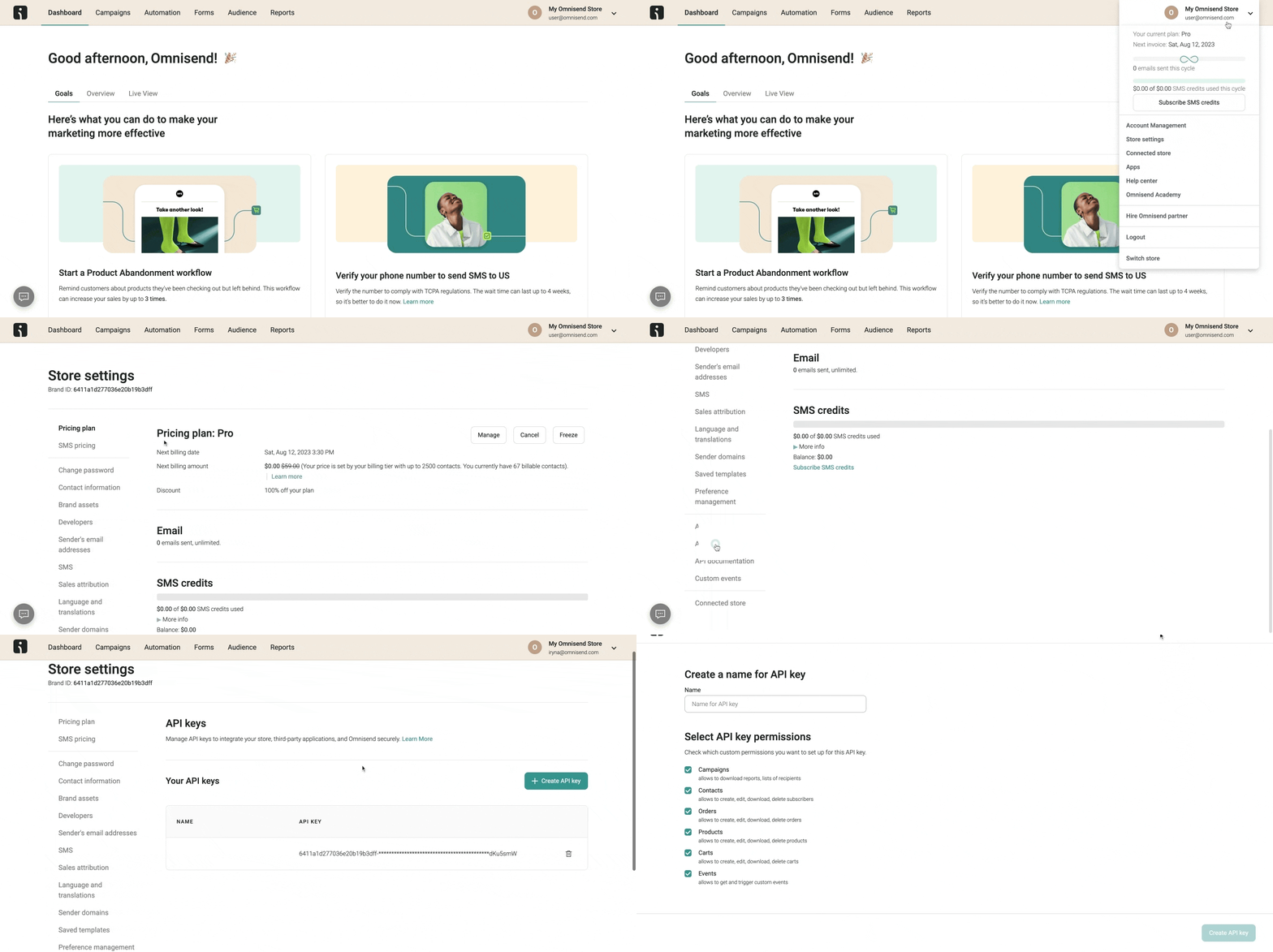
🔑 Step 1: Get your Omnisend API key
Section titled “🔑 Step 1: Get your Omnisend API key”Reference: https://support.omnisend.com/en/articles/1061890-generating-api-key
Steps:
- Go to Omnisend and log into your account
- In the Omnisend dashboard, click your profile icon (top right) > select Store Settings > navigate to the API Keys tab.
- Click the Create API Key button > give your key a name (e.g., “MyApp Integration”) > select the permissions your integration needs
- Click Save > once the key is generated, copy and securely store it
🔌 Step 2: Connect Omnisend
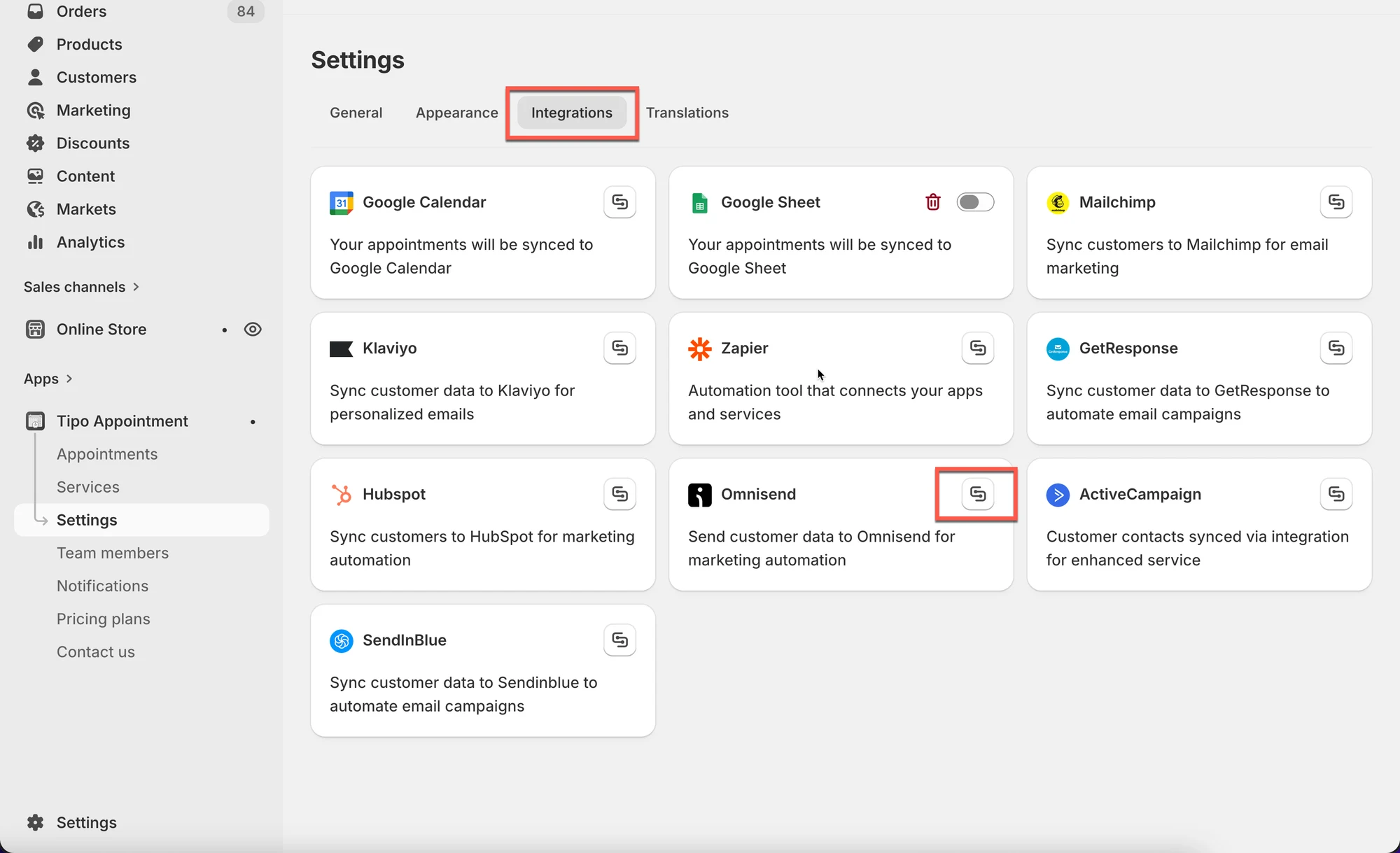
Section titled “🔌 Step 2: Connect Omnisend”- Open the app > click Settings > Integrations > find Omnisend
- Click on the connect icon
- Paste the API generated on the step 1 to API key field
- Click Save
✅ Confirm it’s working
Section titled “✅ Confirm it’s working”After an appointment is booked, new contact is added to Omnisend.
Create a test booking and check:
- Omnisend Contacts
- Any automation triggered by new contacts
🙋 Still need support?
If you still need help, please feel free to contact us at hi@tipo.io. We’ll be happy to assist you further.