> For the complete documentation index, see [llms.txt](https://docs.tipo.io/llms.txt). Markdown versions of documentation pages are available by appending `.md` to page URLs; this page is available as [Markdown](https://docs.tipo.io/tipo-appointment-booking/faqs/why-is-booking-reminders-not-sending.md).
# Why is booking reminders not sending
If booking reminder emails are not being sent, the most common reason is that no reminder time is configured. Simply enabling “Booking reminder” is not enough.
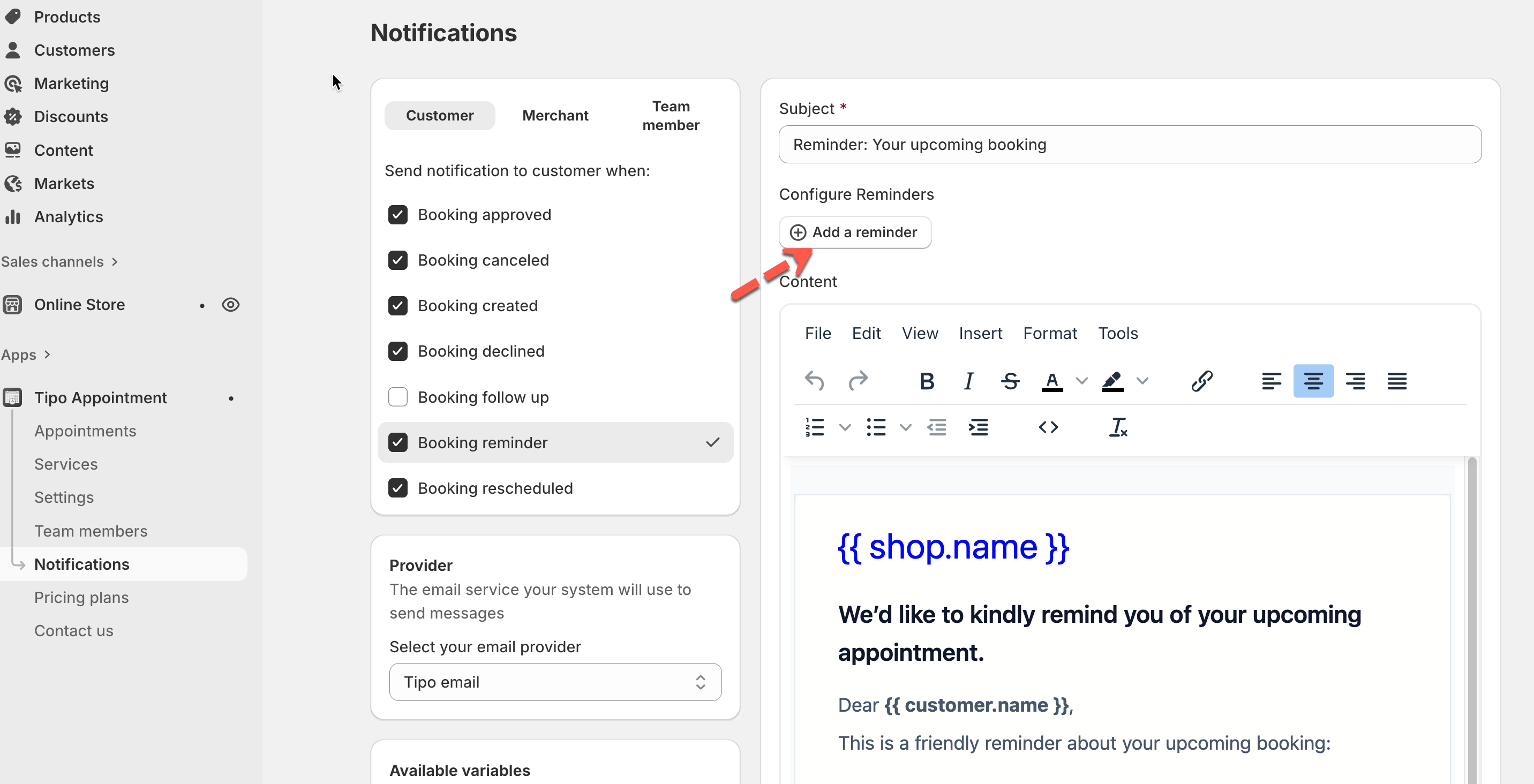
### 1- You must add a reminder time (required)
Booking reminders will NOT send unless at least one reminder is added.
Even if:
* “Booking reminder” is checked
* Email content is filled in
**⇒ No reminder time = no reminder sent**
#### 🛠️ How to set
1. Open the app > go to **Notifications**
2. Choose who should receive reminders:
* **Customer**
* **Merchant**
* **Team member**
3. Select **Booking reminder**
4. Add a reminder
* Click **Add a reminder**
* Enter a number (for example: `1`)
* Choose the time unit:
* Minutes
* Hours
* Days
* Toggle the reminder **ON**
***
### 2- How reminder timing works
Reminders are sent based on the appointment start time.
Example
* Appointment time: **10:00 AM**
* Reminder set to: **1 hour before**
* Reminder will be sent at: **9:00 AM**
If the reminder is added after the booking time has already passed, it will not send.
***
### 3- Check appointment status
Reminders are only sent for active appointments.
Reminders will not be sent if the booking is:
* Cancelled
* Declined
* Deleted
**What to do**
1. Go to **the app → Appointments**
2. Open the booking
3. Make sure the status is **Approved / Confirmed**
***
### 4- Check customer email
Reminder emails require a valid customer email.
**What to check**
* Email field is not empty
* Email address is correct
* Customer checks Spam / Promotions folder
***
### 5- Still need help?
If reminders are set correctly and still not sending, contact support.
📩 **Email:**
Please include:
* Store URL
* Appointment ID
* Reminder timing
* Screenshot of notification settings
***
**🙋 Still need support?**
If you still need help, please feel free to contact us at . We’ll be happy to assist you further.