> For the complete documentation index, see [llms.txt](https://docs.tipo.io/llms.txt). Markdown versions of documentation pages are available by appending `.md` to page URLs; this page is available as [Markdown](https://docs.tipo.io/tipo-appointment-booking/faqs/why-is-the-booking-form-not-showing.md).
# Why is the booking form not showing?
After you create a service, you visit the Shopify product page, but the booking form doesn’t appear. Use this checklist to find the cause and fix it.
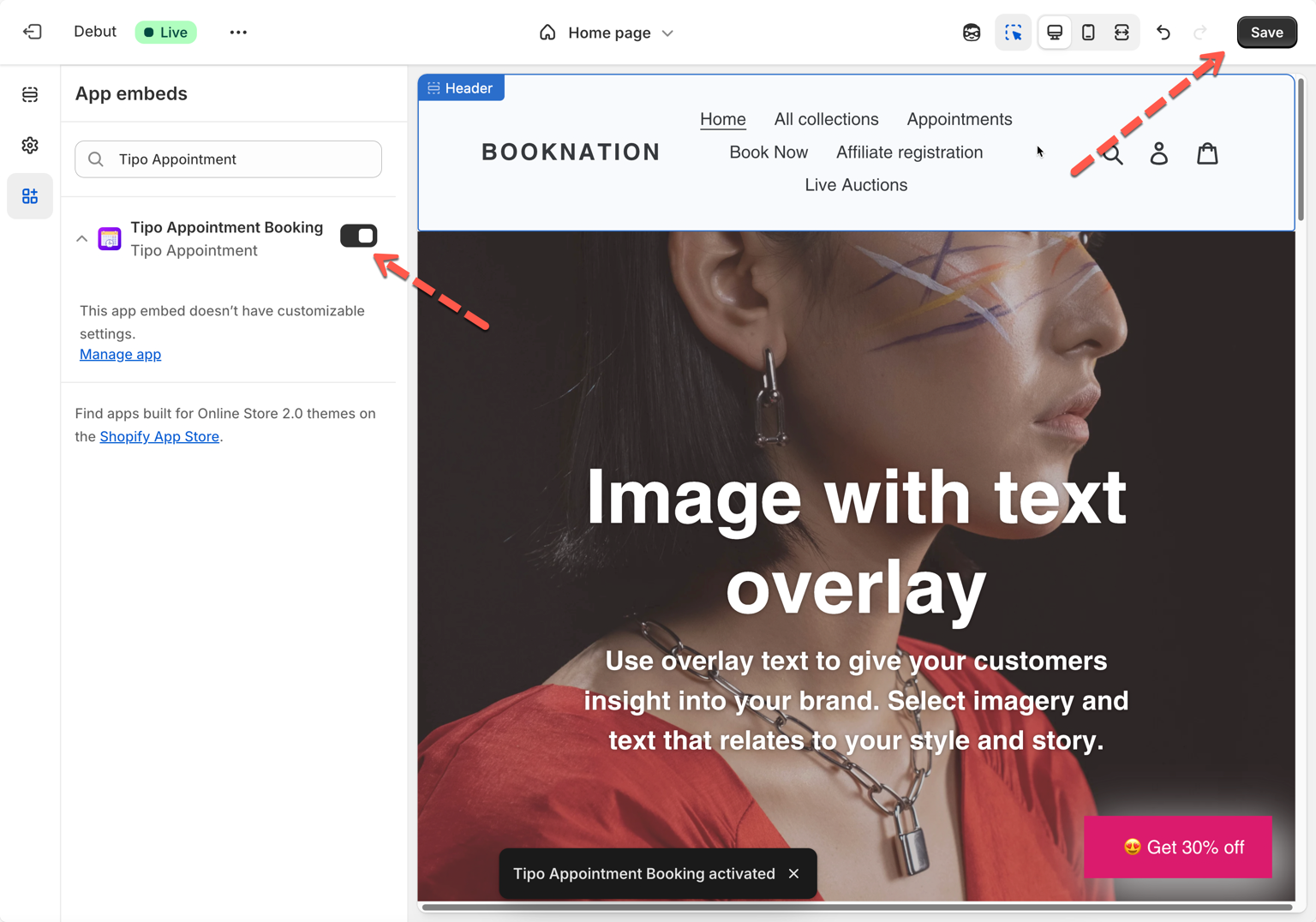
### 1- Check you’re editing the same theme you’re viewing
If the app embed is enabled on an **unpublished** theme, you won’t see the booking form on your **live** storefront.
To show the booking form on the live website, please integrate the app to the live theme and check again. Activate the app embed on the theme [here](https://tipo.io/index.php/kb/integrate-uninstall-the-app-to-a-theme/#ch_1)
***
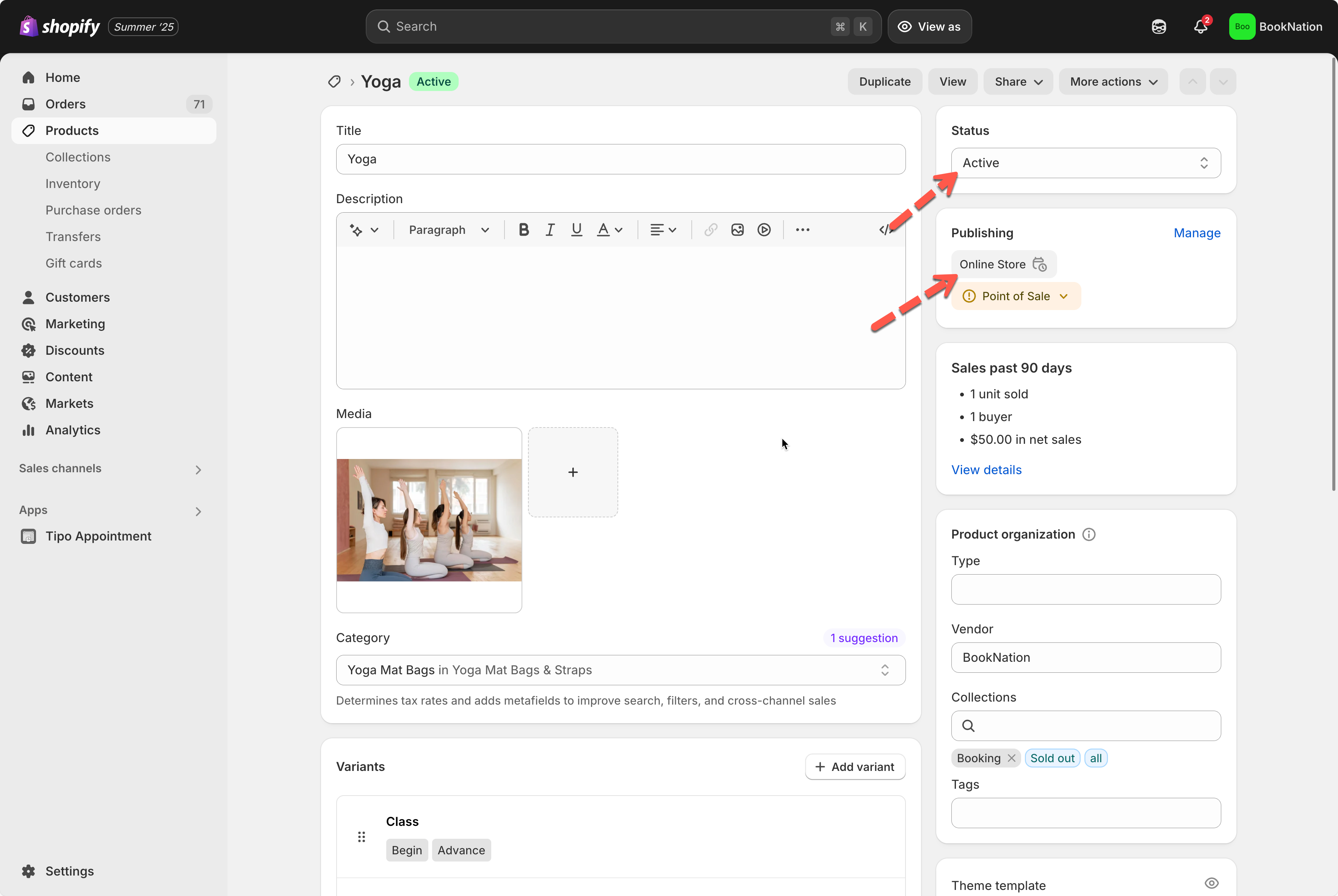
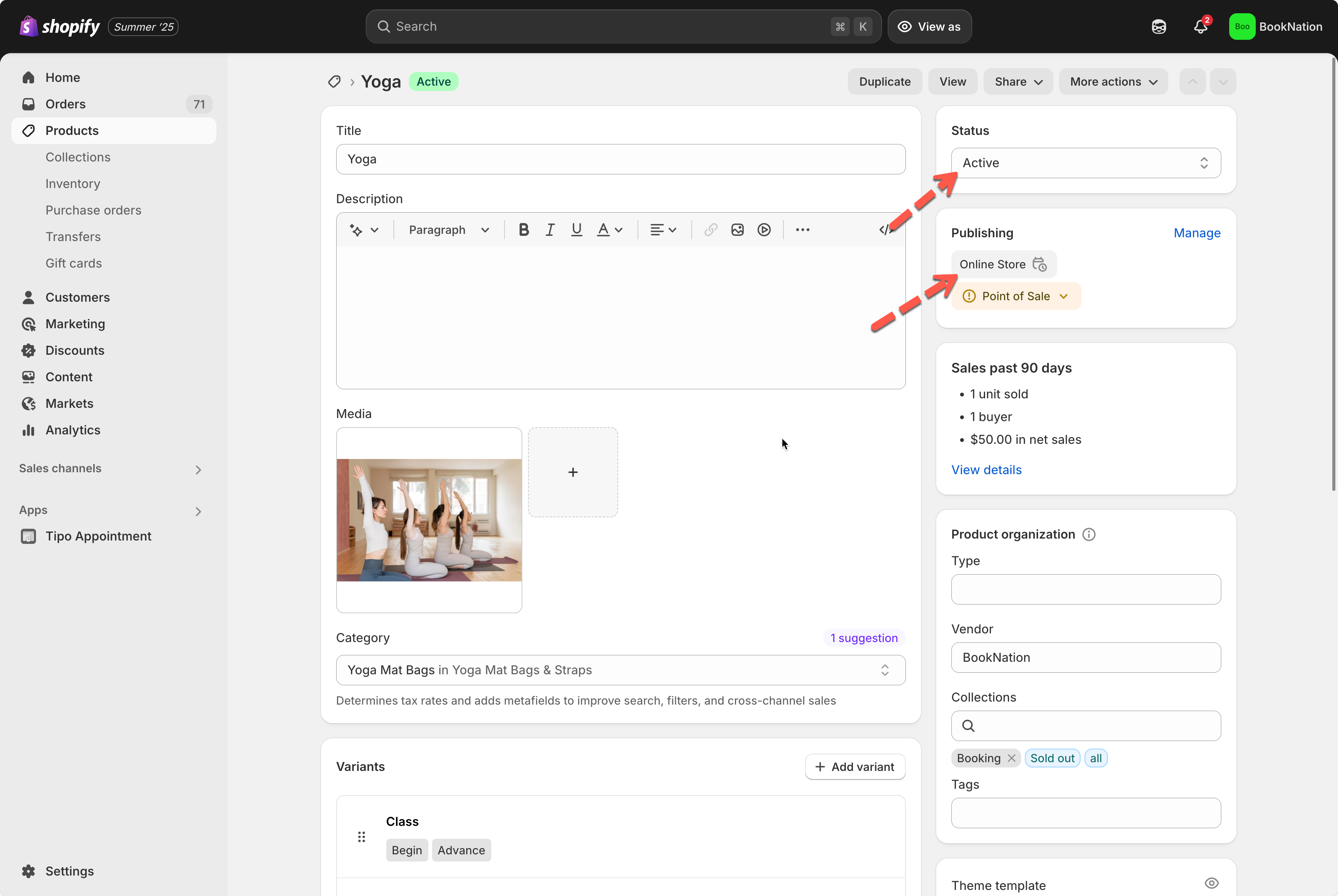
### 2- Make sure the service product is Active
Tipo uses a Shopify **product** to power a **service**. If the product is not **Active**, the product page (and booking form) may not be visible to customers.
**What to do**
1. Go to **Shopify admin → Products**
2. Open the product that is linked to your service
3. Set **Product status** to **Active**.
***
### 3- Confirm the product is published to the Online Store sales channel
Even if a product is Active, it still needs to be available on the **Online Store** channel to show on your storefront.
**What to do**
1. Go to **Shopify admin → Products**
2. Open the service product
3. In **Sales channels and apps**, click **Manage**
4. Ensure **Online Store** is checked, then save.
***
### 4- Make sure your theme shows the Buy/Add to cart button
Tipo displays the booking form based on the theme’s **Buy button / Add to cart button** area. If the theme hides that button, the booking form may not appear.
**What to do**
1. Go to **Online Store → Themes → Customize**.
2. Open the **Product page** template.
3. Check the product section settings and make sure **Buy buttons / Add to cart** are enabled.
***
### 5- Still not showing? Contact support
If you’ve checked all items above and the booking form still doesn’t appear, contact the support team at .
**Tip:** Include these details to speed things up:
* Store URL
* Product URL where the form is missing
* Theme name (live theme)
* A screenshot of the App embed toggle enabled
***
**🙋 Still need support?**
If you still need help, please feel free to contact us at . We’ll be happy to assist you further.