> For the complete documentation index, see [llms.txt](https://docs.tipo.io/llms.txt). Markdown versions of documentation pages are available by appending `.md` to page URLs; this page is available as [Markdown](https://docs.tipo.io/tipo-appointment-booking/third-party-integration/brevo-sendinblue-integration.md).
# Brevo (Sendinblue) integration
Connect Tipo to Brevo (formerly Sendinblue) to add booking customers to your contact list.
### 🔑 Step 1: Get a Brevo API key
* Log in to **Brevo**
* Go to **SMTP & API**
* Generate an **API key**
[Learn more](https://developers.brevo.com/docs)
***
### 🔌 Step 2: Connect Tipo booking form with Sendinblue
**Steps to manage**
1. Open the app > click **Settings** > **Integrations** > click on **Sendinblue**
2. Click the connect icon
3. Enter the API generated on the step 1 to **API KEY** field
3\. Click **Save**
***
### ✅ How Sendinblue integration works?
After an appointment is booked on Tipo calendar, the customer email will be added to the selected Sendinblue contact list.
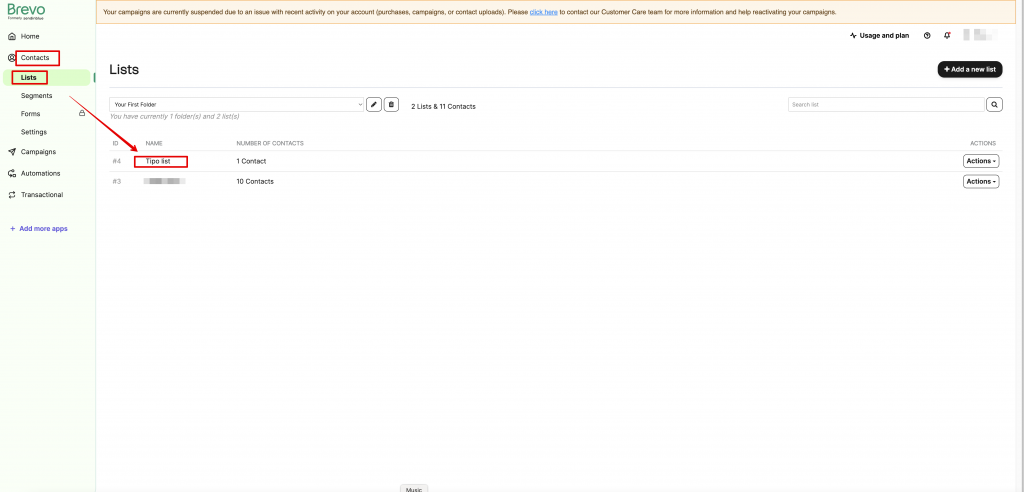
Create a booking and check **Brevo → Contacts** for the new entry.
***
**🙋 Still need support?**
If you still need help, please feel free to contact us at . We’ll be happy to assist you further.