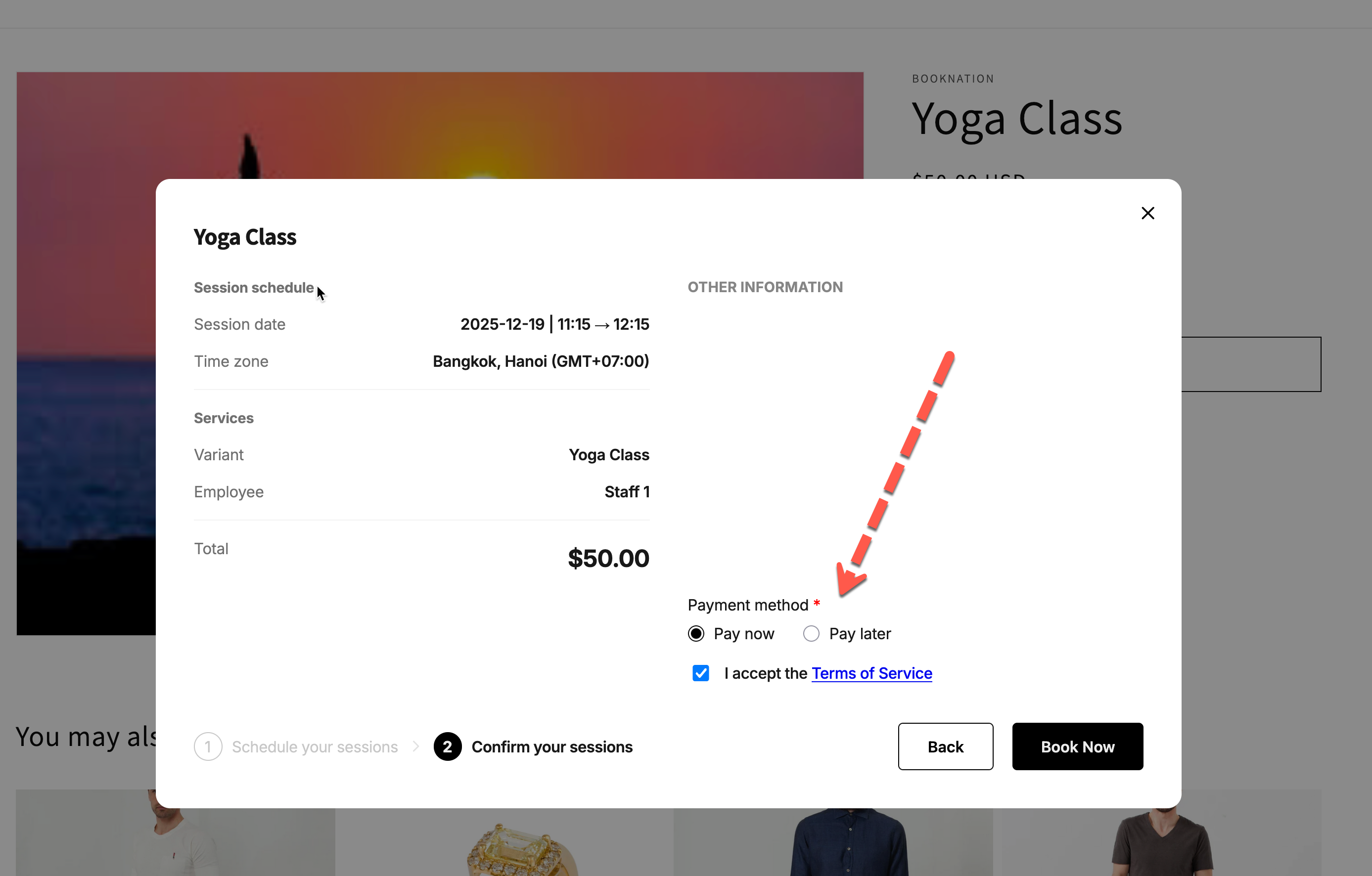
Allow customers to choose a payment method

When you set up a paid service, you can let customers decide how they want to pay:

  • Pay now – pay immediately at checkout

  • Pay later – confirm the booking first, pay from an invoice later

This is useful if you want to give customers flexibility (for example: “Pay now to secure your spot or pay later by invoice”).


🛠️ Turn on “Customer chooses payment method”

  1. In the app > click Services > open a service you want to edit

  2. In the Choose payment type section:

    • Select Pay to book.

    • Under that, choose Allow customer to choose pay now or pay later.

  3. Click Save.


✅ What customers see on the booking widget

On your storefront, when a customer books this service:

  1. They pick a date and time.

  2. On the Confirm your sessions step, they’ll see a Payment method section with:

    • Pay now

    • Pay later

They must choose one before clicking Book Now.


✅ What happens with each option

Option
What happens after customer confirms
How payment is handled

Pay now

The app sends the customer straight to Shopify checkout.

Customer pays immediately. The booking is created only after successful payment. Shopify order is created in store backend.

Pay later

The app collects the customer info and creates the booking right away.

Tipo creates a draft order and sends an invoice email so the customer can pay later.

💡 Tip: Use Pay later for services where you need to confirm details manually or accept offline payments (bank transfer, cash, etc.).


📌 When to use this option

Good use cases:

  • Classes or workshops where some customers pay upfront and others pay by invoice

  • Clinics or salons that allow existing clients to pay at the venue

  • B2B/wholesale bookings where payment is often processed later

Last updated