> For the complete documentation index, see [llms.txt](https://docs.tipo.io/llms.txt). Markdown versions of documentation pages are available by appending `.md` to page URLs; this page is available as [Markdown](https://docs.tipo.io/tipo-appointment-booking/mail-notification/booking-reminders.md).
# Booking reminders
Booking reminders automatically send emails before an appointment starts. They help reduce no-shows by reminding customers, team members, or merchants about upcoming bookings.
### 💡 How booking reminders work
Booking reminders are based on time before the appointment, not when the booking is created.
You can:
* Send multiple reminders for the same booking
* Choose the time unit (minutes, hours, or days)
* Enable reminders separately for:
* Customers
* Team members
* Merchants (admin)
***
### 🛠️ How to set
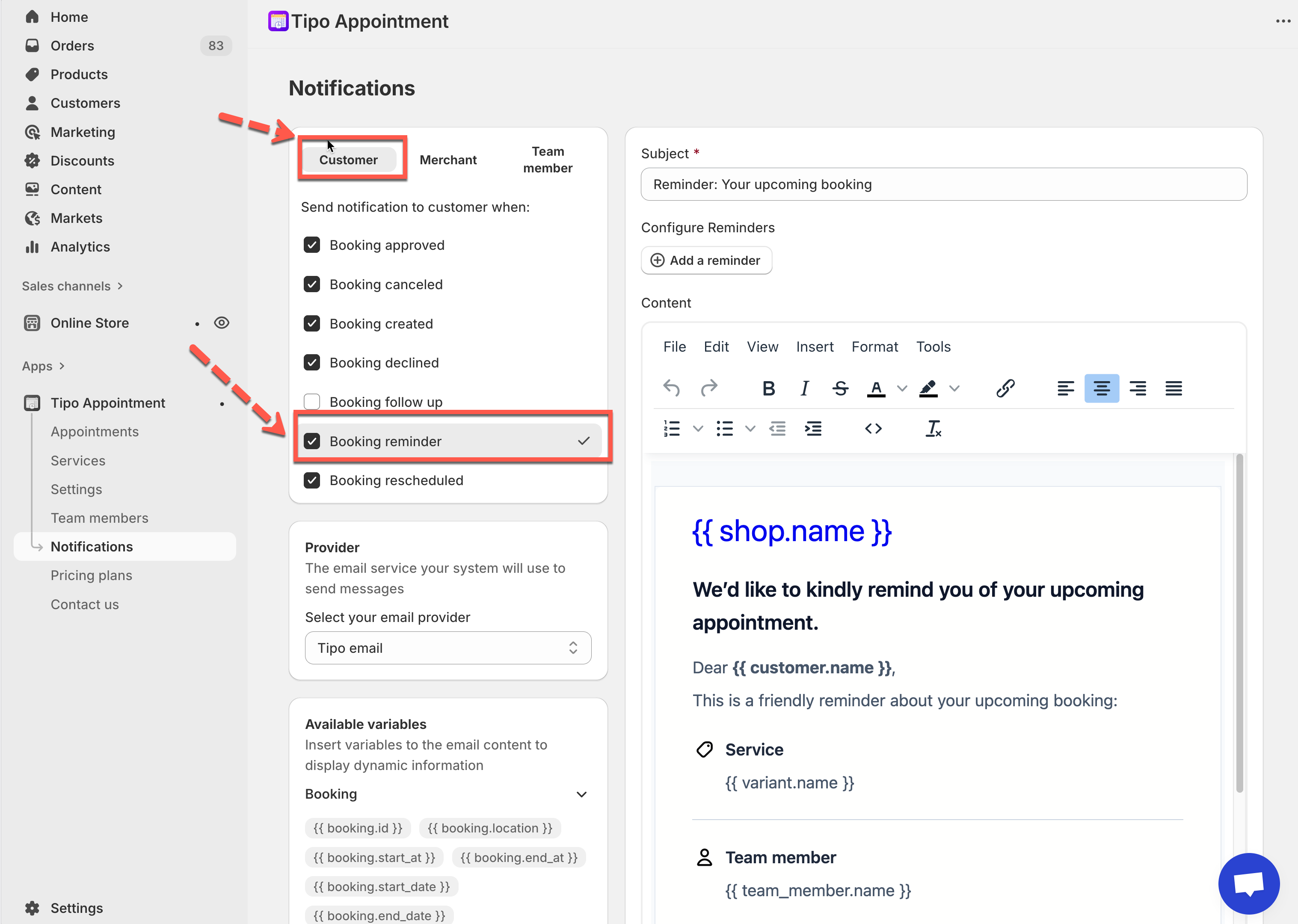
1. Open the app > go to **Notifications**
2. Choose who should receive reminders:
* **Customer**
* **Merchant**
* **Team member**
3. Select **Booking reminder**
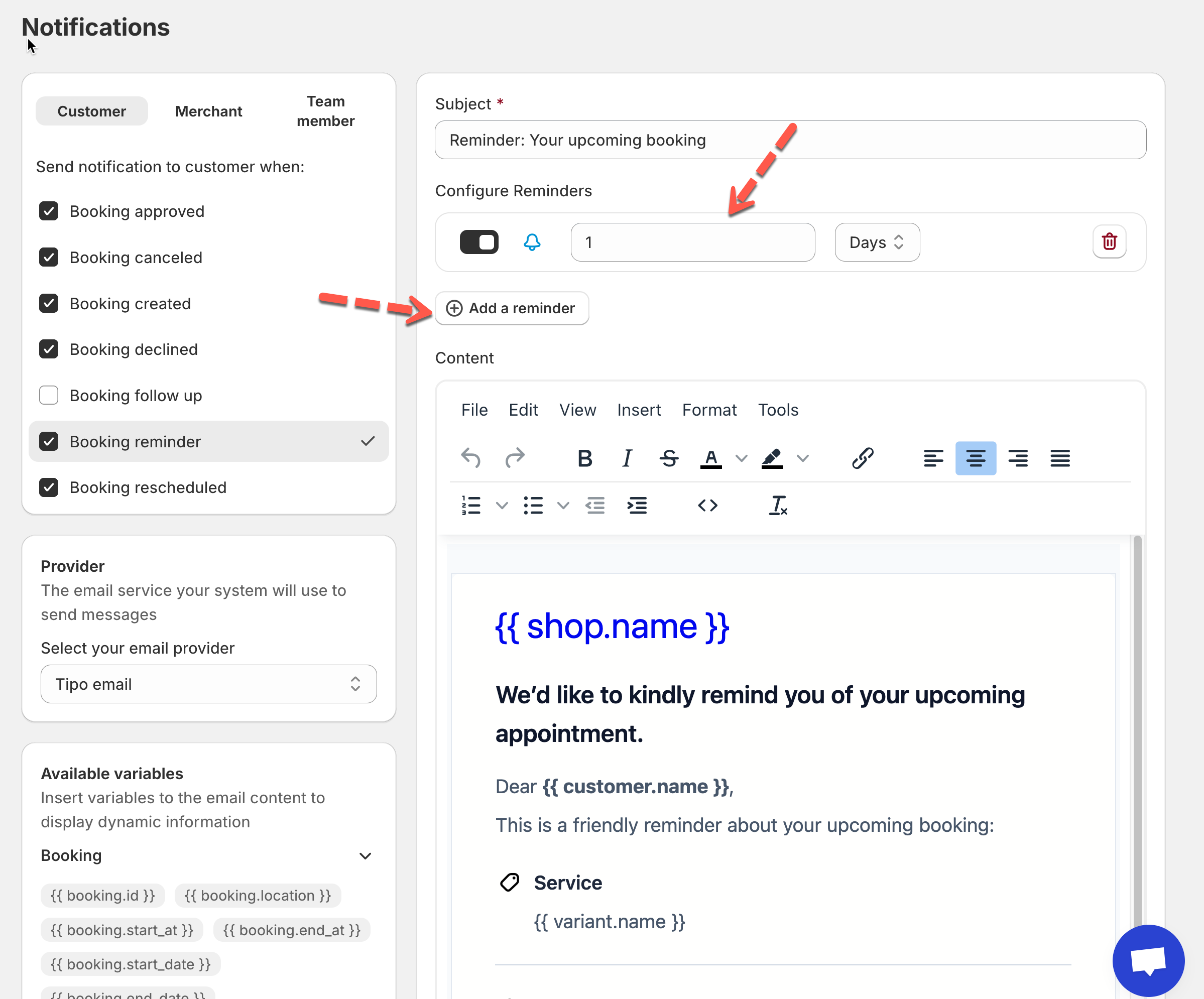
4. Add a reminder
* Click **Add a reminder**
* Enter a number (for example: `1`)
* Choose the time unit:
* Minutes
* Hours
* Days
* Toggle the reminder **ON**
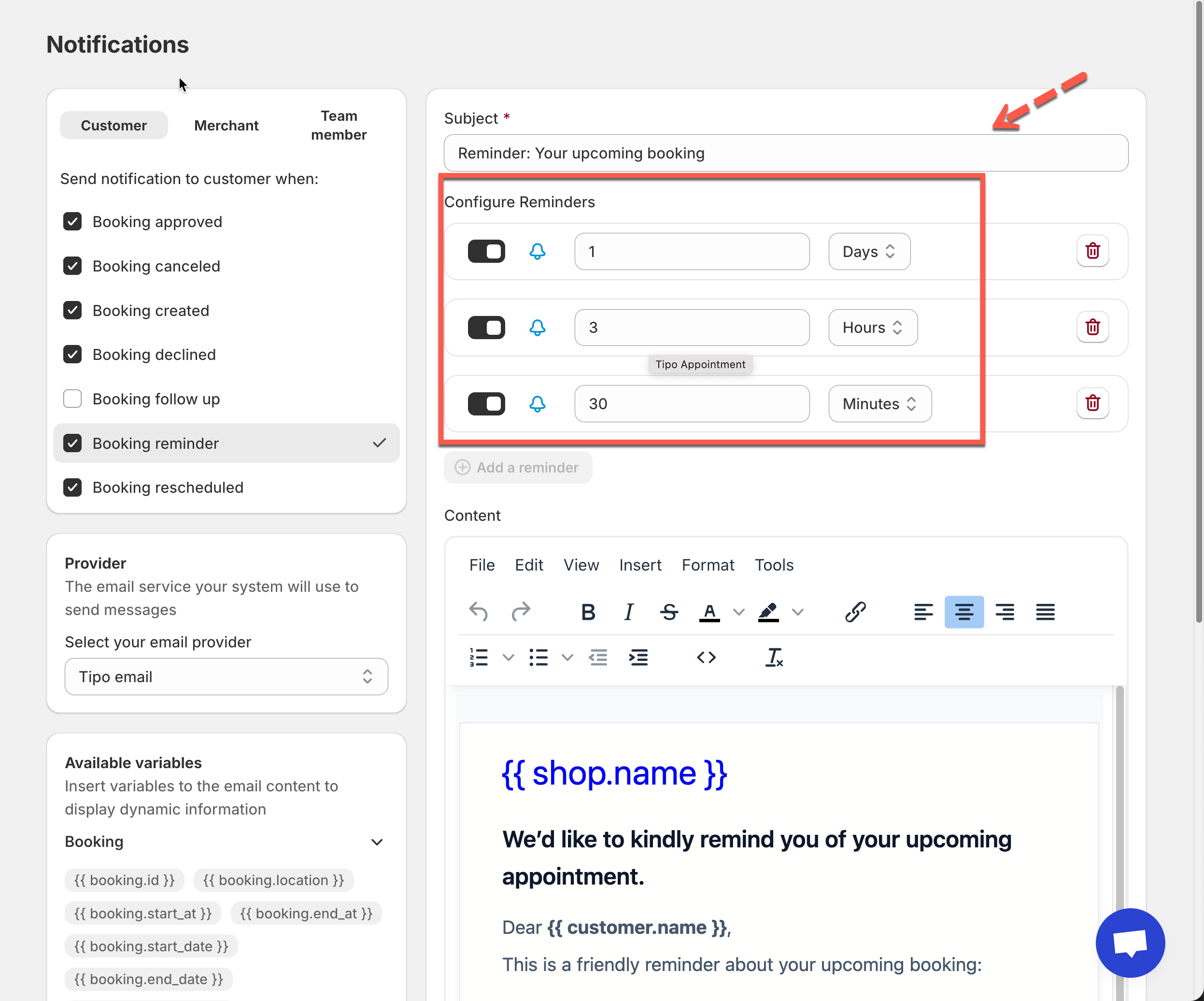
#### ➕ Multiple reminders (recommended)
You can add **more than one reminder** for the same booking.
Example setup:
* **1 day before** the appointment
* **3 hours before**
* **30 minutes before**
This creates a clear reminder flow without overwhelming customers.
5. Customize reminder email content
Each reminder uses the **Booking reminder email template**.
You can edit:
* **Subject**
* **Email content**
* **Variables** (customer name, service, date, time, location)
6 Click Save to update the changes.
***
### 🧪 Test your reminders
1. Create a test booking scheduled in the near future
2. Confirm the reminder email is received at the correct time
Tip: Use **minutes** for testing instead of hours or days.
***
**🙋 Still need support?**
If you still need help, please feel free to contact us at . We’ll be happy to assist you further.