> For the complete documentation index, see [llms.txt](https://docs.tipo.io/llms.txt). Markdown versions of documentation pages are available by appending `.md` to page URLs; this page is available as [Markdown](https://docs.tipo.io/tipo-appointment-booking/mail-notification/admin-emails/add-admin-email-addresses.md).
# Add admin email addresses
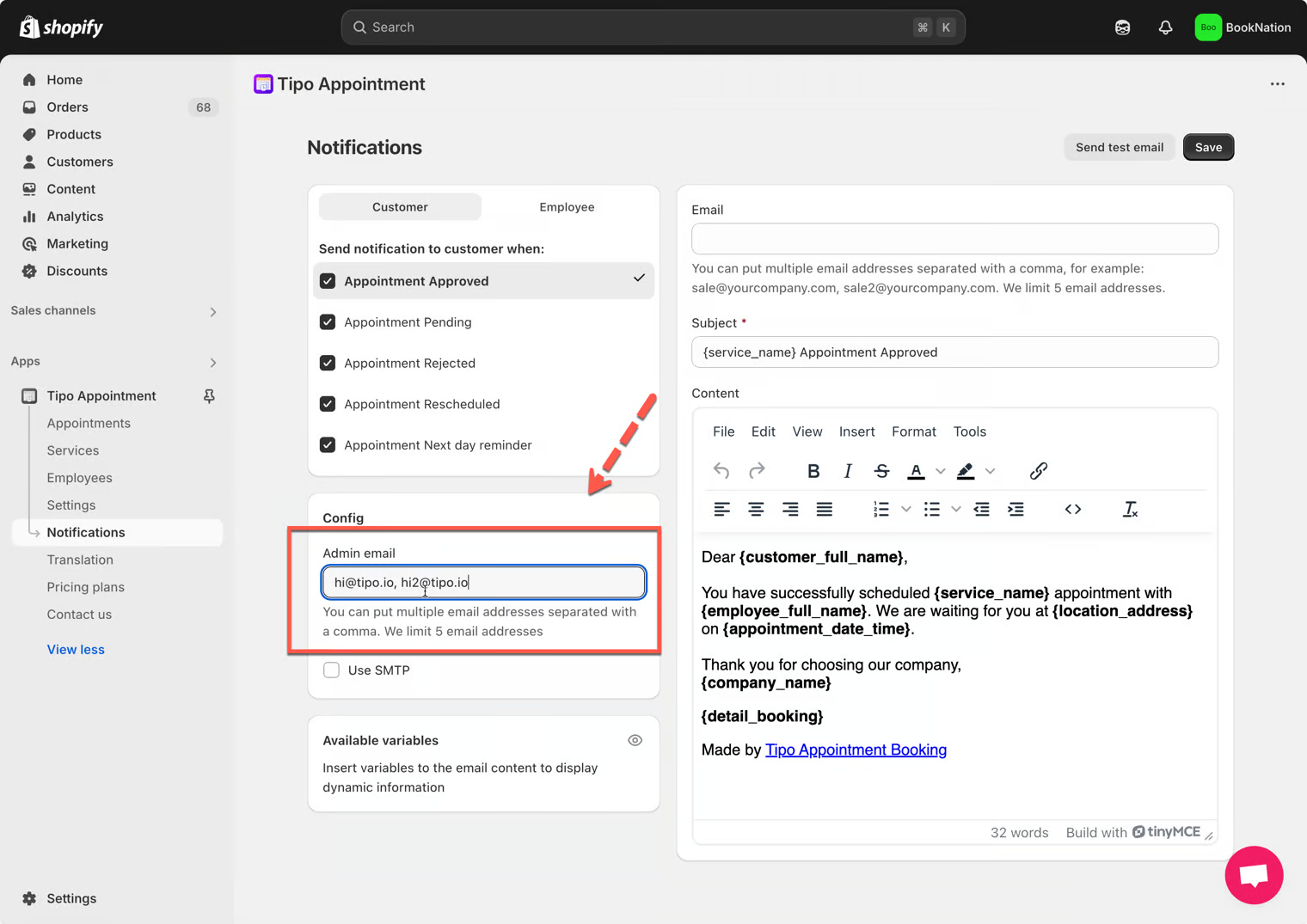
1\. Open the app > click **Notifications** > click **Merchant** tab
2\. Enter email address(es) to the **Admin email** field
**Note**: you can add multiple admin email addresses, separate email by comma character, for example: `sale@yourcompany.com, sale2@yourcompany.com`
3. Click **Save**
***
**🙋 Still need support?**
If you still need help, please feel free to contact us at . We’ll be happy to assist you further.