> For the complete documentation index, see [llms.txt](https://docs.tipo.io/llms.txt). Markdown versions of documentation pages are available by appending `.md` to page URLs; this page is available as [Markdown](https://docs.tipo.io/tipo-appointment-booking/settings/customize-add-on-labels-and-prices.md).
# Customize Add-on labels & prices
Control how **add-ons** (extra paid options tied to services) display on your booking widget and in the admin.\
This lets you show customers clear pricing next to each add-on choice and tailor the wording to match your brand or locale.
***
### 💡 What this setting changes
Add-on labels define how paid extras show up in the booking widget . For example:
* Yoga mat rental
* Chair setup fee
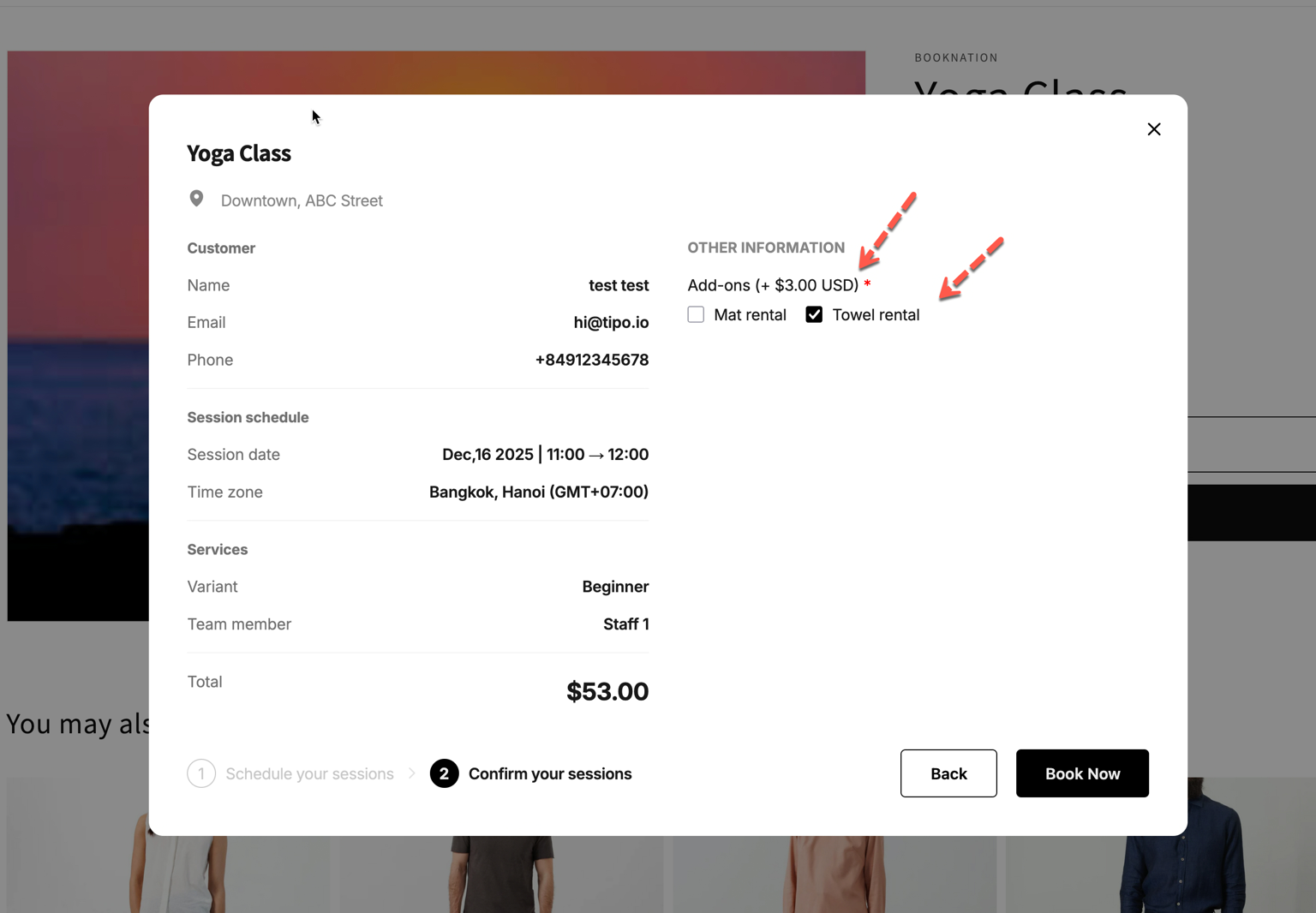
* 🎁 Gift wrap (+$5.00)
Using this setting you can:
* Add a price format next to add-on names
* Show prices in a way that’s clear and consistent
***
#### 🛠️ How to set
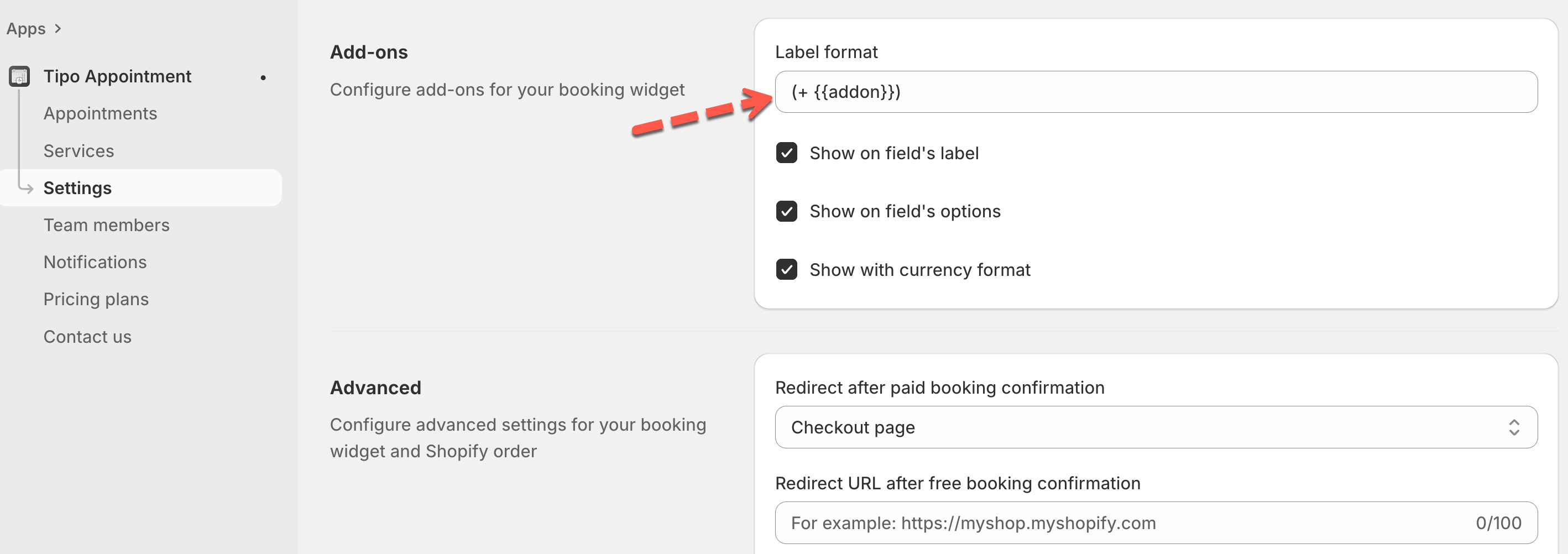
1. In the app > open **Settings** > scroll to **Add-ons**
2. In **Label format**, enter your preferred format. Example: `(+ {{addon}})`
3. Choose where prices appear
* **Show on field’s label:** Shows the add-on name with the price next to the add-on question label.
* **Show on field’s options:** Shows the price next to each add-on option in the list.
* S**how with currency format:** Displays the price with your store’s currency formatting (example: $3.00 USD).
4. Click **Save**
***
**🙋 Still need support?**
If you still need help, please feel free to contact us at . We’ll be happy to assist you further.