> For the complete documentation index, see [llms.txt](https://docs.tipo.io/llms.txt). Markdown versions of documentation pages are available by appending `.md` to page URLs; this page is available as [Markdown](https://docs.tipo.io/tipo-appointment-booking/faqs/why-i-have-to-enable-the-add-to-cart-button.md).
# Why I have to enable the add to cart button?
Our app works by detecting the **Buy Button (Add to Cart button)** in your Shopify theme.\
To show the **Book Now** button correctly, the Buy Button must be enabled and visible in your theme.
Steps
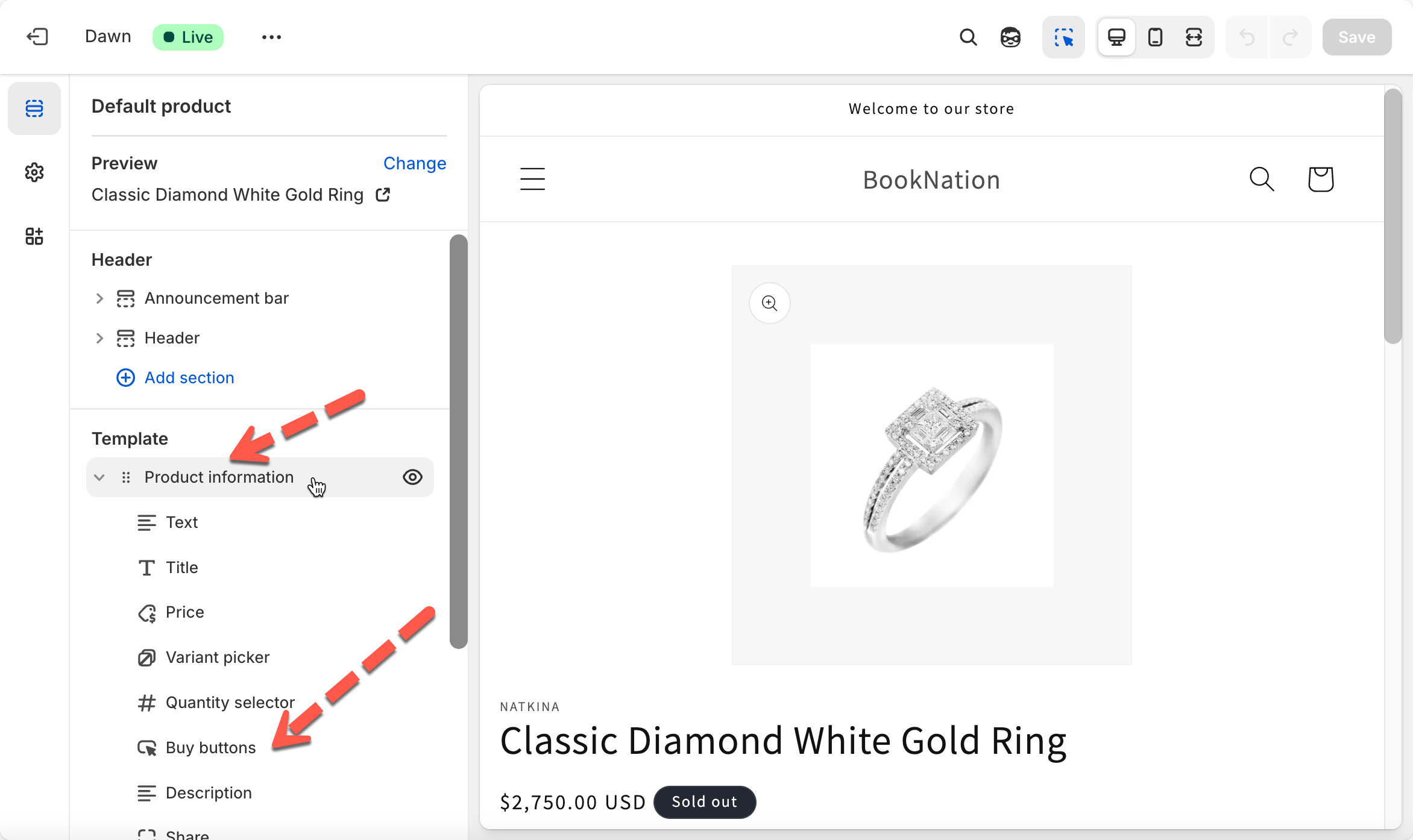
1. Go to your **Shopify Admin** > click **Online Store** → **Themes** > click **Customize** on your current theme
2. In the top navigation of the editor, open the **Page Selector** > select **Products → Default product** (or your custom product template)
3. On the left sidebar, look for:
* **Buy buttons**
* **Product information → Buy buttons**
* **Add to cart button**
Depending on your theme, it may appear under **Product Information** or as a standalone block.
3. Inside the Buy Button / Add to Cart block, ensure the block is **not hidden**
4. Click **Save**
Our app automatically:
* Detects your **Buy Button** from the theme
* Replaces it with our **Book Now** button on products where booking is enabled
If the Buy Button is missing or disabled, our app cannot display the booking button.
If still not found, please feel free to contact our support at and we will help you enable it.
***
**🙋 Still need support?**
If you still need help, please feel free to contact us at . We’ll be happy to assist you further.