> For the complete documentation index, see [llms.txt](https://docs.tipo.io/llms.txt). Markdown versions of documentation pages are available by appending `.md` to page URLs; this page is available as [Markdown](https://docs.tipo.io/tipo-appointment-booking/settings/allow-overlapping-time-slots.md).
# Allow overlapping time slots
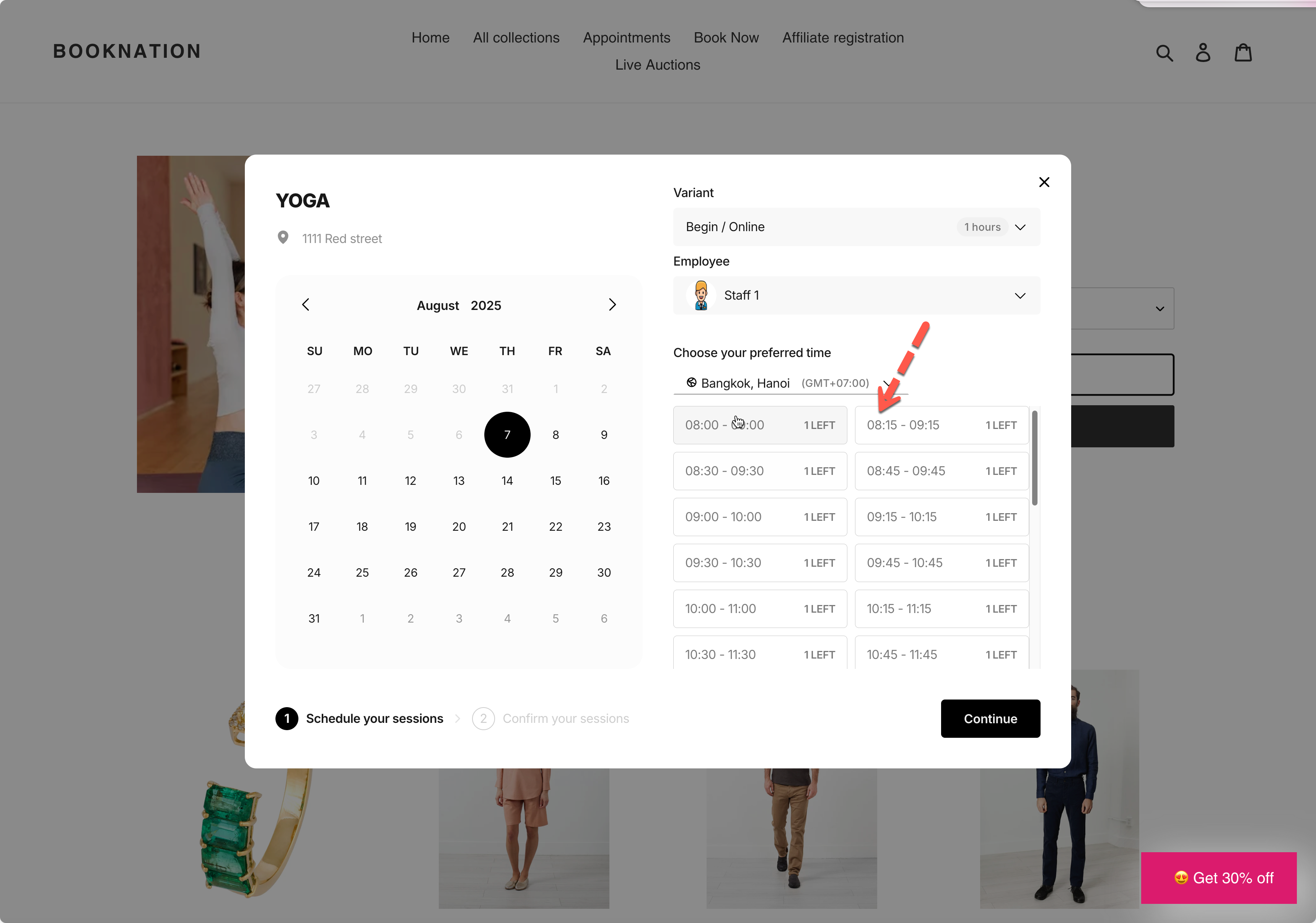
Overlapping time slots lets customers choose **more start times** for the same service duration. It’s great when you want flexible booking times like **9:00, 9:15, 9:30…** instead of only **9:00, 10:00, 11:00**.
***
### ✅ How it works
Your service still keeps the same duration (example: 60 minutes).\
Overlapping only changes how frequently start times appear.
#### Example (60-minute service)
**Without overlapping**\
Customers see slots every 60 minutes: **9:00, 10:00, 11:00**
**With overlapping (every 15 minutes)**\
Customers see more start times: **9:00, 9:15, 9:30, 9:45, 10:00…**
⇒ This gives customers more flexibility to book a time that fits their schedule.
***
### **💡** When to use this setting
Use **Allow overlapping** if you want:
* More booking options
* Busy schedules where customers need flexibility
* Services like **haircuts, consultations, yoga classes**, etc.
Avoid very small intervals (like 5 minutes) unless you truly need it, your booking list can become too long.
***
### 🛠️ Set up overlapping time slots
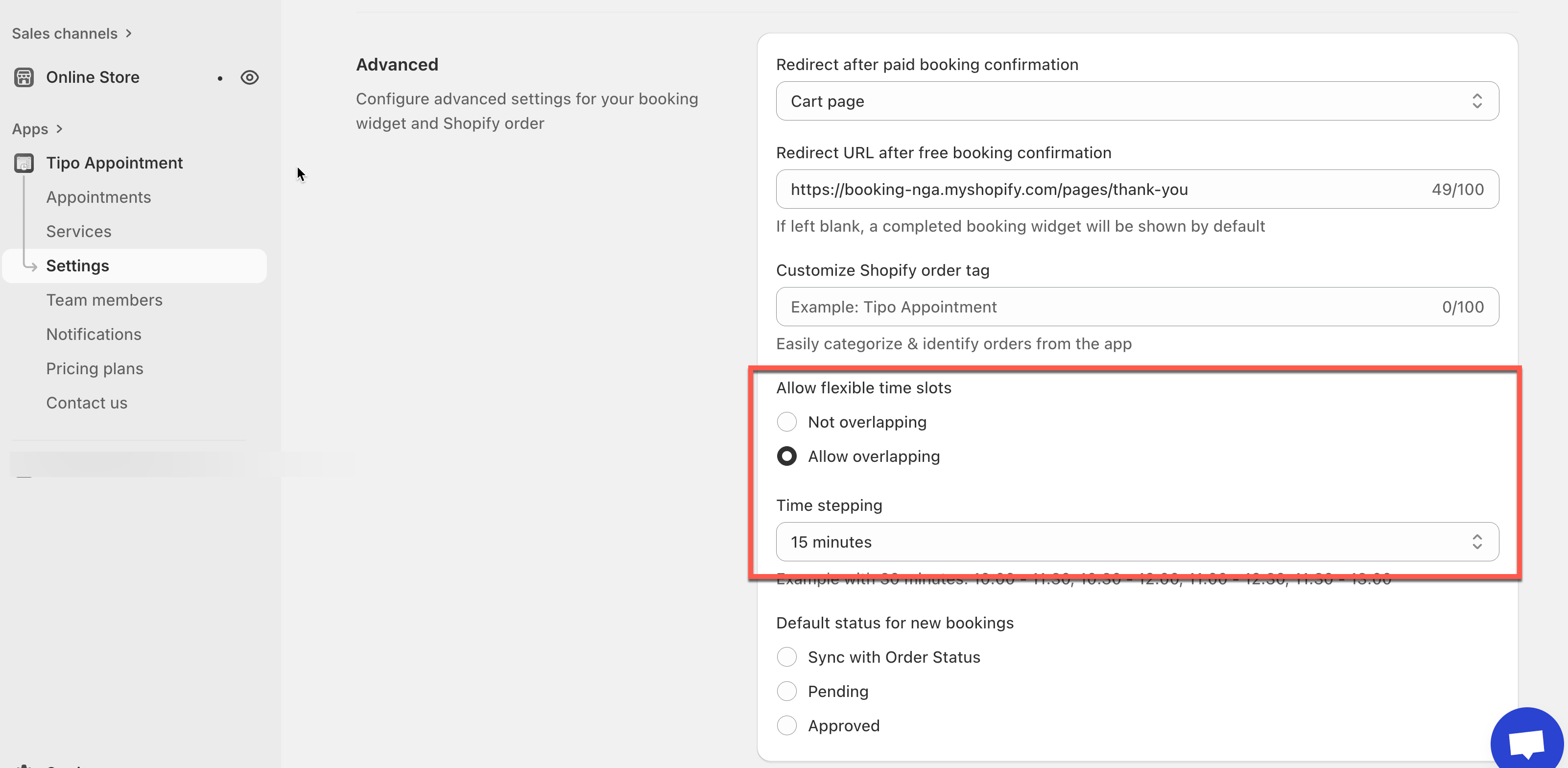
1. Open the app > click **Settings** > **Advanced** > scroll down to **Allow flexible time slots**
2. Select option **Allow overlapping**
3. Select **Time stepping**
4. Click **Save**
**Example**
If you set:
* **Service duration:** 60 minutes
* **Time stepping:** 15 minutes
Customers may see available start times like:\
**9:00, 9:15, 9:30, 9:45, 10:00, 10:15…**
Each booking still lasts **60 minutes**, but customers can start at more times.
***
### 📌 Important notes
* **Overlapping slots do NOT mean double booking.**\
A booking still blocks the full service duration.
* If you allow overlapping but still don’t see extra slots, check:
* staff availability hours
* blocked time/off dates
* booking date range limits
* service duration (very long durations naturally reduce available starts)
***
**🙋 Still need support?**
If you still need help, please feel free to contact us at . We’ll be happy to assist you further.