> For the complete documentation index, see [llms.txt](https://docs.tipo.io/llms.txt). Markdown versions of documentation pages are available by appending `.md` to page URLs; this page is available as [Markdown](https://docs.tipo.io/tipo-appointment-booking/settings/allow-bookings-when-service-is-out-of-stock.md).
# Allow bookings when service is out of stock
### 🎯 **Why Enable “Continue Selling When Out of Stock”?**
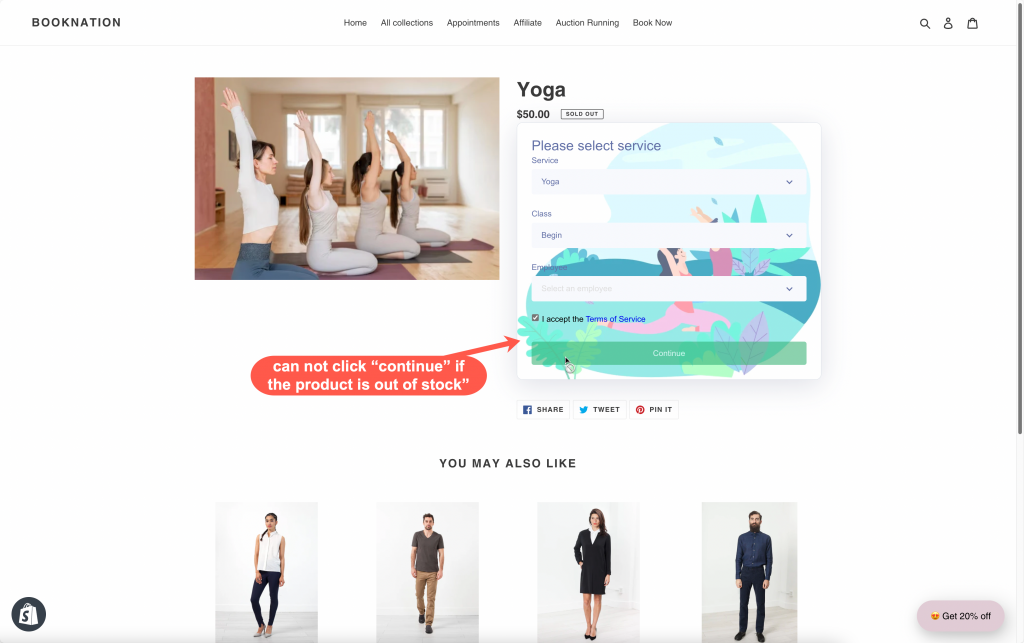
If your service product reaches 0 inventory, Shopify may mark it as **Sold** **out**. When that happens, customers might not be able to continue booking on the product page.
Enabling **Continue selling when out of stock** lets customers keep booking services even when inventory is 0, which is usually what you want for appointment-based services.
***
### 🧩 Case 1: Your service product has variants
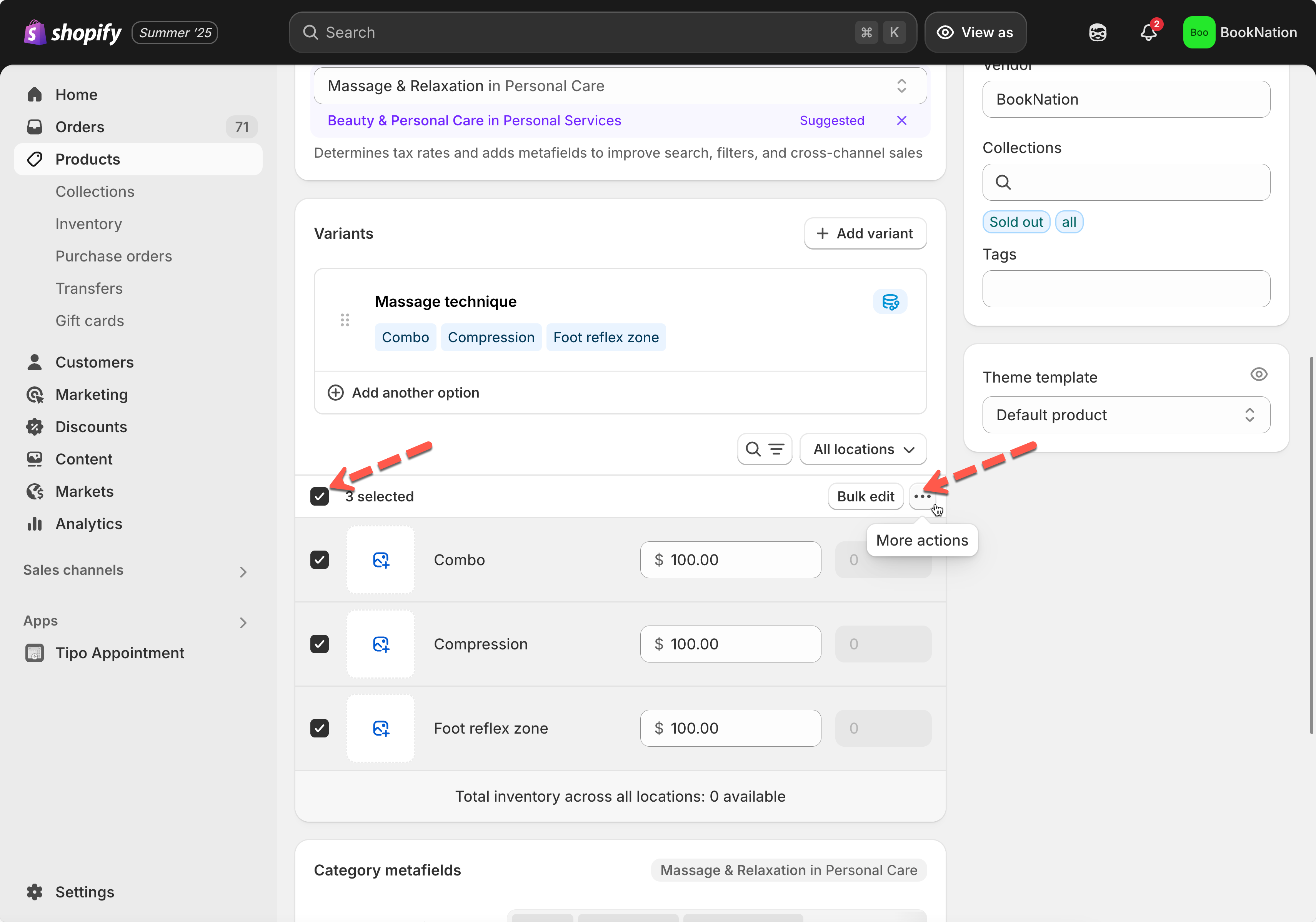
1\. From Shopify admin page, click **Products** > open the product you use to create service
2\. Select all variants > click “**More actions**“
3\. Select **Continue selling when out of stock**
4\. Click **Save**
***
### 🧩 Case 2: Your service product has no variants
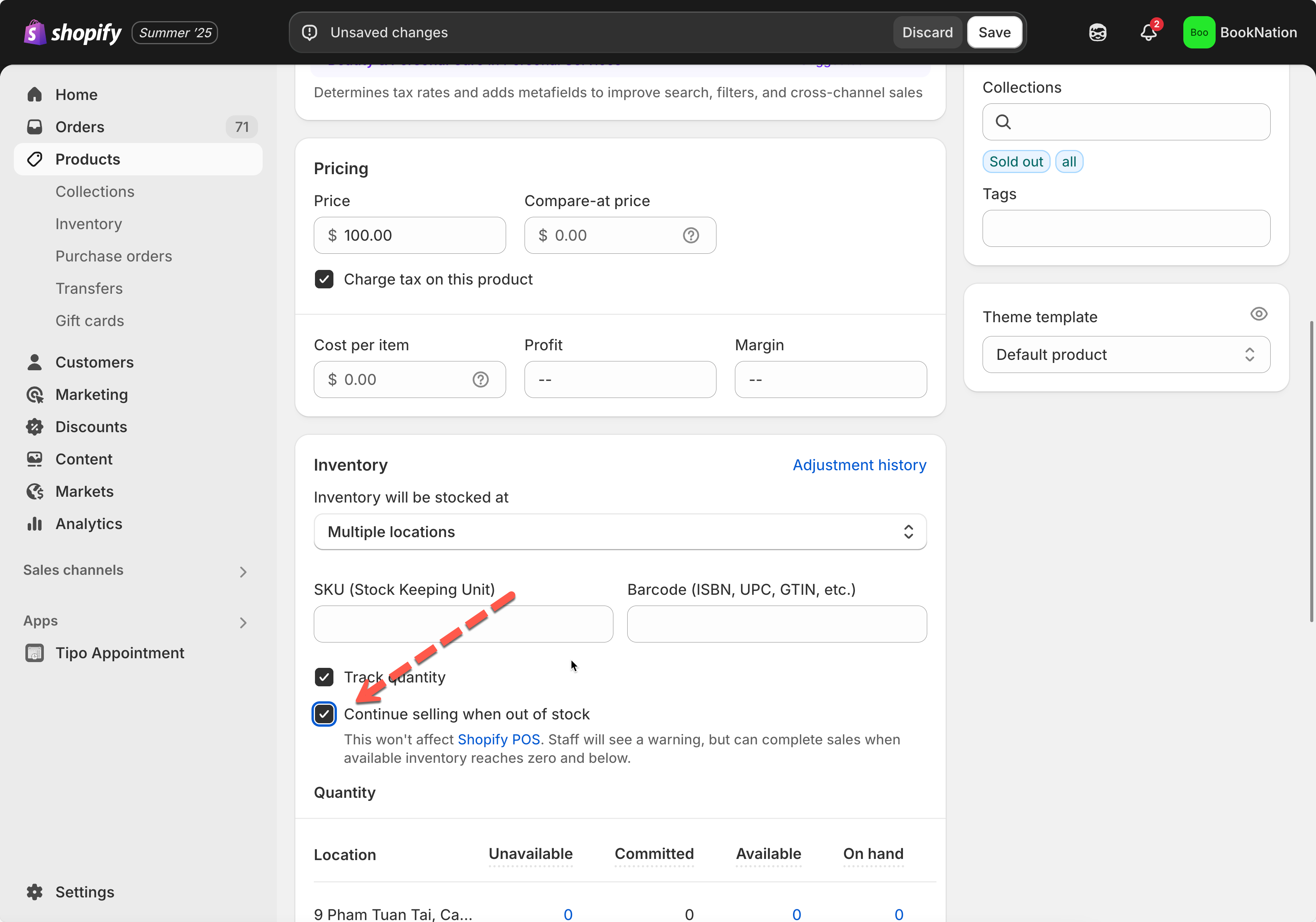
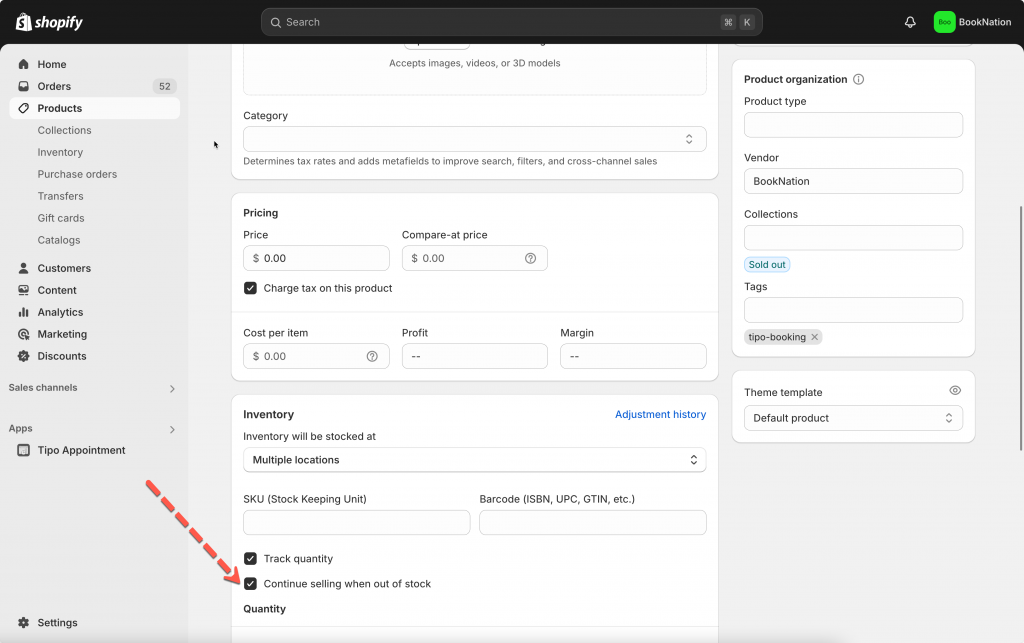
1\. From Shopify admin page, click **Products** > open the product you use to create service
2\. Check on the checkbox **Continue selling when out of stock**
3\. Click **Save**
***
#### ✅ Result
After enabling this Shopify setting, customers can **continue booking your service** even if the product inventory is **0**.
***
**🙋 Still need support?**
If you still need help, please feel free to contact us at . We’ll be happy to assist you further.
.png?alt=media&token=b367cf53-1627-4b31-b65f-bdb63fea5425)