> For the complete documentation index, see [llms.txt](https://docs.tipo.io/llms.txt). Markdown versions of documentation pages are available by appending `.md` to page URLs; this page is available as [Markdown](https://docs.tipo.io/tipo-appointment-booking/settings/set-date-and-time-format/time-format.md).
# Time format
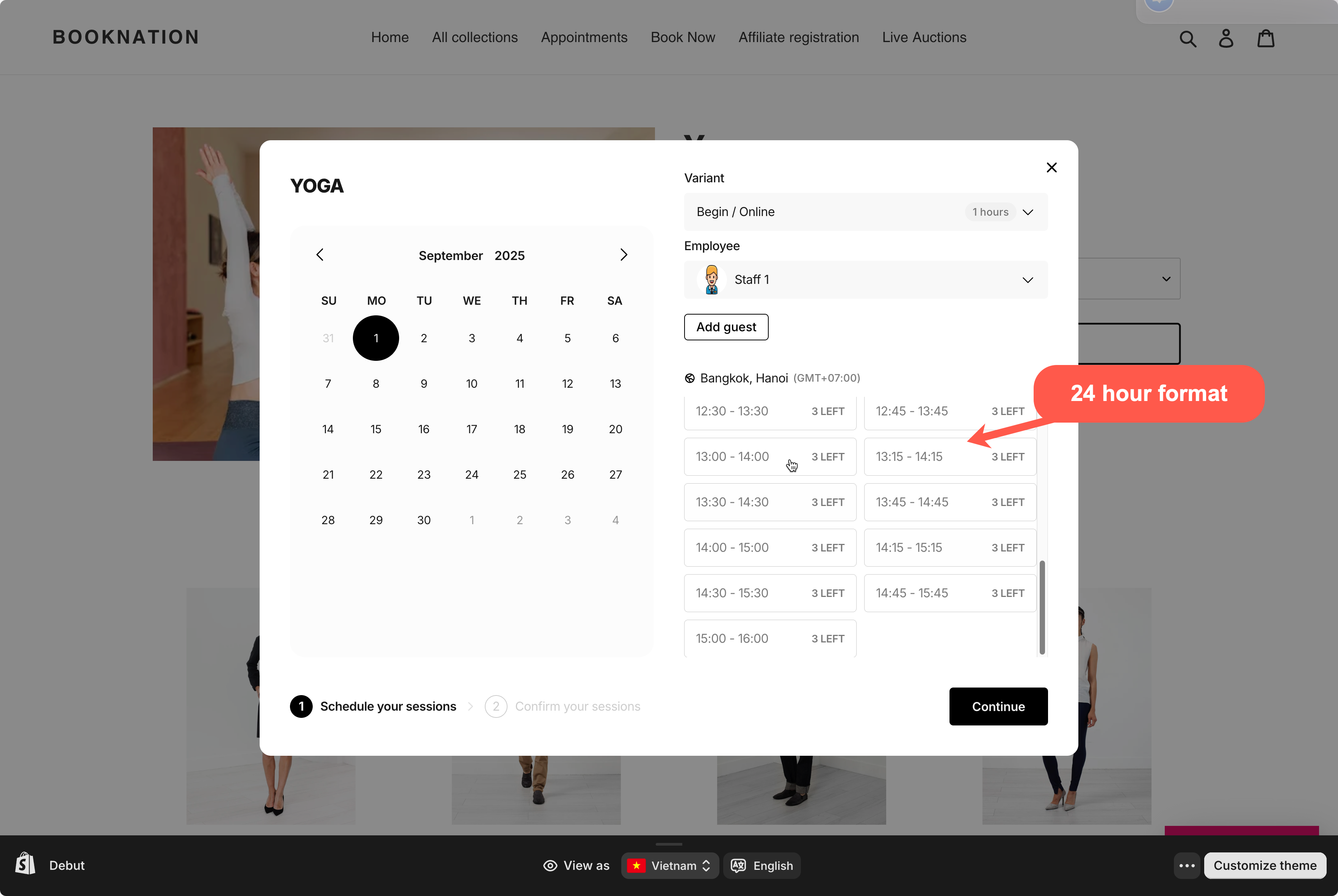
Choose how time is displayed on the booking widget: 24-hour format or 12-hour (AM/PM).
Examples:
* **24-hour:** `13:30`
* **12-hour:** `1:30 PM`
**How to set**
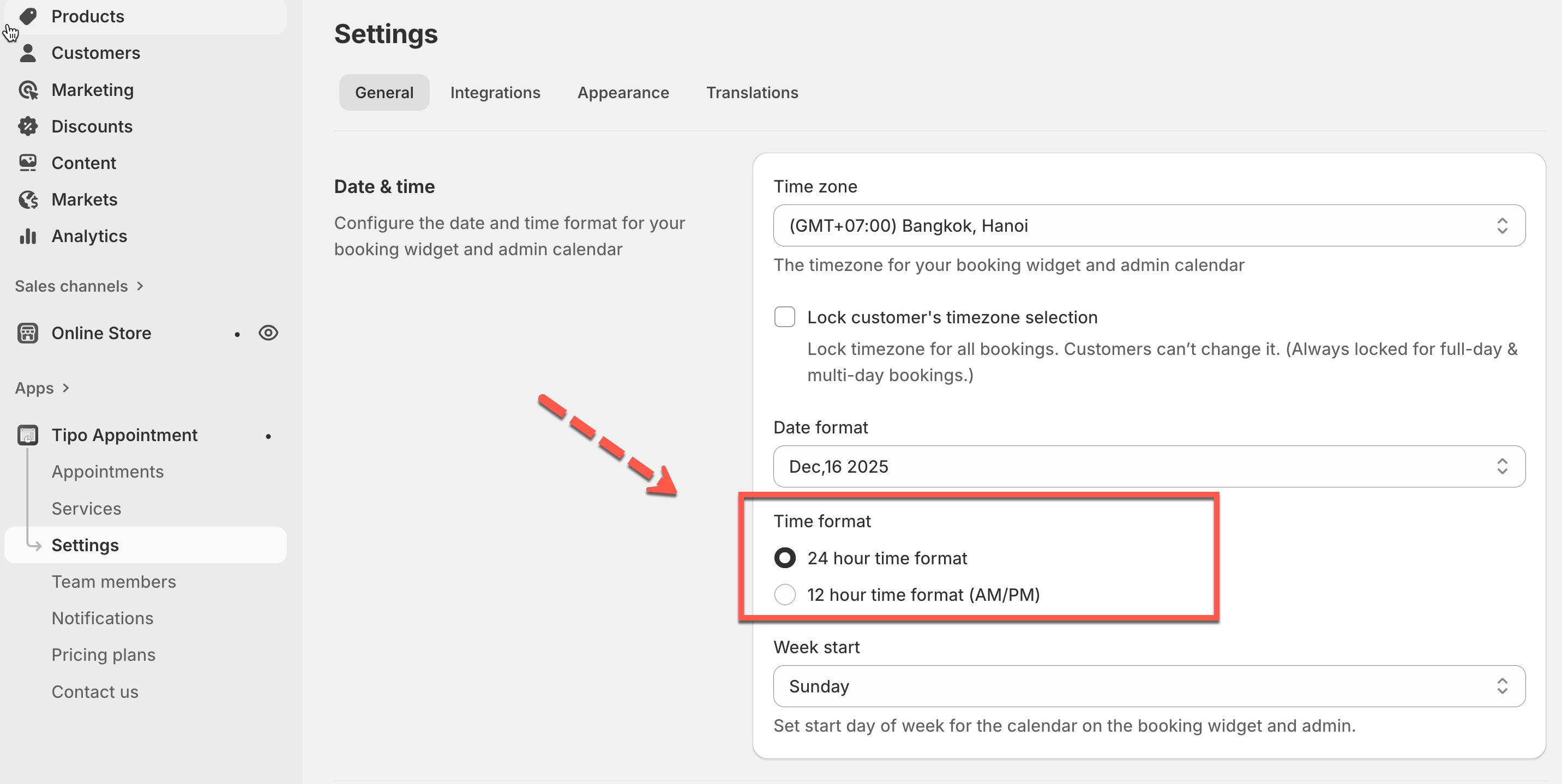
1. Open the app > click **Settings** > **General**
2. In **Date & time** > find **Time format** > choose one option:
* **24 hour time format**
* **12 hour time format (AM/PM)**
3. Click **Save**
The setting updates immediately. Check the result on the booking widget on the online store.
Note: time in the app is always in 24 hour format. The setting is applied to time on the booking widget on the online store only.
***
**🙋 Still need support?**
If you still need help, please feel free to contact us at . We’ll be happy to assist you further.