> For the complete documentation index, see [llms.txt](https://docs.tipo.io/llms.txt). Markdown versions of documentation pages are available by appending `.md` to page URLs; this page is available as [Markdown](https://docs.tipo.io/tipo-appointment-booking/settings/control-time-zone-for-bookings/lock-customers-timezone-selection.md).
# Lock customer's timezone selection
#### ✅ What this setting does
When **Lock customer’s time zone selection** is enabled, customers cannot change the time zone on the booking widget.
### ✅ How it works
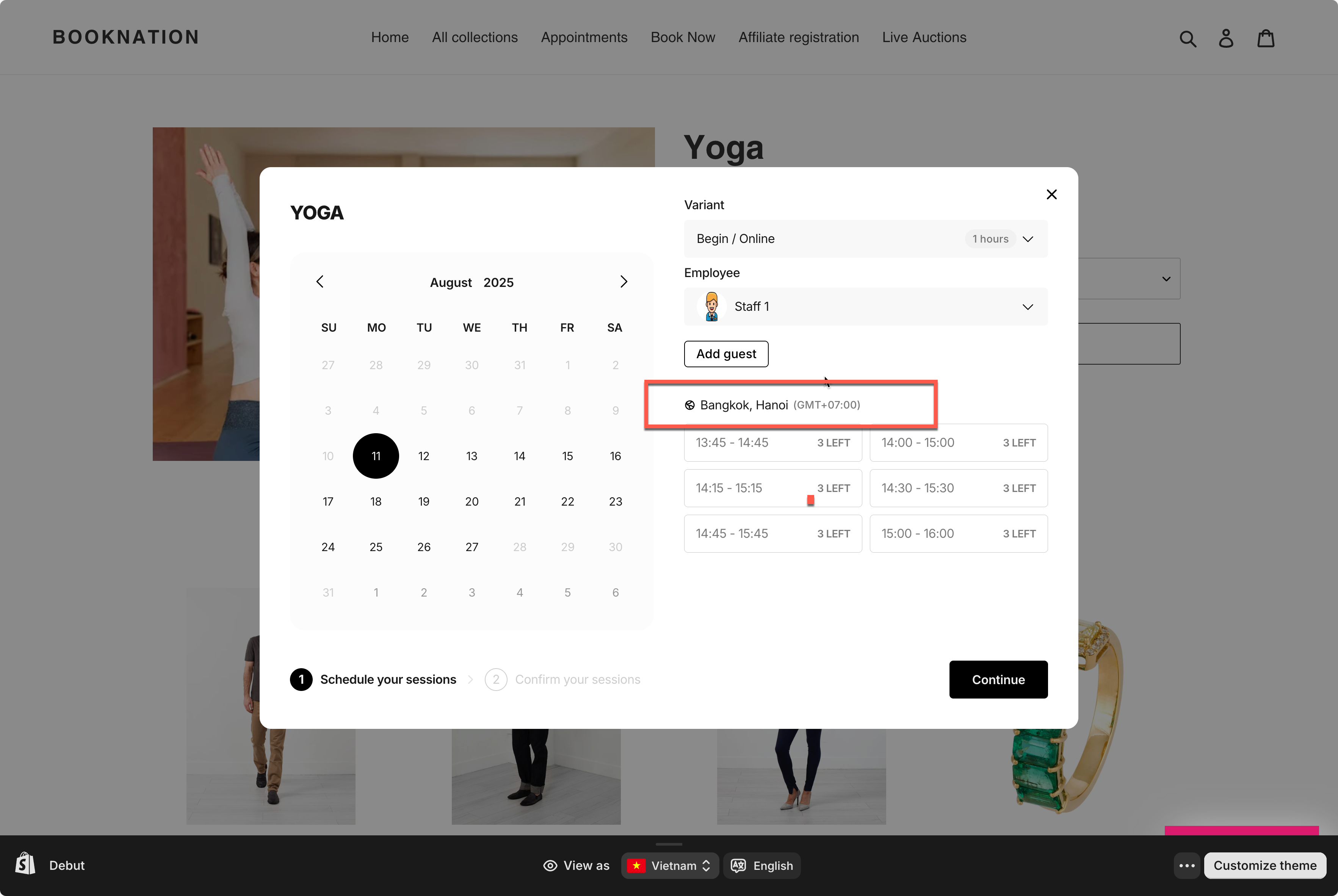
When the setting is ON
* The widget shows only one time zone
* Customers cannot switch to another time zone
* All available time slots follow your business time zone
**Example:**
* Your store time zone: **Bangkok, Hanoi (GMT+07:00)**
* Customer is browsing from the US
⇒ The widget still shows times in **GMT+07:00**, and the customer cannot change it.
***
### 🛠️ Step-by-step: Enable this setting
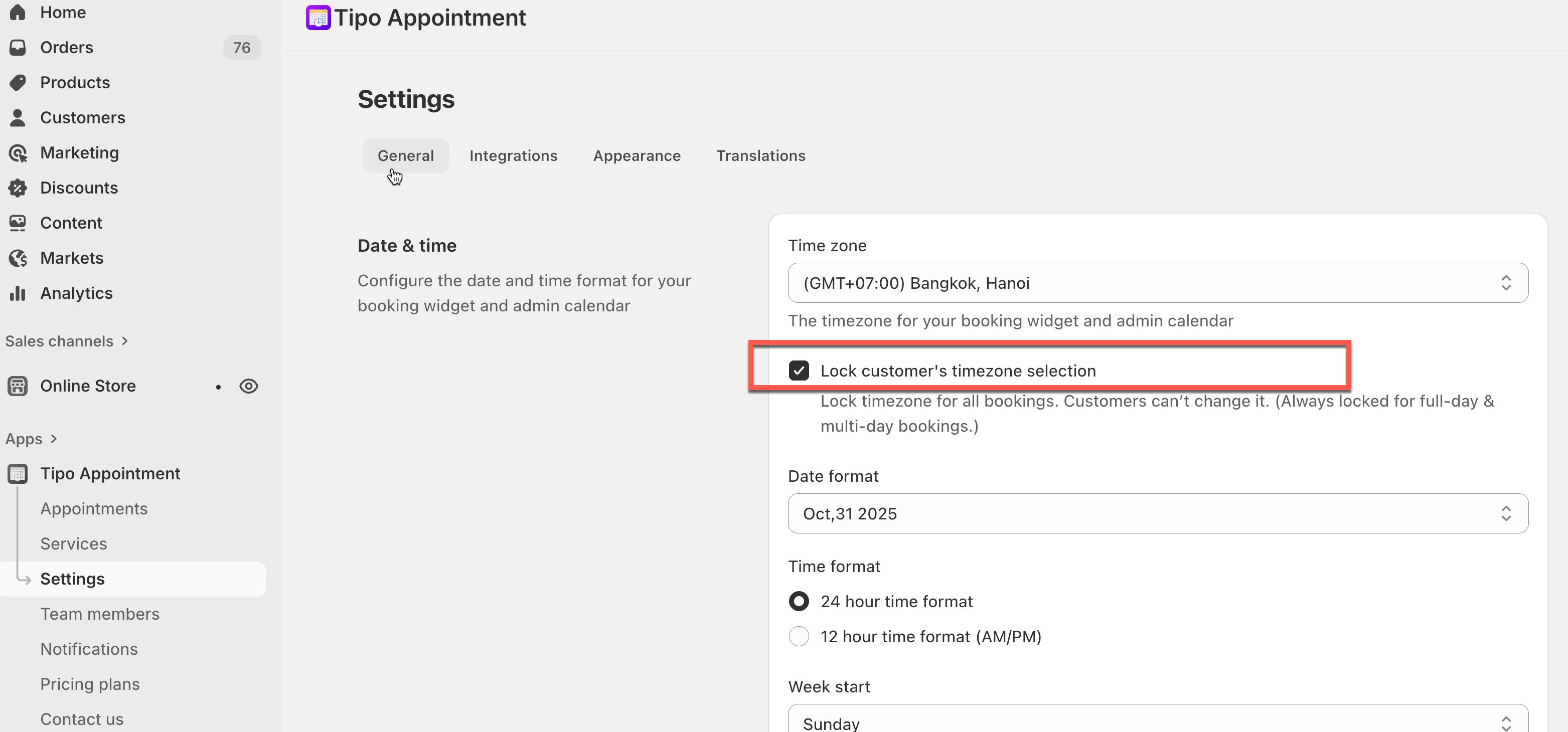
1. Open the app > click **Settings** > **General**
2. In **Date time** > tick on the checkbox **Lock customer's timezone selection** to show 1 timezone on the booking widget only.
3. Click **Save.**
Result on the booking widget on the site.
***
### 💡 When should you enable this?
Enable this setting if:
* You offer in-person services
* Your team works in one time zone
* You don’t want customers to misread appointment times
Leave it disabled if:
* You offer online services
* Customers join from multiple countries
***
**🙋 Still need support?**
If you still need help, please feel free to contact us at . We’ll be happy to assist you further.