
Add-on Charge Rules
For multi-day services, you can choose how an Add-on is charged based on the booking duration, number of participants, or both.
This gives you more flexibility when offering extras such as equipment rental, meals, additional services, or other optional products.
For example, an equipment rental can be charged per participant, per day, while another Add-on can be charged only once for the entire booking.
⚙️ Set up an Add-on charge rule
Section titled “⚙️ Set up an Add-on charge rule”- Open the app > go to Services > open the multi-day service you want to edit
- Scroll down to Questions & Add-ons
- Click Add questions to create an Add-on field, or edit an existing Add-on
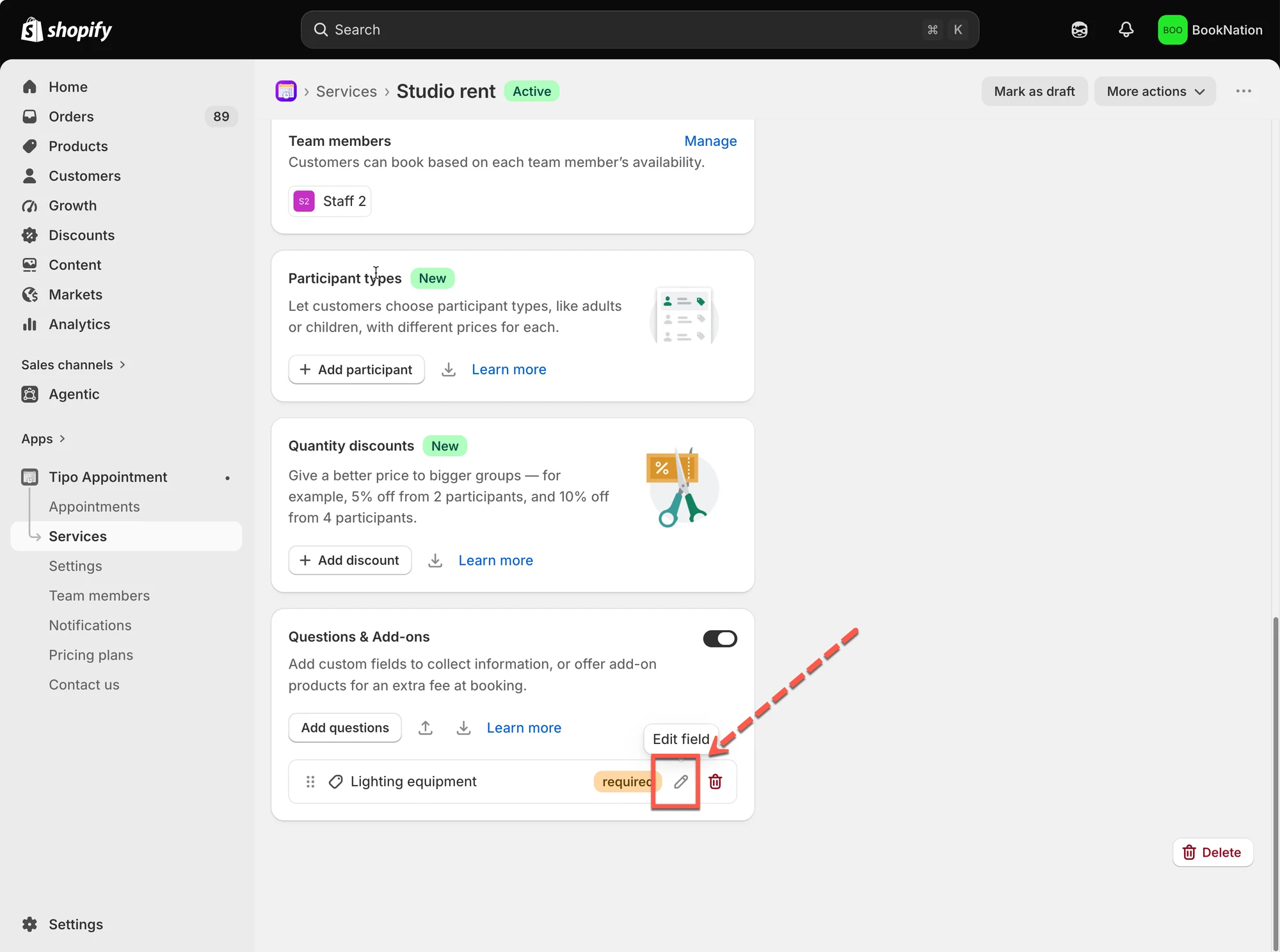
- In the Add-on settings, find How customers will be charged? > choose the charging rule that best matches how you want to price the Add-on
You can choose from:
- Per participant, per day
- One-time
- Per participant
- Per day
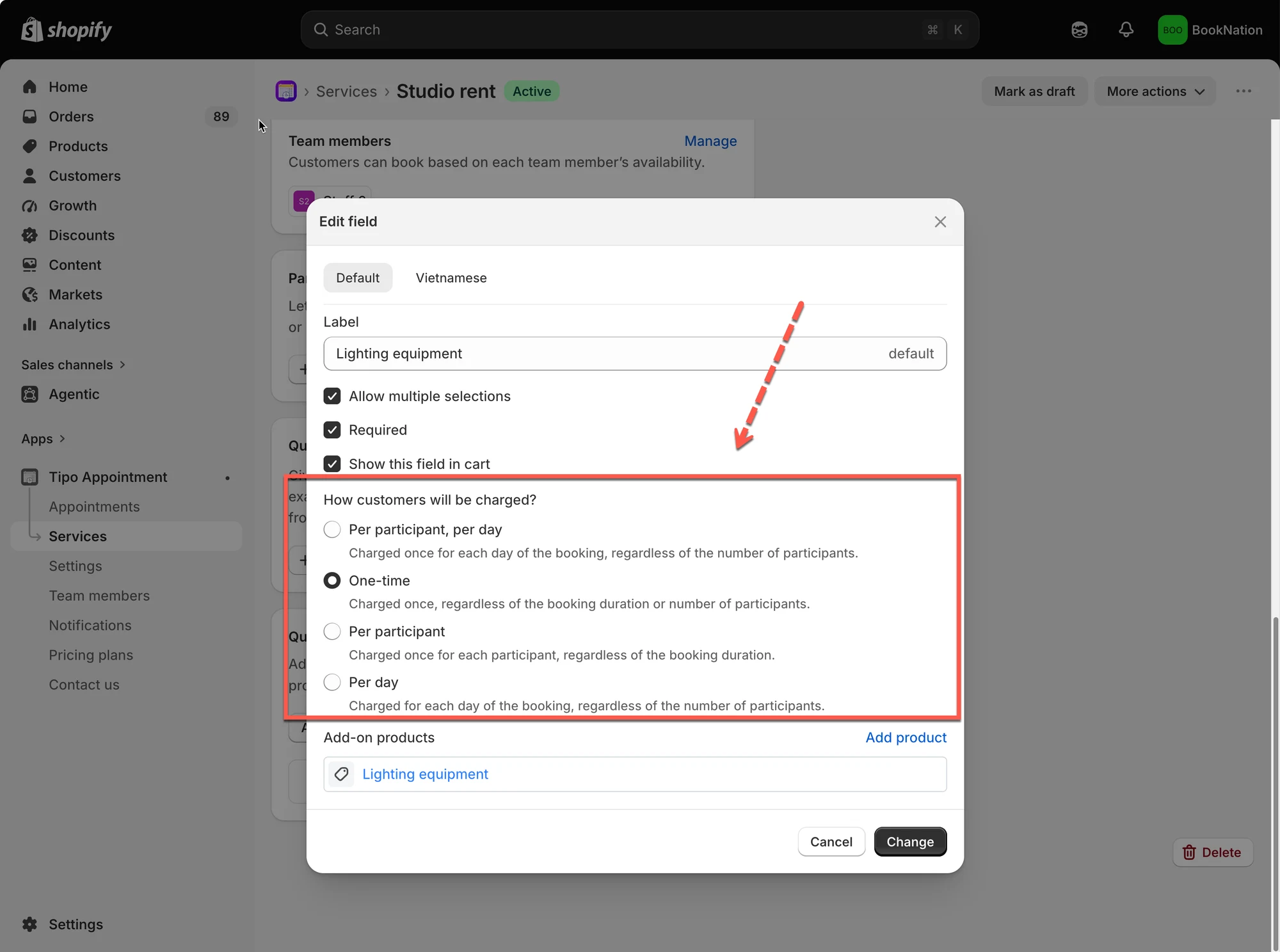
- Save the service to update the change
💰 Understand each charge rule
Section titled “💰 Understand each charge rule”Let’s use the same example to see how each option works.
Example setup
Section titled “Example setup”Service: Studio rent
Booking duration: 3 days
Participants: 2
Add-on: Lighting equipment
Add-on price: $20
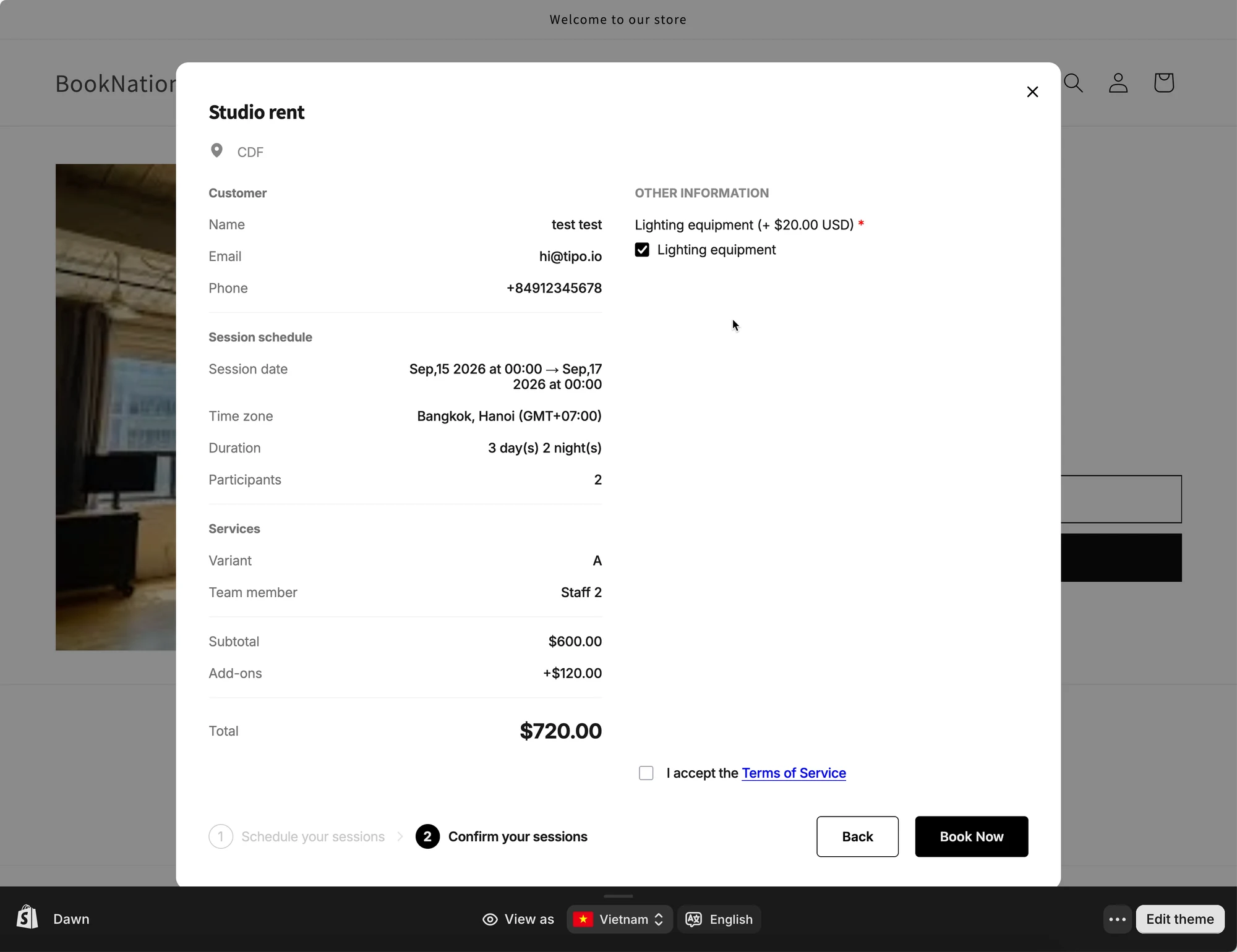
Per participant, per day
Section titled “Per participant, per day”The Add-on is charged for each participant for each day of the booking.
With our example:
$20 × 2 participants × 3 days = $120
The Add-on total is $120.
This option is useful when the Add-on cost depends on both the number of people and the booking duration.
One-time
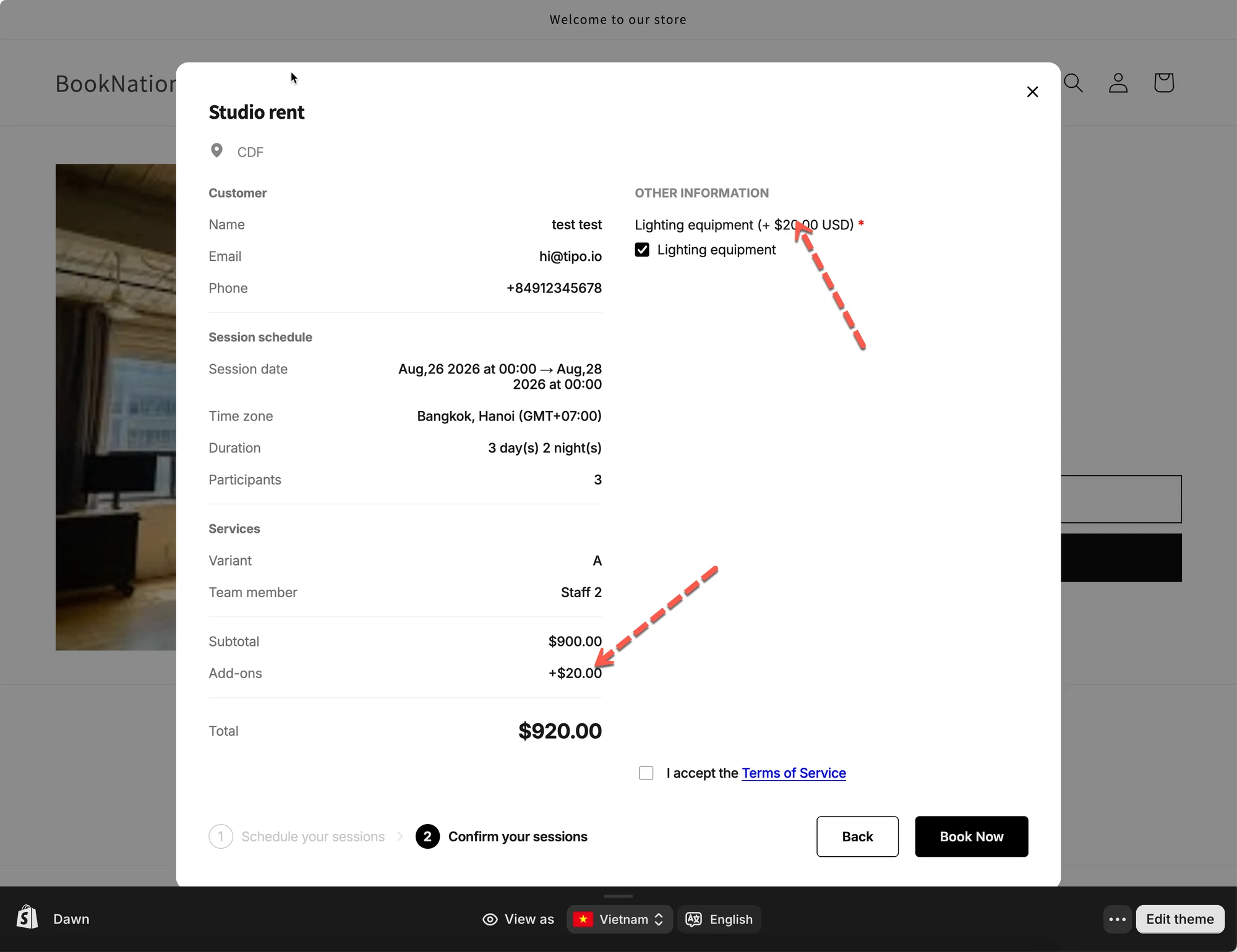
Section titled “One-time”The Add-on is charged once for the entire booking, regardless of the booking duration or number of participants.
With our example:
$20 = $20
The Add-on total is $20.
Even though the booking is for 3 days and 2 participants, the Add-on is only charged once.
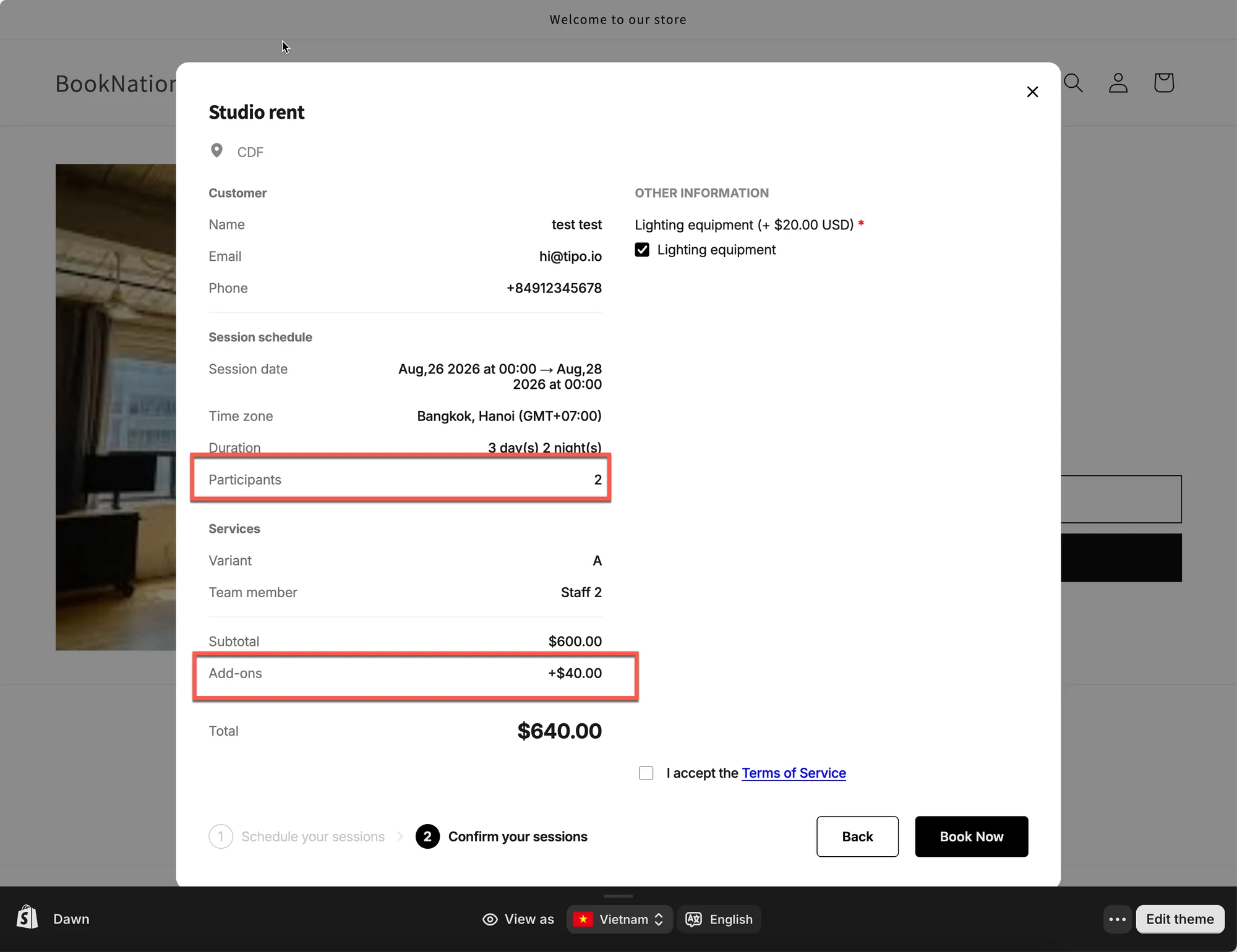
Per participant
Section titled “Per participant”The Add-on is charged once for each participant, regardless of how long the booking lasts.
With our example:
$20 × 2 participants = $40
The Add-on total is $40.
The 3-day booking duration does not increase the Add-on price.
Example uses:
- Registration fee per person
- Equipment assigned to each participant for the whole booking
- Welcome package for each guest
Per day
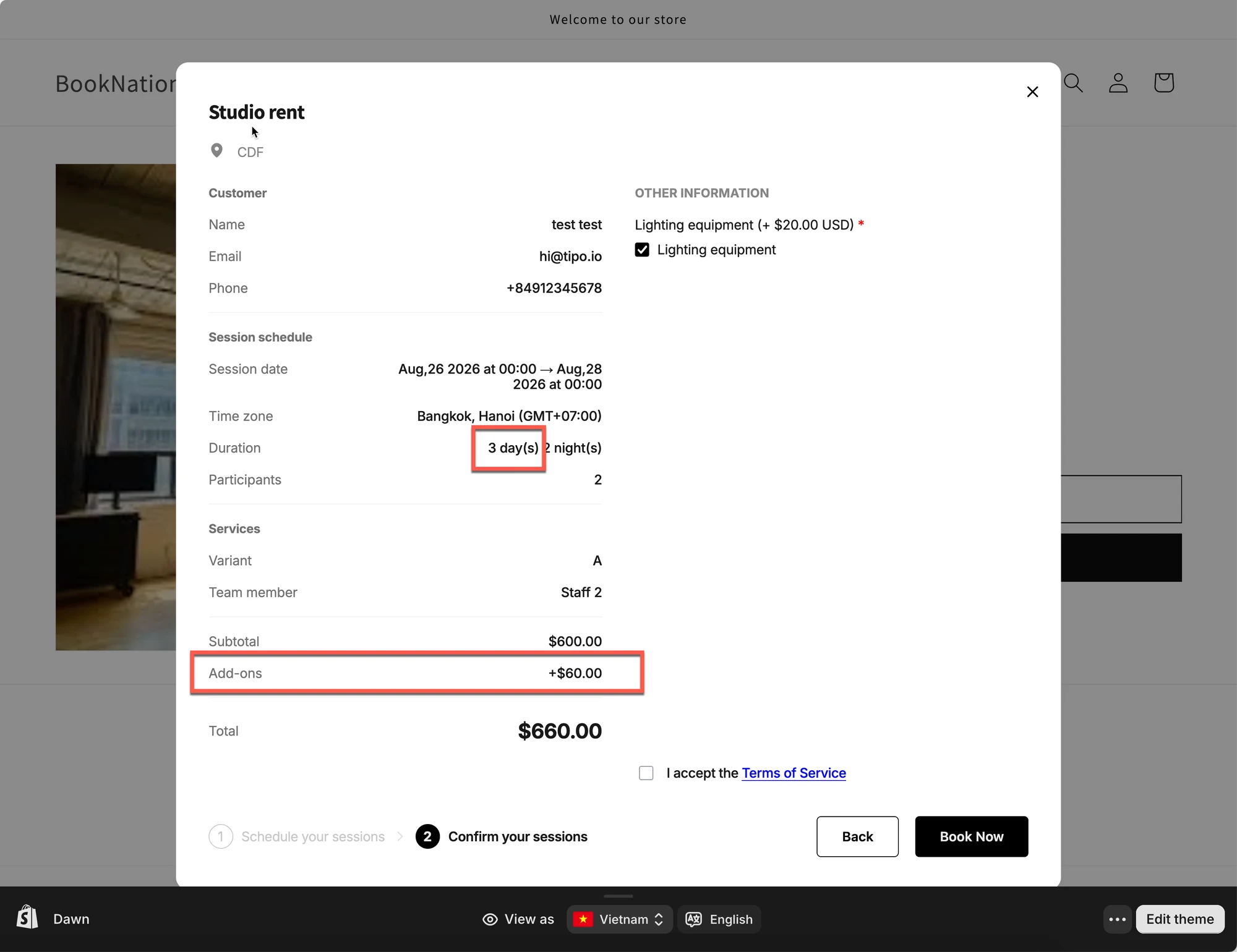
Section titled “Per day”The Add-on is charged once for each day of the booking, regardless of the number of participants.
With our example:
$20 × 3 days = $60
The Add-on total is $60.
The number of participants does not affect the Add-on price.
| Charge rule | Calculation | Add-on total |
|---|---|---|
| Per participant, per day | $20 × 2 × 3 | $120 |
| One-time | $20 × 1 | $20 |
| Per participant | $20 × 2 | $40 |
| Per day | $20 × 3 | $60 |