
Customize email content
AI Overview
Customize the subject and content of Tipo booking emails and insert variables, which are placeholders replaced with real booking, customer, and service details when the email is sent. Customers and staff only see the final values, never the variable code.
View moreView less
- Open the app, click Notifications, and select Customer, Team member, or Merchant.
- Click the email template to edit, update the Subject and Content, and click Save.
- Variables are wrapped in double curly braces, such as `{{ customer.name }}` or `{{ booking.start_at }}`.
- Copy a variable and paste it into the Subject or Content.
Summary generated by AI. It can make mistakes, so check the full guide below.
You can customize your email Subject and Content, and insert variables (placeholders) that automatically show booking/customer/service info in real emails.
🛠️ Steps to edit email template
Section titled “🛠️ Steps to edit email template”- Open the app > click Notifications
- Select Customer or Team member or Merchant
- Click the email template you want to edit
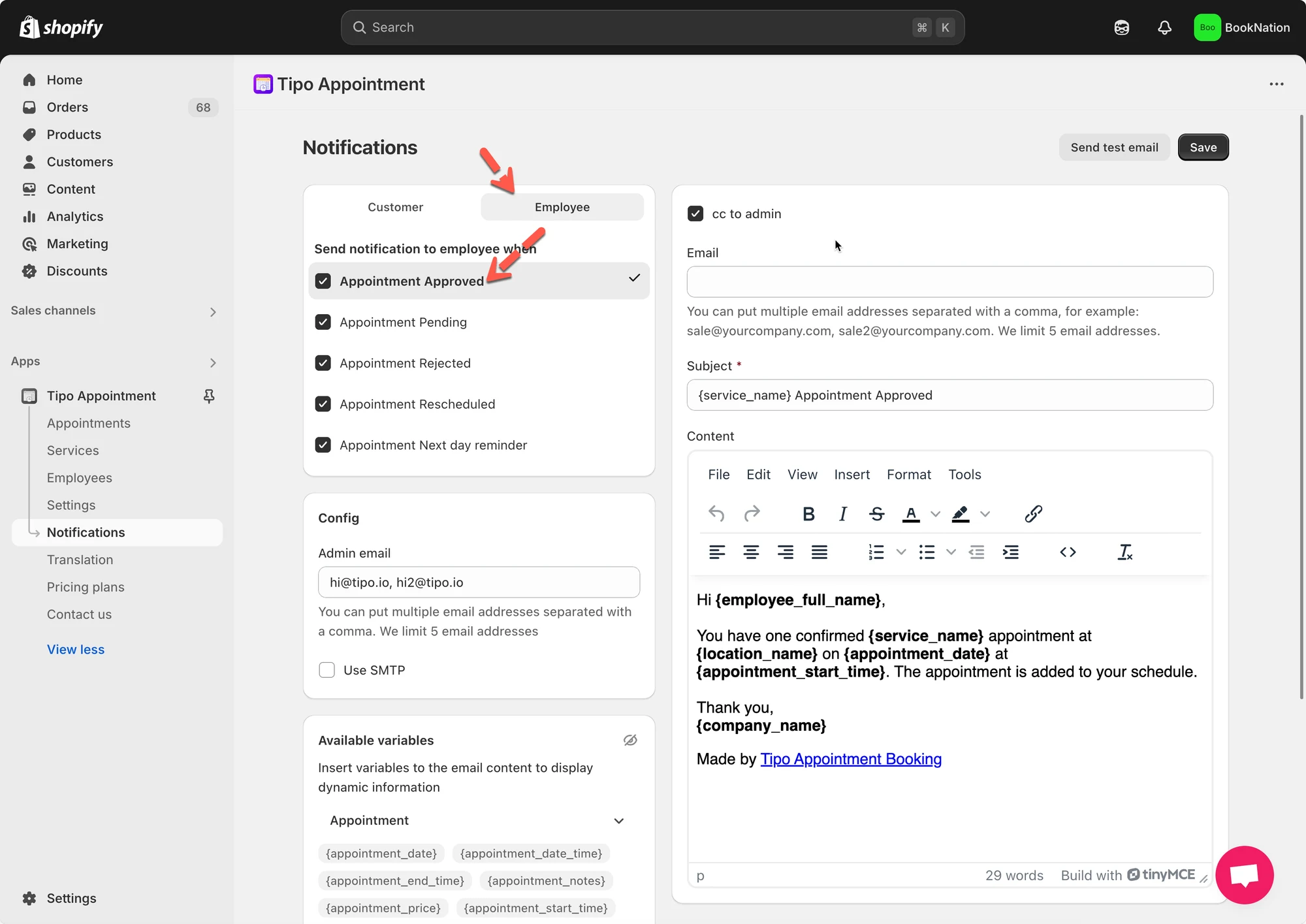
- Inside the template editor:
- Update Subject
- Update Content (email body)
- Click Save
🧩 Insert variables (dynamic data)
Section titled “🧩 Insert variables (dynamic data)”Variables let you automatically show real booking information in your emails, such as the customer name, service name, date, time, and location.
When the email is sent, Tipo replaces each variable with the actual data from the booking.
📌 What is a variable?
Section titled “📌 What is a variable?”A variable is a placeholder wrapped in double curly braces, for example:
{{ customer.name }}{{ variant.name }}{{ booking.start_at }}
⇒ Customers and staff will never see the variable code, they only see the final value.
➕ How to insert a variable
Section titled “➕ How to insert a variable”- Copy the variable (example:
{{ booking.start_time }}) - Paste it into the Subject or Content
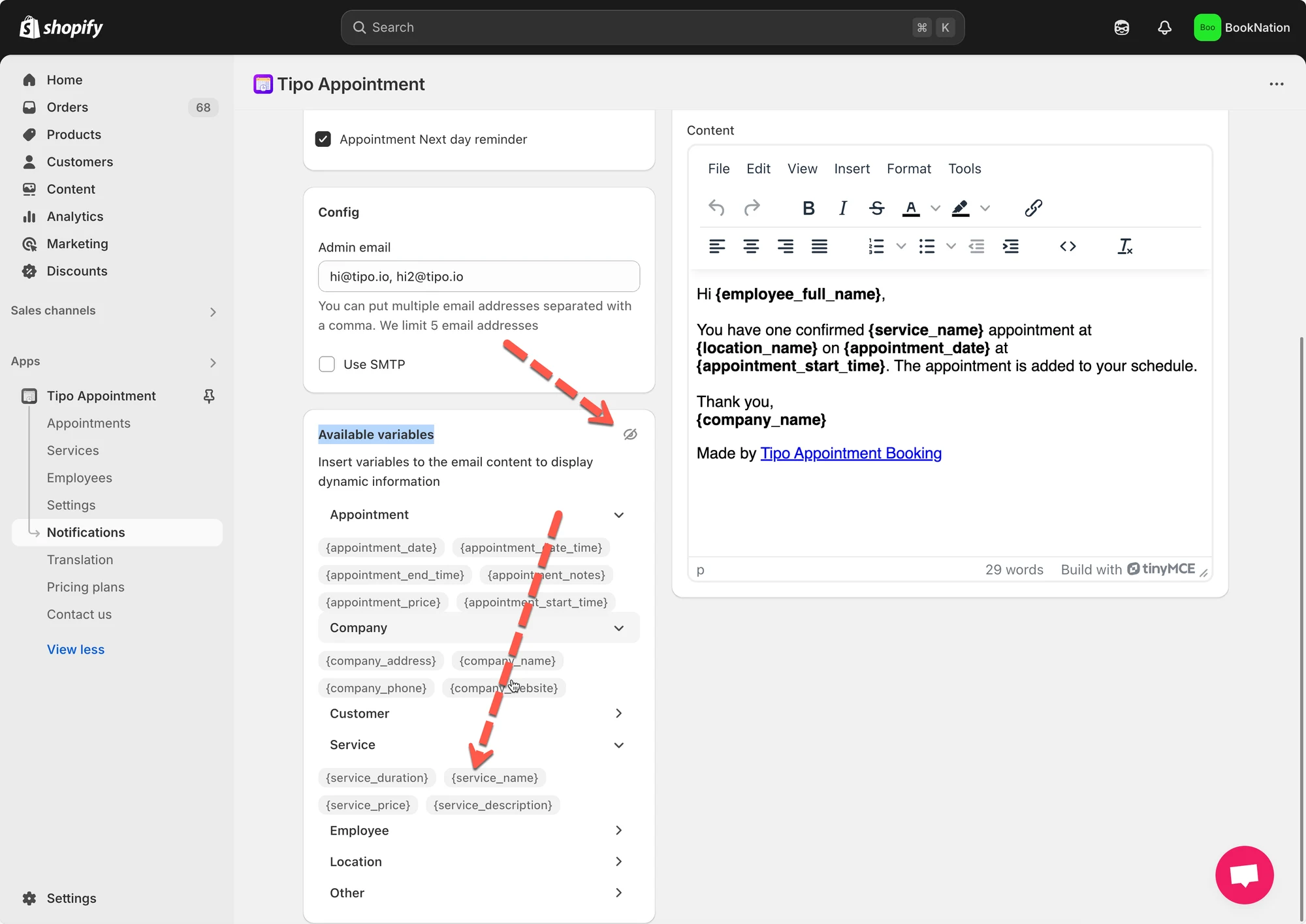
✉️ Example: Customer confirmation email
Section titled “✉️ Example: Customer confirmation email”Subject
Your booking for {{ variant.name }} is confirmedEmail content
Hi {{ customer.name }},
Your booking has been confirmed. Here are the details:
Service: {{ variant.name }}Date: {{ booking.start_date }}Time: {{ booking.start_time }} – {{ booking.end_time }}Location: {{ booking.location }}
We look forward to seeing you!
📌 Result the customer sees:
Hi Anna,
Your booking for Yoga Class is confirmed
Date: Dec 17, 2025
Time: 08:00 – 09:00
Location: Hanoi Studio
🙋 Still need support?
If you still need help, please feel free to contact us at hi@tipo.io. We’ll be happy to assist you further.