
Uninstall app
AI Overview
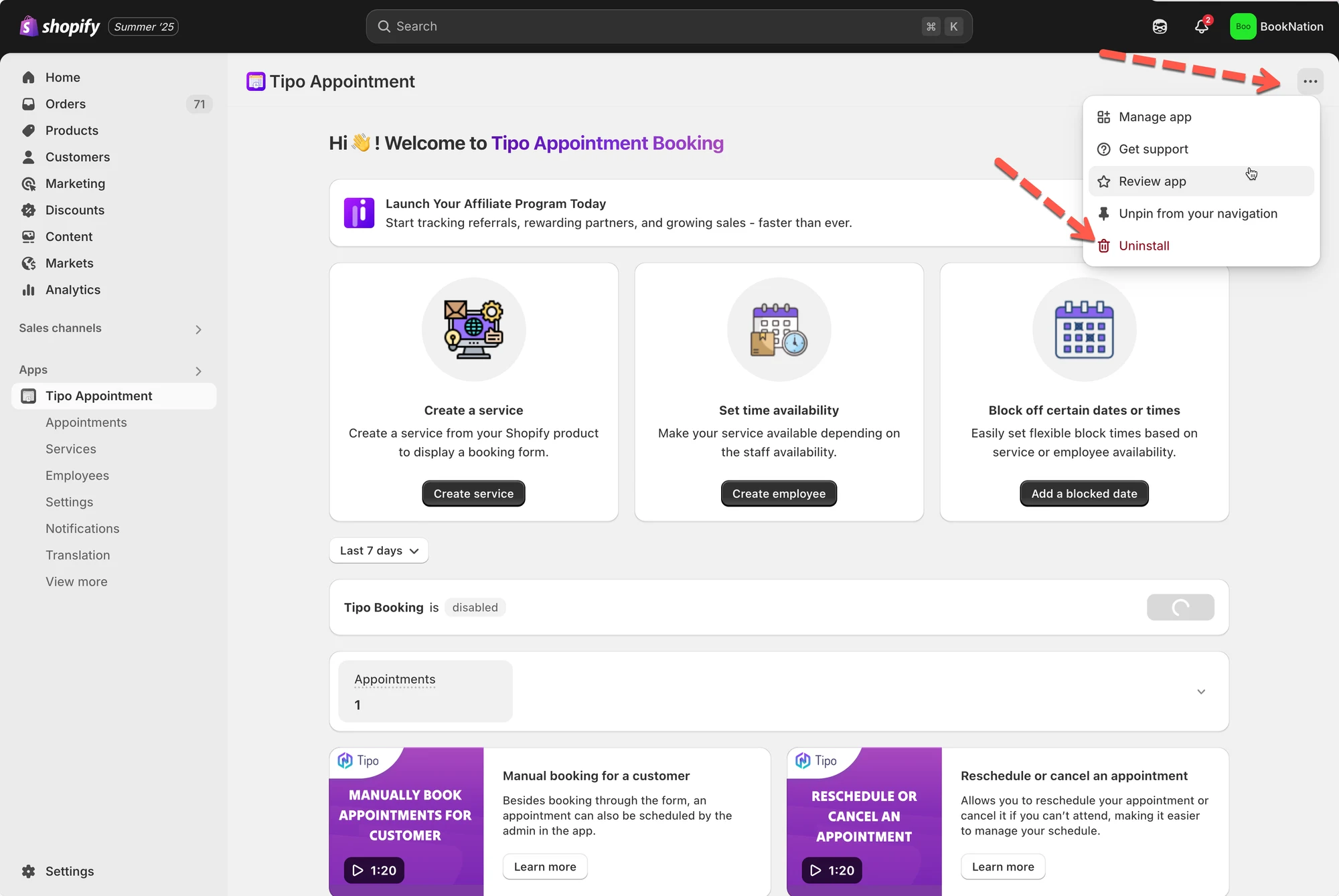
Remove Tipo Appointment Booking from your Shopify store, including any theme files the app added. You can uninstall automatically from the app, which is the fastest and safest option, or manually delete the app's theme files and code snippets.
View moreView less
- Automatic: open the app, click Uninstall to remove it from the integrated theme, then remove the app from your Shopify app list.
- Manual: in Edit code, delete `Tipo.booking.js`, `Tipo.booking.scss.liquid`, `Tipo.booking.script.liquid`, and `Tipo-booking-form.liquid`.
- Remove the snippet include in `theme.liquid` and the booking history block in `customers/account.liquid`.
- Delete any booking form container you added manually.
- Optionally email feedback to hi@tipo.io.
Summary generated by AI. It can make mistakes, so check the full guide below.
This guide shows the cleanest way to remove Tipo Appointment Booking from your Shopify store, including removing any theme files the app added.
🧹 Automatically uninstall
Section titled “🧹 Automatically uninstall”Use this option if you want the fastest, safest uninstall.
- Open the app
- Click Uninstall to remove the app from the theme integrated
- Remove the app from your Shopify app list
🧰 Manually uninstall
Section titled “🧰 Manually uninstall”Use this if you want to completely remove the app’s files/snippets from your theme (advanced).
1) Delete these theme files
Section titled “1) Delete these theme files”In Shopify Admin → Online Store → Themes → Edit code, delete:
Assets/Tipo.booking.jsAssets/Tipo.booking.scss.liquidSnippets/Tipo.booking.script.liquidSections/Tipo-booking-form.liquid
2) Remove snippet include in theme.liquid
Section titled “2) Remove snippet include in theme.liquid”Go to Layout/theme.liquid and delete:
{% include 'tipo.booking.script' %}
3) Remove booking history block in customer account template
Section titled “3) Remove booking history block in customer account template”Go to Templates/customers/account.liquid and delete:
<div id="tpb-history-booking"></div>
4) Remove booking form container (if you added it)
Section titled “4) Remove booking form container (if you added it)”If you manually added booking code to any pages, delete:
<div class="tpb-booking-form page"></div>
✉️ Optional: Share feedback
Section titled “✉️ Optional: Share feedback”Tipo also invites you to email feedback to hi@tipo.io