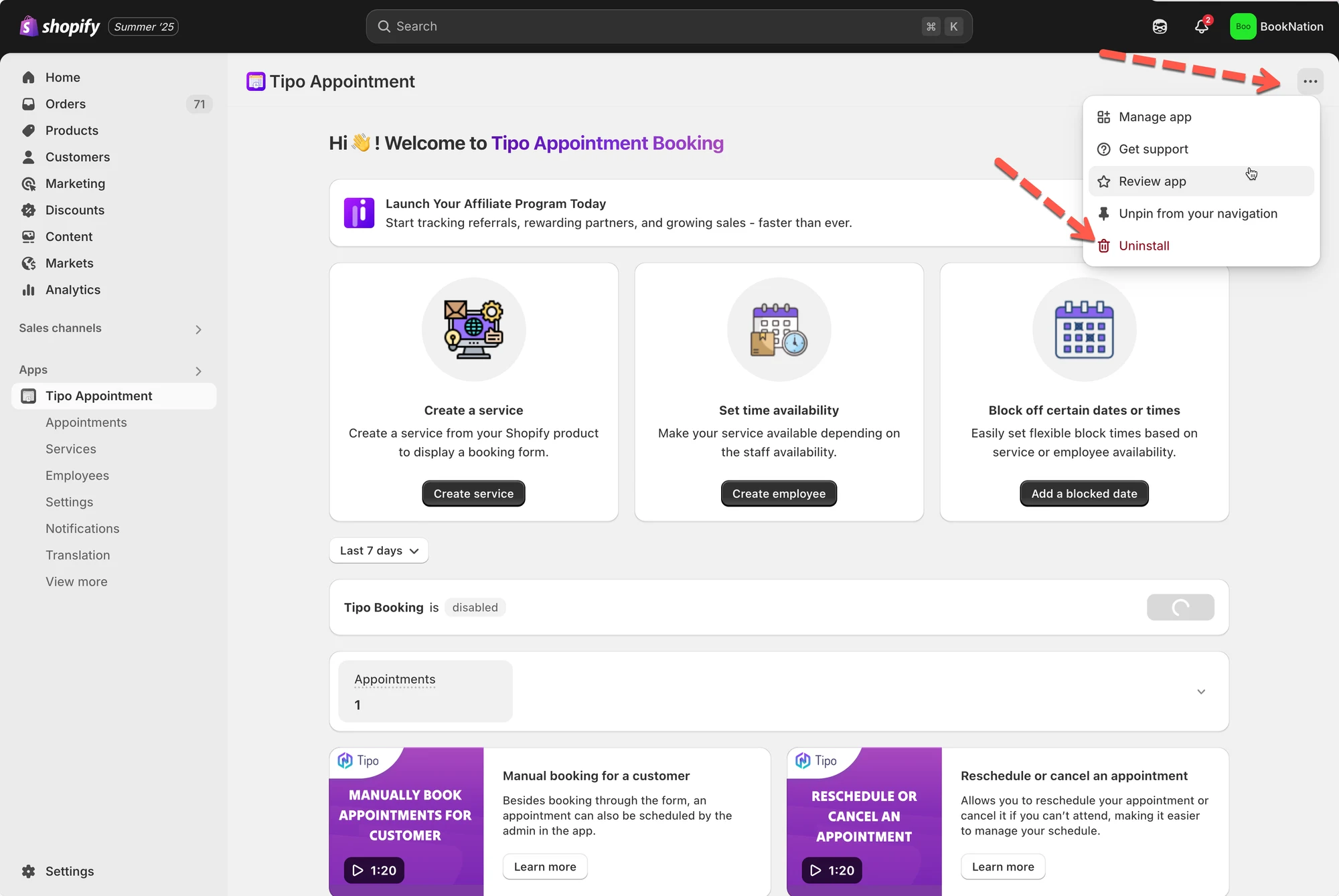
# Uninstall app
This guide shows the cleanest way to remove **Tipo Appointment Booking** from your Shopify store, including removing any theme files the app added.
### 🧹 Automatically uninstall
Use this option if you want the fastest, safest uninstall.
1. Open the app
2. Click **Uninstall** to remove the app from the theme integrated
3. Remove the app from your Shopify app list
### 🧰 Manually uninstall
Use this if you want to completely remove the app’s files/snippets from your theme (advanced).
#### 1) Delete these theme files
In **Shopify Admin → Online Store → Themes → Edit code**, delete:
* `Assets/Tipo.booking.js`
* `Assets/Tipo.booking.scss.liquid`
* `Snippets/Tipo.booking.script.liquid`
* `Sections/Tipo-booking-form.liquid`
#### 2) Remove snippet include in `theme.liquid`
Go to **Layout/theme.liquid** and delete:
`{% include 'tipo.booking.script' %}`
#### 3) Remove booking history block in customer account template
Go to **Templates/customers/account.liquid** and delete:
``
#### 4) Remove booking form container (if you added it)
If you manually added booking code to any pages, delete:
``
***
### ✉️ Optional: Share feedback
Tipo also invites you to email feedback to