
Require Customer Login
AI Overview
Decide whether customers must sign in to their Shopify customer account before booking, or can book as a guest by filling out a form. Customer Login is recommended, especially for paid services, while Legacy Mode lets customers book without logging in.
View moreView less
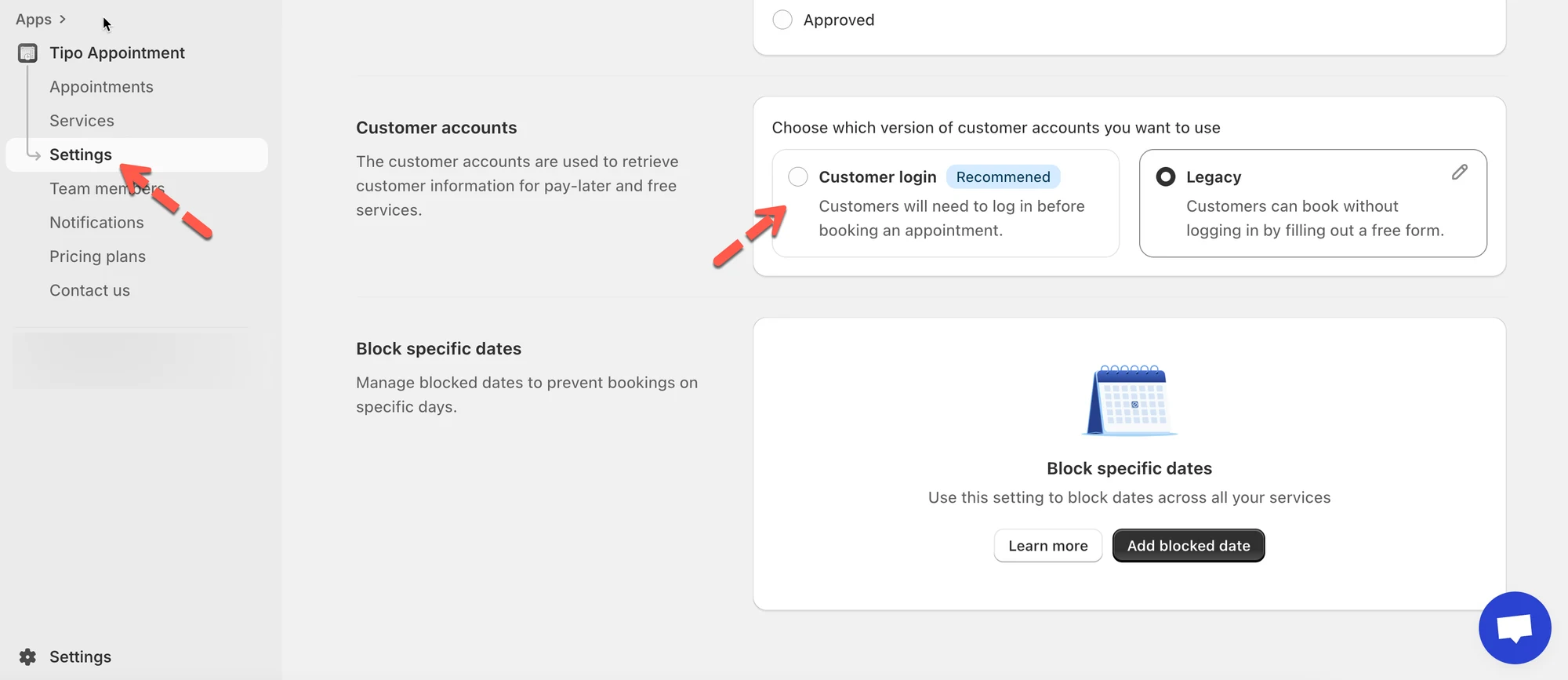
- Open Settings > General and scroll to the Customer accounts section.
- Choose Customer Login (recommended): customers sign in first; best for paid services and cleaner customer data.
- Or choose Legacy Mode: customers book without login by entering name, phone, etc.; best for free or fast booking.
- Click Save.
Summary generated by AI. It can make mistakes, so check the full guide below.
This setting controls whether customers must sign in to their Shopify customer account before booking, or if they can book as a guest by filling out a form.
🛠️ How to set
Section titled “🛠️ How to set”- Go to Tipo Appointment app > open Settings > General
- Scroll to the Customer accounts section
- Choose one of the following options:
- Customer Login
- Legacy Mode
4, Click Save
🔐 Option 1: Customer Login (Recommended)
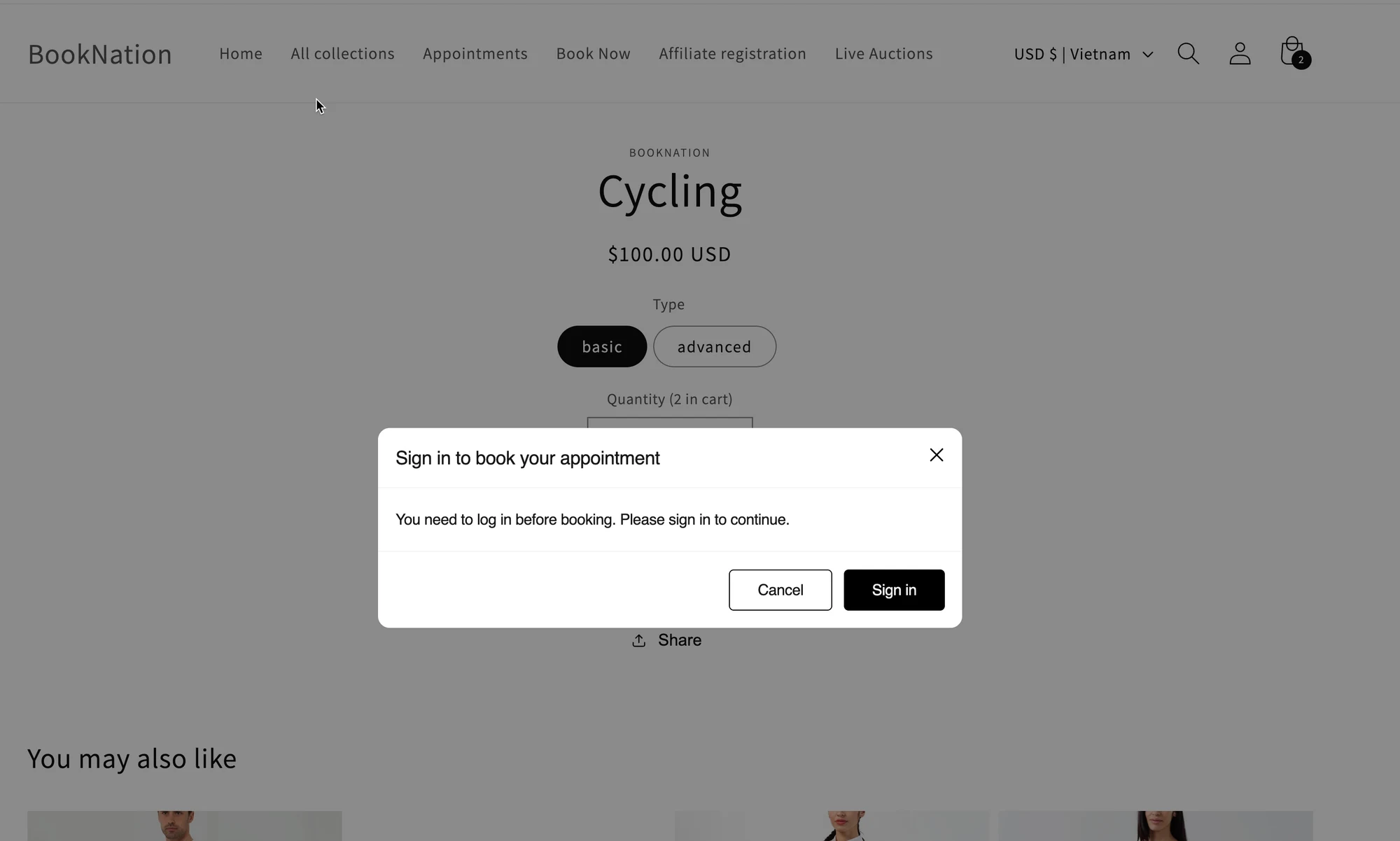
Section titled “🔐 Option 1: Customer Login (Recommended)”When enabled, customers must log in before booking.
What customers will see: a sign-in prompt before they can continue.
Best for:
- Paid services
- Stores that want cleaner customer data (booking linked to a real Shopify customer)
📝 Option 2: Legacy Mode (Book without login)
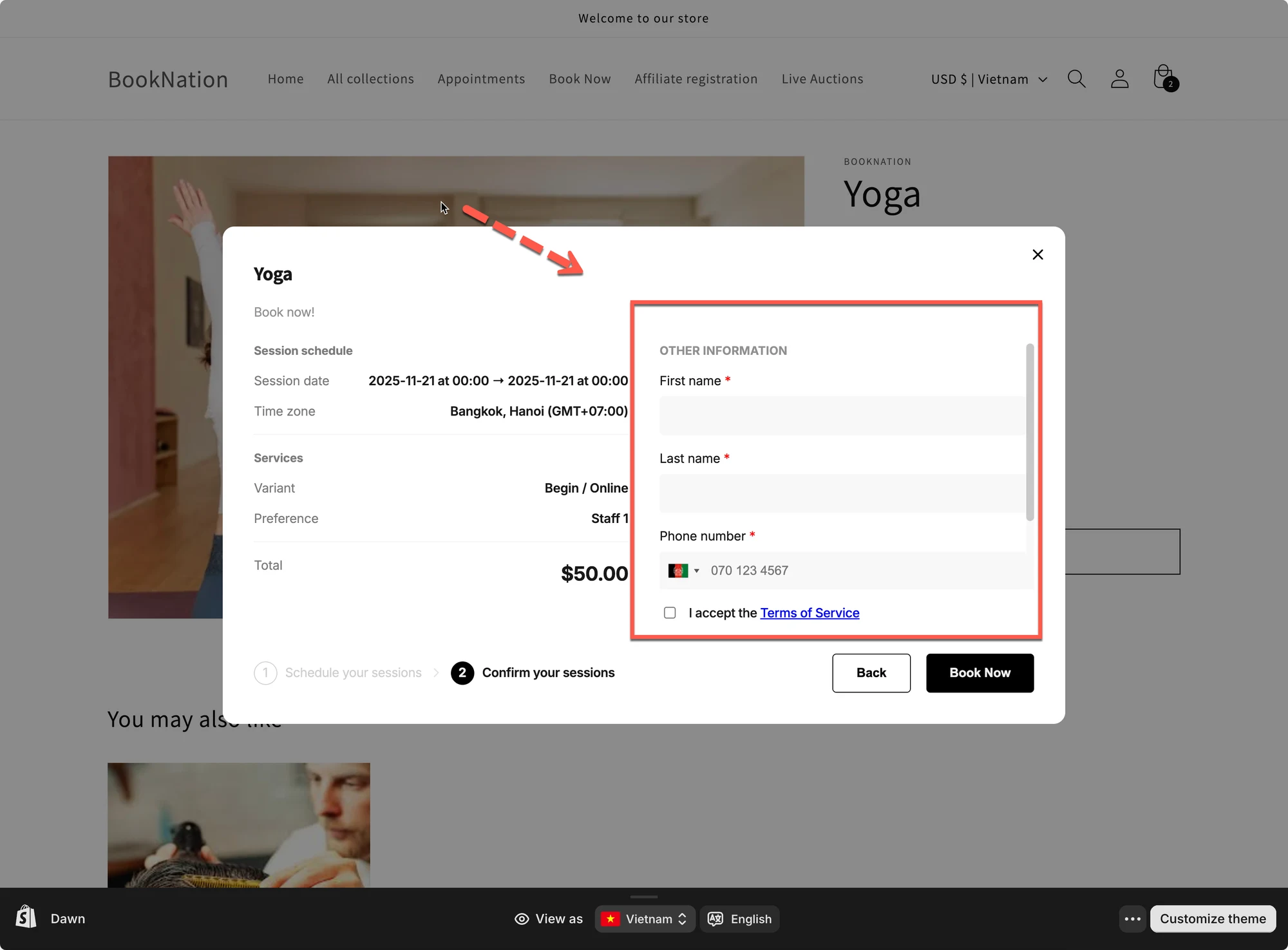
Section titled “📝 Option 2: Legacy Mode (Book without login)”When enabled, customers can book without signing in. They simply fill out a form during booking.
What customers will see: extra fields (name, phone, etc.) to enter manually.
Best for:
- Free services
- “Fast booking” flows where you don’t want customers to create/login to an account
- Click Save
⚡ Quick compare 2 setting options
Section titled “⚡ Quick compare 2 setting options”| Setting | Customer Login | Legacy Mode |
|---|---|---|
| Login required | Yes | No |
🙋 Still need support?
If you still need help, please feel free to contact us at hi@tipo.io. We’ll be happy to assist you further.