
Date format
AI Overview
Change how dates are displayed on the Tipo booking widget, for example Dec,16 2025 versus 16/12/2025. You pick a format in the Date & time section of General settings, and the change applies immediately.
View moreView less
- Open the app, click Settings > General.
- In the Date&time section, choose an option in the Date format dropdown.
- Click Save; the new format applies immediately on the booking widget.
Summary generated by AI. It can make mistakes, so check the full guide below.
Use this setting to change how dates are displayed on the booking widget (example: Dec,16 2025 vs 16/12/2025).
How to set
- Open the app > click Settings > General
- In Date&time section, select an option in Date format dropdown
- Click Save
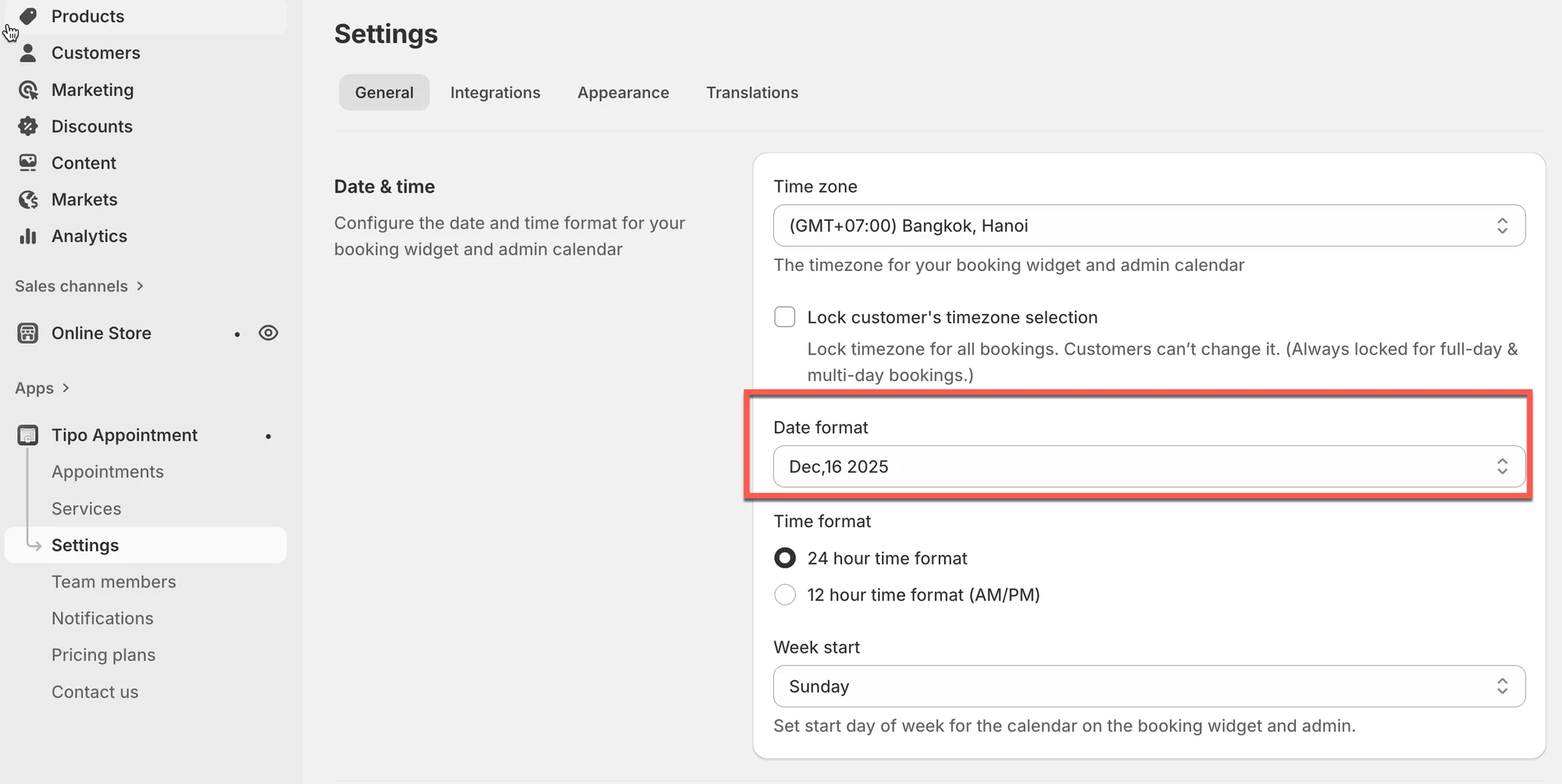
The change is applied immediately.
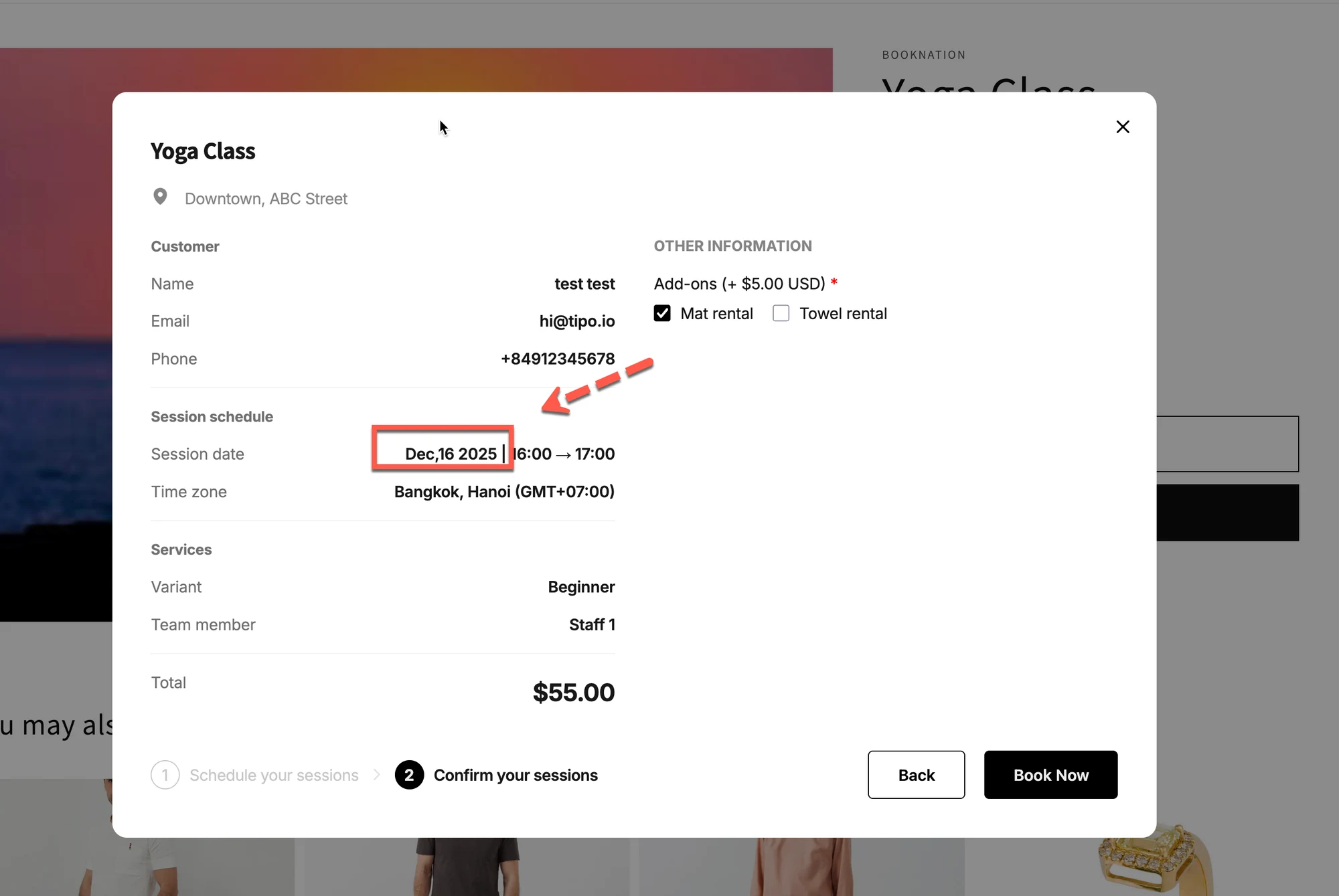
After changing the date format, you’ll see the new format on the booking widget.
🙋 Still need support?
If you still need help, please feel free to contact us at hi@tipo.io. We’ll be happy to assist you further.