# Date format
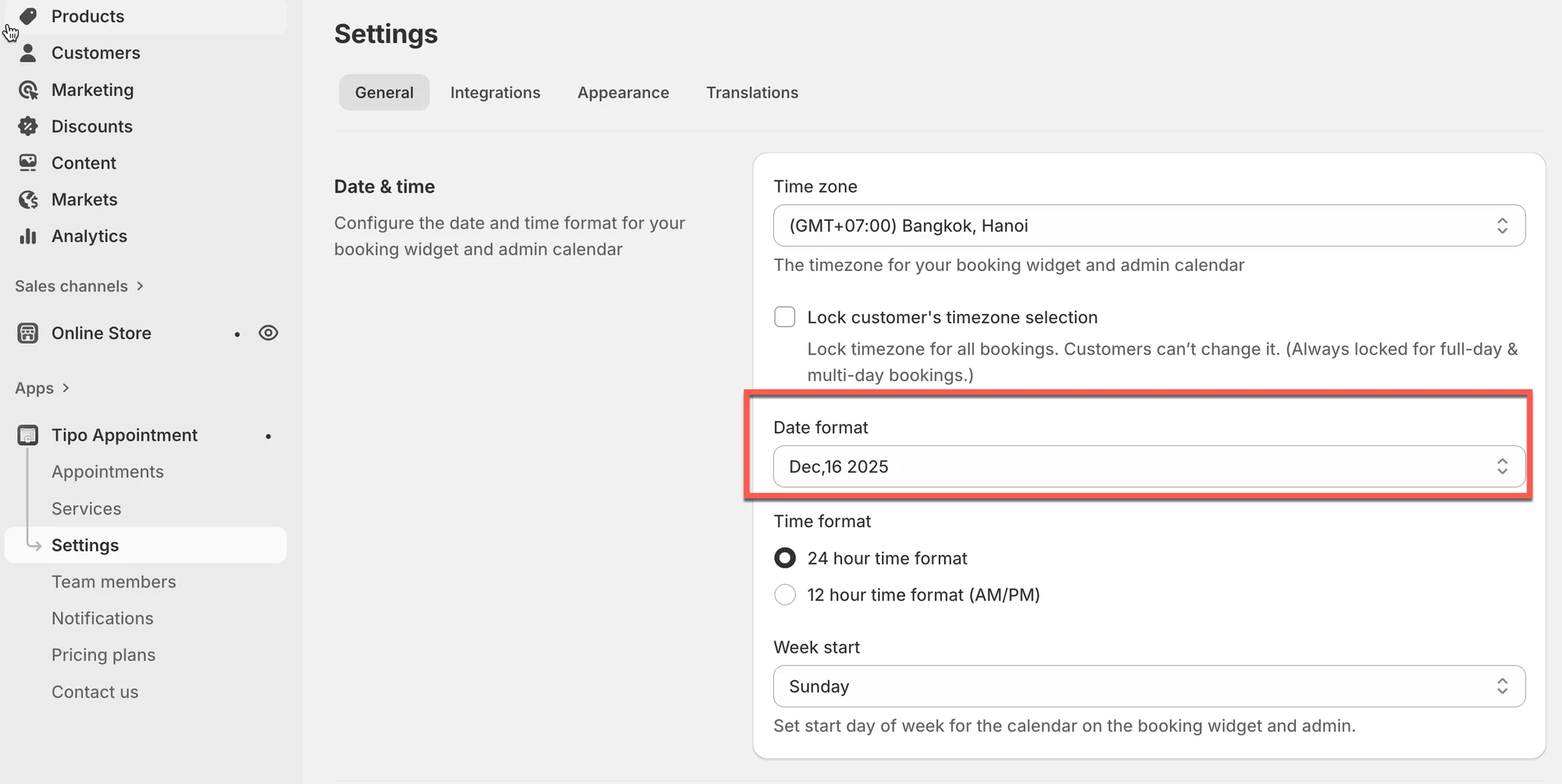
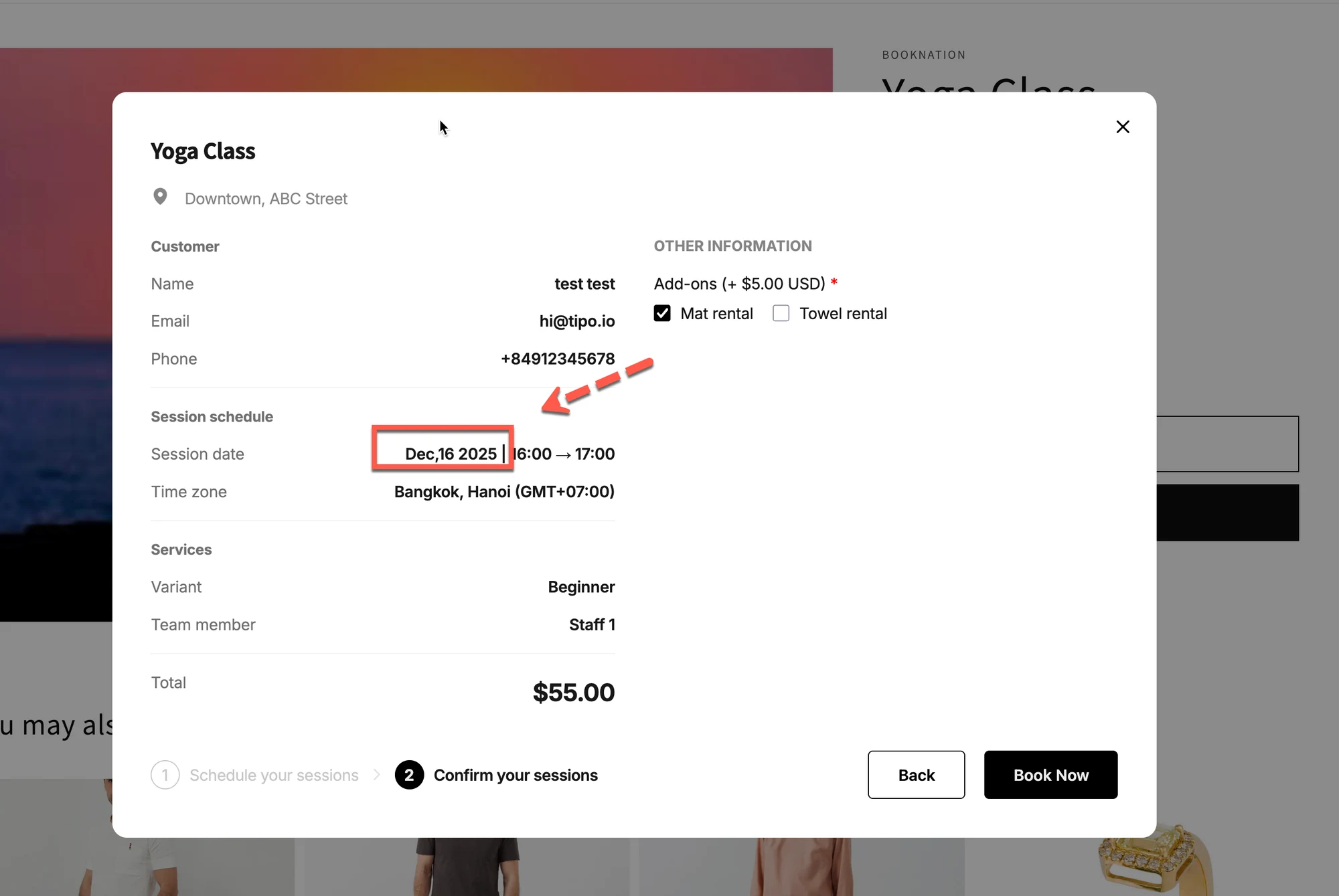
Use this setting to change how dates are displayed on the booking widget (example: Dec,16 2025 vs 16/12/2025).
**How to set**
1. Open the app > click **Settings** > **General**
2. In **Date\&time** section, select an option in **Date format** dropdown
3. Click **Save**
The change is applied immediately.
After changing the date format, you’ll see the new format on the booking widget.
***
**🙋 Still need support?**
If you still need help, please feel free to contact us at . We’ll be happy to assist you further.