
Customize widget style
AI Overview
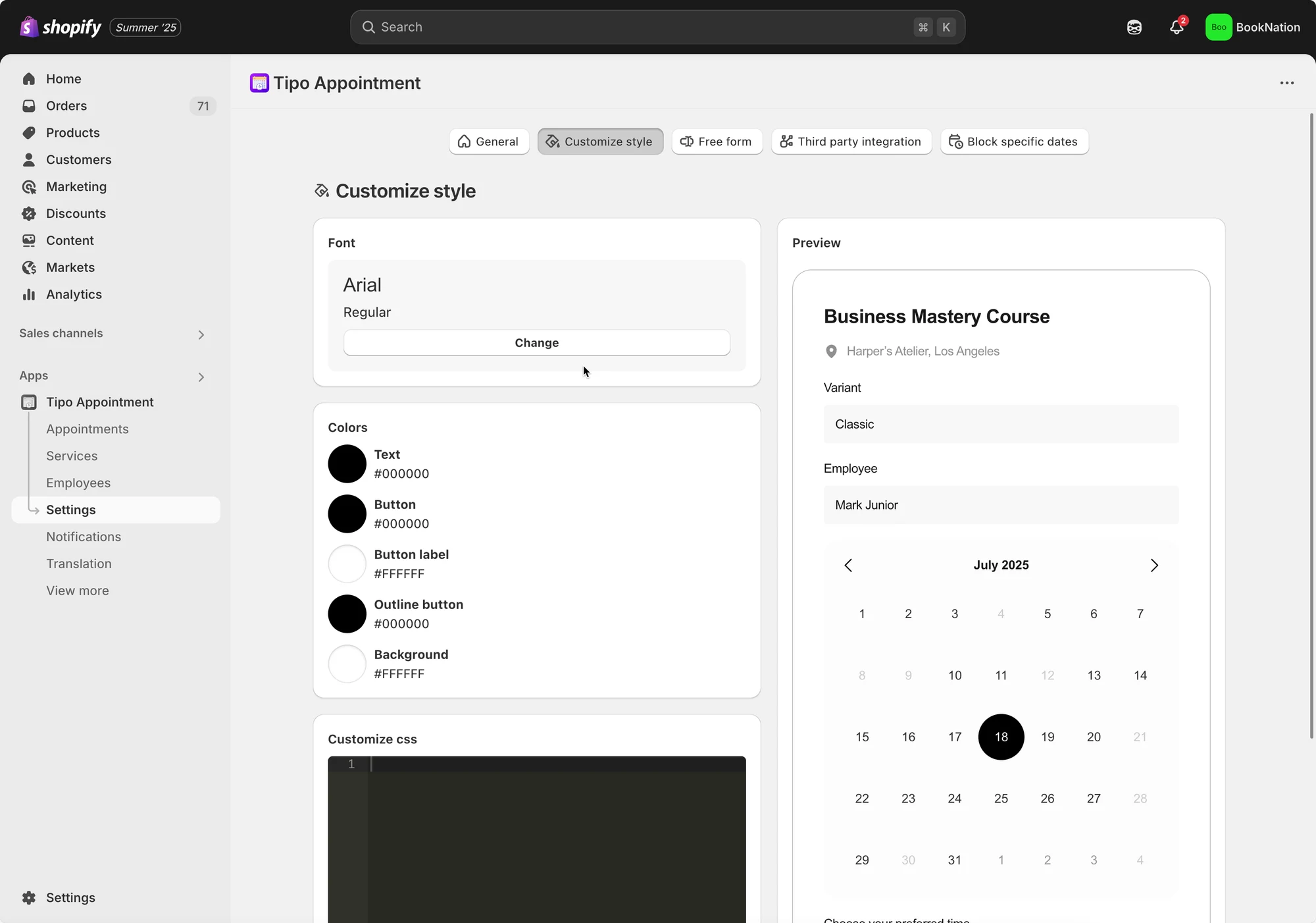
Change how the Tipo booking widget looks from the app settings. You can adjust the font and the colors of buttons, text, and background, and optionally add custom CSS for further styling.
View moreView less
- Open the app, then click Settings > Customize Style.
- Change the font and the colors of button, text, and background.
- Optionally add custom CSS to style the widget further.
- Save to update the changes.
Summary generated by AI. It can make mistakes, so check the full guide below.
Steps to manage
- Open the app > click Settings > Customize Style
- You can change the font, color of button, text and background here
- Add custom CSS to style the booking widget more (optional)
- Save to update the changes
🙋 Still need support?
If you still need help, please feel free to contact us at hi@tipo.io. We’ll be happy to assist you further.