
Share equipment
AI Overview
Use Shared Equipment in Tipo Appointment Booking to let multiple services draw on the same limited equipment. You set the total number of units, and the app checks how many are in use before confirming a booking. For example, 6 massage services sharing 2 beds allow at most 2 simultaneous bookings.
View moreView less
- Go to Equipment and click Add equipment.
- Enter a name, optional description, and Number of items available at once.
- Optionally block dates or time slots when the equipment is unavailable.
- Under Services, click Assign to pick the services that use it, optionally add an icon, and save.
- A booking is confirmed only if equipment is free; fully booked or blocked slots cannot be selected.
Summary generated by AI. It can make mistakes, so check the full guide below.
The Shared Equipment feature lets multiple services use the same type of equipment with a limited quantity.
Instead of assigning equipment to each service separately, you set the total number of available units. The system then checks how many units are already in use when a customer makes a booking.
🛠️ How to set
Section titled “🛠️ How to set”Open Equipment
Section titled “Open Equipment”- Open the app > click Equipment
- Click Add equipment
Fill in the Details
Section titled “Fill in the Details”| Field | What It's For |
|---|---|
| Name | What the equipment is called (e.g. "Room 1") |
| Description | Optional notes for your own reference (e.g. "Includes HDMI cable and remote control") |
| Number of items | How many of this equipment you have available at once |
Example: A photo studio has two identical studio rooms. Setting Number of items to 2 lets two customers book the room type at the same time, as long as both rooms aren’t already taken.
Block Dates or Time Slots (Optional)
Section titled “Block Dates or Time Slots (Optional)”Use this when equipment is unavailable — for maintenance, a private event, or any reason it shouldn’t be bookable.
Assign Services
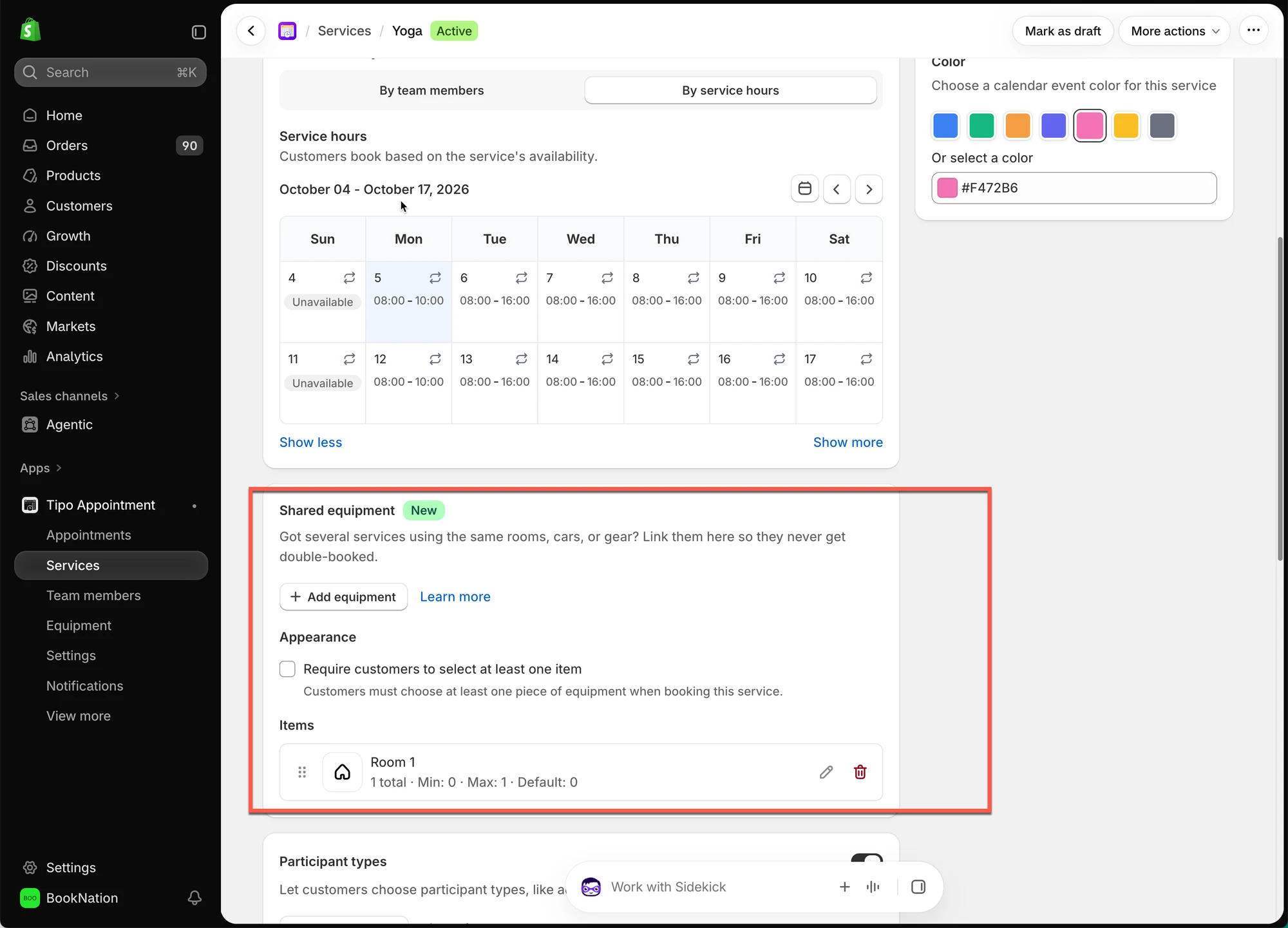
Section titled “Assign Services”Under Services, click Assign to choose which services can use this equipment.
Add an Icon (Optional)
Section titled “Add an Icon (Optional)”Save it
Section titled “Save it”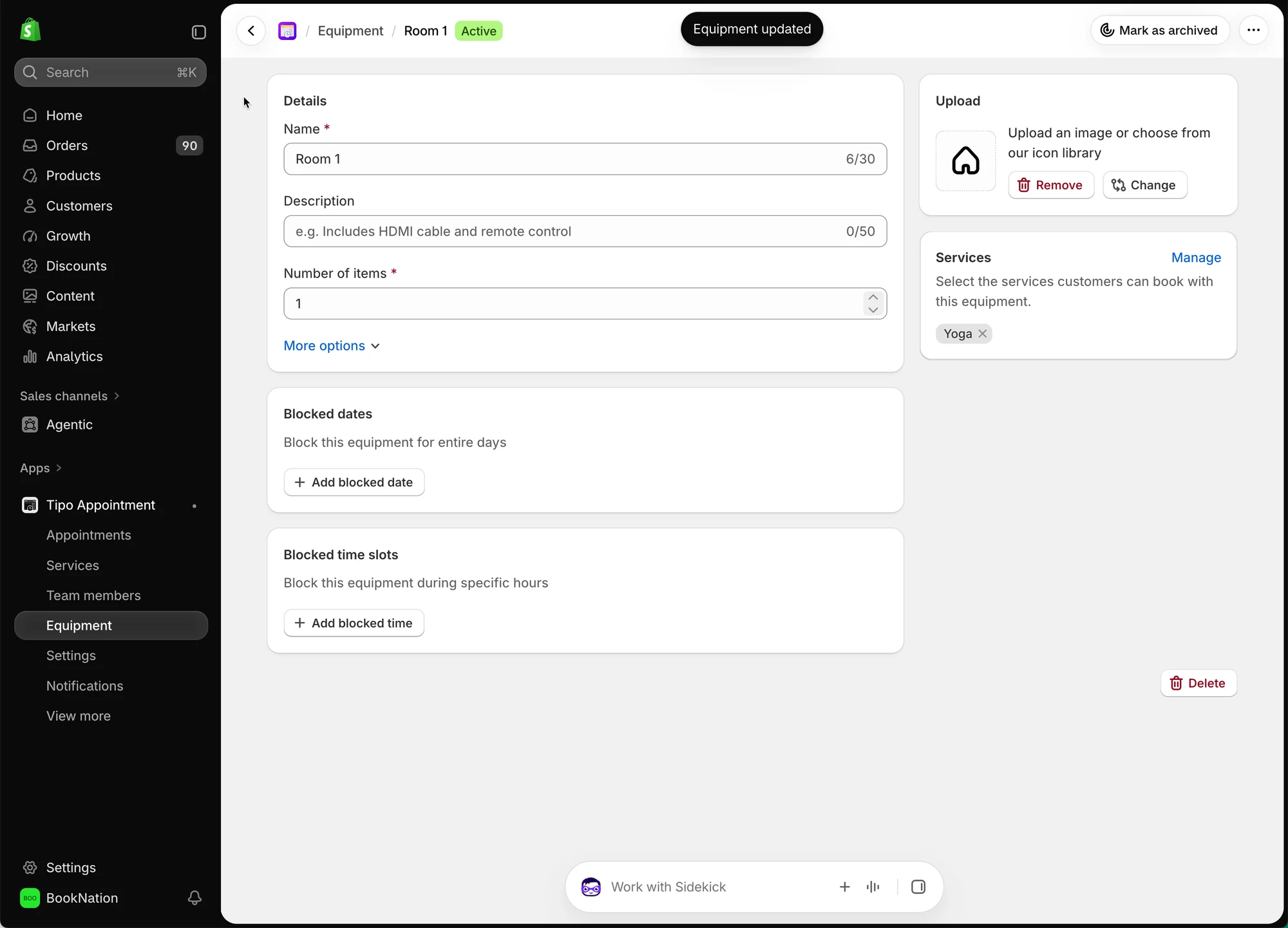
🔄 How It Works
Section titled “
🔄 How It Works”Customer books a service→ App checks the assigned equipment's availability→ Booking confirmed only if equipment is free- A service is linked to equipment. For example, “Yoga Class” is assigned to Studio Room.
- A customer books that service. The app checks whether Studio Room is available at the requested date/time — not blocked, and not already booked to its Number of items limit.
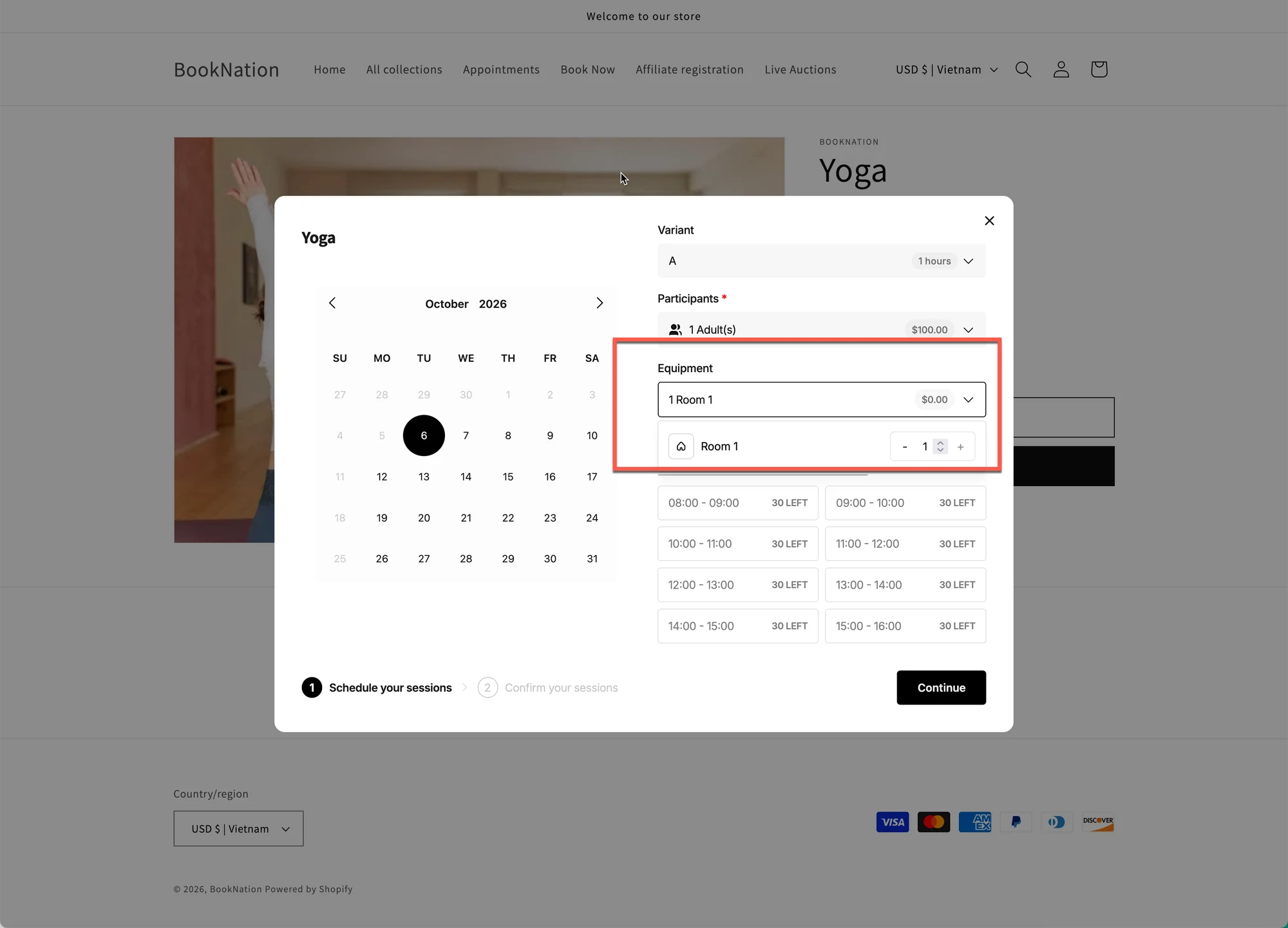
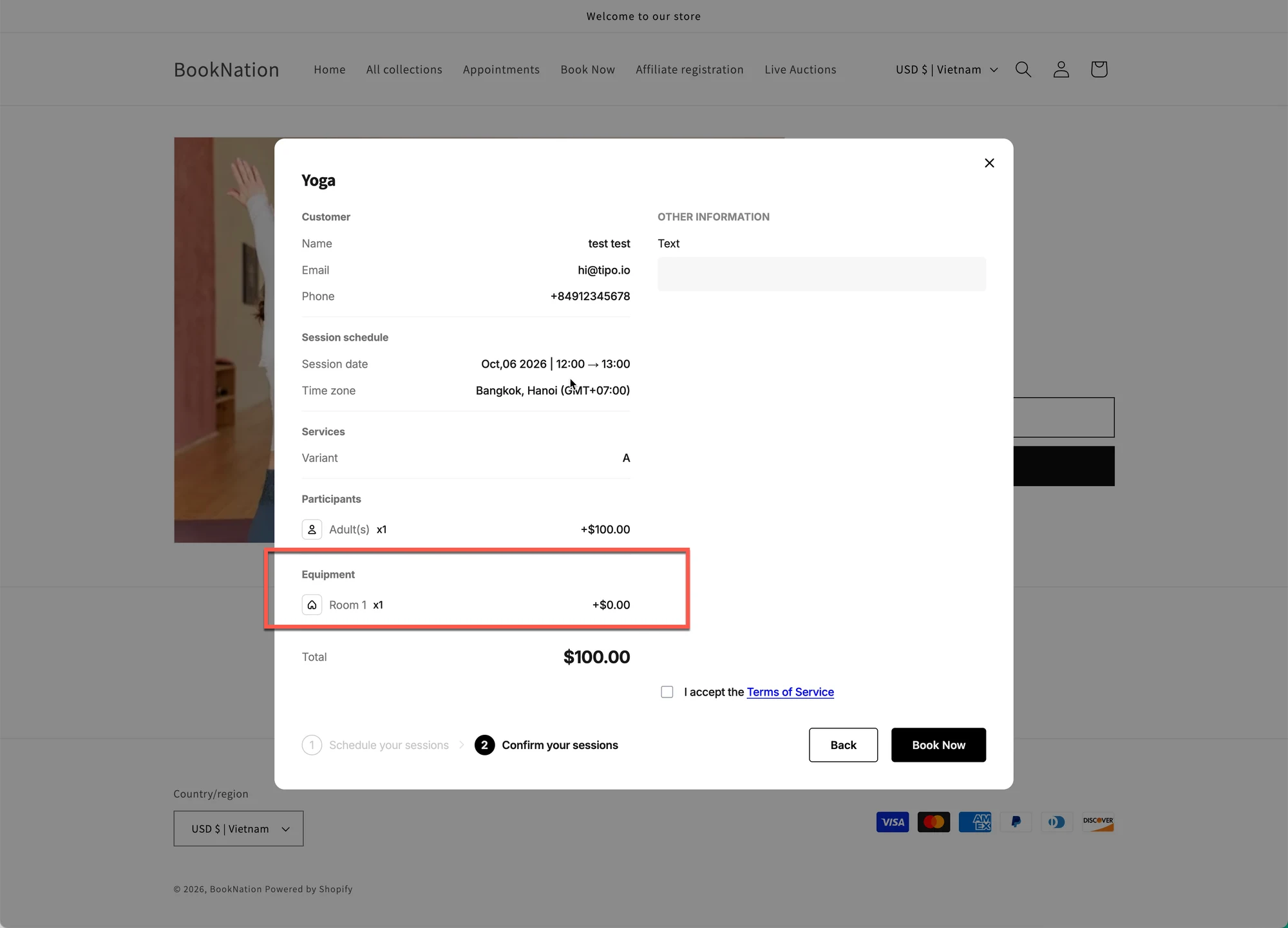
- The booking is confirmed or blocked. If Studio Room is free, the booking goes through. If it’s already fully booked or blocked for that time, the customer can’t select that slot.
💆 Example: Spa with Shared Massage Beds
Section titled “💆 Example: Spa with Shared Massage Beds”Imagine a spa offers 6 different massage services:
- Swedish Massage
- Thai Massage
- Deep Tissue Massage
- Hot Stone Massage
- Aromatherapy Massage
- Foot Massage
The spa has only 2 massage beds.
All 6 services use the same 2 beds.
Shared equipment setup:
- Equipment: Massage Bed
- Available quantity: 2
- Services using this equipment: All 6 massage services
📅 How bookings work
Section titled “📅 How bookings work”- Customer A books a 60-minute Swedish Massage.
→ 1 massage bed is being used.
→ 1 bed remains available.
- Customer B books a Thai Massage at the same time.
→ The second bed is now being used.
→ 0 beds remain available.
If another customer tries to book any massage service during the same time, the booking will not be available because both beds are occupied.
It does not matter which massage service they choose. All 6 services share the same 2 beds.
🔄 When a bed becomes available
Section titled “🔄 When a bed becomes available”When Customer A finishes their massage, their bed is released.
→ 1 bed becomes available again.
Another customer can then book any massage service that requires a massage bed.
💡 Key Point
Section titled “💡 Key Point”Shared Equipment limits the number of simultaneous bookings, based on the available equipment.
For example:
6 massage services + 2 massage beds = up to 2 simultaneous bookings
The customer can choose any of the 6 services, as long as a shared massage bed is available.