
Customer emails
AI Overview
Customer emails are the messages customers receive when a booking is created or its status changes. Tipo provides five ready-to-use customer templates, and you can edit the subject and content of each from the Notifications page.
View moreView less
- Templates: Appointment Approved, Pending, Rejected, Rescheduled, and Next Day Reminder.
- Open the app, click Notifications, then the Customer tab.
- Make sure the checkbox next to each template you want is ticked.
- Click a template name, update the Subject and Content (text, variables, links, formatting), and save.
Summary generated by AI. It can make mistakes, so check the full guide below.
Customer emails are the messages your customers receive when a booking is created or its status changes. Tipo provides 5 ready-to-use email templates for customers.
- Appointment Approved
Appointment Pending
Appointment Rejected
Appointment Rescheduled
Appointment Next Day Reminder
🛠️ How to set
Section titled “🛠️ How to set ”- Open the app > click Notifications > click Customer tab
- In the list of triggers (e.g. “Appointment Approved,” “Appointment Pending”), make sure the checkbox next to the template is ticked
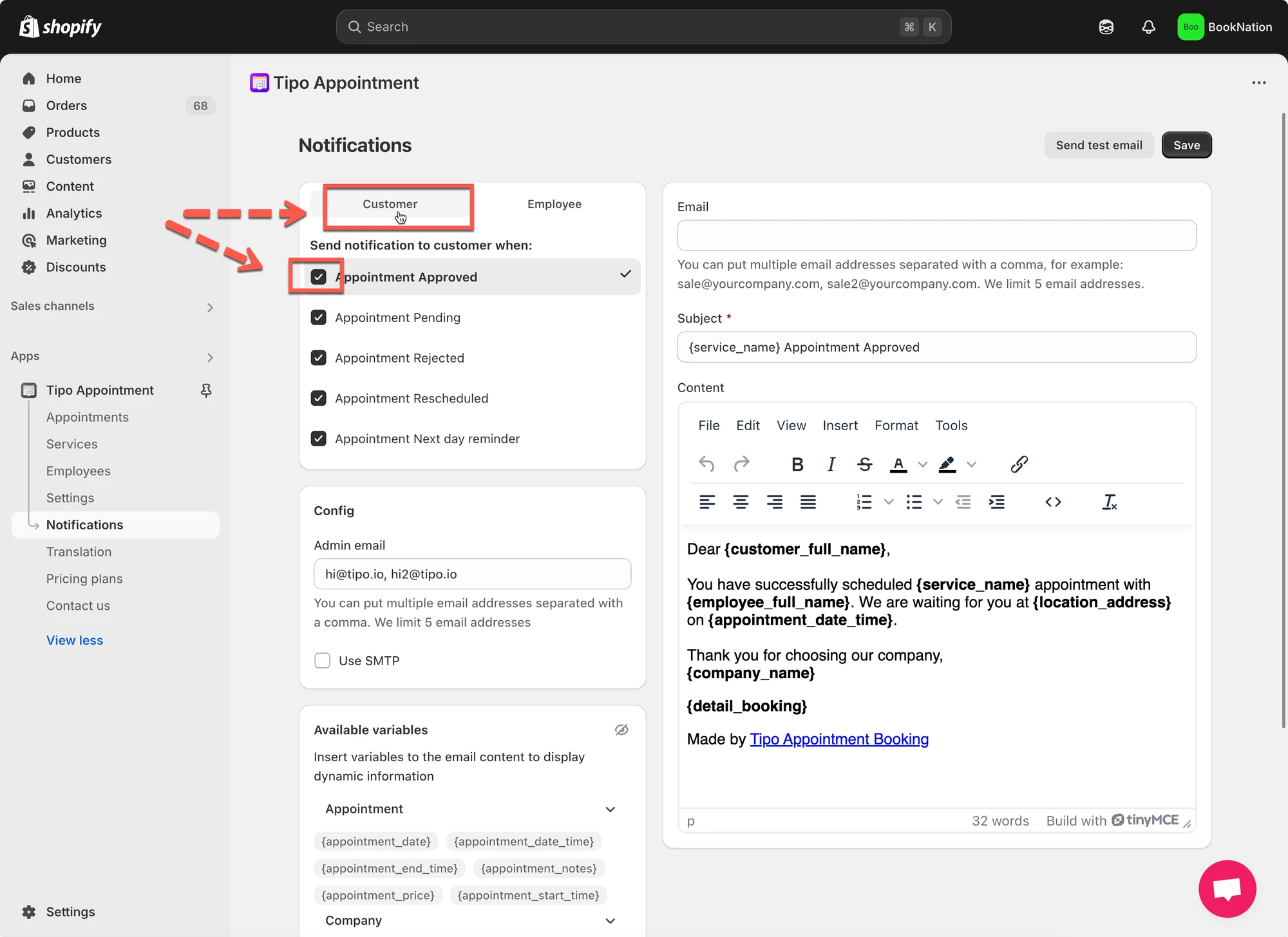
- Click the template name to open its editor
- Update the Subject line.
- Modify the Content: you can add text, variables, links, or formatting as needed.
- Save it.
🙋 Still need support?
If you still need help, please feel free to contact us at hi@tipo.io. We’ll be happy to assist you further.