
Browse metafield definitions
AI Overview
Metafield definitions have an extra page in Backup & Restore Tipo that groups them by owner type, such as products or customers. Use it to find a definition, compare its definition, validation, options and access with your live store, and restore it to a chosen backup version.
View moreView less
- On Home, select Metafield definitions in the Store data card, then pick one of the 15 owner types.
- Select a definition and use Backup version to compare it. Highlighted rows show differences.
- Select Restore at the top to restore the definition to the selected version.
- Category assignments are not shown or restored, so set them in Shopify admin if they need to match.
- Standard Shopify definitions cannot be changed, and a changed type can conflict with existing values.
Summary generated by AI. It can make mistakes, so check the full guide below.
Find metafield definitions by owner type and compare definition, validation, options and access.
Metafield definitions have an extra page that groups them by what they apply to, such as products or customers. Use it to find a definition and compare it with your live store.
Open the owner type page
Section titled “Open the owner type page”Select Metafield definitions
Section titled “Select Metafield definitions”In your Shopify admin, open Backup & Restore Tipo. On Home, in the Store data card, select Metafield definitions.
Pick an owner type
Section titled “Pick an owner type”The page shows a table with Type and Definitions columns. Select the type you want.
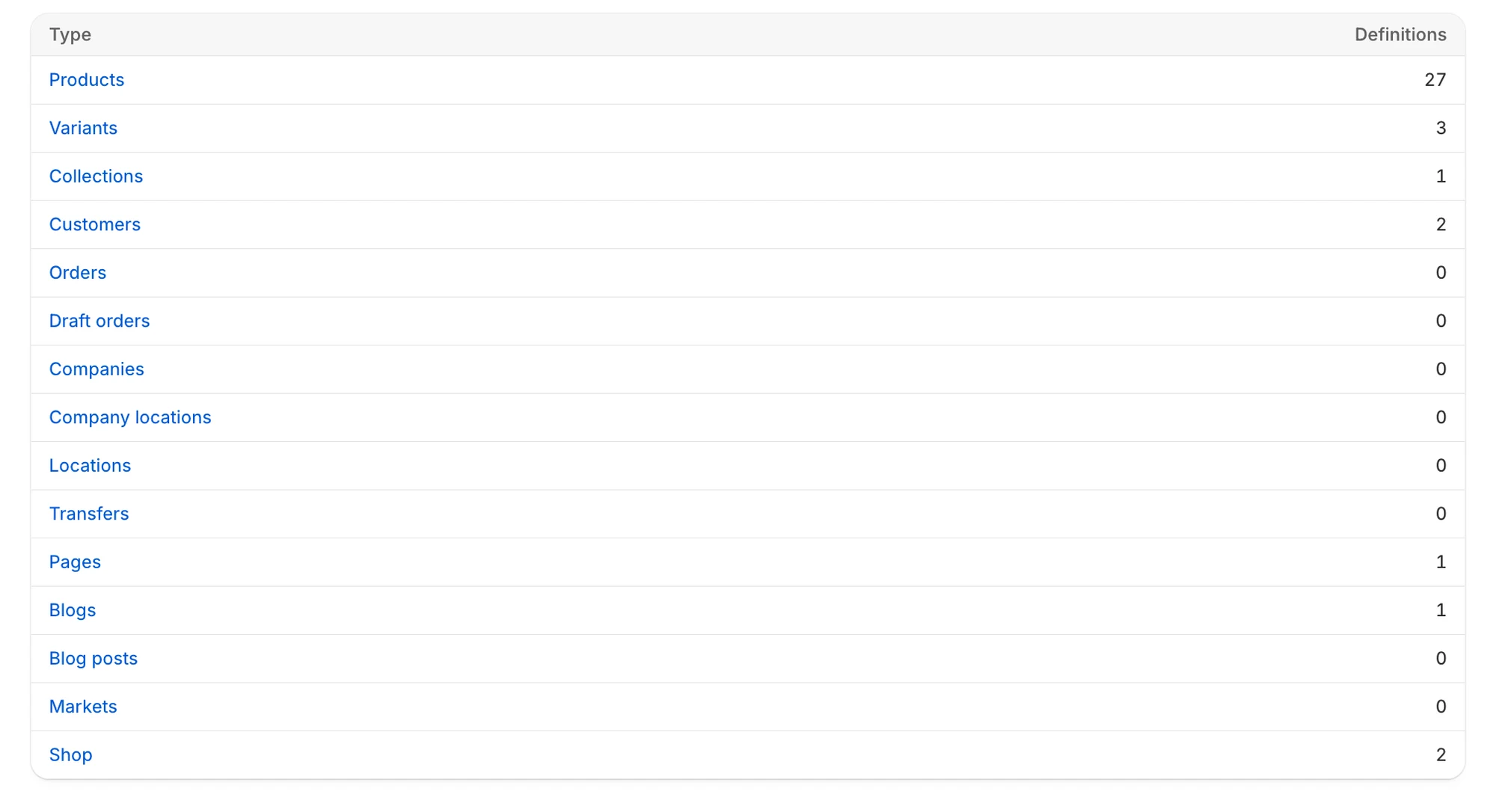
Each owner type shows how many definitions the backup holds.
The 15 owner types are: Products, Variants, Collections, Customers, Orders, Draft orders, Companies, Company locations, Locations, Transfers, Pages, Blogs, Blog posts, Markets and Shop. Definitions deleted from your store are not counted here, but they still appear in the list for the type.
If the table does not load, you see Couldn’t load metafield definition types.
Use the list for a type
Section titled “Use the list for a type”The list for an owner type works like any other list. You can search, sort and see Deleted badges. It has no Last edited column. Select Metafield definitions in the breadcrumb to go back to the owner types. See Find a backed-up item. You can also tick definitions and restore them, as described in Restore selected items from a list.
Compare a definition
Section titled “Compare a definition”Select a definition to open its comparison page. The breadcrumb at the top takes you back to the list for its owner type. Use Backup version to pick which backup to compare. Highlighted rows show what differs. See Compare an item with your live store for how the columns work.
| Section | What it shows |
|---|---|
| Definition | Name, namespace and key, what it applies to, type, description, whether it holds a single value or a list, and capabilities such as use in smart collection conditions |
| Validation | The validation rules set on the definition and their status |
| Options | Choices defined for the field |
| Access permissions | Whether the Admin API, Customer account API and Storefront API can read it |
Restore a definition
Section titled “Restore a definition”Select Restore at the top of the page to restore that definition to the selected backup version. See Restore a single item.