
Download link settings
Set how long download links last and how many times each can be used.
When you export a backup or an inventory CSV, the app creates a download link. This card sets how long the link works and how many times it can be used.
Change the settings
Section titled “Change the settings”In the Shopify admin sidebar, click Backup & Restore Tipo, then Settings.
Find the Download links card.
Enter your values in the two fields.
Click Save in the save bar.
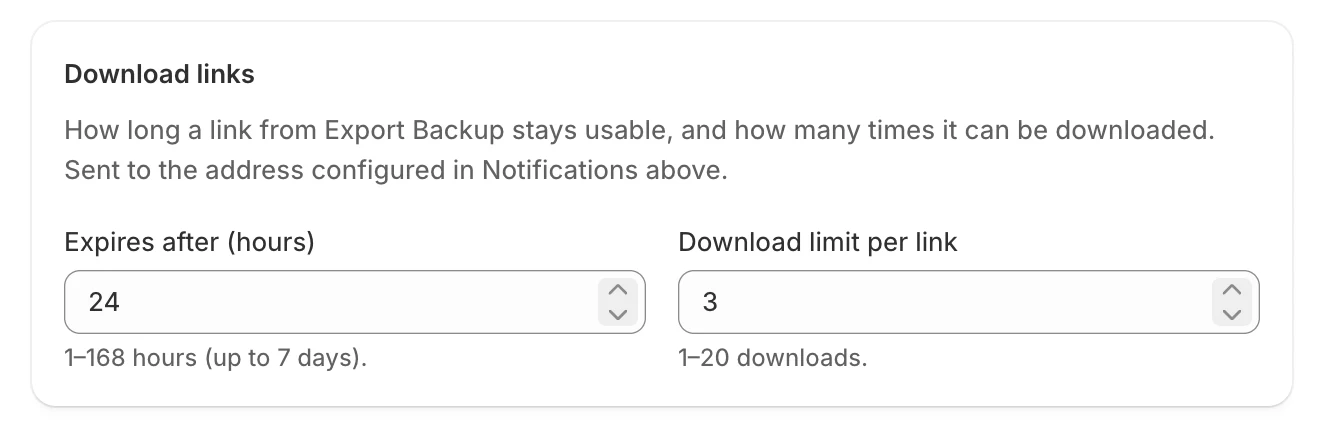
The Download links card has two number fields.
| Option | What it does | Range | Default |
|---|---|---|---|
| Expires after (hours) | How long each link works after it is created. | 1 to 168 hours (up to 7 days) | 24 |
| Download limit per link | How many times one link can be used. | 1 to 20 downloads | 3 |
The new values apply to links you create after saving.
Where links go
Section titled “Where links go”Links from backup exports and inventory CSV exports are sent to the address in Send to on the Notifications card. See Email notifications.
If saving fails
Section titled “If saving fails”If a number is outside the range, a red banner appears when you click Save. Enter a value in the allowed range and save again.