
Set up email notification
AI Overview
Learn how to set the email address where Tipo Sync sends alerts. With notifications enabled, you get an email when an Inventory Sync Group or Bundle Group sync fails, and optionally when sync pauses because a product is out of stock. You choose which alert templates to receive in the app Settings.
View moreView less
- Open the app Settings and go to the Notifications section.
- Enter the address in Send emails to.
- Tick the checkbox for each alert: sync product group failed, or sync bundle group failed.
- Save the app Settings.
- Out-of-stock pause emails apply only if you chose Pause sync & notify by email in settings.
Summary generated by AI. It can make mistakes, so check the full guide below.
✅ What you’ll get notified about
Section titled “✅ What you’ll get notified about”When notifications are enabled, Tipo Sync can email you when:
- Inventory Sync Group sync fails
- ⚠️ Bundle Group sync fails
- (Optional) Sync is paused because a product is out of stock (if you choose “Pause sync & notify by email” in settings)
🛠️ How to set your notification email
Section titled “🛠️ How to set your notification email”- Open the app > go to the app Settings
- In Notifications parts > Send emails to > enter the email address you want to use
- Tick on the checkbox of the email template you want to use
🔔 Email alert at sync product group failed
Receive an email if syncing between inventory groups fails.
Useful for monitoring and fixing issues quickly.
🔔 Email alert at sync bundle group failed
Receive an email if syncing between bundle groups fails.
Helps you stay aware of syncing errors and ensure product accuracy.
- Save the app Settings.
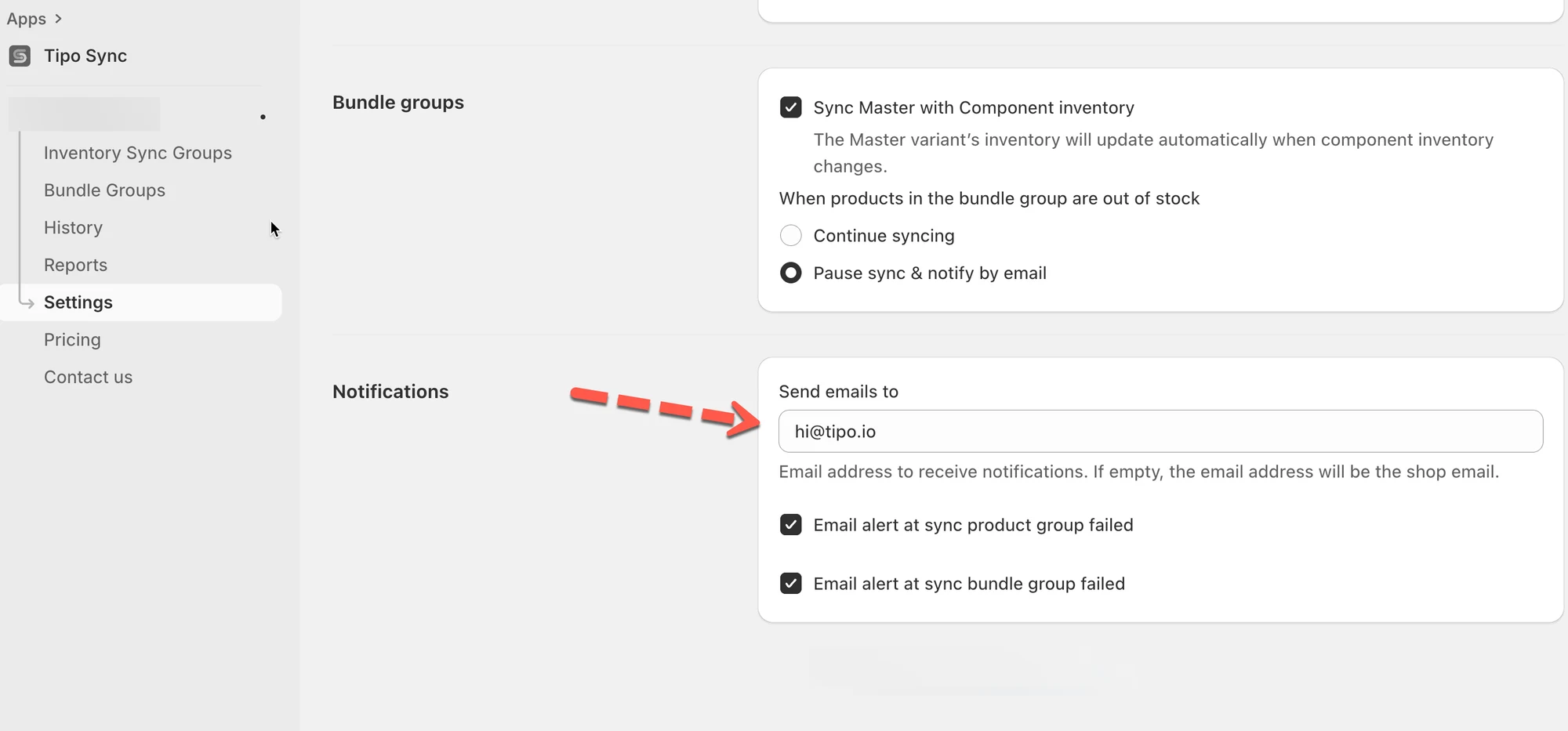
🧩 Example
Section titled “🧩 Example”You set Send emails to = hi@tipo.io and enable Bundle Group failed alerts.
If a bundle sync fails (for example, a component product is missing inventory tracking), Tipo Sync will email hi@tipo.io so you can review and fix it.
🙋 Still need support?
If you still need help, please feel free to contact us at hi@tipo.io. We’ll be happy to assist you further.