> For the complete documentation index, see [llms.txt](https://docs.tipo.io/llms.txt). Markdown versions of documentation pages are available by appending `.md` to page URLs; this page is available as [Markdown](https://docs.tipo.io/product-syncs/price-sync-and-adjustments.md).
# Price sync & adjustments
The app allows you sync products and product price from Source store to Destination store.
### ✅ When should you use price adjustment?
Use this feature if you want the Destination store price to be **different from Source**, for example:
* Different countries / markets need different pricing
* Extra shipping/taxes in one store
* Different margin for wholesale vs retail
* Currency differences (when you manage pricing by rules)
***
#### 🛠️ **Step to manage**
**New connection:**
Before connecting, check and select the product information you want to sync [here. ](https://tipo.io/index.php/kb/sync-specific-product-fields/)
1. Open the app in **Destination** store > click **Settings** > **Product Fields to Synchronize** > select **Sync** option for **Price**
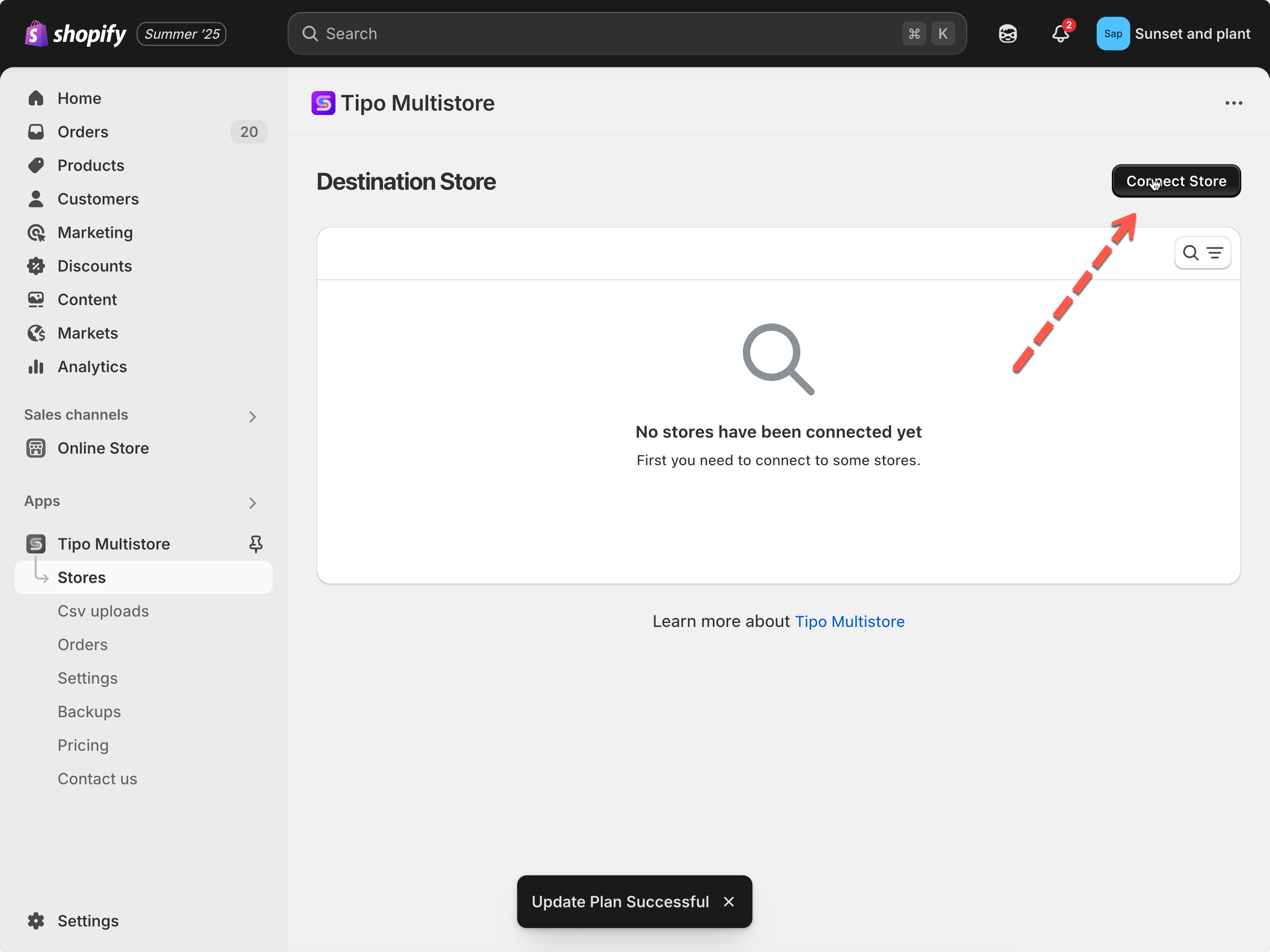
2. Click **Stores** on the left menu of the app > click **Connect store** button
3. Enter the **Connection Code** obtained from the **Source Store** (found under the app’s **Settings** in the Source Store)
**For an running connection:** Go to the **Destinations** store, open the app > click **Stores** > > click on the source store URL to open the connect detail
4. Scroll down to **Price mapping & transformations** > set up the price and the **Adjustment value** if you need (optional)
5. Click **Save**
After the sync runs, please review the results to ensure prices are updated correctly.
If you make any changes to the price transformation rate in the connection settings, kindly let us know. Our development team will then recheck and re-run the sync to ensure your changes are properly applied.
***
### 🔄 Example 1: Increase Product Prices by 20%
#### Settings
Option
Value
Destination Price mapping with
Source Price
Adjustment
Increase percentage
Adjustment value
20%
#### Source Store
| Product | Price |
| ------------ | ----- |
| Summer Shirt | $100 |
#### Result
| Product | Destination Price |
| ------------ | ----------------- |
| Summer Shirt | $120 |
Calculation:
```
$100 + (20% × $100)= $120
```
***
### 🔻 Example 2: Reduce Prices by 10%
#### Settings
| Option | Value |
| ------------------------------ | ------------------- |
| Destination Price mapping with | Source Price |
| Adjustment | Decrease percentage |
| Adjustment value | 10% |
#### Source Store
| Product | Price |
| ------------ | ----- |
| Summer Shirt | $100 |
#### Result
| Product | Destination Price |
| ------------ | ----------------- |
| Summer Shirt | $90 |
Calculation:
```
$100 - (10% × $100)= $90
```
***
### 💵 Example 3: Add a Fixed Amount
#### Settings
| Option | Value |
| ------------------------------ | --------------------- |
| Destination Price mapping with | Source Price |
| Adjustment | Increase fixed amount |
| Adjustment value | $15 |
#### Source Store
| Product | Price |
| ------------ | ----- |
| Summer Shirt | $100 |
#### Result
| Product | Destination Price |
| ------------ | ----------------- |
| Summer Shirt | $115 |
This is useful when every product needs the same additional fee, such as shipping or handling costs.
***
### 💵 Example 4: Currency Conversion
Suppose:
| Store | Currency |
| ----------------- | -------- |
| Source Store | GBP |
| Destination Store | USD |
Exchange Rate:
```
1 GBP = 1.25 USD
```
#### Settings
| Option | Value |
| ------------------------------ | ------------------- |
| Destination Price mapping with | Source Price |
| Adjustment | Increase percentage |
| Adjustment value | 25% |
#### Source Product
| Price |
| ----- |
| £80 |
#### Result
| Destination Price |
| ----------------- |
| $100 |
Calculation:
```
£80 × 1.25= $100
```
This helps maintain similar pricing value between stores using different currencies.
***
### 💵 Example 5: Price Rounding
Price rounding adjusts the final price after calculations.
#### Settings
| Price Rounding |
| -------------- |
| 0.95 |
#### Before Rounding
```
$125.27
```
#### After Rounding
```
$124.95
```
This is commonly used to create cleaner retail pricing.
***
### 📊 Example: Complete Price Transformation
#### Source Store
| Price | Compare-at Price | Cost |
| ----- | ---------------- | ---- |
| $100 | $120 | $60 |
#### Settings
| Field | Adjustment |
| ---------------- | ------------- |
| Price | Increase 20% |
| Compare-at Price | No Adjustment |
| Cost | Increase 10% |
#### Result
| Field | Destination Value |
| ---------------- | ----------------- |
| Price | $120 |
| Compare-at Price | $120 |
| Cost | $66 |
**🙋 Still need support?**
If you still need help, please feel free to contact us at . We’ll be happy to assist you further.