
Single store sync vs Multi-store sync
Tipo Sync offers two sync modes. Choosing the right one depends on whether you manage one Shopify store or multiple stores.
ℹ️ Quick definition
Section titled “ℹ️ Quick definition”🏪 Single store sync
Section titled “🏪 Single store sync”Sync happens inside one Shopify store to automate how products/inventory are managed within that store.
Typical features in this mode include:
- Inventory Sync Groups
- Bundle Groups
- Reports / analytics for syncing activity
Use it when you have only one store and want to keep inventory or bundles organized automatically.
🔁 Between stores sync (Multi-store sync)
Section titled “🔁 Between stores sync (Multi-store sync)”Sync happens between two or more Shopify stores.
In this mode you will usually have:
- Source store = the main store where you manage products
- Destination store(s) = stores that receive synced products/inventory.
Typical features in this mode include:
- Connect stores (Source ↔ Destination)
- Product sync (import new products, sync existing ones, mapping)
- Inventory sync between stores (one-way or two-way)
- Order sync (depending on your setup)
- Email notifications
Use it when you have multiple Shopify stores and need to copy/update data across them.
🕹️ When should I use each mode?
Section titled “🕹️ When should I use each mode?”Choose Single store sync if you:
Section titled “Choose Single store sync if you:”- have one Shopify store
- want to automate inventory updates and bundle behaviors inside the same store
- don’t need to connect to another store
Choose Between stores sync if you:
Section titled “Choose Between stores sync if you:”- run multiple Shopify stores (regional stores, wholesale + retail, multiple brands)
- want to push products from one store to another
- want inventory or orders to stay aligned across stores
🔀 Key differences
Section titled “🔀 Key differences ”| Topic | Single store sync | Between stores sync |
|---|---|---|
| Number of stores | 1 store | 2+ stores |
| Setup | No store connection needed | Must connect Source + Destination |
| Main goal | Automate inventory/bundles within one store | Keep products/inventory/orders synced across stores |
| Product creation | Not focused on cross-store import | Can import/sync products between stores |
| Inventory | Groups & automation in the same store | Location mapping + one-way/two-way sync |
| Best for | One-store merchants | Multi-store merchants, wholesalers |
📋 Common examples
Section titled “📋 Common examples”Single store sync examples
Section titled “Single store sync examples”- You sell bundles and need inventory to update automatically when components change
- You want to organize inventory logic using “sync groups”
- You want reports about sync activities inside one store
Between stores sync examples
Section titled “Between stores sync examples”- You have a US store and an EU store and want products synced
- You run a Retail store and a Wholesale store
- You manage multiple brand stores and want one “master catalog” (Source) to push to others
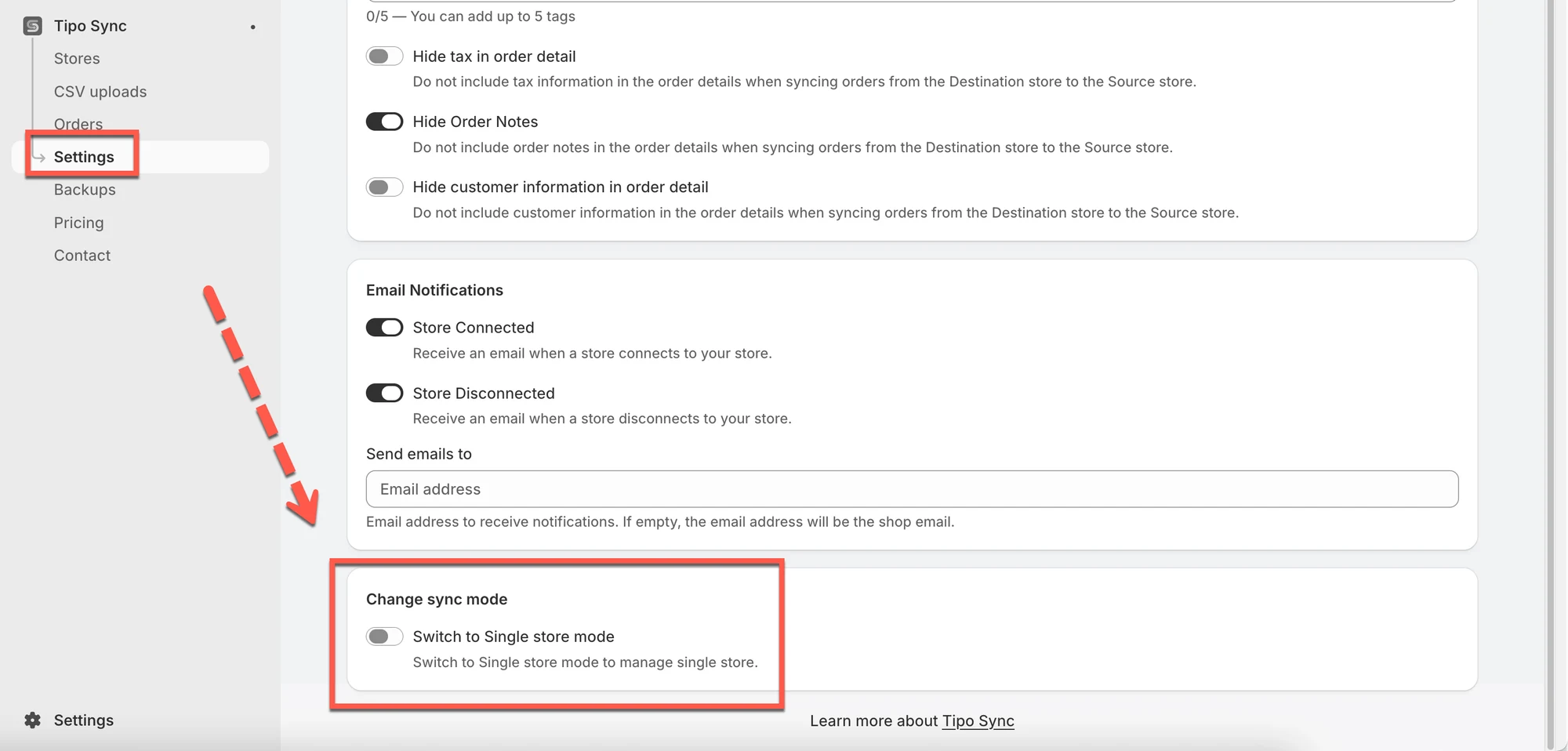
🔄 Switch between modes
Section titled “🔄 Switch between modes”Yes. You can switch modes when your business changes (for example: you start with one store, then add a second store later).
✅ Recommendation
Section titled “✅ Recommendation”- Start with Single store sync if you only manage one store today.
- Choose Between stores sync if you need a “Source → Destination” workflow or want to keep multiple stores aligned.
🙋 Still need support?
If you still need help, please feel free to contact us at hi@tipo.io. We’ll be happy to assist you further.