
If I delete a product in Source, what happens in Destination?
This depends on the setting you configure in the connection detail.
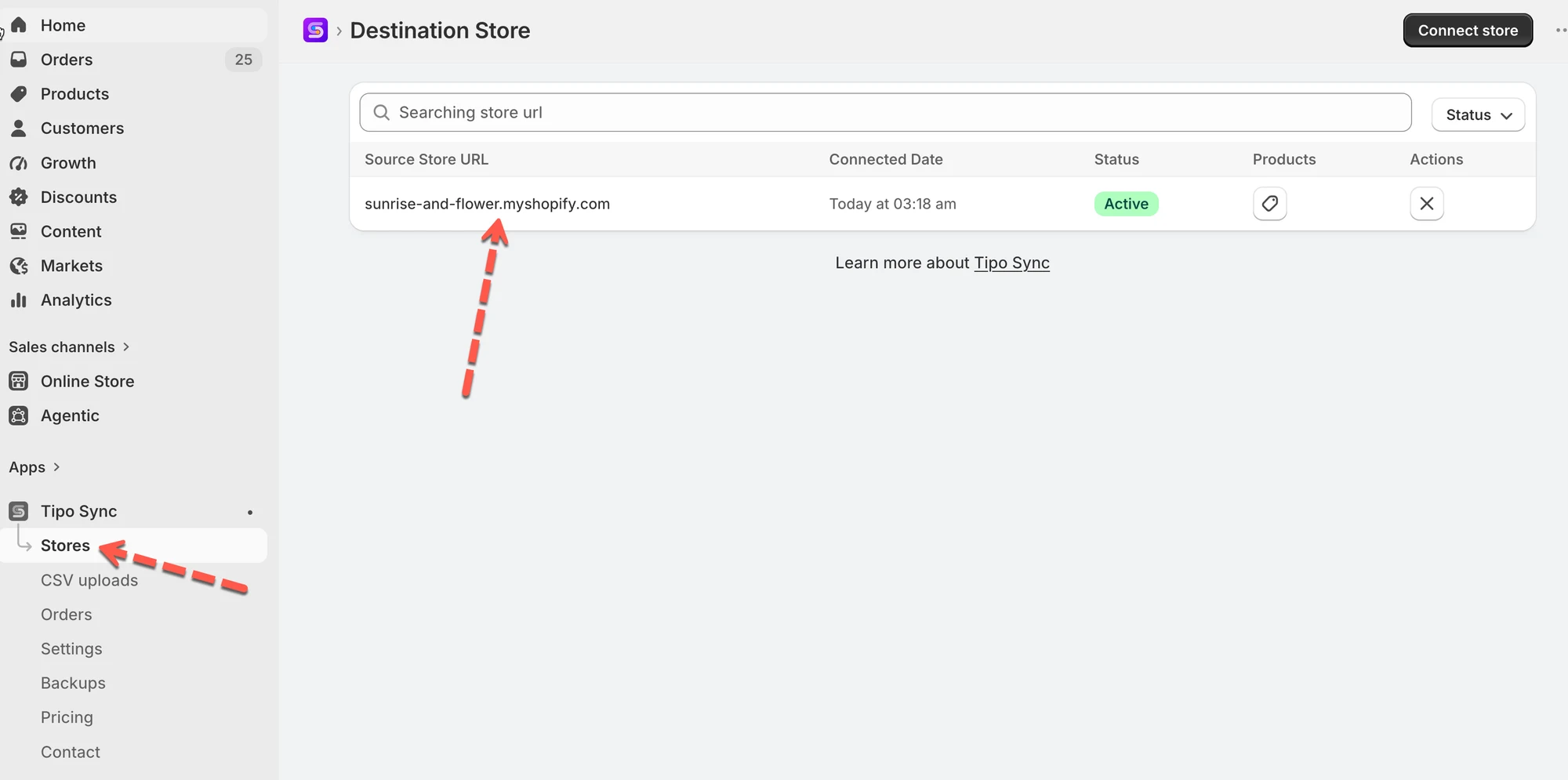
Check the setting in the Destination store > open the connection detail here
The app lets you select one of the actions
- Unpublish Recommended
Unpublish the product on the Destination store when it’s deleted from the Source store. - Unpublish or Delete
If sold before, Unpublish. If never sold, delete it from the Destination store. - Delete
Remove the product completely from the Destination store. - No action
Leave the product unchanged on the destination store
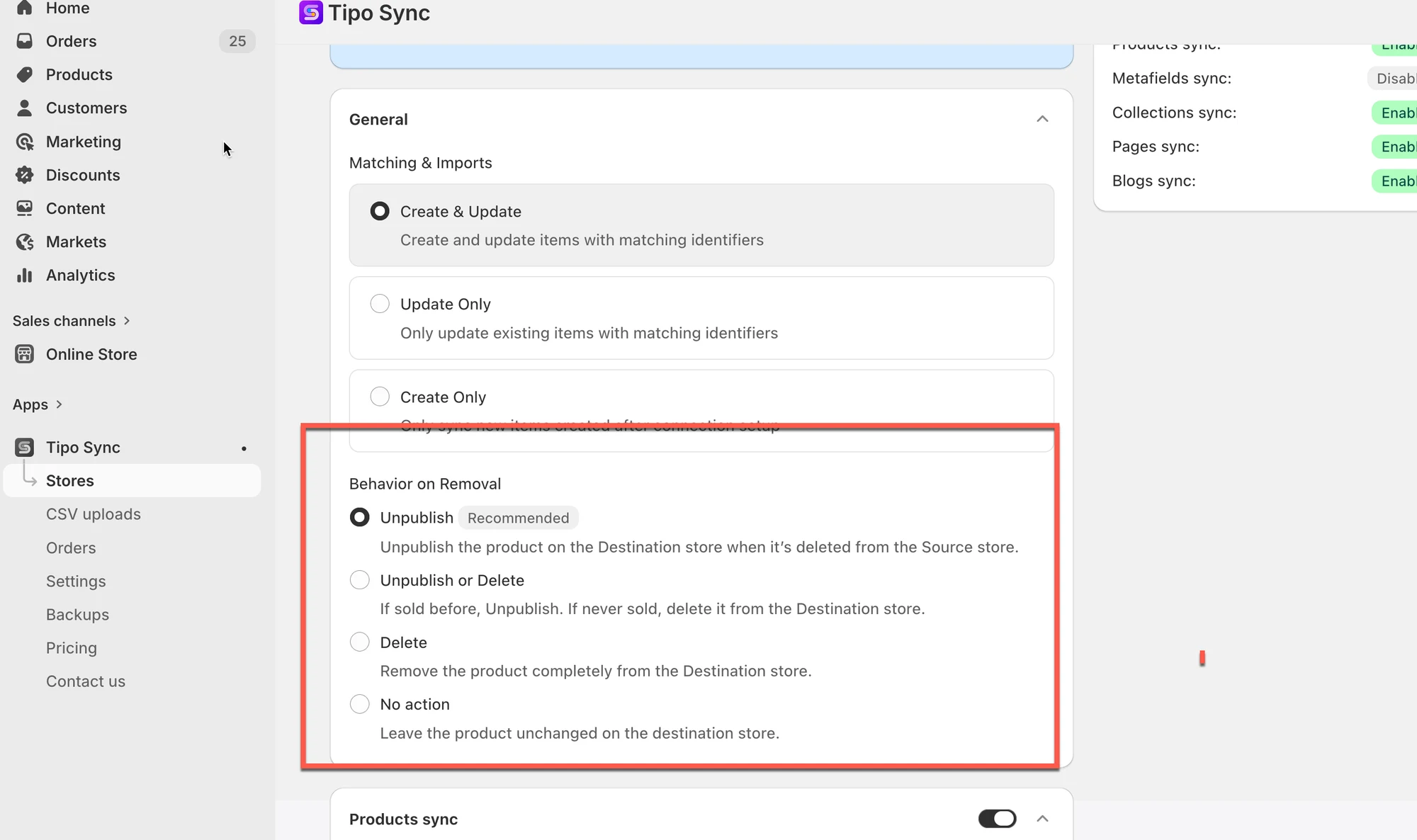
Delete option is selected
If you delete the product from Source store, the products (with the same handle) will deleted from the Destination store automatically.
🙋 Still need support?
If you still need help, please feel free to contact us at hi@tipo.io. We’ll be happy to assist you further.