> For the complete documentation index, see [llms.txt](https://docs.tipo.io/llms.txt). Markdown versions of documentation pages are available by appending `.md` to page URLs; this page is available as [Markdown](https://docs.tipo.io/bundle-groups/update-master-inventory.md).
# Update Master Inventory
This guide explains how Update Master Inventory works in Bundle Groups, when to use it, and what happens after you run it.
### ✅ What is “Master inventory”?
The **Master product** is the bundle product your customers buy (example: **Gift Box Set**).
The **Master inventory** represents how many bundles are available to sell, based on the inventory of the **component products**.
***
### 🎯 Why you might need to “Update Master Inventory”
Normally, Tipo app updates bundle availability automatically when components change.\
But sometimes you may want to force a recalculation, for example:
* You just created or edited a Bundle Group
* You imported bundle groups via CSV
* Component inventory was updated in bulk (import/another app)
* Master availability looks out of date and you want to refresh it
***
### 🔄 What happens when you update Master inventory?
When you run **Update Master Inventory**, Tipo app will:
1. Read the latest inventory of all **components**
2. Recalculate how many bundles can be created (based on quantity rules)
3. Update the **Master product inventory** to match the calculated result
✅ This helps keep your bundle availability accurate.
***
### 🛠️ Steps
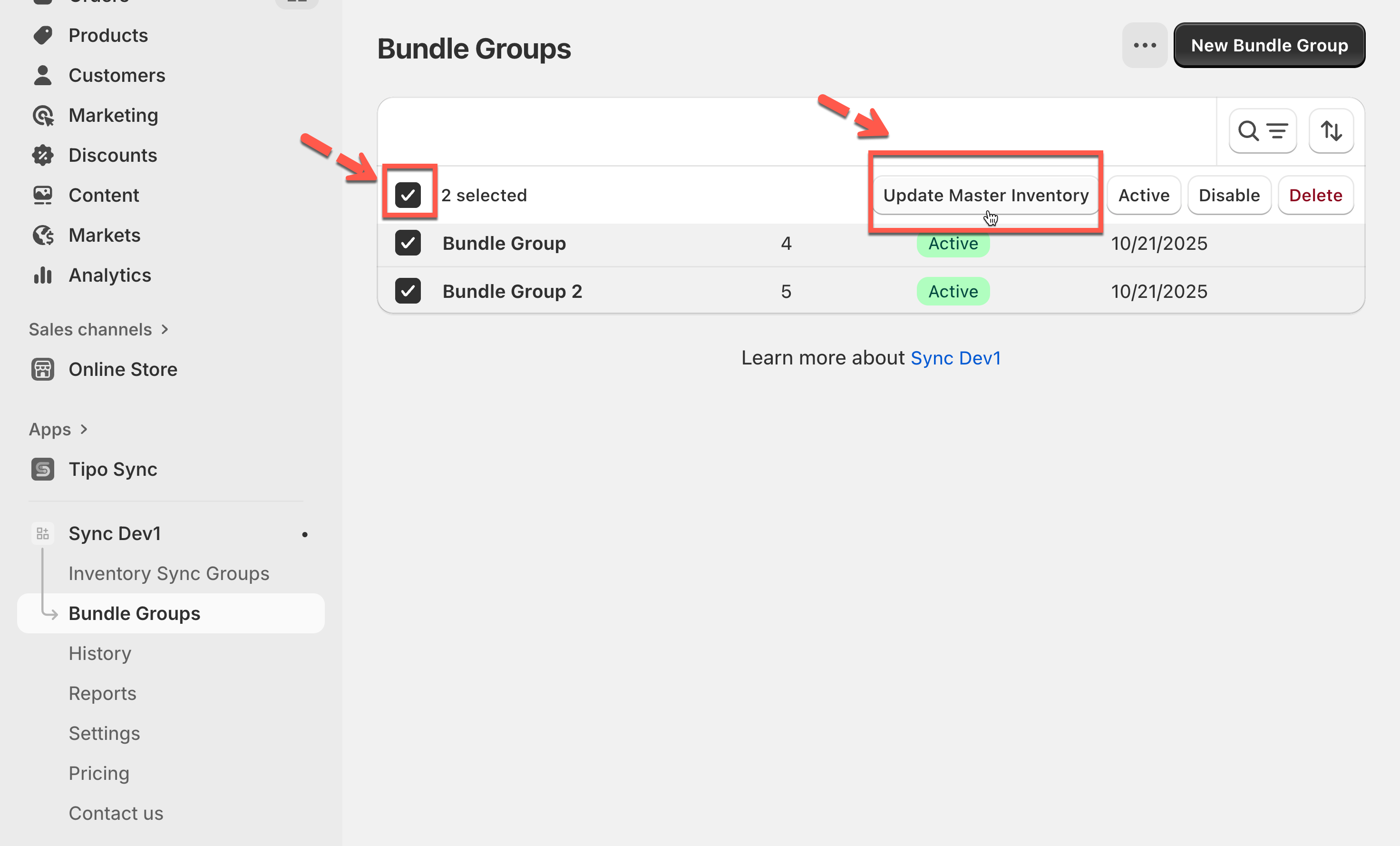
1. Open the app > go to **Bundle Groups** > select the bundle groups you want to update by checking the boxes beside their names.
2. Click **Update Master Inventory** button
The system will automatically:
* Recalculate the **Master Product** quantities based on the current inventory levels of their **Component Products**.
* Update the **Master** **Product** stock across all linked bundles.
**Example:**\
Suppose your Master variant (a gift set) includes:
* 2 × Product A
* 1 × Product B
If Product A now has 6 units in stock and Product B has 5, then the Master variant will be recalculated as **min(6 ÷ 2, 5 ÷ 1) = 3 units available**.
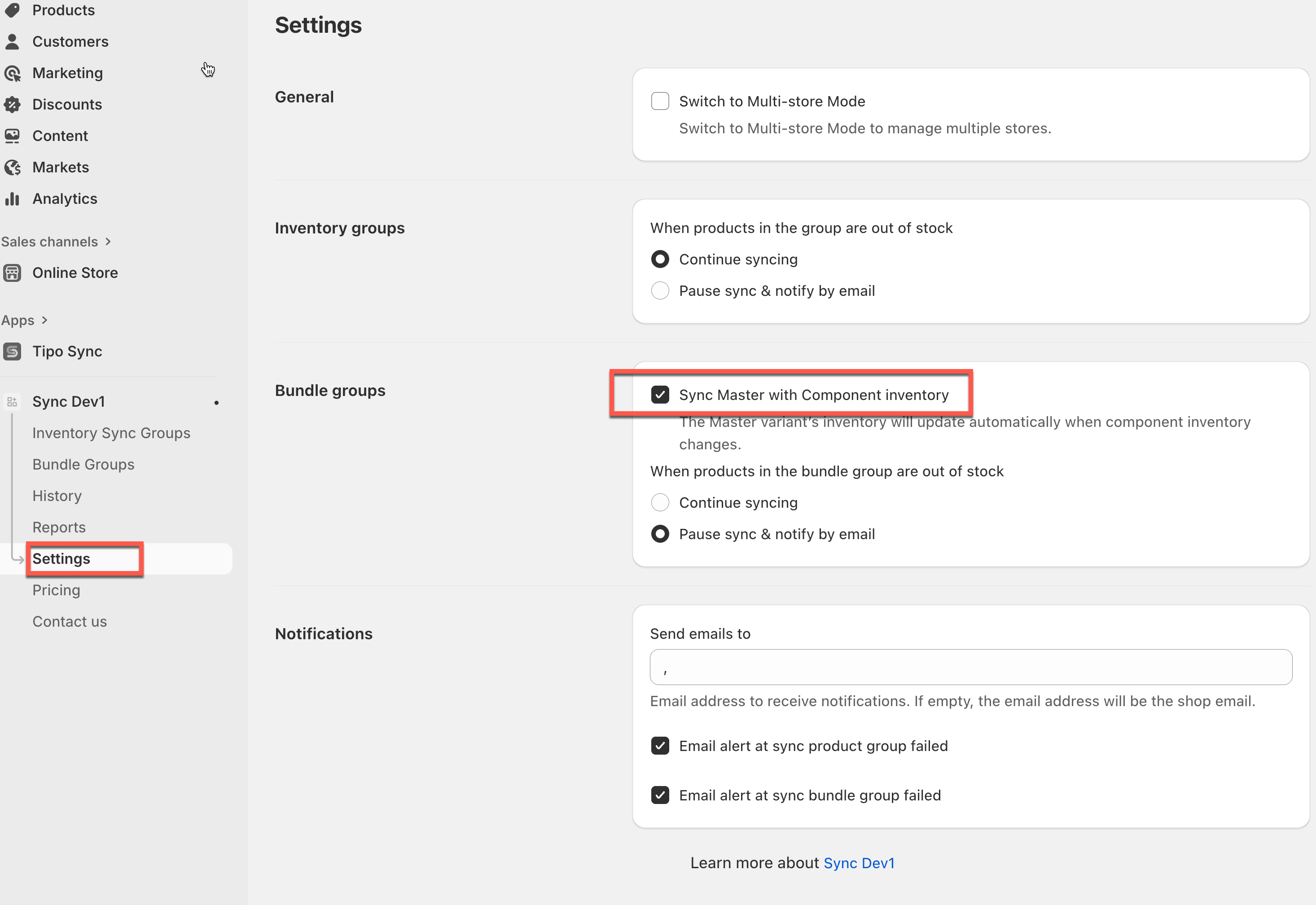
This action recalculates the master variant’s inventory based on the component inventory, following the setting **“Sync Master with Component inventory”** in the app’s settings.
***
**🙋 Still need support?**
If you still need help, please feel free to contact us at . We’ll be happy to assist you further.