> For the complete documentation index, see [llms.txt](https://docs.tipo.io/llms.txt). Markdown versions of documentation pages are available by appending `.md` to page URLs; this page is available as [Markdown](https://docs.tipo.io/overview/remove-connection-between-stores.md).
# Remove connection between stores
If you want to stop the sync between stores like remove the connection completely or removed it to create a new connection, please follow the instruction below.
We need to removed the connection in Muti-store app in both stores:
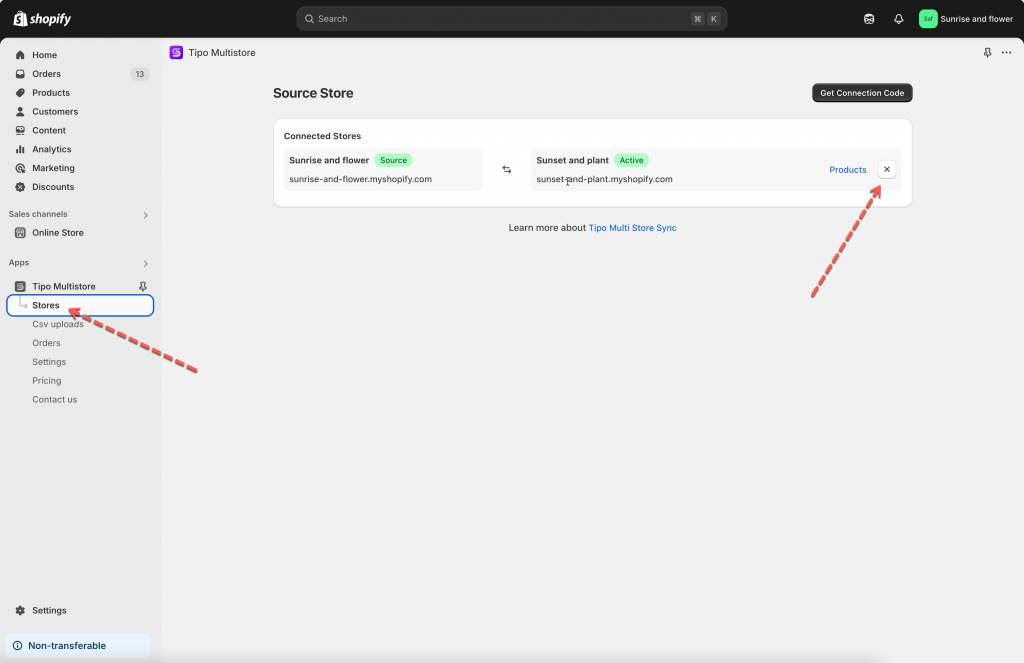
* remove the connect in Source store
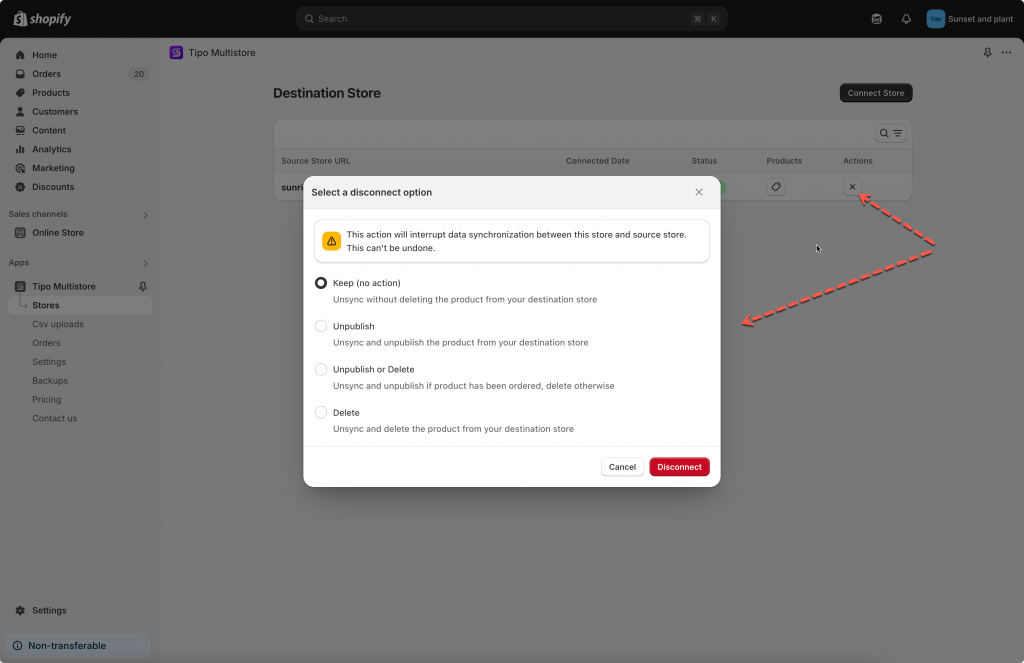
* remove the connect in Destination store.
Removing a connection will:
* stop product/inventory/order syncing for that store pair
* unsync mapped products
* (optionally) unpublish or delete synced products in the Destination store (you choose)
#### **Source store**
Open the app in **Source** store > click **Stores** > click disconnect icon here
✅ The connection is removed immediately.
***
#### **Destination store**
Open the app in **Destination** store > click **Stores** > click disconnect icon here
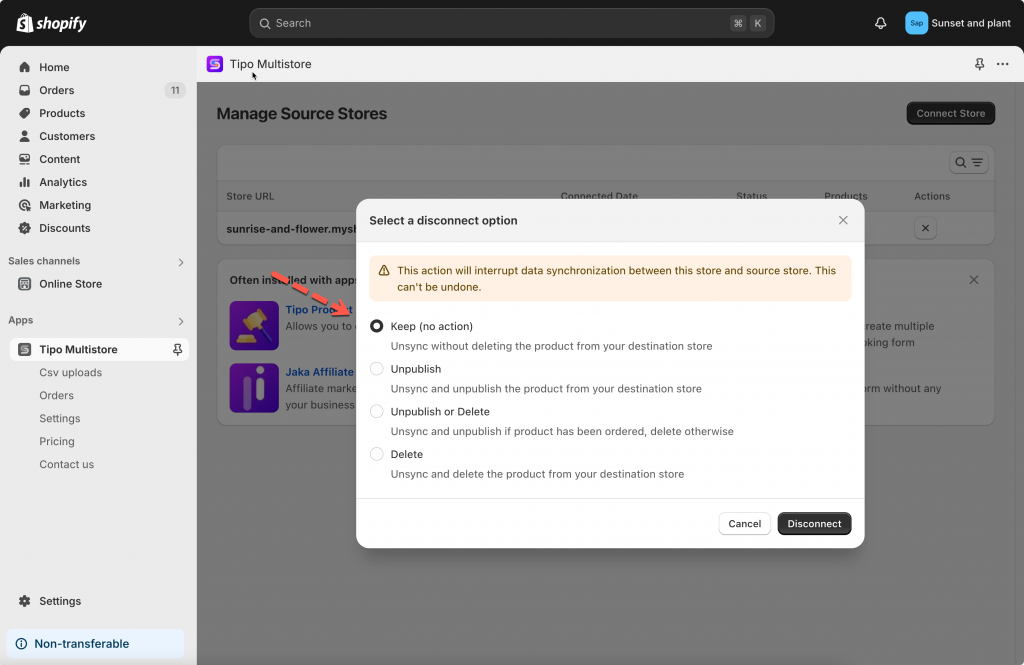
The app provides you 4 options to manage the synced products on the Destination store. You can select one of them.
For example, if you want removed the products that are synced from Source store to this store, select the **Delete** option.
* **Keep (no action) :** Unsync without deleting the product from your destination store
* **Unpublish**: Unsync and unpublish the product from your destination store
* **Unpublish or Delete**: Unsync and unpublish if product has been ordered, delete otherwise
* **Delete**: Unsync and delete the product from your destination store
You need to remove the connection on both stores to start a new one.
After the connection is removed, it may take time to process. Please wait for a while to let the app finish it then you can create a new connection.
**🙋 Still need support?**
If you still need help, please feel free to contact us at . We’ll be happy to assist you further.