> For the complete documentation index, see [llms.txt](https://docs.tipo.io/llms.txt). Markdown versions of documentation pages are available by appending `.md` to page URLs; this page is available as [Markdown](https://docs.tipo.io/sample-cases/sell-shirt-red-and-blue-inventory-sync-group-for-different-skus.md).
# Sell Shirt Red and Blue (Inventory Sync Group for different SKUs)
### Case
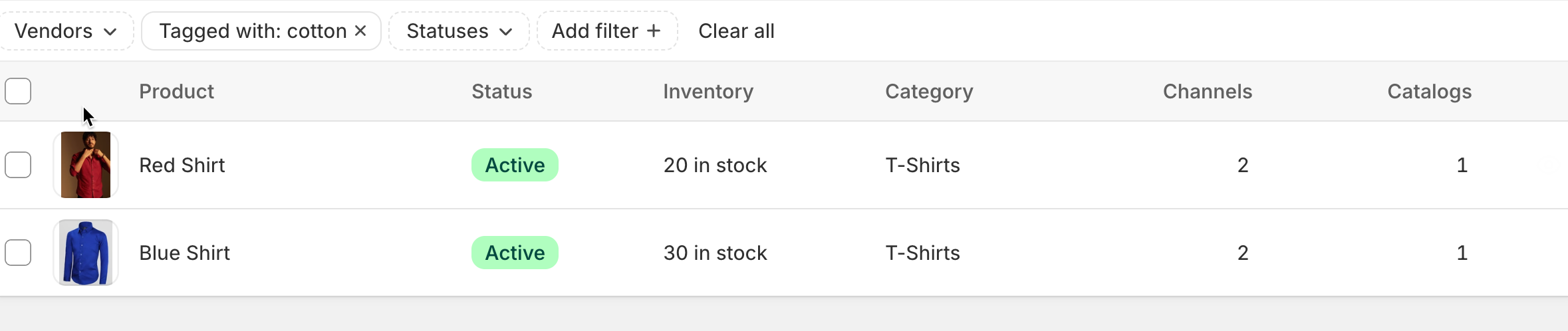
I have two products in my store:
| Product Name | SKU | Inventory Quantity | Track Quantity Enabled |
| ------------ | ---------- | ------------------ | ---------------------- |
| Blue Shirt | BLUE-SHIRT | 30 | Yes |
| Red Shirt | RED-SHIRT | 20 | Yes |
I want these two products to **share the same inventory pool** so when one sells, the stock reduces for both. This helps me avoid overselling and manage stock centrally.
### Solution: Create an Inventory Sync Group
Steps:
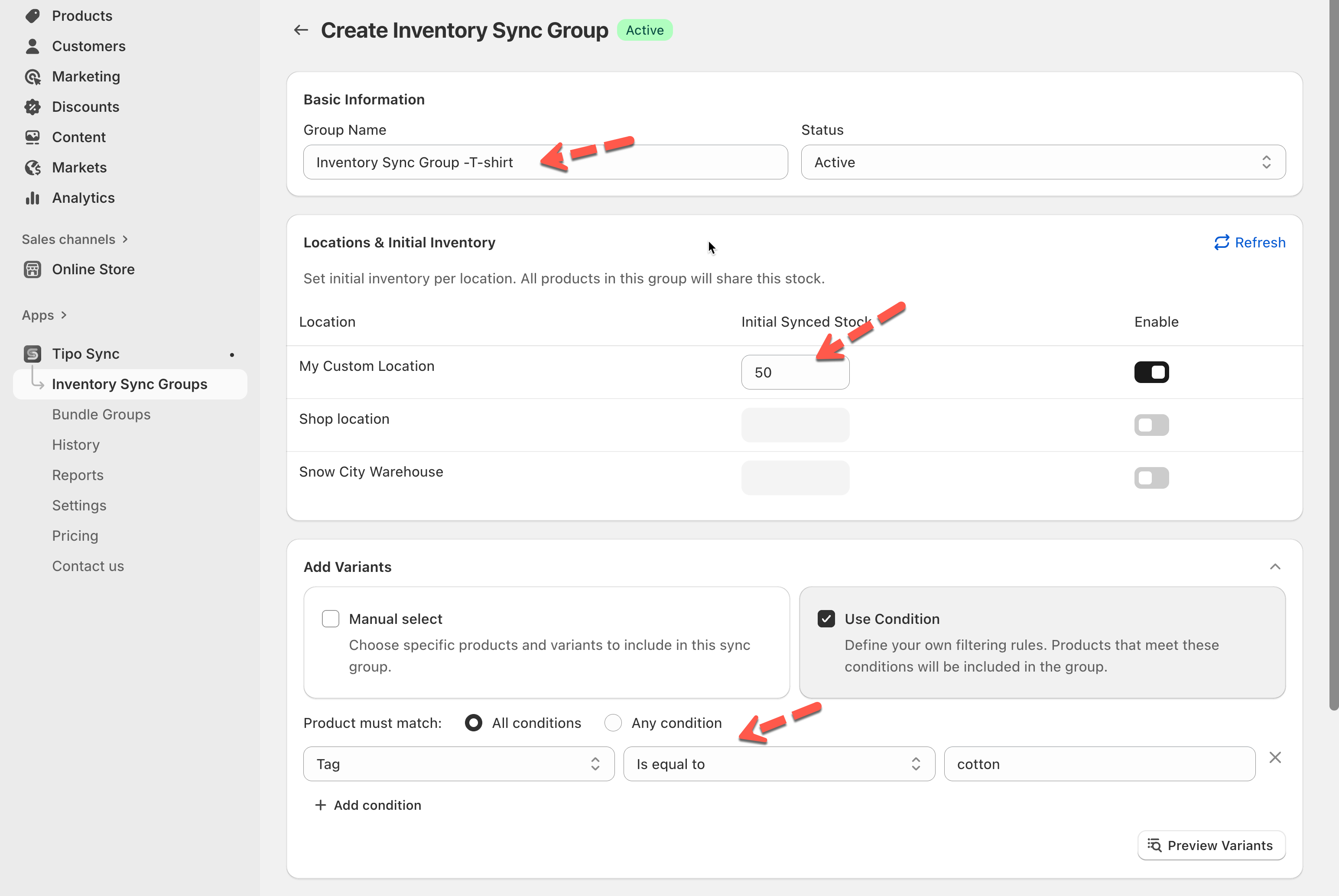
1. Open the sync app > click on **Inventory Sync Groups** section on the left menu > click **New** **Inventory Sync Groups** button
2. Enter a name for the group, e.g., **Inventory Sync Group -T-shirt** and Set the group status to **Active**.
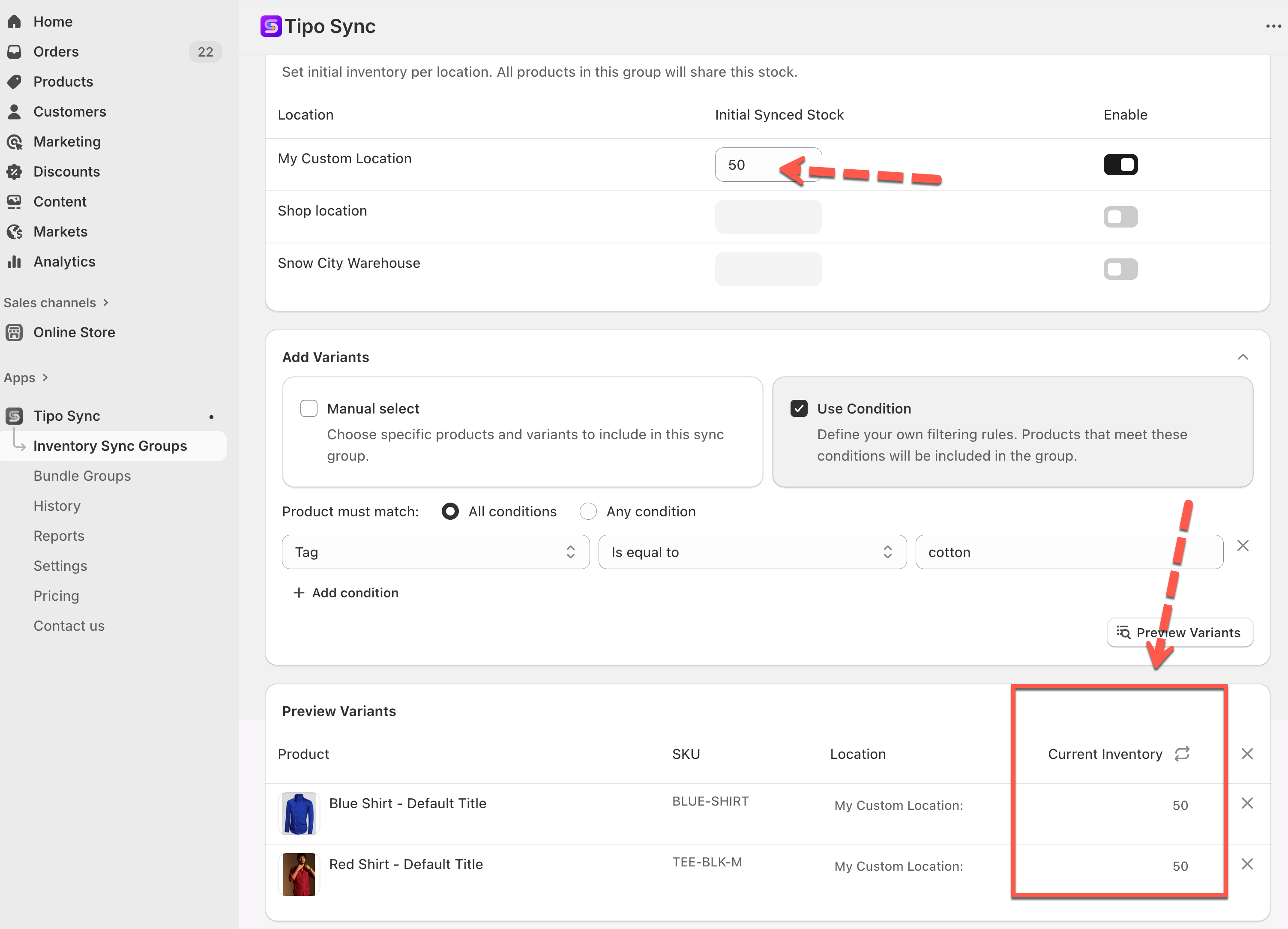
3. Set **Initial Synced Stock** to **50** (which is the sum of 30 + 20)
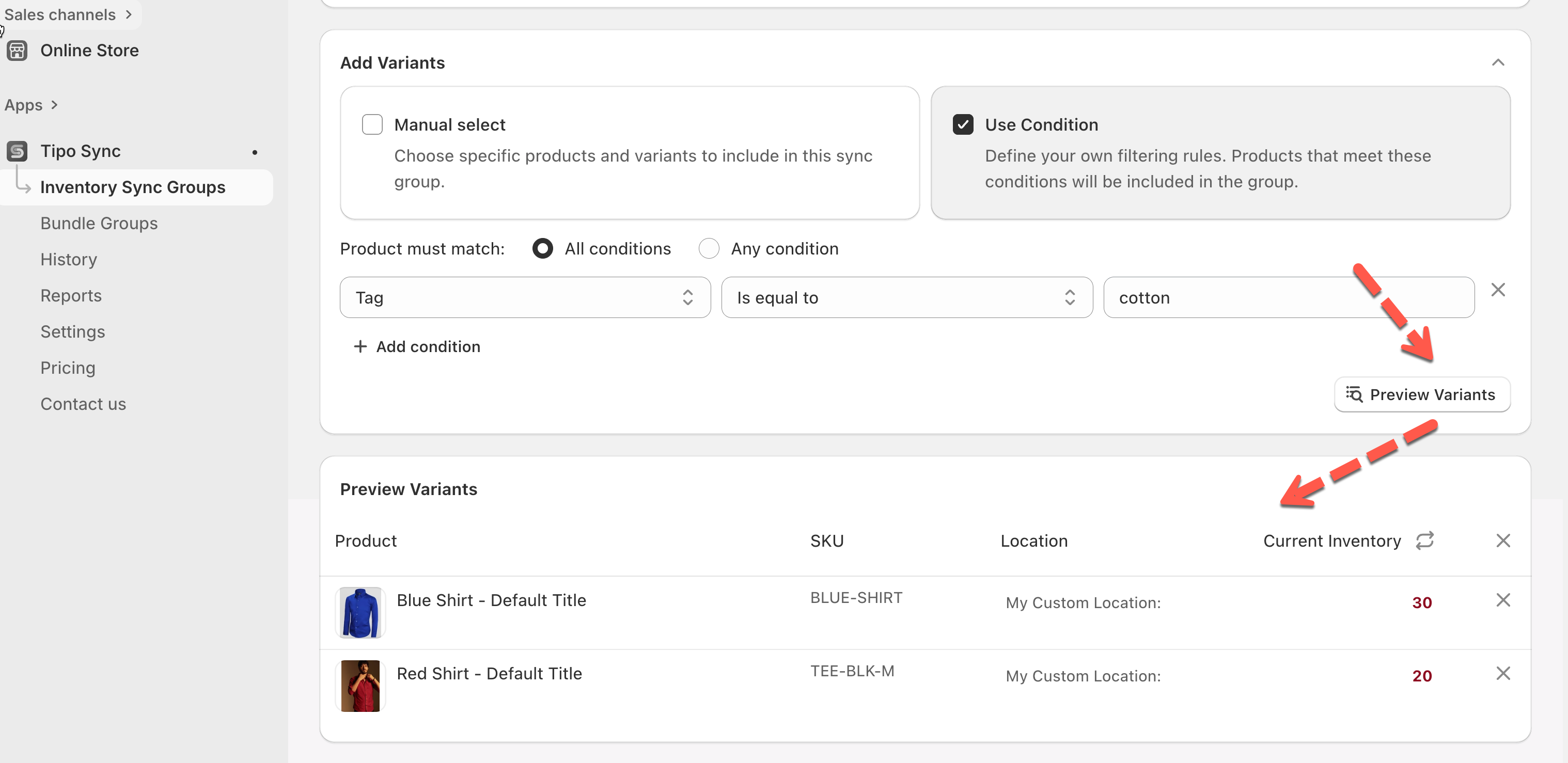
4. Add the two products: **Blue Shirt** and **Red Shirt.** I filter them by tag. Click Preview variants button to see that products will be added to the group
5. **Save** the Inventory Sync Group.
Once saved, all included products will share the same inventory: when one sells, others update automatically.
### Result
The **Blue Shirt** and **Red Shirt** now share a combined stock of **50 units**.
* When a customer buys **1 Blue Shirt**, the shared stock reduces from 50 to **49**.
* This updated stock is reflected for both products, so the inventory shown for Blue Shirt and Red Shirt becomes **49**.
* If a customer buys **2 Red Shirts**, the stock reduces from 49 to **47**, and this update is visible for both products.
Summarizing the inventory changes after purchases:
| Action | Shared Stock | Blue Shirt Stock | Red Shirt Stock |
| ---------------- | ------------ | ---------------- | --------------- |
| Initial stock | 50 | 50 | 50 |
| Buy 1 Blue Shirt | 49 | 49 | 49 |
| Buy 2 Red Shirts | 47 | 47 | 47 |
**🙋 Still need support?**
If you still need help, please feel free to contact us at . We’ll be happy to assist you further.