
Sync Master with Component inventory - Bundle Groups
AI Overview
The Sync Master with Component inventory setting keeps a bundle's Master inventory accurate by calculating it from component stock. When enabled, the Master updates automatically when components change through a sale, restock, or manual adjustment. This helps prevent overselling bundles you cannot fulfill.
View moreView less
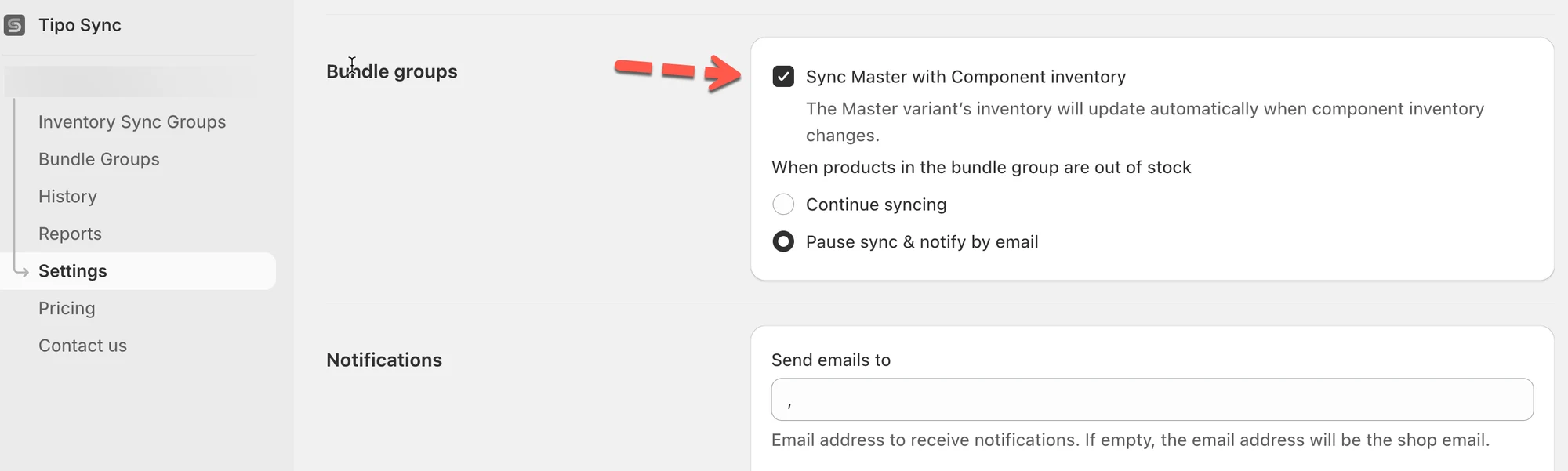
- Open Settings, enable Sync Master with Component inventory under Bundle groups, then click Save.
- The app checks each component's stock and works out how many full bundles you can make.
- Example: 2 x Product A (6 in stock) and 1 x Product B (5 in stock) gives a Master inventory of 3.
Summary generated by AI. It can make mistakes, so check the full guide below.
When you sell bundle products, the “Master” product (the bundle listing) should only be available if the component items are in stock.
This setting helps you keep the bundle inventory accurate automatically.
✅ What this setting does
Section titled “✅ What this setting does”When Sync Master with Component inventory is enabled:
- The Master variant inventory is calculated from component inventory
- When component stock changes (sale, restock, manual adjustment), the Master updates automatically
- Helps prevent overselling bundles that can’t be fulfilled
🔑 Key terms
Section titled “🔑 Key terms”- Master product / Master variant: the bundle listing customers buy (e.g., “Gift Set”)
- Component products: items inside the bundle (e.g., Candle + Soap)
- Required quantity: how many units of each component the bundle needs
⚙️ Where to turn it on
Section titled “⚙️ Where to turn it on”- Open the app > click Settings
- In Bundle groups, enable Sync Master with Component inventory
- Click Save
✅ How the inventory is calculated
Section titled “✅ How the inventory is calculated”The app checks each component’s available stock and calculates how many full bundles you can make.
Example
Your Master variant “Gift Set” includes:
- 2 × Product A
- 1 × Product B
Current stock:
- Product A = 6
- Product B = 5
Calculation:
- Product A allows: 6 ÷ 2 = 3 bundles
- Product B allows: 5 ÷ 1 = 5 bundles
⇒ Master inventory becomes: min(3, 5) = 3 bundles available
So the bundle will show 3 in stock.
🙋 Still need support?
If you still need help, please feel free to contact us at hi@tipo.io. We’ll be happy to assist you further.