
Can I sync draft or archived products?
AI Overview
Confirms that the Tipo app supports syncing draft and archived products across connected Shopify stores. You enable it by configuring product status filters in the Destination store within the app.
View moreView less
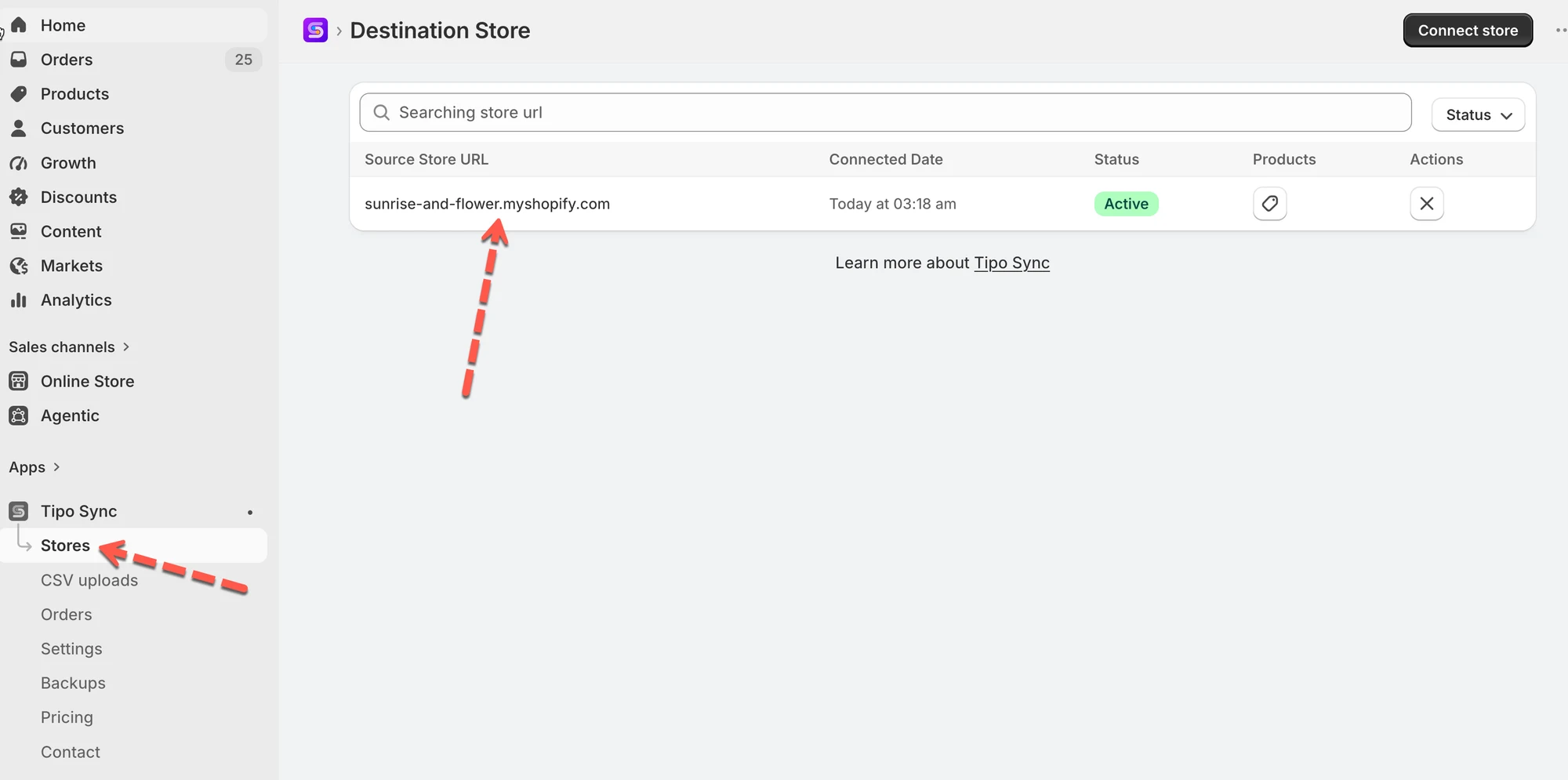
- Go to the Destination store in the app and configure the product status filters.
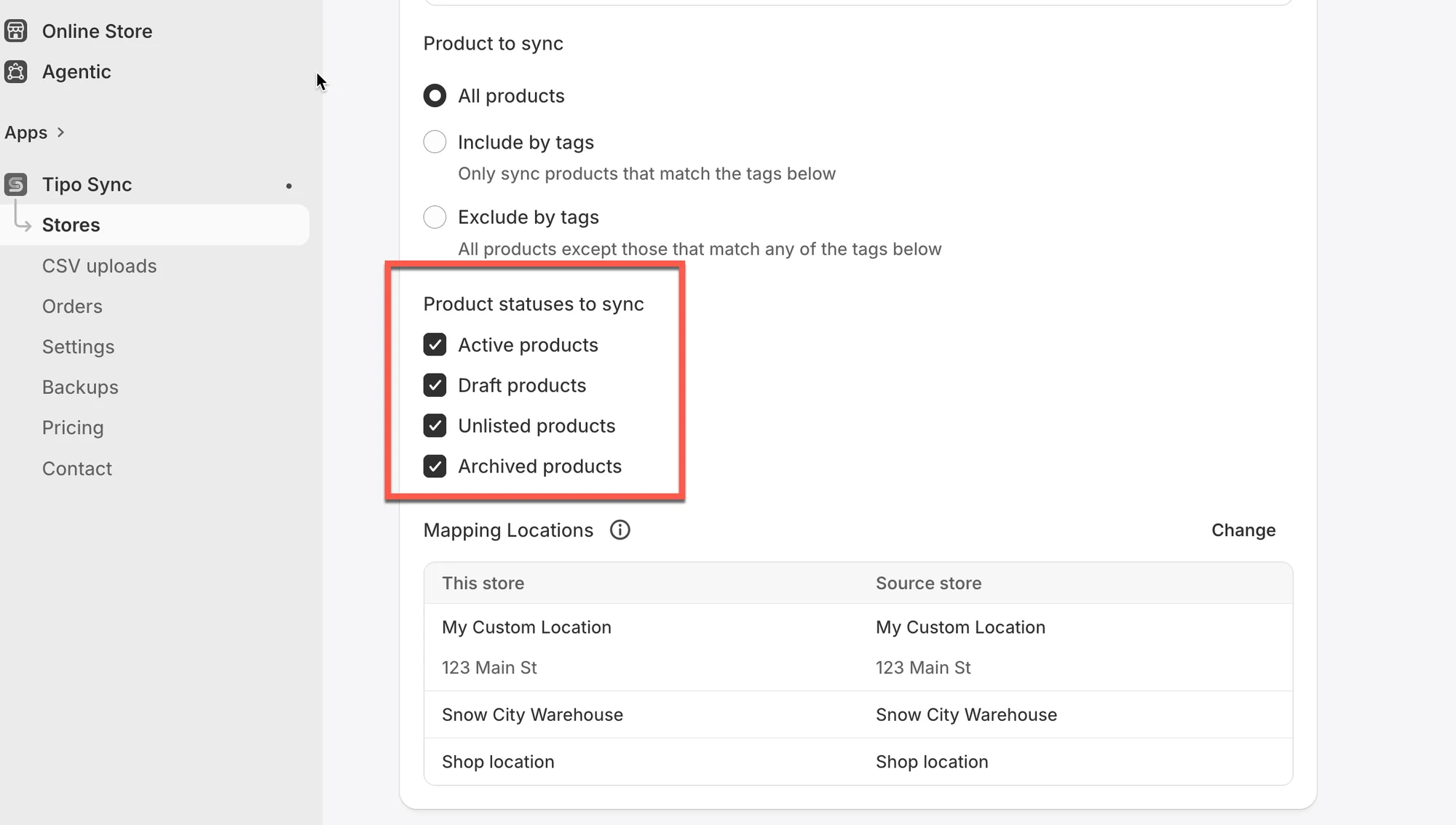
- You can sync Active, Draft, Unlisted and Archived products.
Summary generated by AI. It can make mistakes, so check the full guide below.
Yes, the app fully supports syncing draft and archived products across connected Shopify stores.
To enable this feature, simply go to the Destination Store within the app and configure the product status filters. You can choose to sync:
- Active products
- Draft products
- Unlisted products
- Archived products
🙋 Still need support?
If you still need help, please feel free to contact us at hi@tipo.io. We’ll be happy to assist you further.