
Translate the auction widget
AI Overview
Translate the Tipo Product Auction widget text, such as buttons, labels, and messages, into your store's languages for international customers. You add a language in the Translations settings and replace the default English text with your own. Customers who select that language then see the translated widget.
View moreView less
- Open Settings > Translations.
- Click the Add language icon and select a language from the dropdown, for example Vietnamese, French, or Spanish.
- Replace the default English text in each field with your translation, keeping it short and clear.
- Click Save.
- Example: Place bid becomes Đặt giá in Vietnamese.
Summary generated by AI. It can make mistakes, so check the full guide below.
The auction widget displays text such as buttons, labels, and messages on your product pages (for example: Place bid, Current bid, Auction ended).
Translating the auction widget allows you to show this text in your store’s language, creating a better experience for international customers.
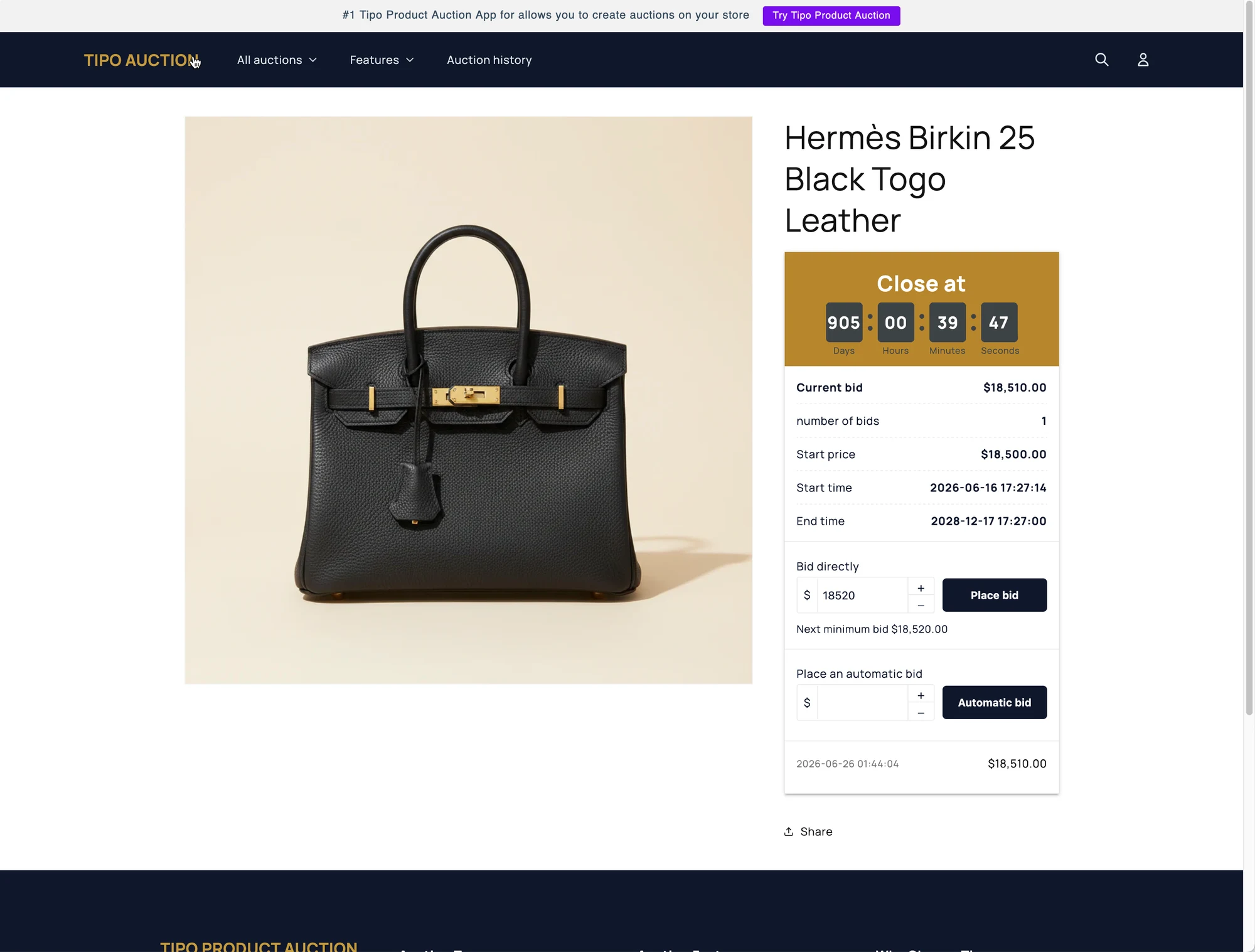
🛠️ Step-by-step: Translate the auction widget
Section titled “🛠️ Step-by-step: Translate the auction widget”- Open the app > click Settings > Translations
- Choose the language to edit
You’ll see a list of supported languages or a language selector.
- Click Add language icon > select language in the dropdown
(for example: Vietnamese, French, Spanish) - The default English text will appear for reference
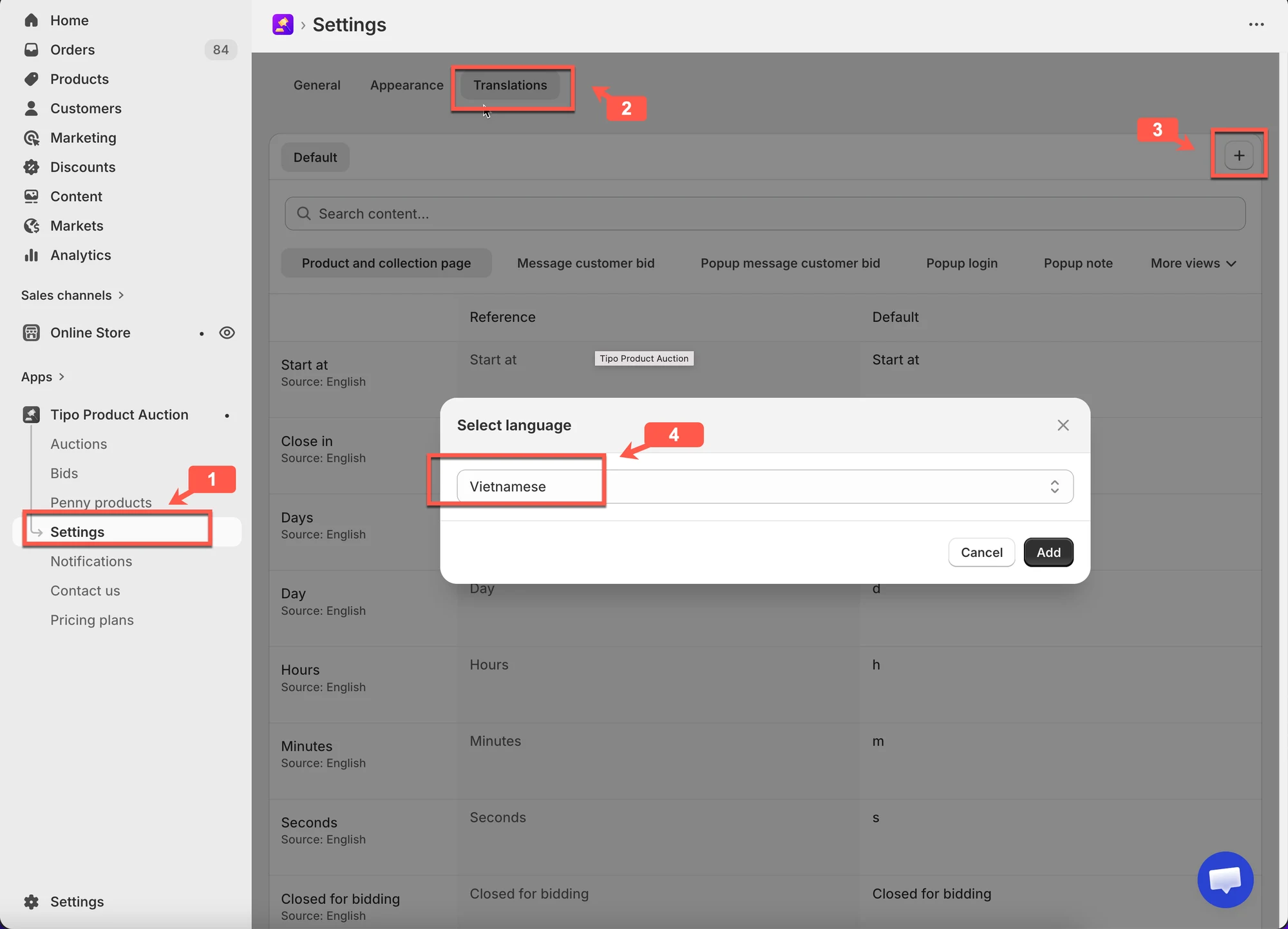
- Edit the widget text for Vietnamese version manually
For each text field:
- Replace the default English text with your translation
- Keep the meaning clear and short
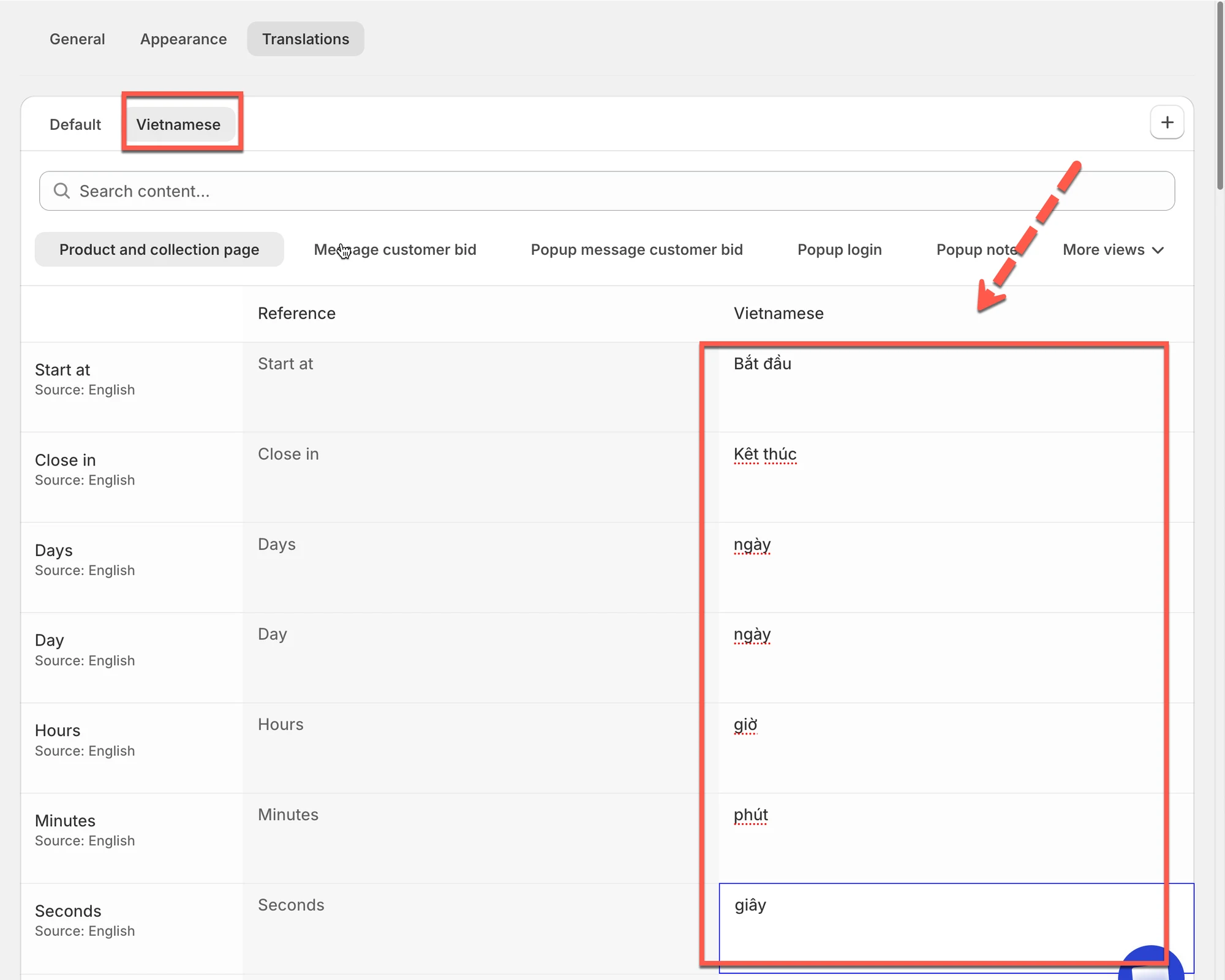
4. Click Save to update the changes.
Result:
When you select Vietnamese on your store, the text on the auction widget is translated to Vietnamese.
Example: Button translation
Section titled “Example: Button translation”Default text:
Place bid
Vietnamese translation:
Đặt giá
Result on storefront:
Customers see Đặt giá instead of Place bid on auction products.
🙋 Still need support?
If you still need help, please feel free to contact us at hi@tipo.io. We’ll be happy to assist you further.