> For the complete documentation index, see [llms.txt](https://docs.tipo.io/llms.txt). Markdown versions of documentation pages are available by appending `.md` to page URLs; this page is available as [Markdown](https://docs.tipo.io/tipo-auction/mail-notifications/admin-email-notifications.md).
# Admin email notifications
Admin email notifications help store owners and staff stay informed about auction activity, such as new bids and auction winners.
### ✅ What Events Trigger Admin Emails?
You can choose to notify admins when:
* A new bid is placed
* A customer wins an auction
Each event can be turned on or off independently.
***
### 🛠️ Add admin email to receive notifications
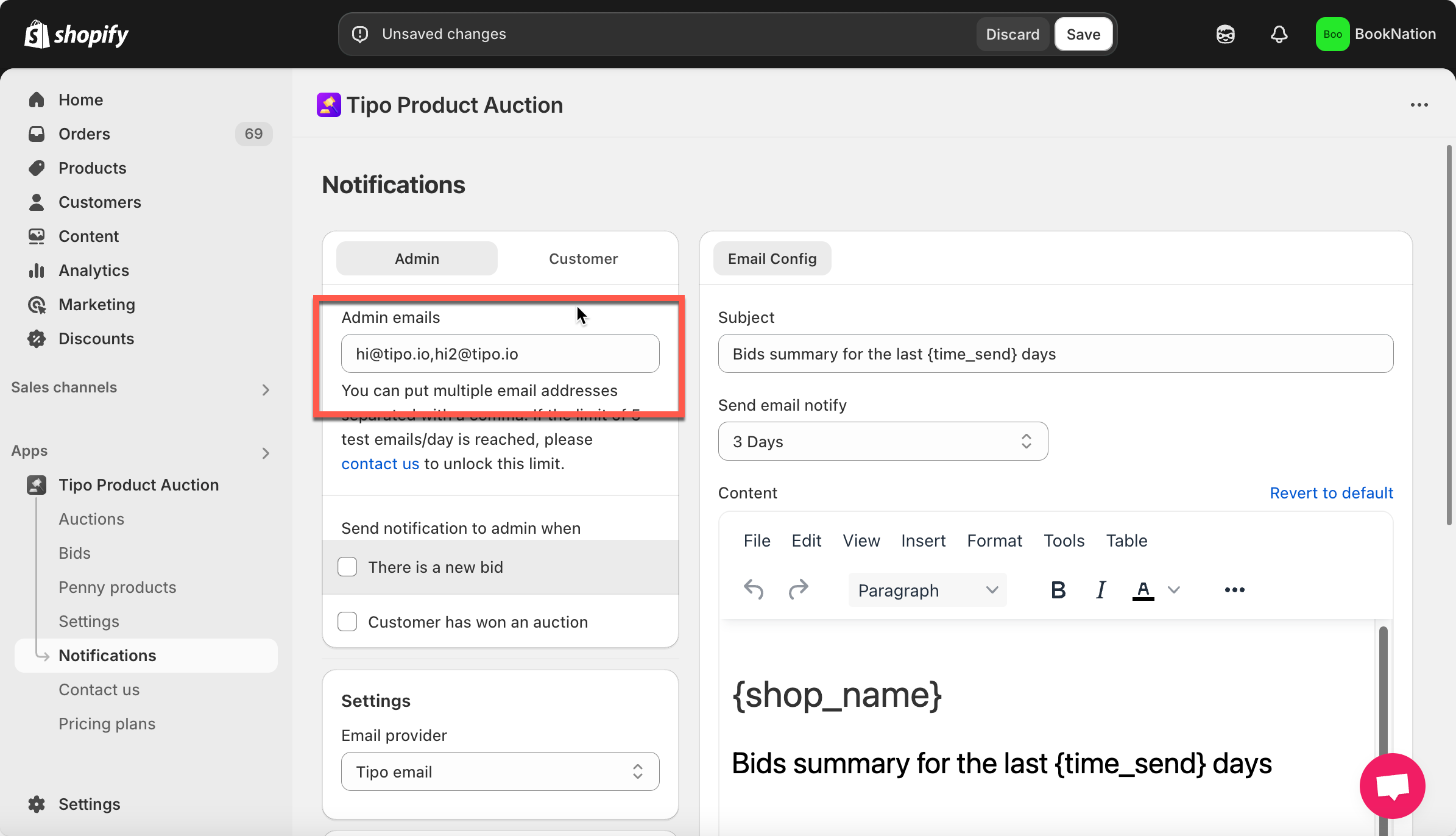
1. Open the app, click **Notifications**
2. Under the **Admin tab**, enter the email addresses where you want to receive notifications.
* You can add multiple emails, separated by commas.
* Example: `hi@tipo.io,hi2@tipo.io`
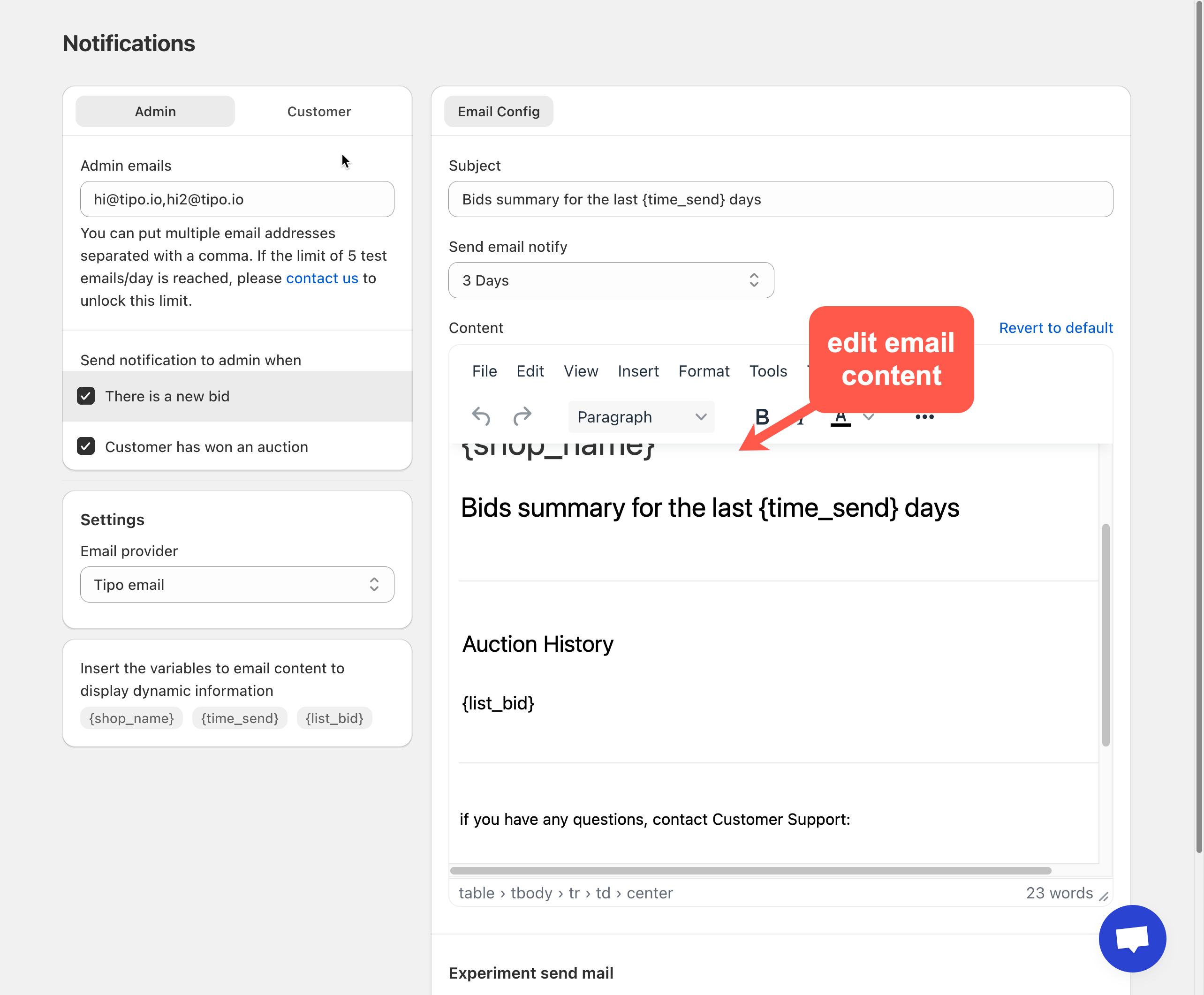
3. Find **Send notification to admin whe**n, tick on the checkbox of the email template you want > manually edit the email templates
* **There is a new bid**
* **Customer has won an auction**
4. On the right panel, you can edit the Admin email template
You can customize:
* Email subject
* Email content
* Layout and wording
5. Optional option: In **Email provider**, set SMTP as sender email. Or just keep T**ipo email** as default function. [Learn more](https://docs.tipo.io/tipo-auction/mail-notifications/set-up-smtp-email-in-tipo-auction-app)
6. Click **Save**.
***
### 📝 Customize Email Content
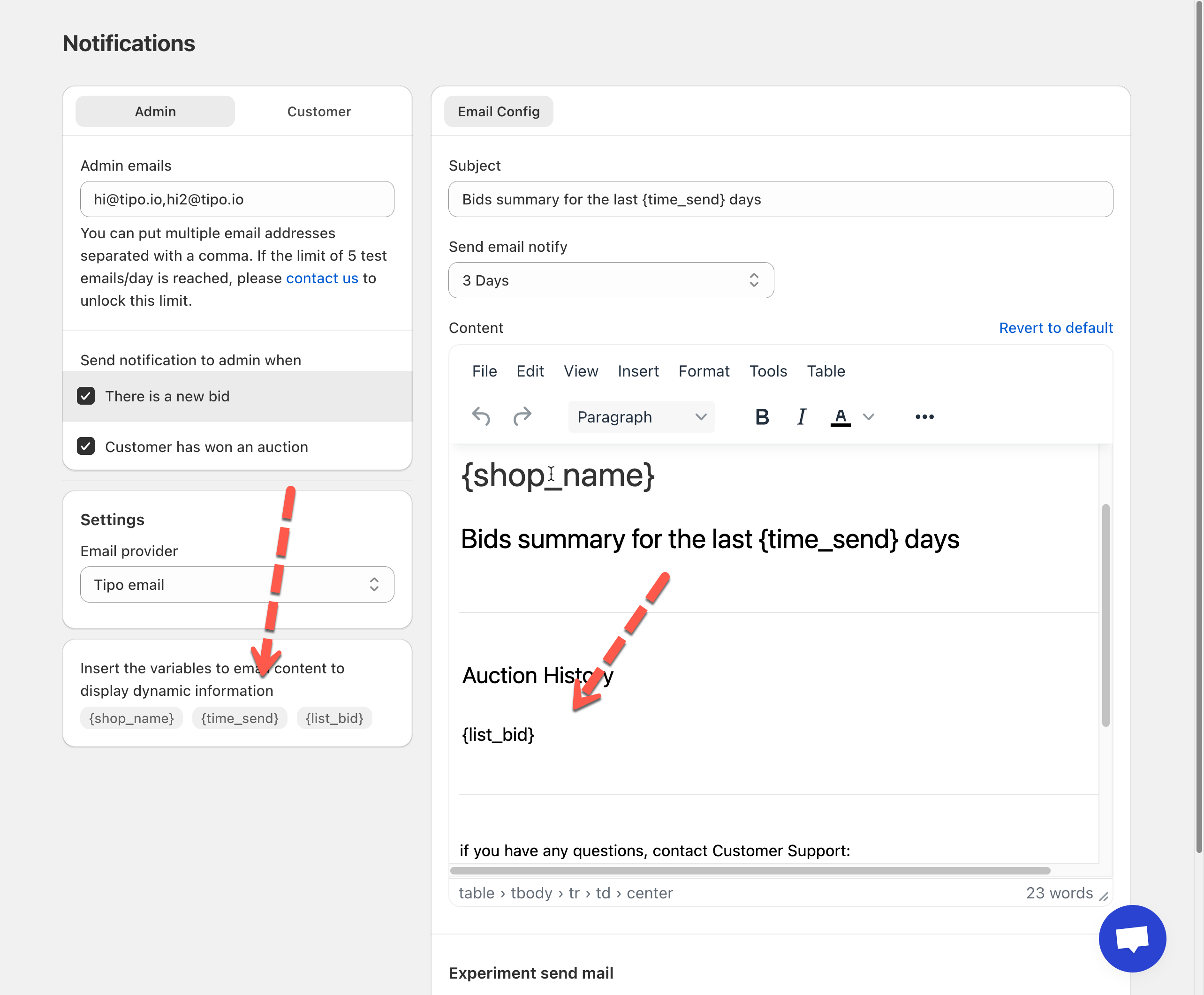
You can personalize the email content using dynamic variables the app provides. These variables will automatically populate with real data when the email is sent.
Variable
Description
{shop_name}
Your store’s name
{time_send}
Time range for the bid summary
{list_bid}
List of bids placed during the time period
* Copy the variables
* Paste in email body
* Click **Save** after making changes
***
### ✅ How Admin Notifications Work
**Scenario:**
* A customer places a new bid
* “New bid” notification is enabled
* Admin email is sent automatically with bid details
Admins instantly know what’s happening, no manual checks needed.
***
**🙋 Still need support?**
If you still need help, please feel free to contact us at . We’ll be happy to assist you further.