> For the complete documentation index, see [llms.txt](https://docs.tipo.io/llms.txt). Markdown versions of documentation pages are available by appending `.md` to page URLs; this page is available as [Markdown](https://docs.tipo.io/tipo-auction/mail-notifications/customer-email-notifications.md).
# Customer email notifications
Customer email notifications automatically keep bidders informed about their auction activity, such as bids, wins, losses, and reminders.
Customer notifications are automatic emails sent to bidders based on what happens in an auction.
### ✅ When Are Customer Emails Sent?
You can send customer notifications when:
* A customer places a new bid
* A customer wins an auction
* A customer loses an auction
* Someone places a higher bid than them
* An auction is about to start (reminder email)
Each notification type can be enabled or disabled independently.
***
### 🛠️ Steps to set up
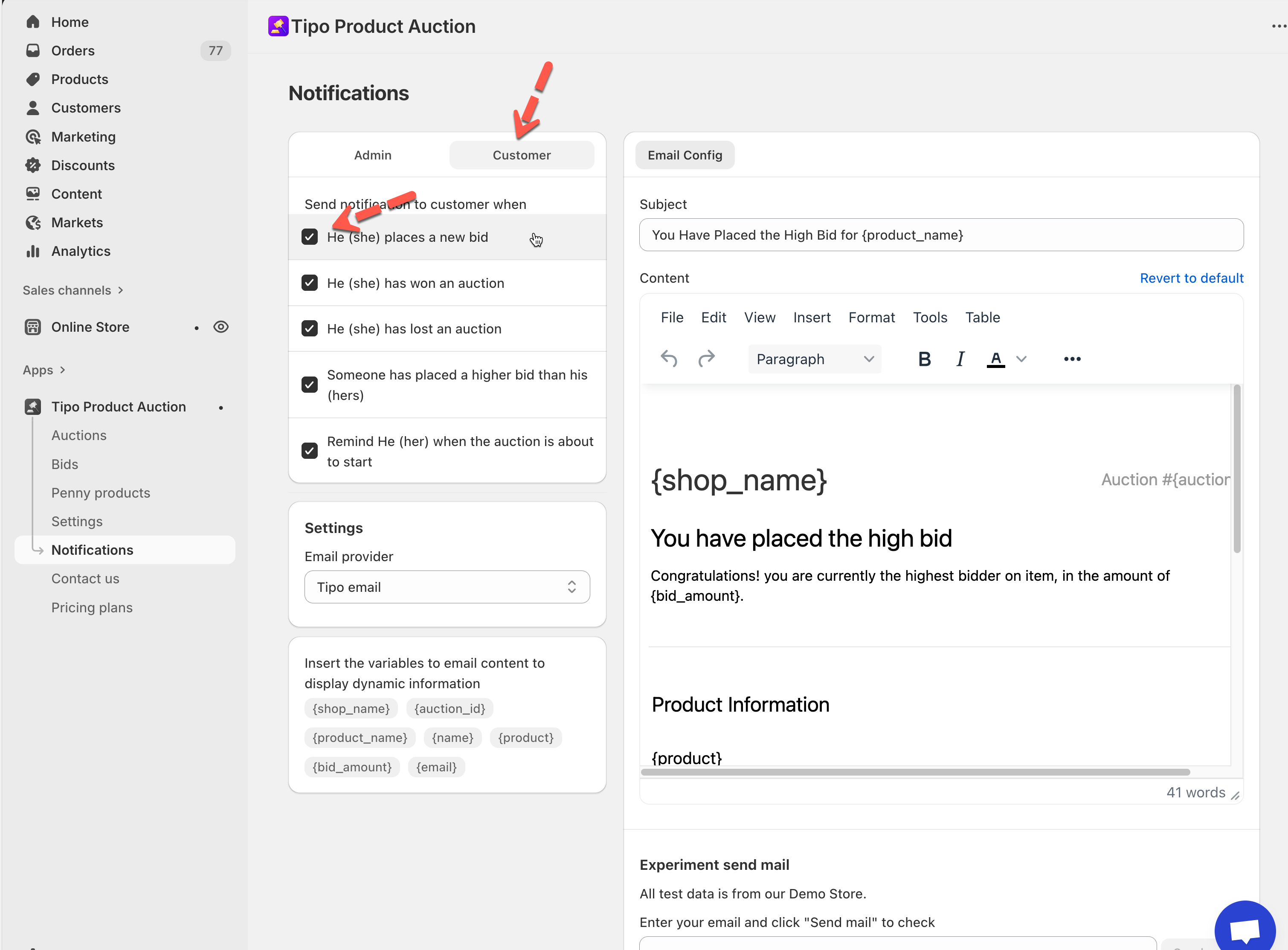
1. Open **Tipo Product Auction** app > **Notifications**
2. Check the boxes for the events you want customers to be notified about:ch to the **Customer** tab
* **He (she) places a new bid**
* **He (she) has won an auction**
* **He (she) has lost an auction**
* **Someone has placed a higher bid than his (hers)**
* **Remind He (her) when the auction is about to start**
These triggers ensure customers stay informed throughout the auction process.
3. Customize the email subject and body
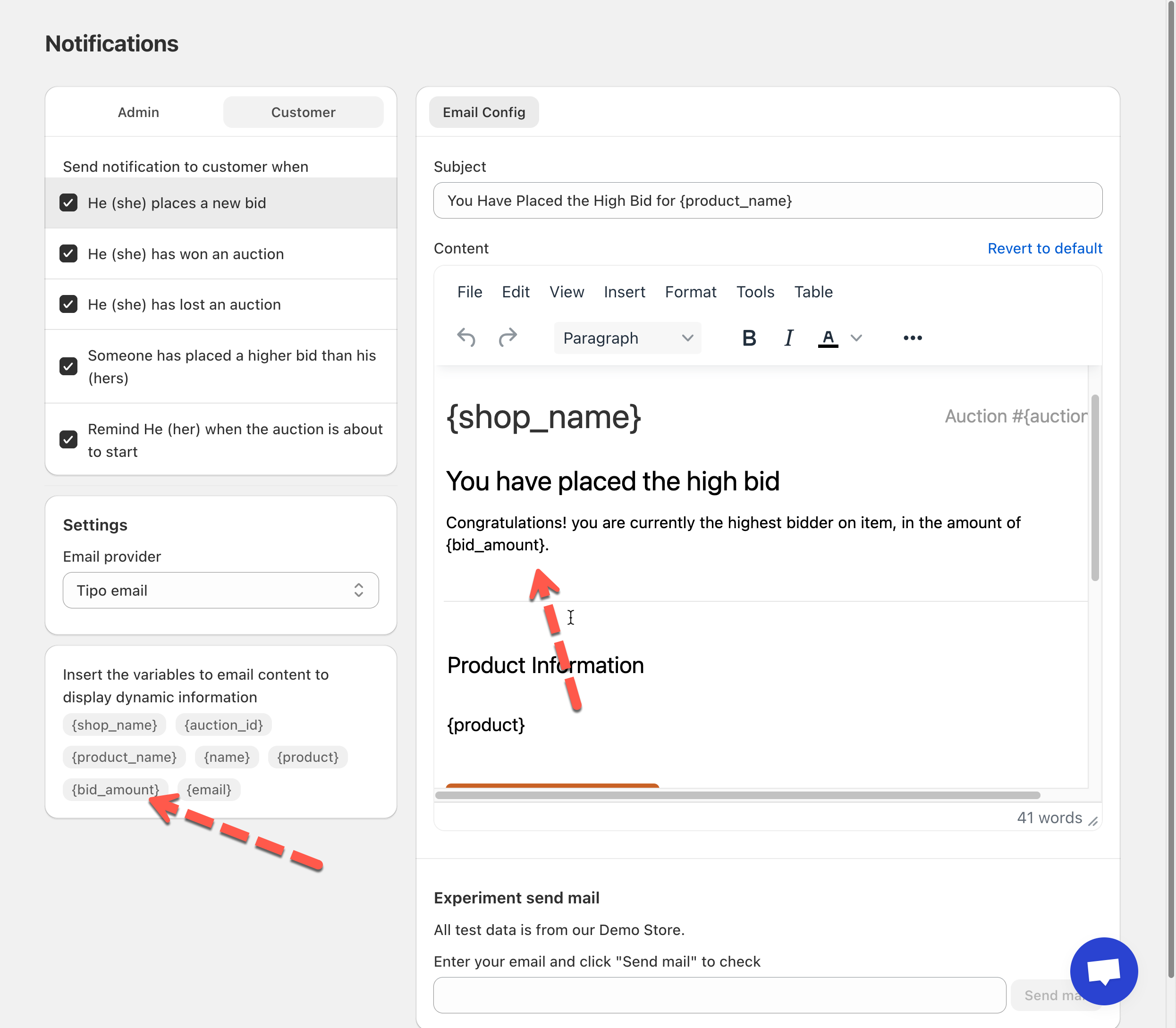
On the right panel, you can edit the Customer email template for each notification type.
You can customize:
* Email subject
* Email content
* Text formatting and layout
The template supports **dynamic variables**, such as:
* `{shop_name}`
* `{auction_id}`
* `{product_name}`
* `{bid_amount}`
* `{email}`
* `{product}`
📌 These variables automatically display real auction and customer data in the email.
4. Click **Save**.
***
### ✅ How Customer Notifications Work
**Scenario:**
* A customer places a bid on an auction
* Another bidder places a higher bid
* The “Someone placed a higher bid” notification is enabled
⇒ The first customer automatically receives an email telling them they’ve been outbid, encouraging them to bid again.
***
**🙋 Still need support?**
If you still need help, please feel free to contact us at . We’ll be happy to assist you further.