> For the complete documentation index, see [llms.txt](https://docs.tipo.io/llms.txt). Markdown versions of documentation pages are available by appending `.md` to page URLs; this page is available as [Markdown](https://docs.tipo.io/tipo-auction/auction-rules-and-bidding-features/checkout-protection.md).
# Checkout Protection
Checkout Protection prevents customers from purchasing active auction products directly through your store's Add to Cart or checkout process. Instead, customers must place bids and complete the purchase through the auction workflow.
### ⚙️ Steps to Enable Checkout Protection
1. From your Shopify admin, go to store **Settings > Checkout**
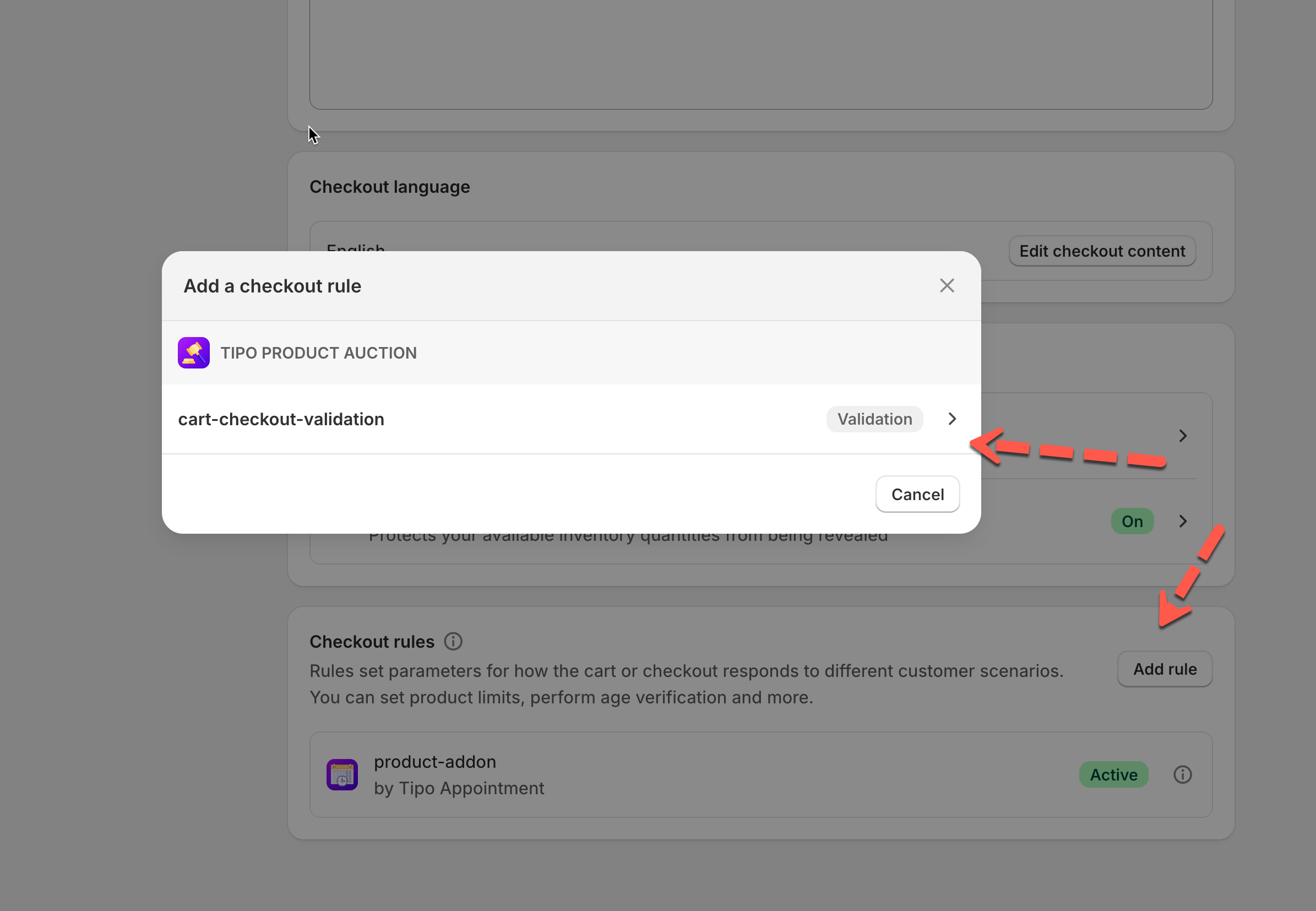
2. Scroll down to the **Checkout rules** section and click **Add rule**
3. In the list of available apps, select **Tipo Product Auction > cart-checkout-validation**
3. Enter a title for the rule (for example, **Auction**) and set the status to **Active**
4. Save your changes
***
### 🧪 Test the protection
Try adding an active auction product to the cart and proceed to checkout.
Customers will see a validation message similar to:
> Active auction products are protected from direct purchases and must be acquired through the auction process.
The checkout will be blocked until the auction product is removed from the cart.
#### Result
Once Checkout Protection is enabled:
* Active auction products cannot be purchased directly.
* Customers must participate in the auction to win the item.
* Auctions remain fair and cannot be bypassed through checkout.
***
**🙋 Still need support?**
If you still need help, please feel free to contact us at . We’ll be happy to assist you further.