
Add auction collection to the main menu
AI Overview
Add an auction collection to your Shopify store's main menu so customers can find all live auctions in one place, such as a Live Auctions page. You need a Shopify collection that contains auction products. You add the menu item in Shopify admin and link it to that collection.
View moreView less
- You need an existing collection containing auction products, with an auction created for it in the app.
- In Shopify admin, go to Content > Menus > Main menu.
- Click Add menu item, name it, and link it to the auction collection.
- Click Save, then check your storefront.
- Customers click the menu item to see running auctions and open each product's auction widget.
Summary generated by AI. It can make mistakes, so check the full guide below.
Adding an auction collection to your store’s main menu makes it easy for customers to find all live auctions in one place (for example, a Live Auctions page).
This guide shows you how to add an auction collection to your storefront menu.
Before you start: You already have a Shopify collection that contains auction products
(for example: Live Auctions)
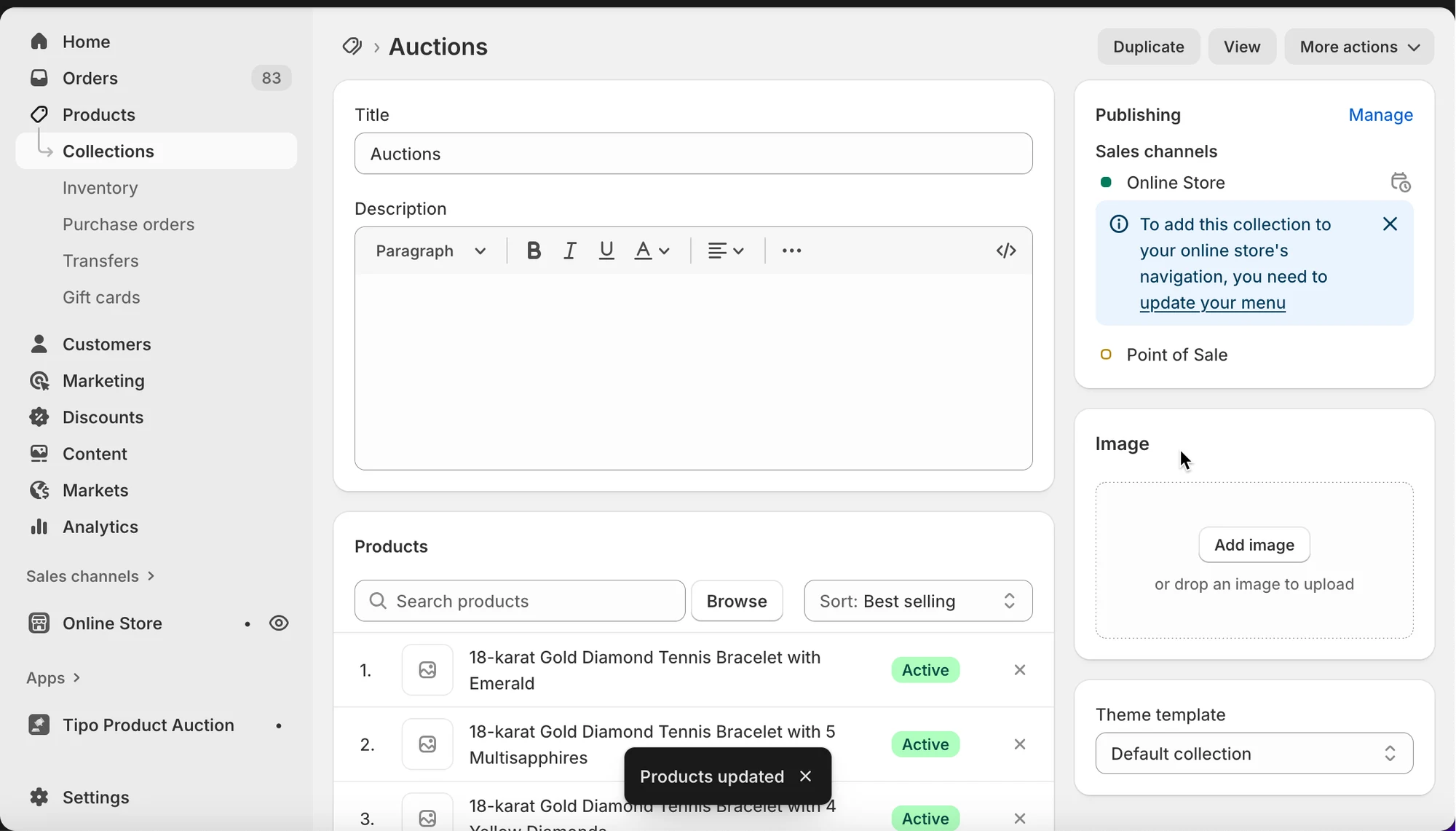
🛠️ Step to manage
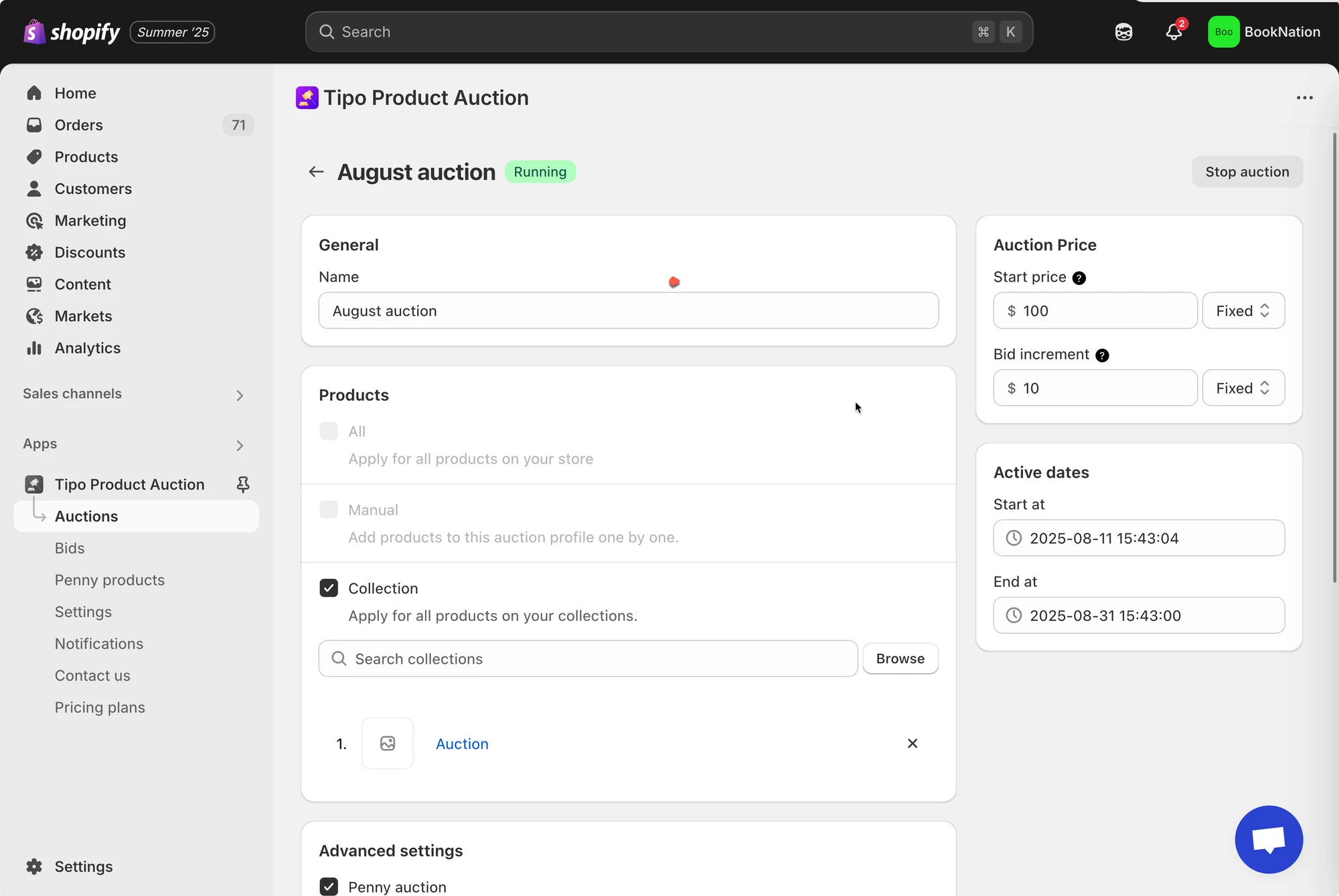
Section titled “🛠️ Step to manage”1. In the app, you already created an auction for a collection
If you haven’t had an auction collection, please view this article for more detail about how to create an auction: Set up an auction – tipo.io
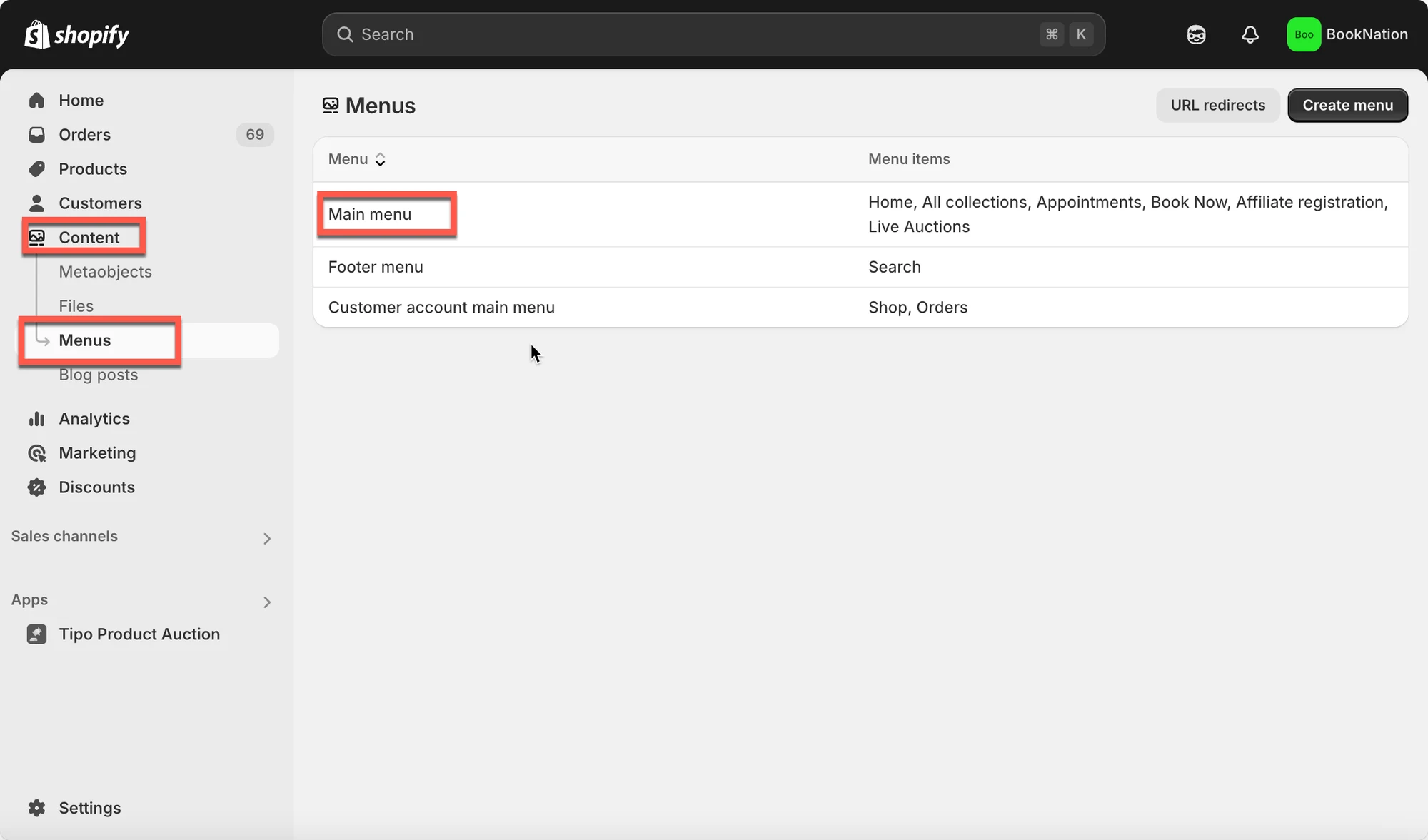
2. From the Shopify admin page, click Content > Menus > go to Main menu
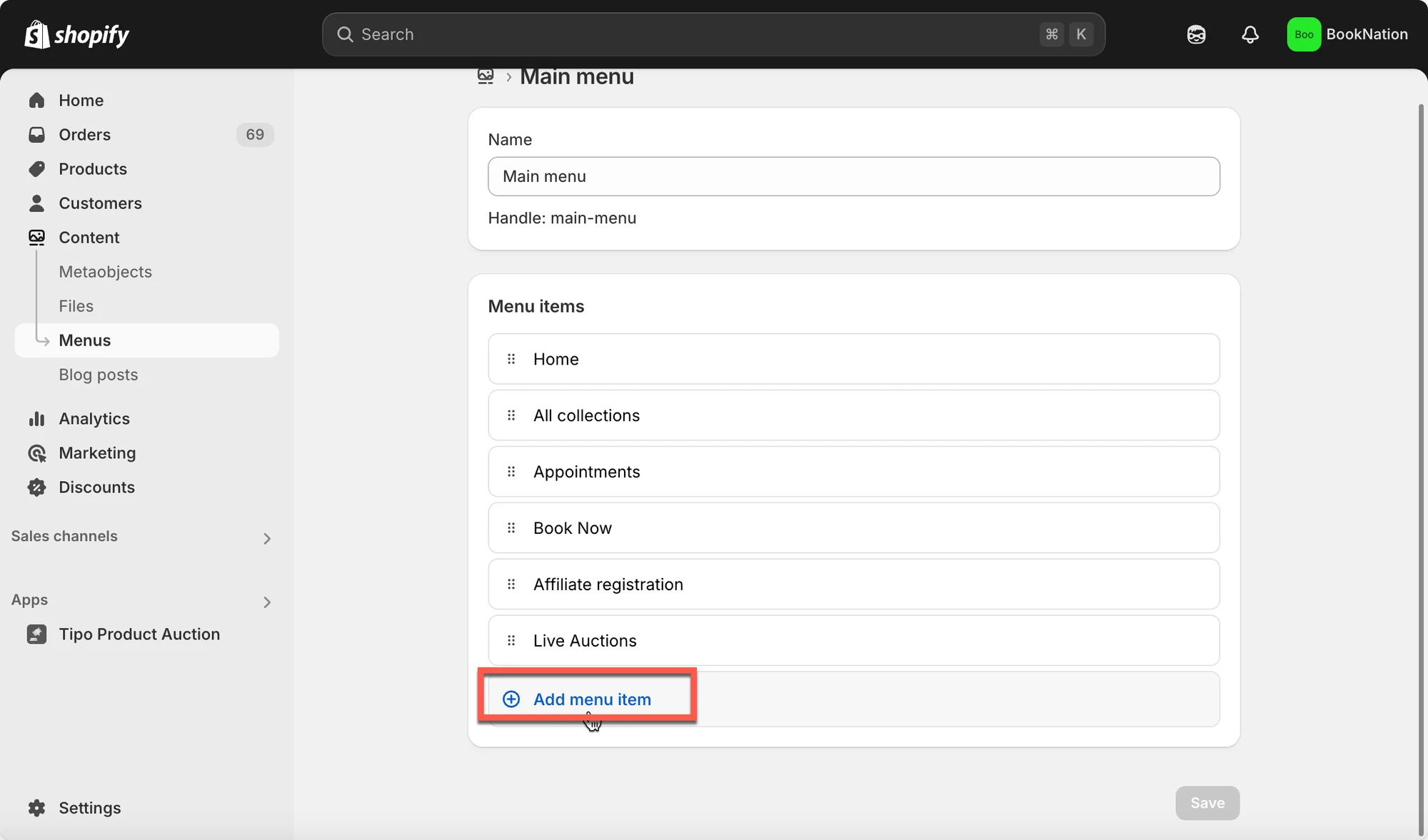
3. Click Add menu item > name the menu item as you want and link it to the collection (used to created auction)
4. Click Save
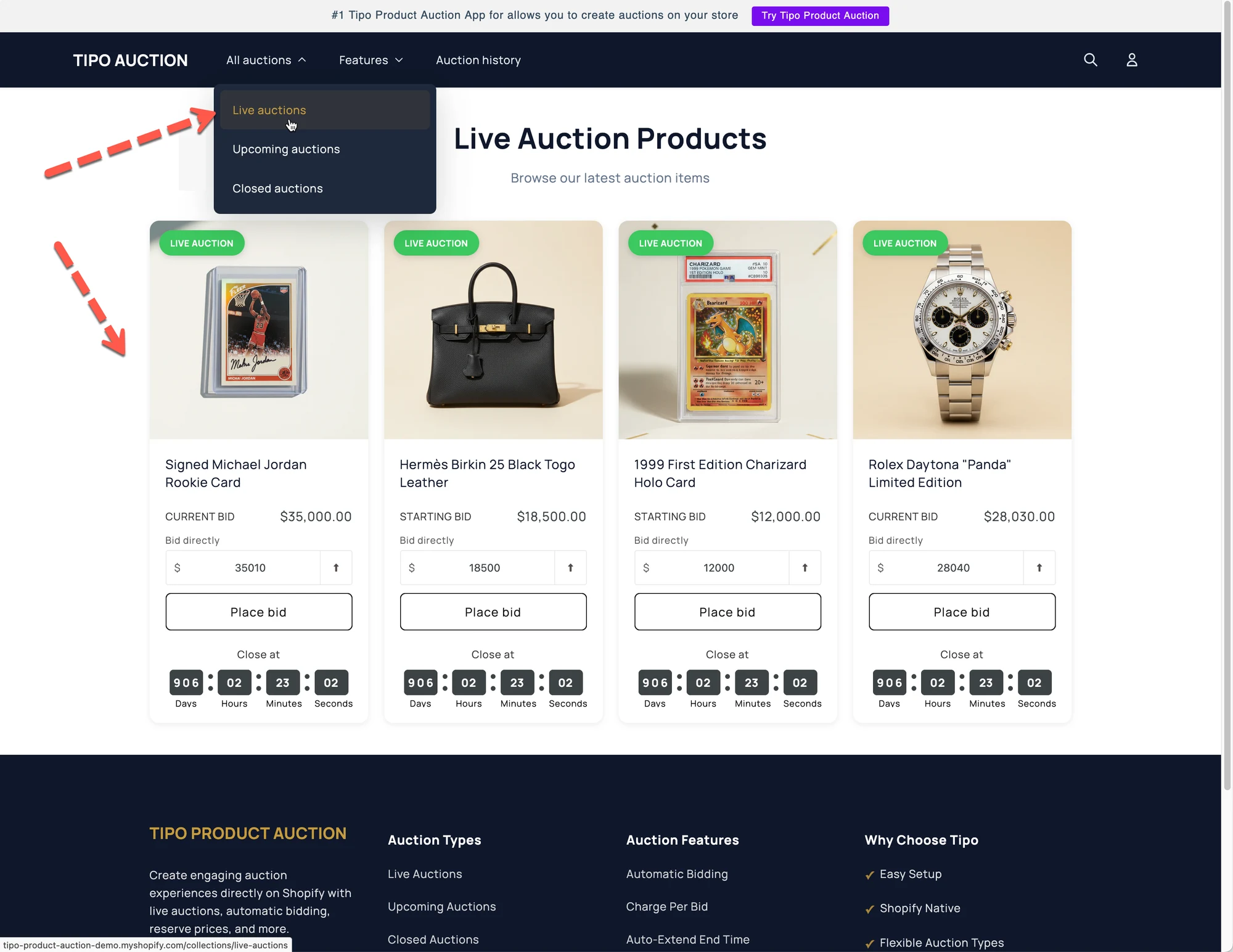
Now go the front store to check the result.
✅ What customers see on the storefront
Section titled “✅ What customers see on the storefront”On your store:
- Customers click Auctions in the main menu
- They see all products currently running as auctions
- Clicking a product opens the auction product page with the auction widget
This makes auctions more visible and easier to discover.
▶️ Tutorial video
Section titled “▶️ Tutorial video”🙋 Still need support?
If you still need help, please feel free to contact us at hi@tipo.io. We’ll be happy to assist you further.