
Translations
AI Overview
Explains how to translate the text shown in Tipo Related Products widgets for different languages, including buttons, labels, messages, widget titles and subheadings. Shopify detects the customer's language automatically and the widget shows the matching language tab, falling back to the default language text if a field is empty.
View moreView less
- Go to Settings > Translations and click Add / Remove languages.
- Search for a language, select it and click Select; it appears as a tab.
- Translate general text such as Add to cart, Sale and Sold out under each language tab.
- Translate each widget's title and subheading separately.
- Empty translations use the default language text; no extra setup is needed.
Summary generated by AI. It can make mistakes, so check the full guide below.
The Translations section lets you customize all text shown in your widgets for different languages.
This includes:
- Buttons (Add to cart, Added, etc.)
- Labels (Sale, Sold out)
- Messages (Added to cart)
- Widget titles and subheadings
You can fully control how your widgets look in each language.
➕ Add or remove languages
Section titled “➕ Add or remove languages”- Go to Settings → Translations
- Click Add / Remove languages
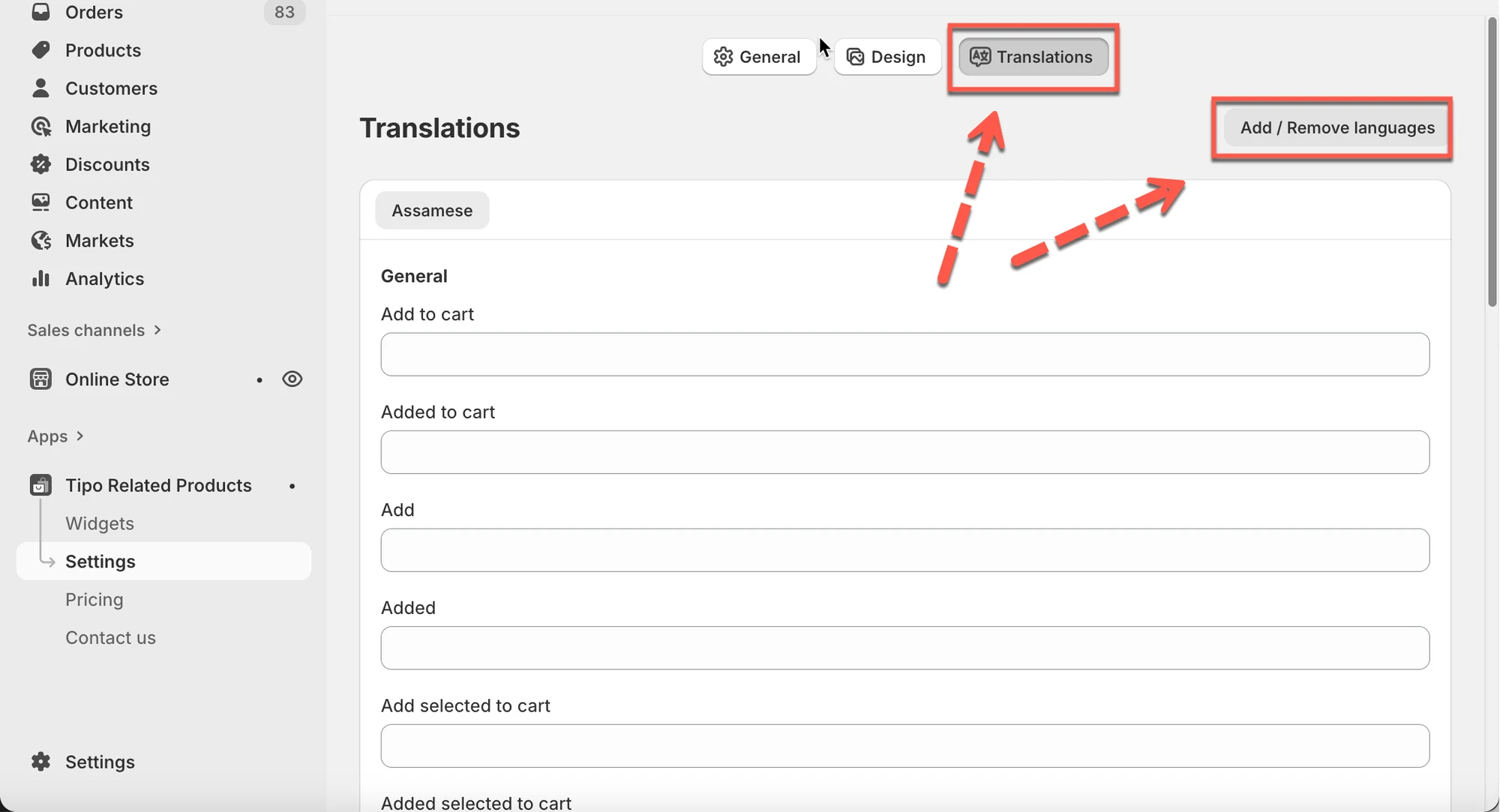
- Search for a language (for example:
Vietnamese) > select the language > click Select
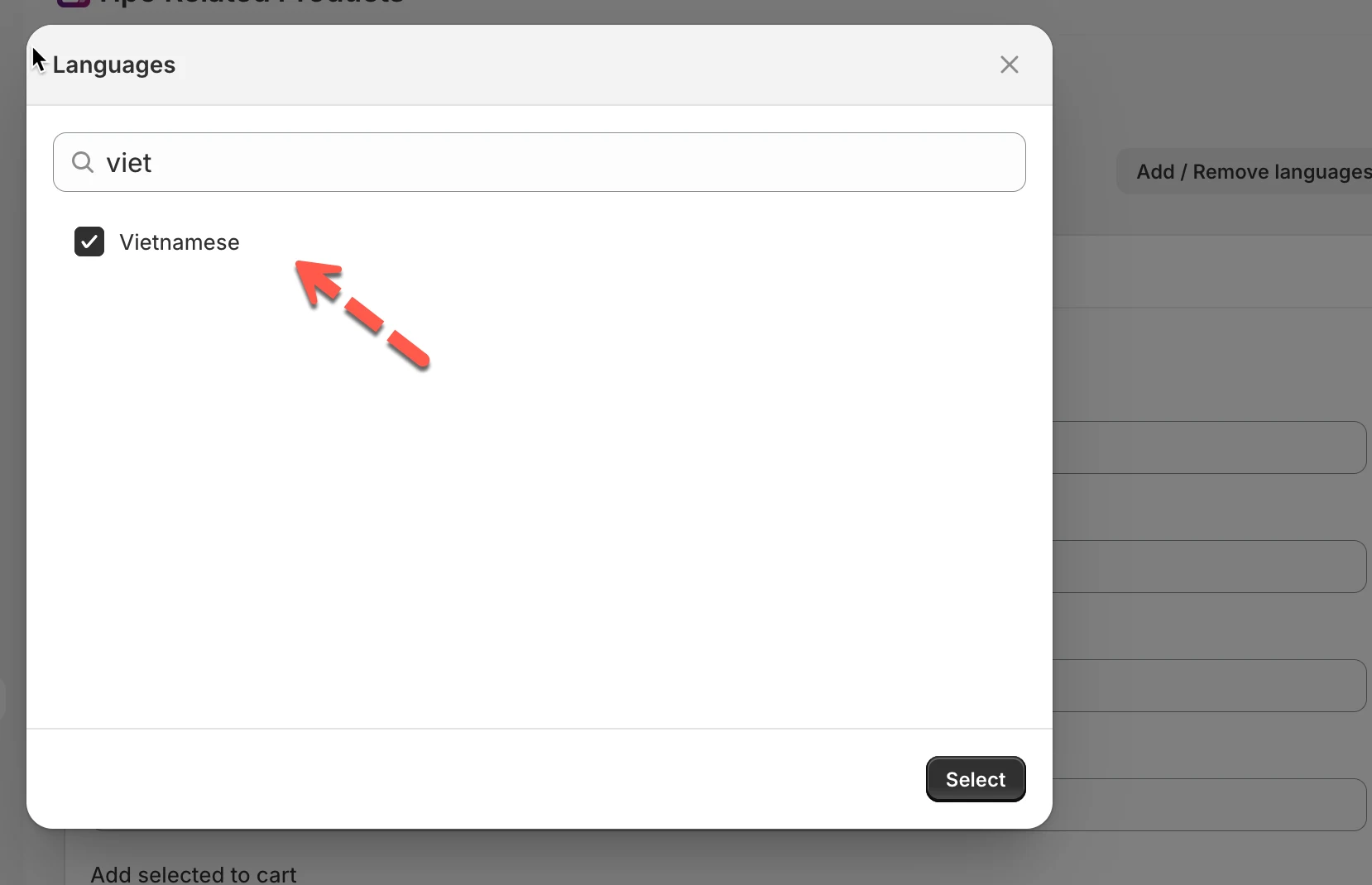
The new language will appear as a tab at the top.
✏️ Translate general text
Section titled “✏️ Translate general text”Under each language tab, you can translate common widget text such as:
- Add to cart
- Added to cart
- Add
- Added
- Sale
- Sold out
- Total price
- This item
Example
Section titled “Example”English
- Add to cart
Vietnamese
- Thêm vào giỏ hàng
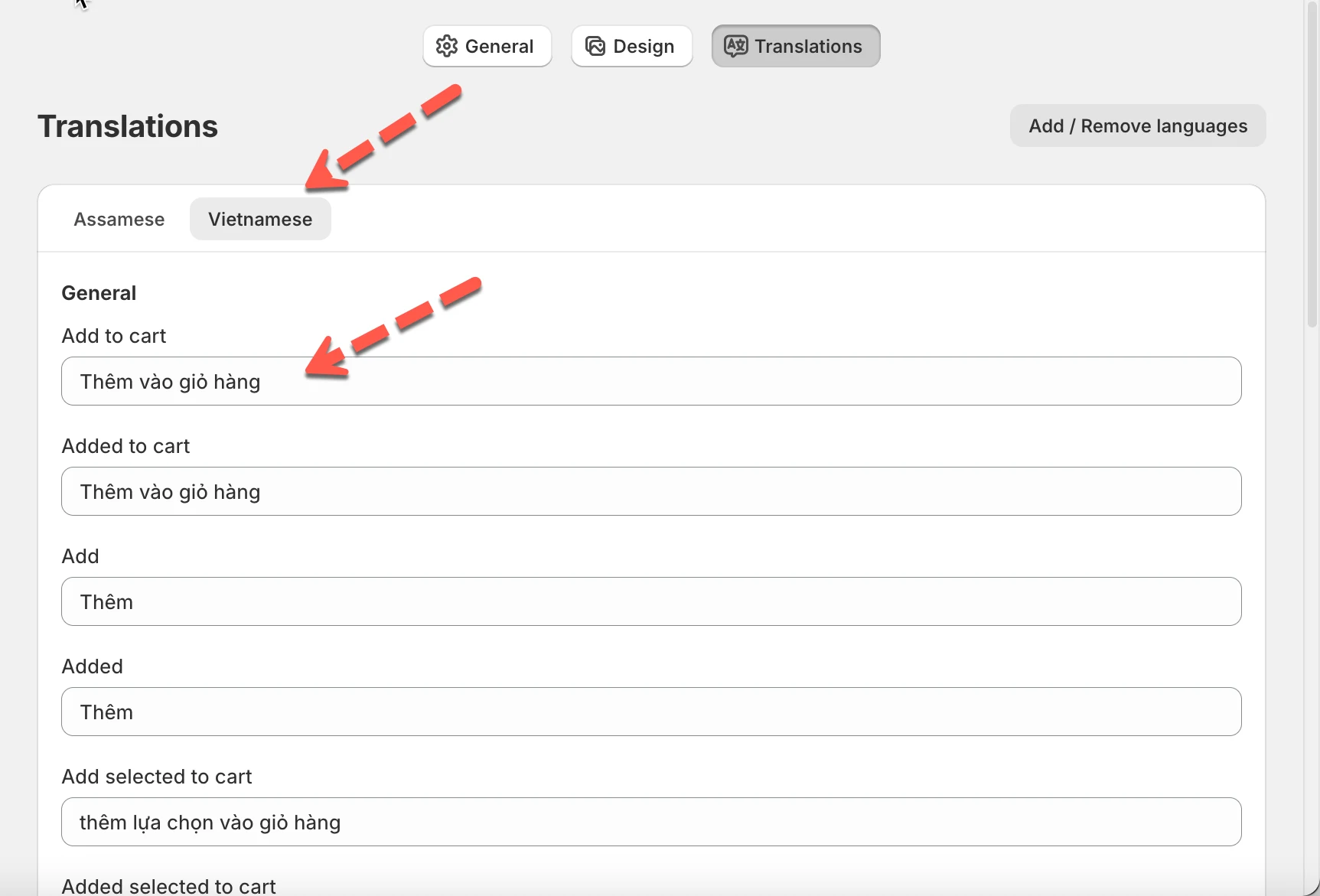
Once saved, customers browsing in Vietnamese will see the translated text automatically.
✏️ Translate widget titles & subheadings
Section titled “✏️ Translate widget titles & subheadings”You can also translate each widget’s header text, including:
- Widget title
- Widget subheading
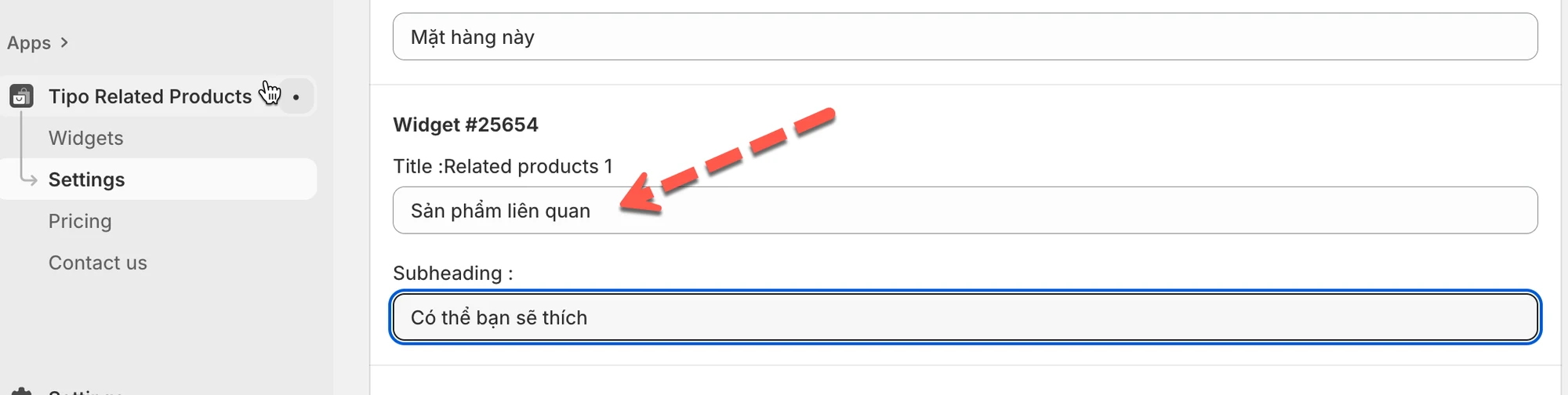
Each widget is listed separately, for example:
- Widget #25654 – Related products 1
- Widget #25651 – Frequently Bought Together
Example
Section titled “Example”English
- Title: Related products
- Subheading: You may also like
Vietnamese
- Title: Sản phẩm liên quan
- Subheading: Có thể bạn sẽ thích
This allows every widget to display the correct language on your storefront.
✅ How it works on your store
Section titled “✅ How it works on your store”- Shopify automatically detects the customer’s language
- The widget shows text from the matching language tab
- If a translation is empty, the default language text is used
No extra setup is needed.
⭐ Best practices
Section titled “⭐ Best practices”- Translate all fields for a complete experience
- Keep titles short so they look good on mobile
- Use natural wording instead of literal translations
- Match widget titles with your theme language
🙋 Still need support?
If you still need help, please feel free to contact us at hi@tipo.io. We’ll be happy to assist you further.