
Choose a winner manually
AI Overview
By default Tipo Product Auction picks the highest bidder as the winner, but you can choose a different winner manually. This helps when removing invalid or test bids, settling disputes, handling an auction stopped early, or overriding the automatic result. Only the selected winner can then order.
View moreView less
- Open Auctions > Products and filter for the auction product, or open Bids to reach the bid list.
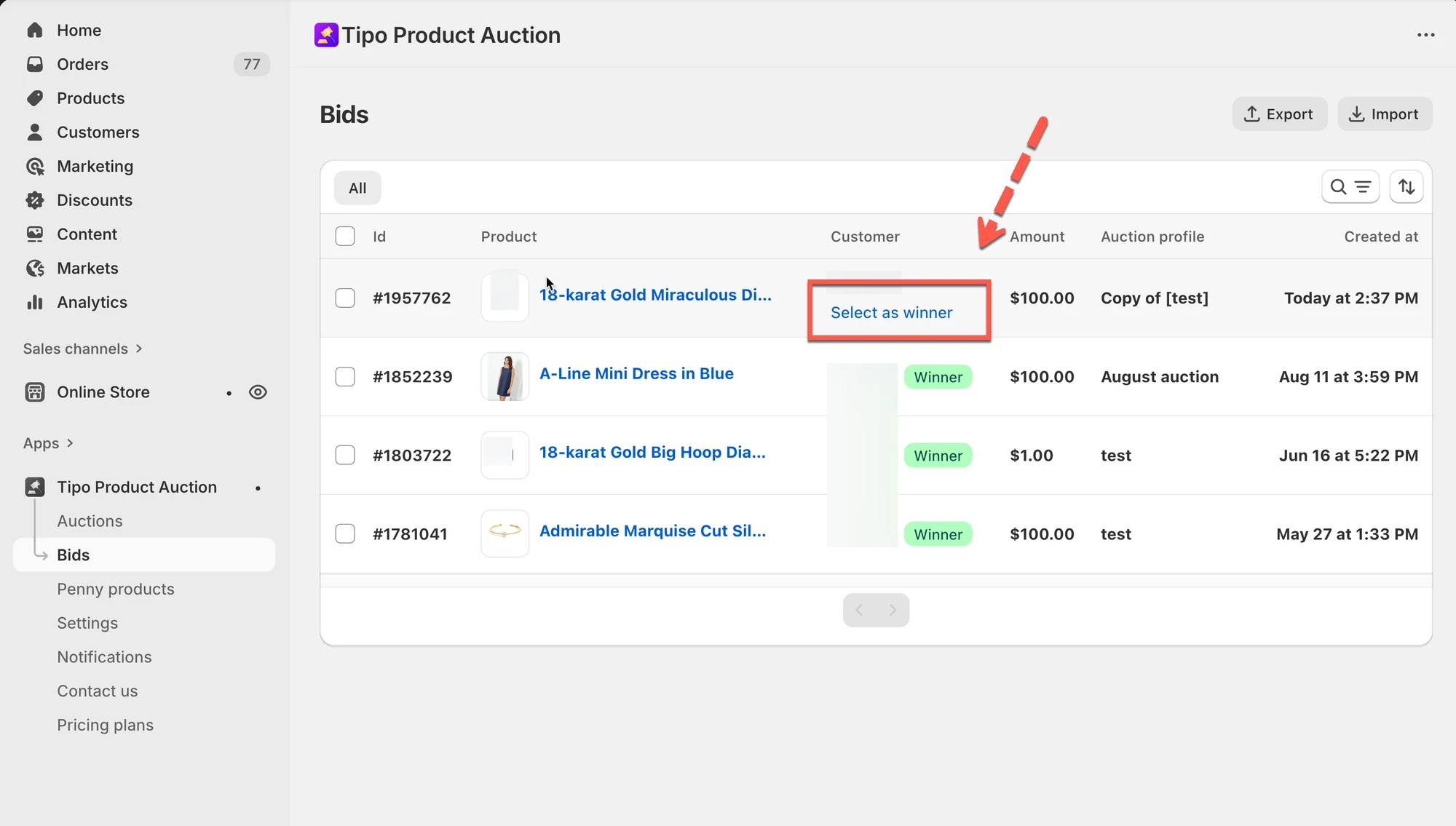
- Scroll to Bid history and click Select as winner on the bidder's row.
- That customer becomes the official winner with checkout access.
- Other bidders lose purchase access, and the winner pays within the allowed time.
Summary generated by AI. It can make mistakes, so check the full guide below.
By default, Tipo Auction selects the highest bidder as the winner when an auction ends.
In some cases, you may want to manually choose a different winner.
This guide shows you how to manually select a winner and what happens after.
✅ When should you choose a winner manually?
Section titled “✅ When should you choose a winner manually?”You may want to manually choose a winner if:
- You need to remove invalid or test bids
- There is a dispute between bidders
- You stopped an auction early
- You want to override the automatic result
🛠️ Step-by-step: Choose a winner manually
Section titled “🛠️ Step-by-step: Choose a winner manually”1. Open the app > click Auctions > Products
2. From the filter field, search and select the auction product you want to select a winner
Another way: Click Bids of the app > go to the bid list
3. Scroll down to Bid history session, a bidder list will show up > click Select as winner on the same line with the bidder you want
✅ What happens after selecting a winner?
Section titled “✅ What happens after selecting a winner?”Once a winner is selected:
- That customer becomes the official winner
- Only that customer can place an order
- Checkout access is enabled for the winner
- Other bidders lose purchase access
The winner can now complete payment within the allowed time.
🙋 Still need support?
If you still need help, please feel free to contact us at hi@tipo.io. We’ll be happy to assist you further.