
Reminder email for coming auctions
AI Overview
Send customers a reminder email before an auction starts to bring them back to your store and boost bidding in Tipo Product Auction. You enable the reminder in the customer notification settings, choose how far in advance it is sent, and show a Remind me button so shoppers can sign up with their email.
View moreView less
- Open Notifications > Customer and tick Remind He (her) when the auction is about to start.
- Edit the subject, set how long before the start the email goes out, and edit the content with variables like {product_name}.
- Click Save.
- Under Collection page > Show auction widget, tick Show remind me so customers can register; change the button text in Settings > Translations.
- Customers click Remind me on the widget and enter their email to get the reminder.
Summary generated by AI. It can make mistakes, so check the full guide below.
Reminder emails notify customers before an auction starts, helping bring them back to your store and increase bidding activity.
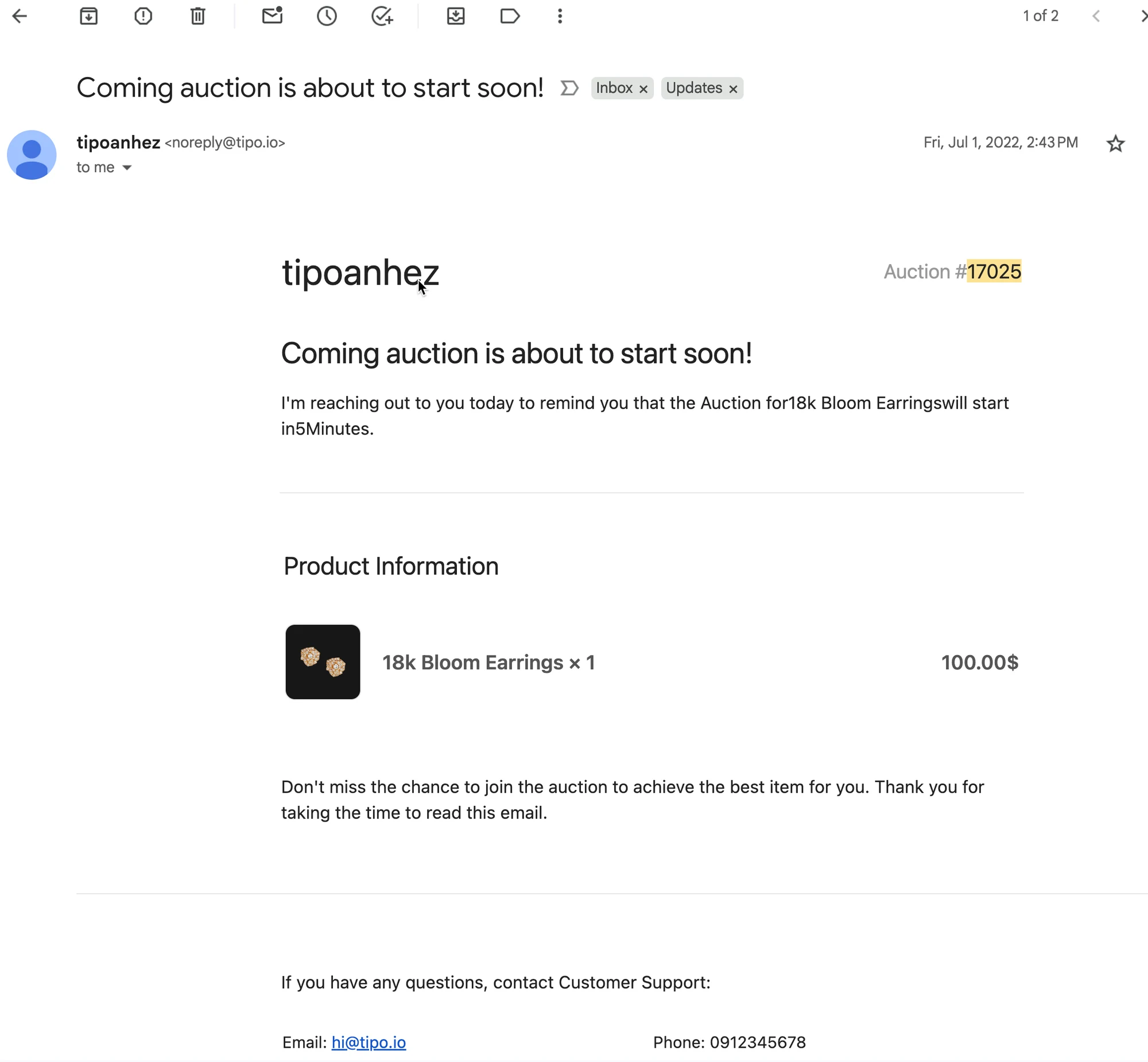
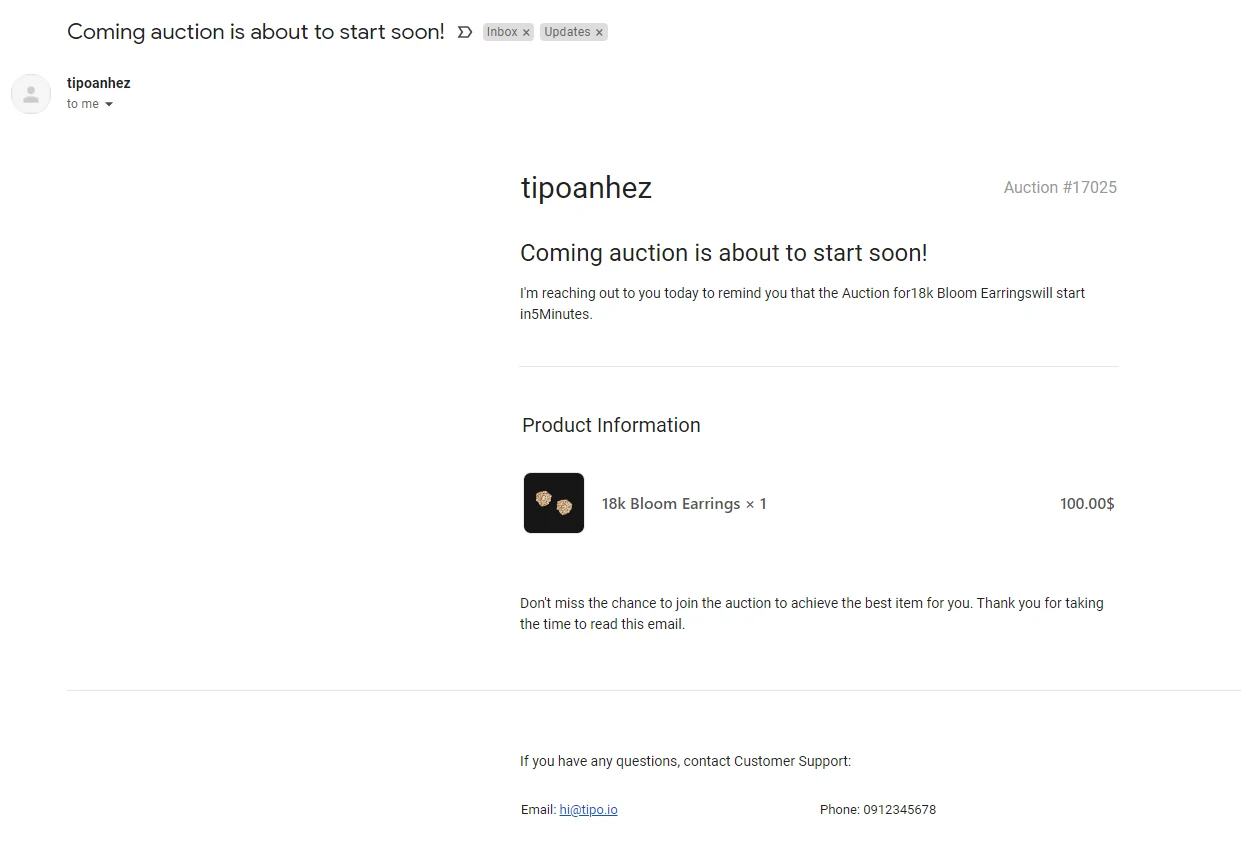
Here is an example of the reminder email:
🛠️ Enable Reminder emails
Section titled “🛠️ Enable Reminder emails”Steps to manage
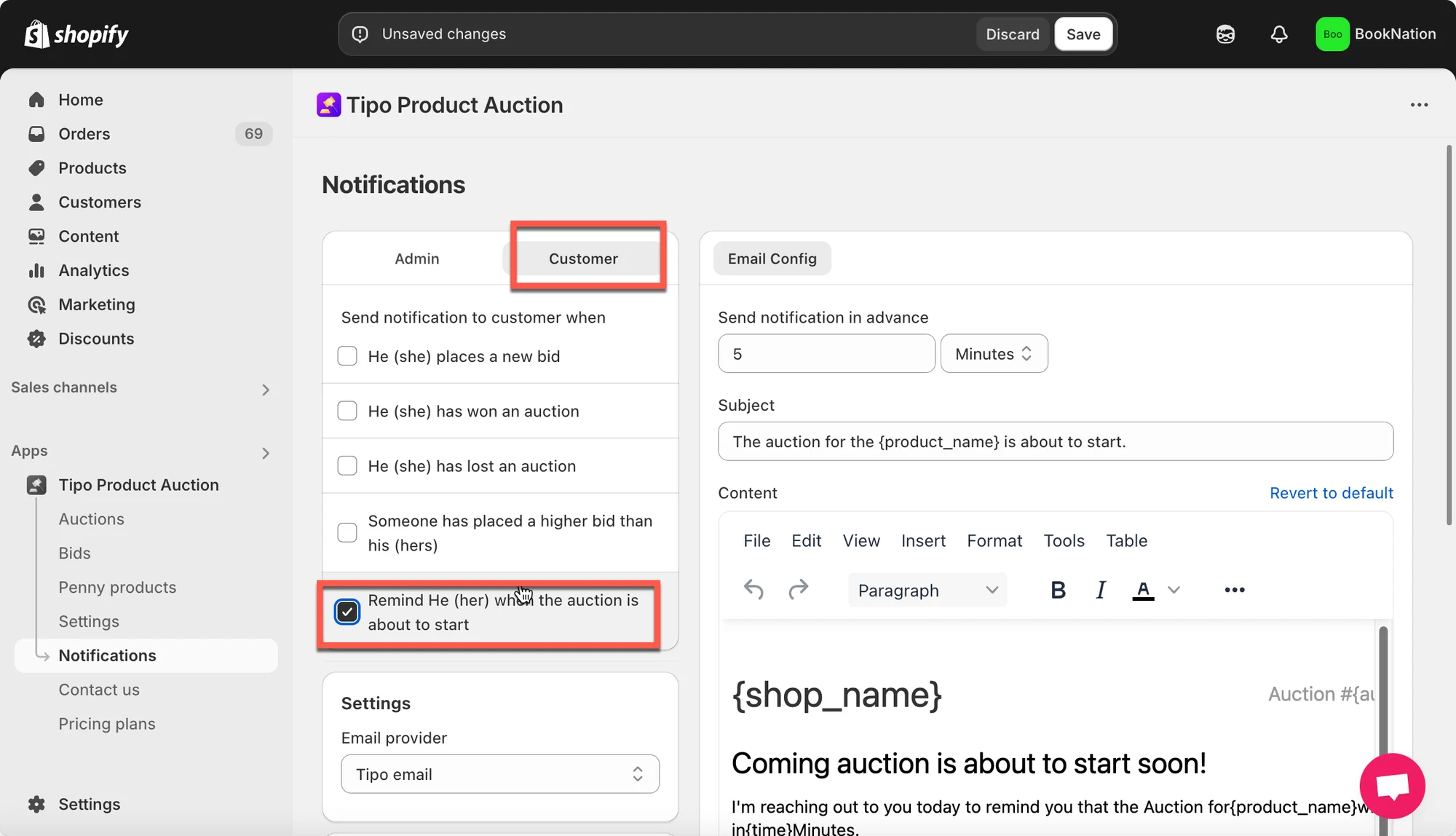
- Open the app > click Notifications > Customer
- Tick on the checkbox Remind He (her) when the auction is about to start
3. On the right side, edit the email template > Change the email subject
For example:
Coming auction is about to start soon!
Don't miss your auction!
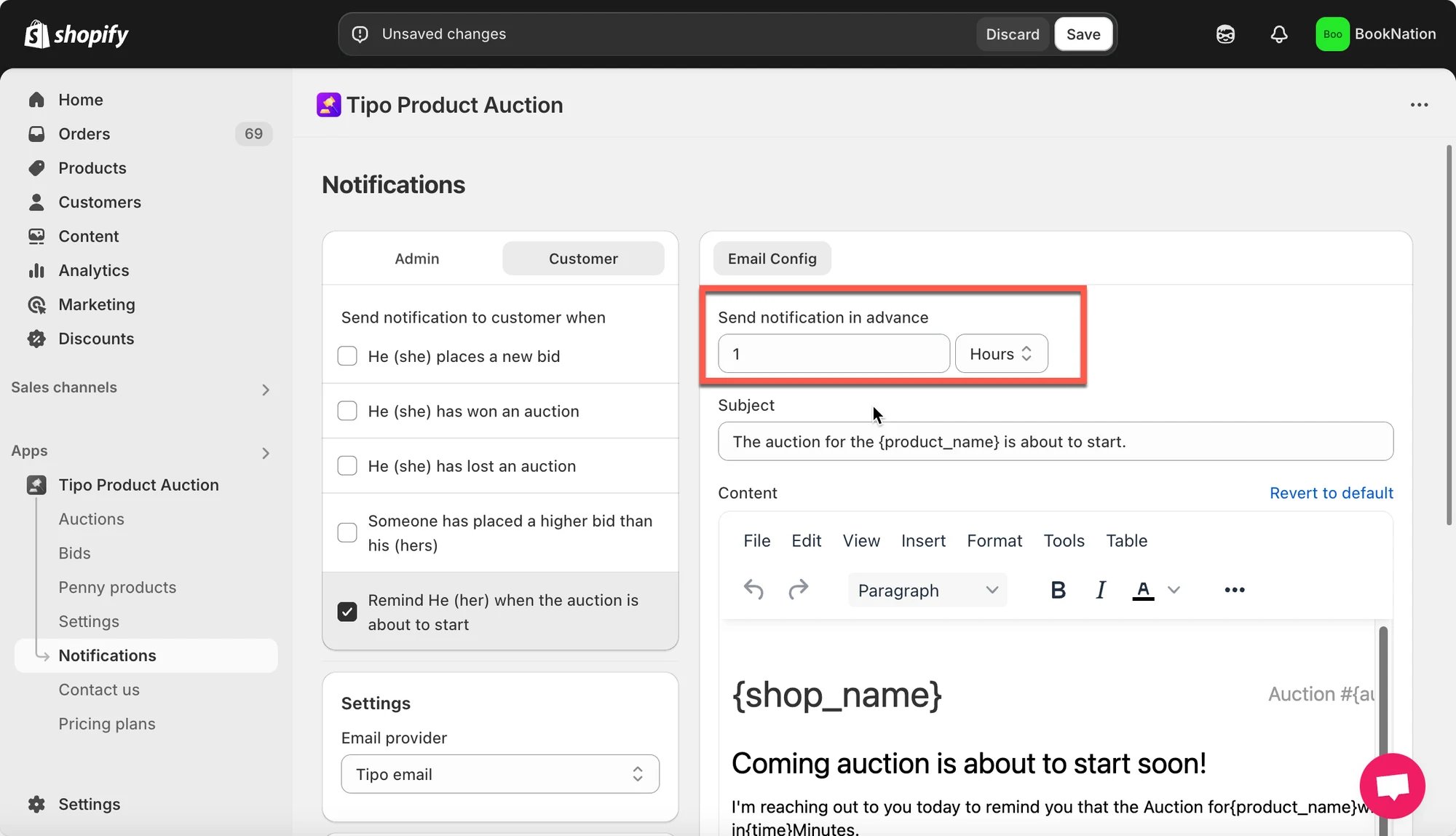
- Change the time to send the email in advance
For example: If the time is set as 1 hours in advance, your customers will receive the email (reminding him/her about the coming auction) 1 hour before the auction starts.
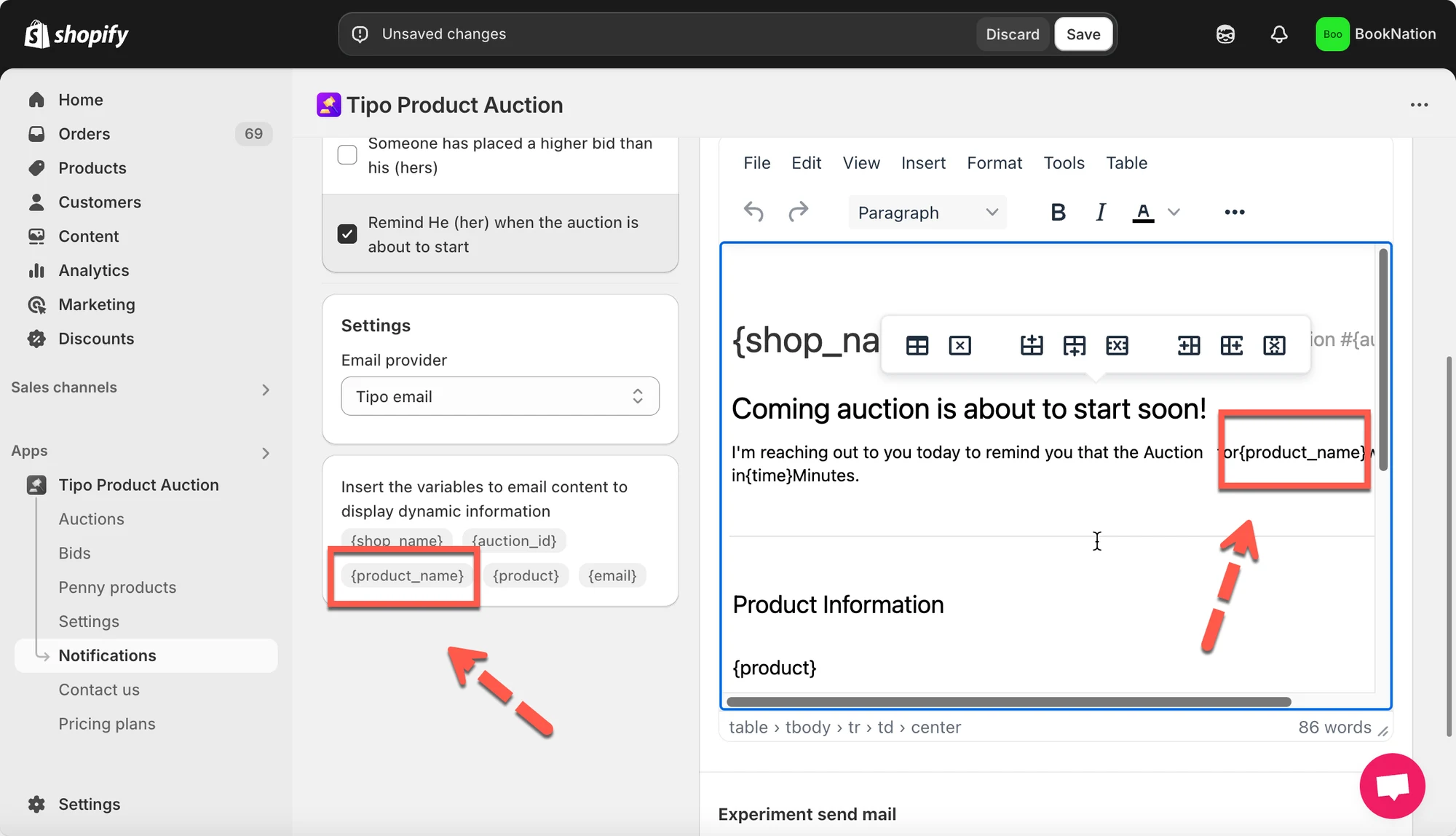
- Edit the content of the email template
You can edit the content of email based on your needs. Also, our app offers variables to make the content more flexible.
{product_name}{shop_name}{auction_id}
- Click Save to update the changes
🔔 How Customers Register to Receive Reminder Emails
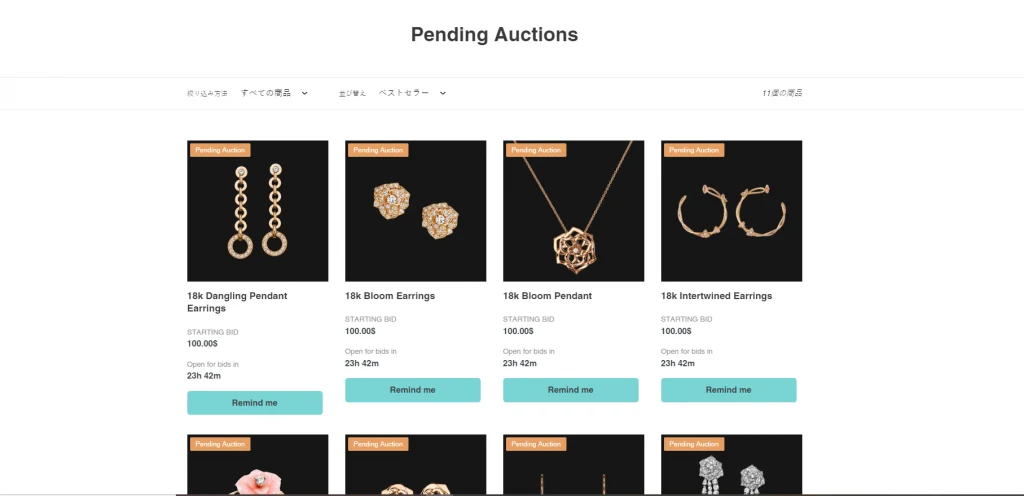
Section titled “🔔 How Customers Register to Receive Reminder Emails”Show “Remind me” button on the collection page
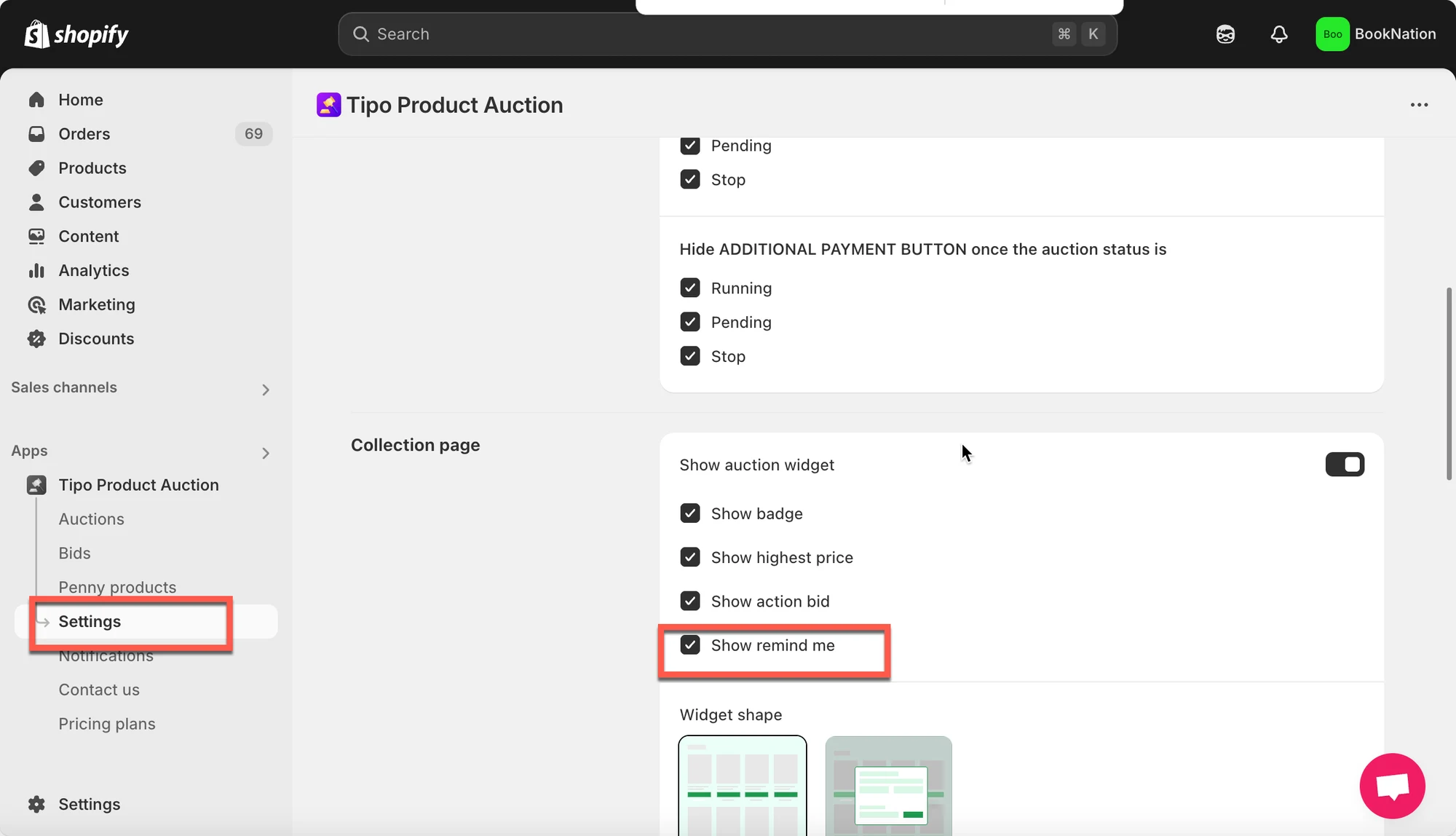
Section titled “Show “Remind me” button on the collection page”- Open the app > click Collection page > Show auction widget option
- Tick on the checkbox Show remind me
- Save Settings
Change the text of “Remind me” button
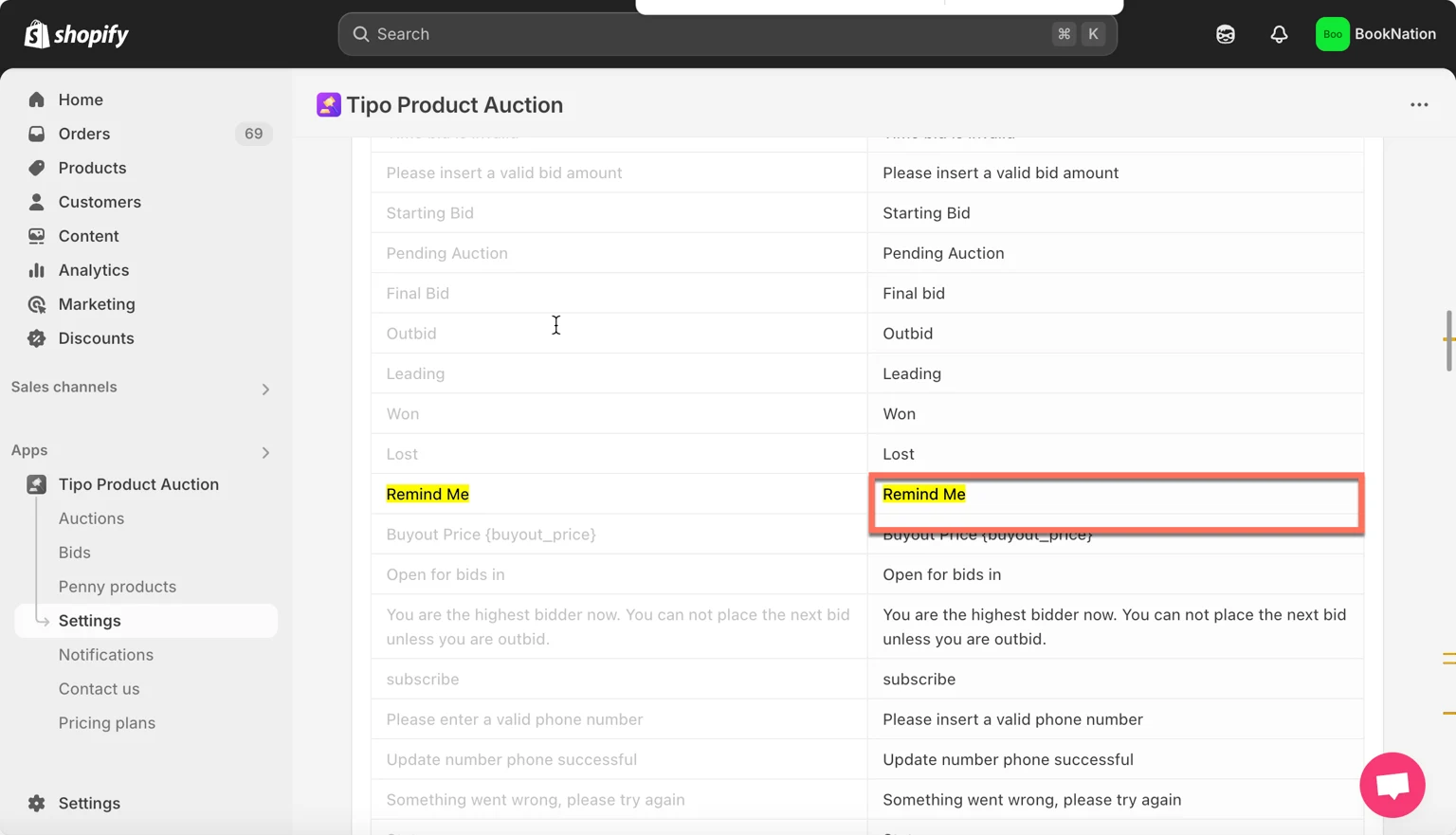
Section titled “Change the text of “Remind me” button”- Open the app > click Settings > click Translations
- Find Remind Me field, enter the new text of the button
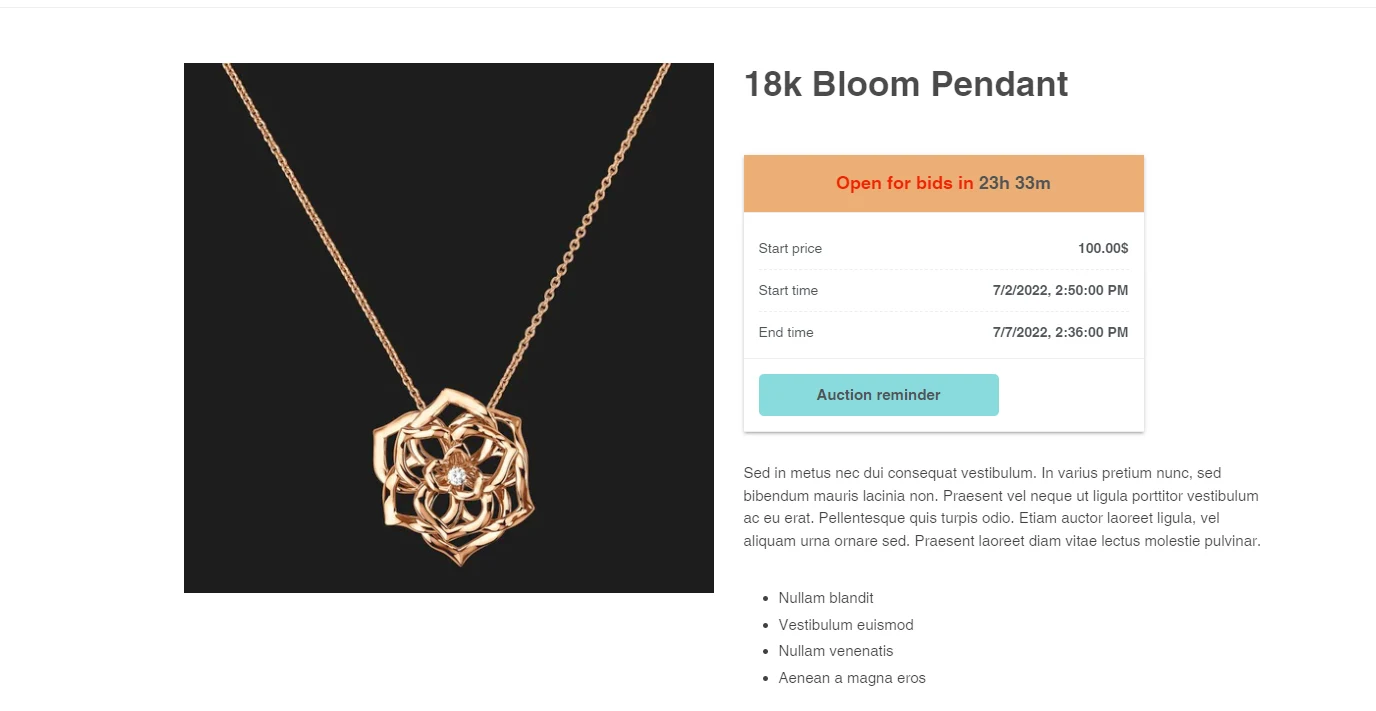
For example: Auction reminder
3. Click Save to update the changes
Check the result on the front store
How customer register
Section titled “How customer register”- When customer visit your store, he/she will see the auction widget on the product page or collection page as below:
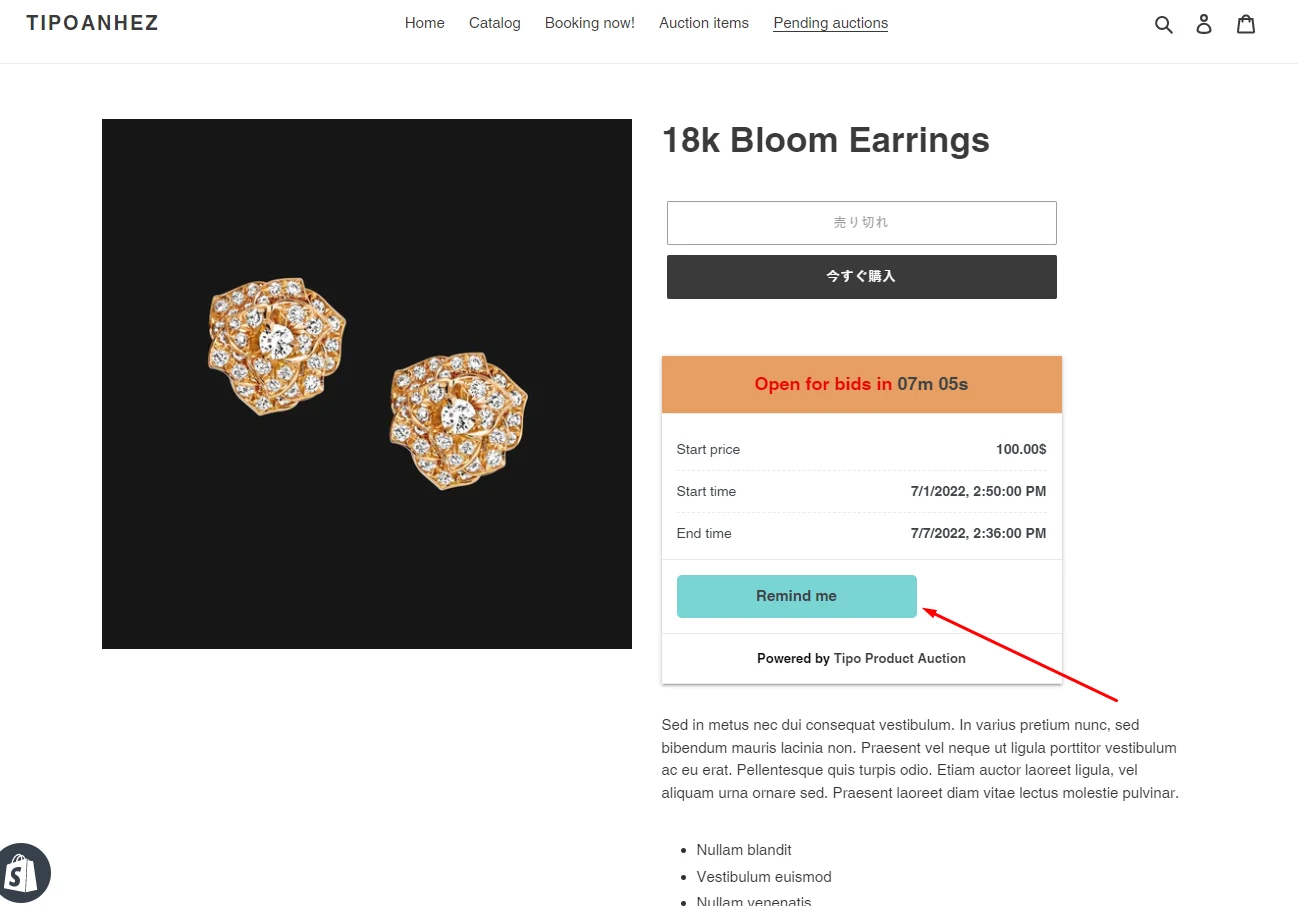
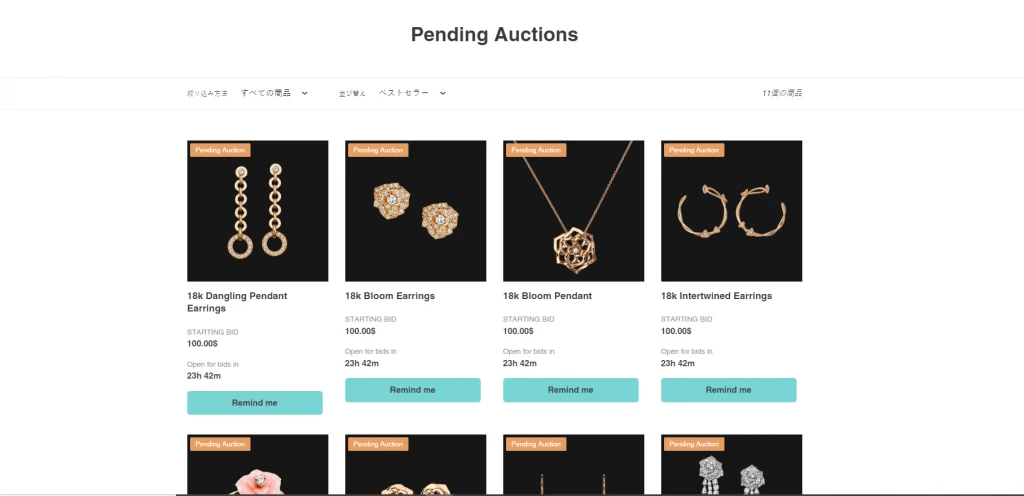
- Click Remind me button on the widget, a popup will show ask for customer email
- Enter the email you want to receive email notification before the auction start > Click Remind me about the auction button to finish
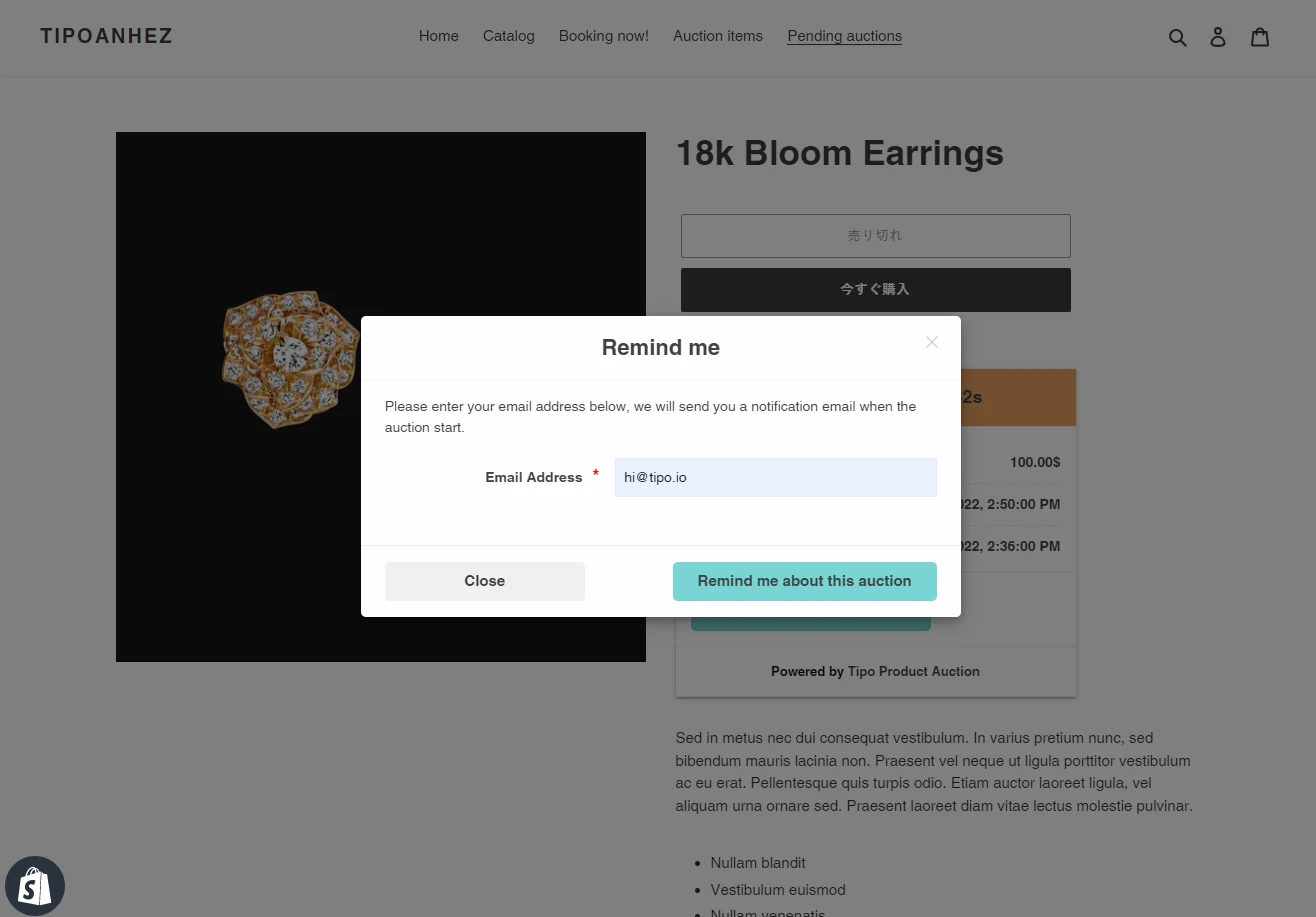
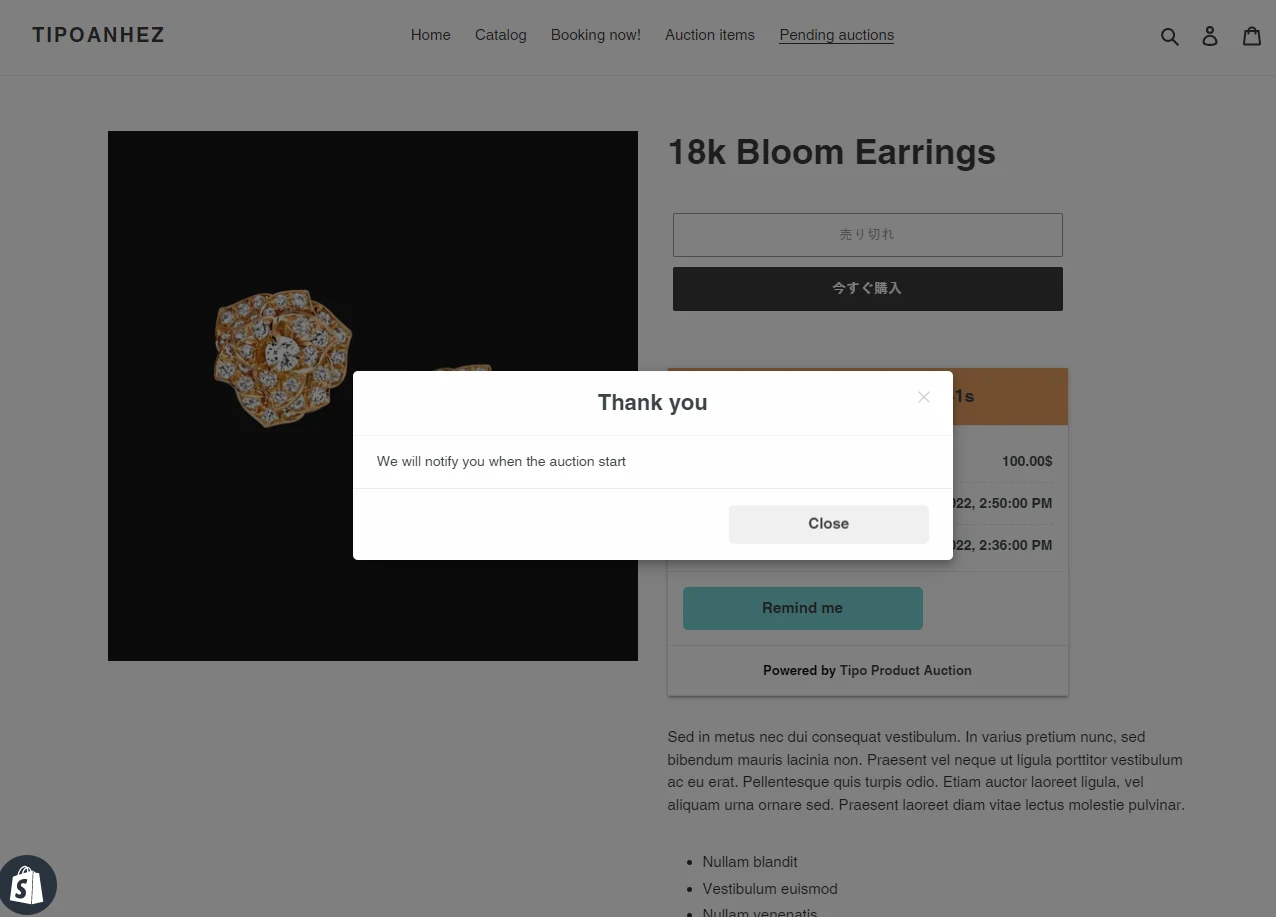
- After that, the email reminding you about the auction of an item will be automatically sent to email before the auction starts.
Here is an example of the reminder email:
🙋 Still need support?
If you still need help, please feel free to contact us at hi@tipo.io. We’ll be happy to assist you further.