
Notification overview
AI Overview
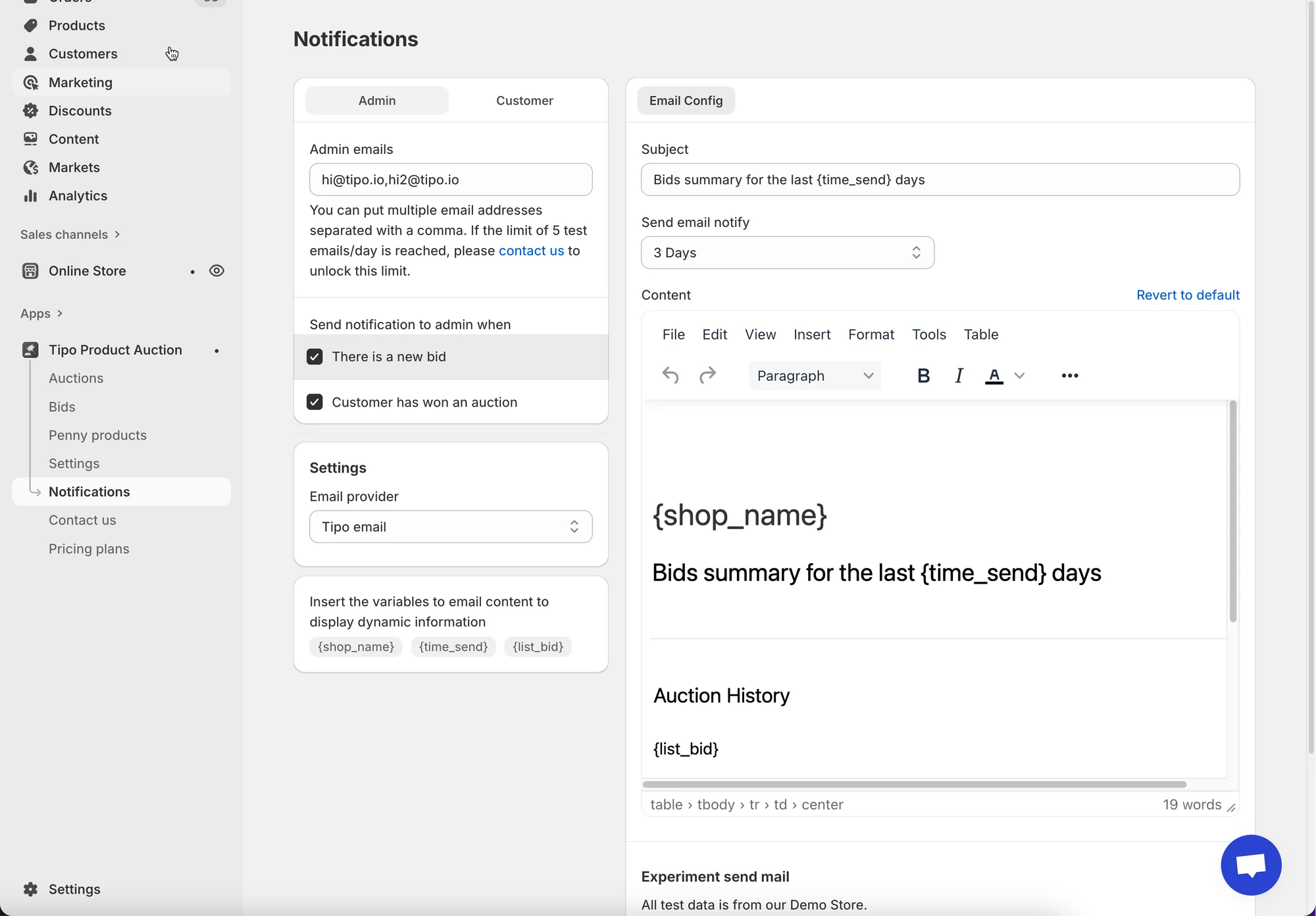
An overview of Tipo Product Auction email notifications, which automatically inform admins and customers about auction events such as new bids, winners, and reminders. Notifications are sent by event, not manually. Each notification type can be enabled or disabled, and if any step in the chain is disabled the email won't be sent.
View moreView less
- Admins can receive emails for new bids and customer wins; admin addresses can be customized.
- Customers can receive emails when they bid, lead, are outbid, win, lose, or get a reminder before an auction starts.
- Triggers include a new bid, an auction about to start, an auction ending, a winner selected, and a bidder outbid.
- Flow: event happens, rule checks it is enabled, template is chosen, email is sent via Tipo Email or SMTP.
Summary generated by AI. It can make mistakes, so check the full guide below.
Auction email notifications keep admins and customers informed about what’s happening in an auction, such as new bids, winners, and reminders without needing to check the store manually.
This guide explains what notifications exist, who receives them, and how they work together.
📩 What Are Auction Email Notifications?
Section titled “📩 What Are Auction Email Notifications?”Auction email notifications are automatic emails sent when specific auction events happen.
They help:
- Admins monitor auction activity
- Customers stay informed and engaged
- Increase bidding activity and completion rates
Notifications are sent based on events, not manually.
👤 Who Receives Auction Emails?
Section titled “👤 Who Receives Auction Emails?”There are two main recipient types:
Admin Notifications
Section titled “Admin Notifications”Sent to store owners or staff to keep track of auction activity.
Admins can receive emails when:
- A new bid is placed
- A customer wins an auction
Admin email addresses can be customized.
Customer Notifications
Section titled “Customer Notifications”Sent to bidders who participate in auctions.
Customers can receive emails when they:
- Place a bid
- Become the highest bidder
- Get outbid
- Win an auction
- Lose an auction
- Receive a reminder before an auction starts
Each notification type can be enabled or disabled.
⚙️ What Triggers an Email?
Section titled “⚙️ What Triggers an Email?”Emails are sent automatically when specific auction events occur, for example:
- A new bid is placed
- An auction is about to start
- An auction ends
- A winner is selected
- A bidder is outbid
You don’t need to send emails manually — the system handles it.
⚙️ How All Notification Settings Work Together
Section titled “⚙️ How All Notification Settings Work Together”Here’s how the system flows:
- An auction event happens (e.g. new bid)
- Notification rule checks if that event is enabled
- The correct email template is selected
- Email is sent via Tipo Email or SMTP
If any step is disabled, the email will not be sent.
🙋 Still need support?
If you still need help, please feel free to contact us at hi@tipo.io. We’ll be happy to assist you further.