
Customize auction email templates
AI Overview
Customize the emails Tipo Product Auction sends to store admins and bidders from the app's Notifications page. Admin and customer templates are edited separately, and each has its own subject and content. The editor supports basic formatting and dynamic variables such as the product name, so emails can match your store's wording.
View moreView less
- Admin templates cover new bids, winner alerts and bid summaries; customer templates cover bid confirmations, outbid alerts, win or lose notices and reminders.
- Open the app, click Notifications, then choose the Admin or Customer tab.
- Edit the email subject and content, using bold, lists, alignment and dynamic variables.
- Click Save to apply the changes.
Summary generated by AI. It can make mistakes, so check the full guide below.
🧩 Types of Auction Email Templates
Section titled “🧩 Types of Auction Email Templates”1) Admin Email Templates
Section titled “1) Admin Email Templates”Used for emails sent to store admins, such as:
- New bid notifications
- Auction winner alerts
- Bid summary emails
2) Customer Email Templates
Section titled “2) Customer Email Templates”Used for emails sent to bidders, such as:
- Bid confirmation
- Outbid alerts
- Win / lose notifications
- Auction reminders
Each template can be customized independently
🛠️ Steps to edit templates
Section titled “🛠️ Steps to edit templates ”- Open the app > click Notifications
- Select:
- Admin tab → Admin email templates
- Customer tab → Customer email templates
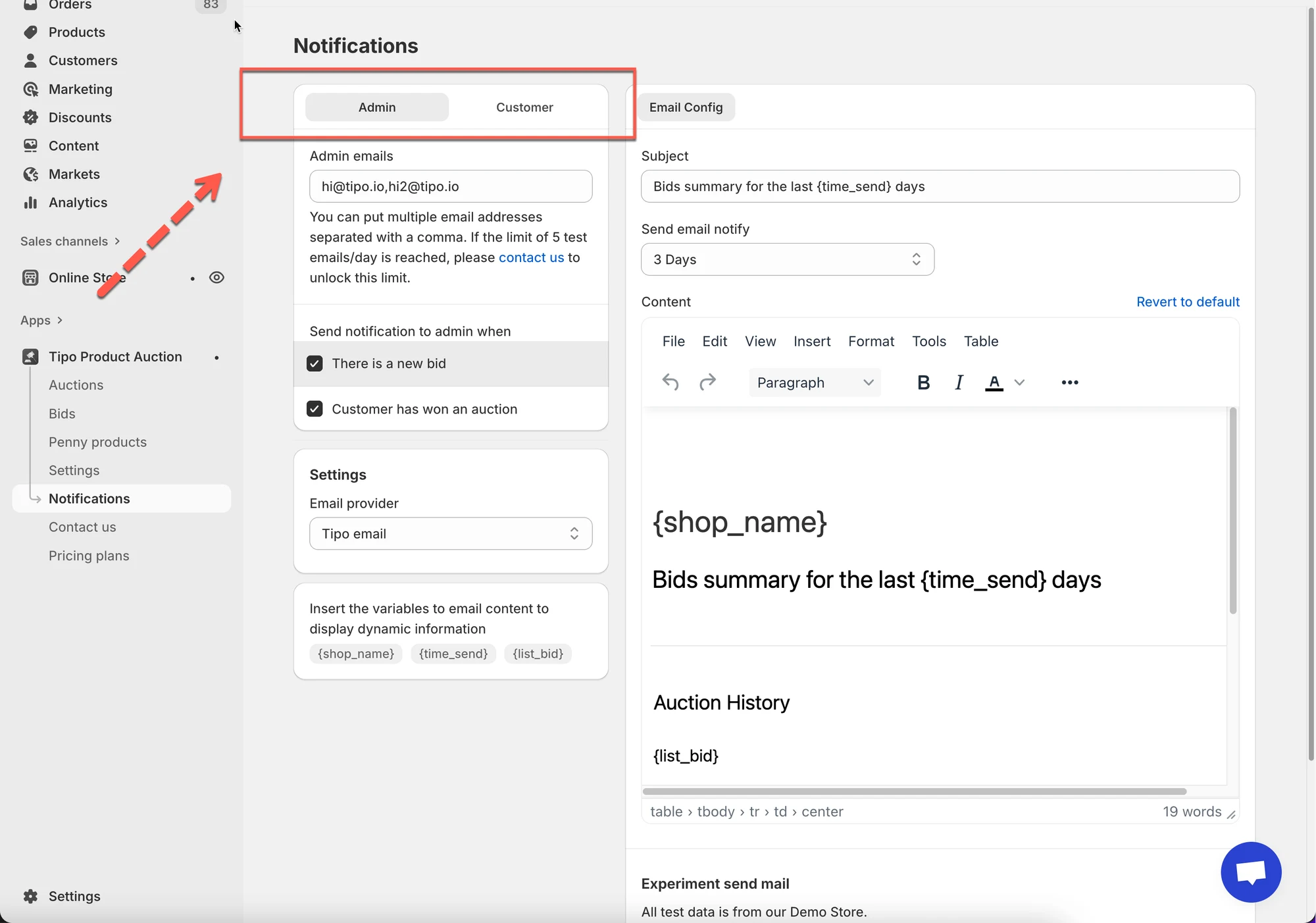
- Edit email subject
Example subjects:
You have a new bid on {product_name}You won the auction for {product_name}You have been outbid on {product_name}
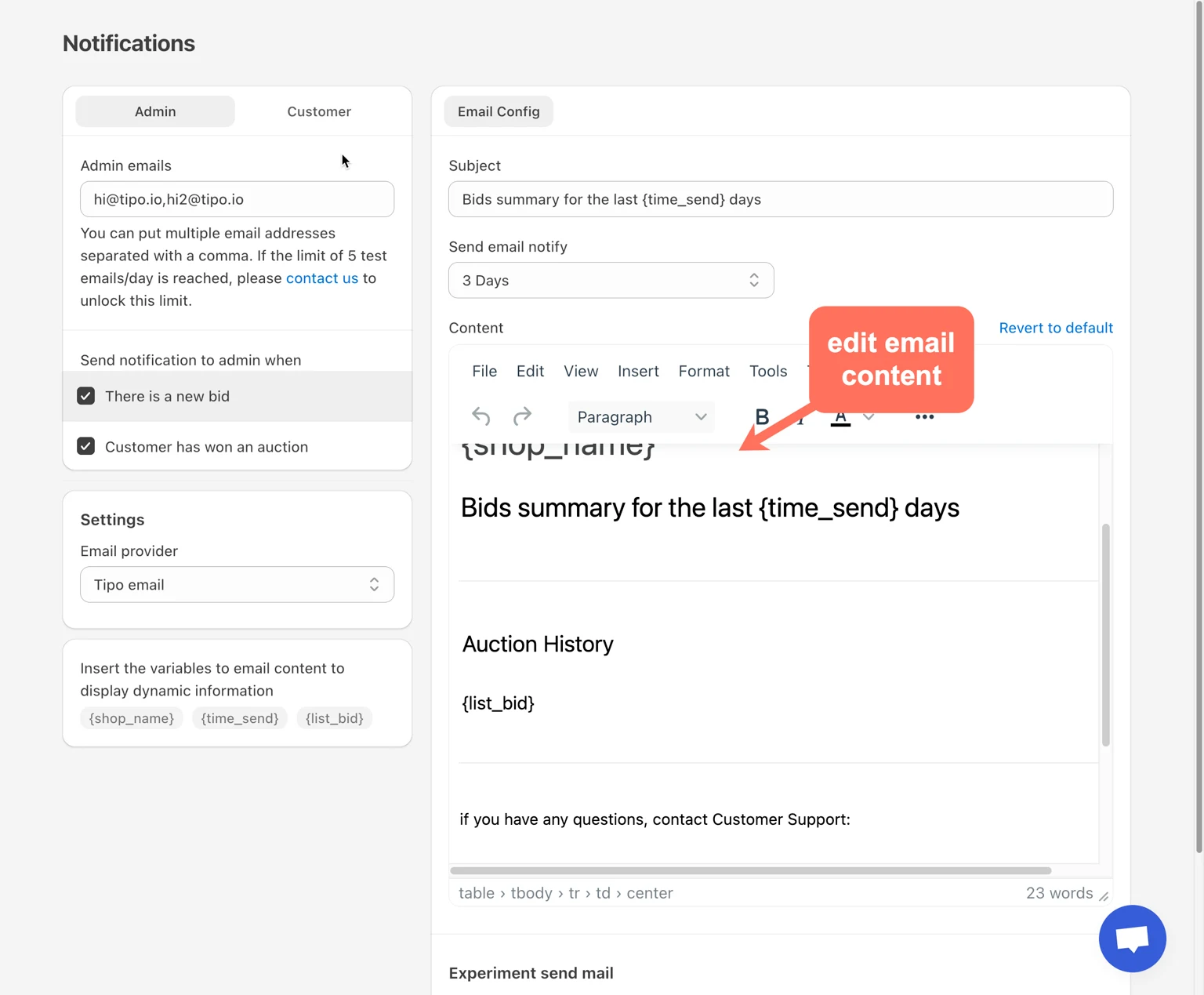
- Customize email content
In the content editor, you can:
- Edit text
- Add headings
- Format paragraphs
- Insert dynamic variables
The editor supports basic formatting (bold, lists, alignment).
- Click Save.
🧪 Example: Customer Outbid Email
Section titled “🧪 Example: Customer Outbid Email”Template content:
Someone has placed a higher bid on {product_name}.
Your last bid was {bid_amount}.
Visit the product page to place a new bid.
Result for customer:
Someone has placed a higher bid on Gold Diamond Ring.
Your last bid was $800.
🙋 Still need support?
If you still need help, please feel free to contact us at hi@tipo.io. We’ll be happy to assist you further.