
How the winner completes the order
AI Overview
An auction winner in Tipo Product Auction can complete the order in two ways: from the winning email notification or from the Auction history in their customer account. Both lead to the Shopify checkout, where the winner pays for the auction item.
View moreView less
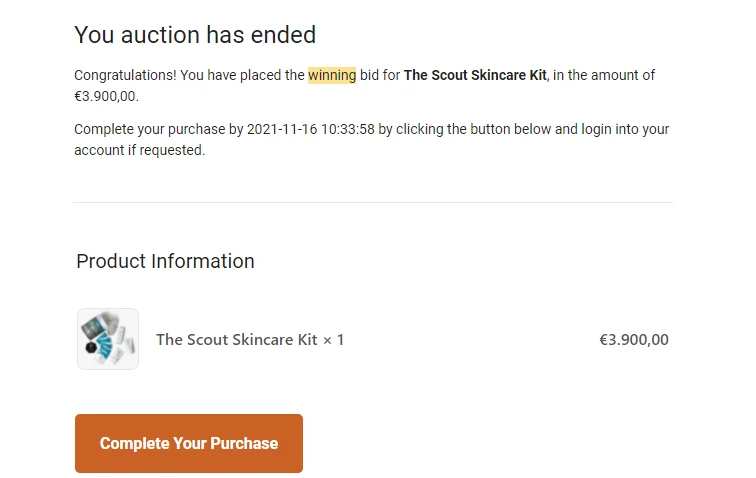
- From email: when the auction ends, the winner receives a winning email and clicks Complete your purchase, which opens Shopify checkout.
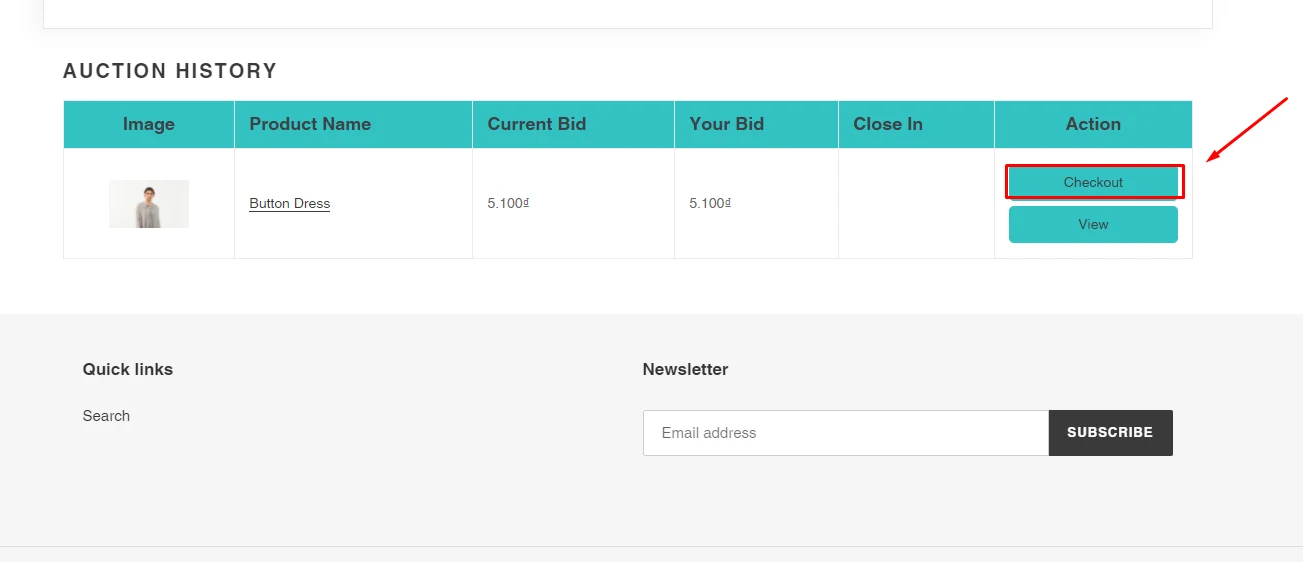
- From account: the winner logs in to their customer account on the store.
- The winner opens Auction history and clicks Checkout.
- The winner then completes checkout to buy the item.
Summary generated by AI. It can make mistakes, so check the full guide below.
There are 2 approaches for the winner to complete the order:
From Email notification
Section titled “From Email notification”- When an auction ends, a winning email notification will be sent to the winner’s email address
- The winner clicks on Complete your purchase button on the email
- He will be directed to the Shopify checkout screen
From Auction history
Section titled “From Auction history”- The winner logs in his customer account > go to his account page on the Shopify store
- Check Auction history > Click Checkout button
- Complete the checkout process to purchase the auction item
🙋 Still need support?
If you still need help, please feel free to contact us at hi@tipo.io. We’ll be happy to assist you further.