
Change countdown style
AI Overview
Change how the countdown timer looks on your Tipo Product Auction product pages. The countdown shows how much time is left before an auction ends. You choose a style in the app's Appearance settings.
View moreView less
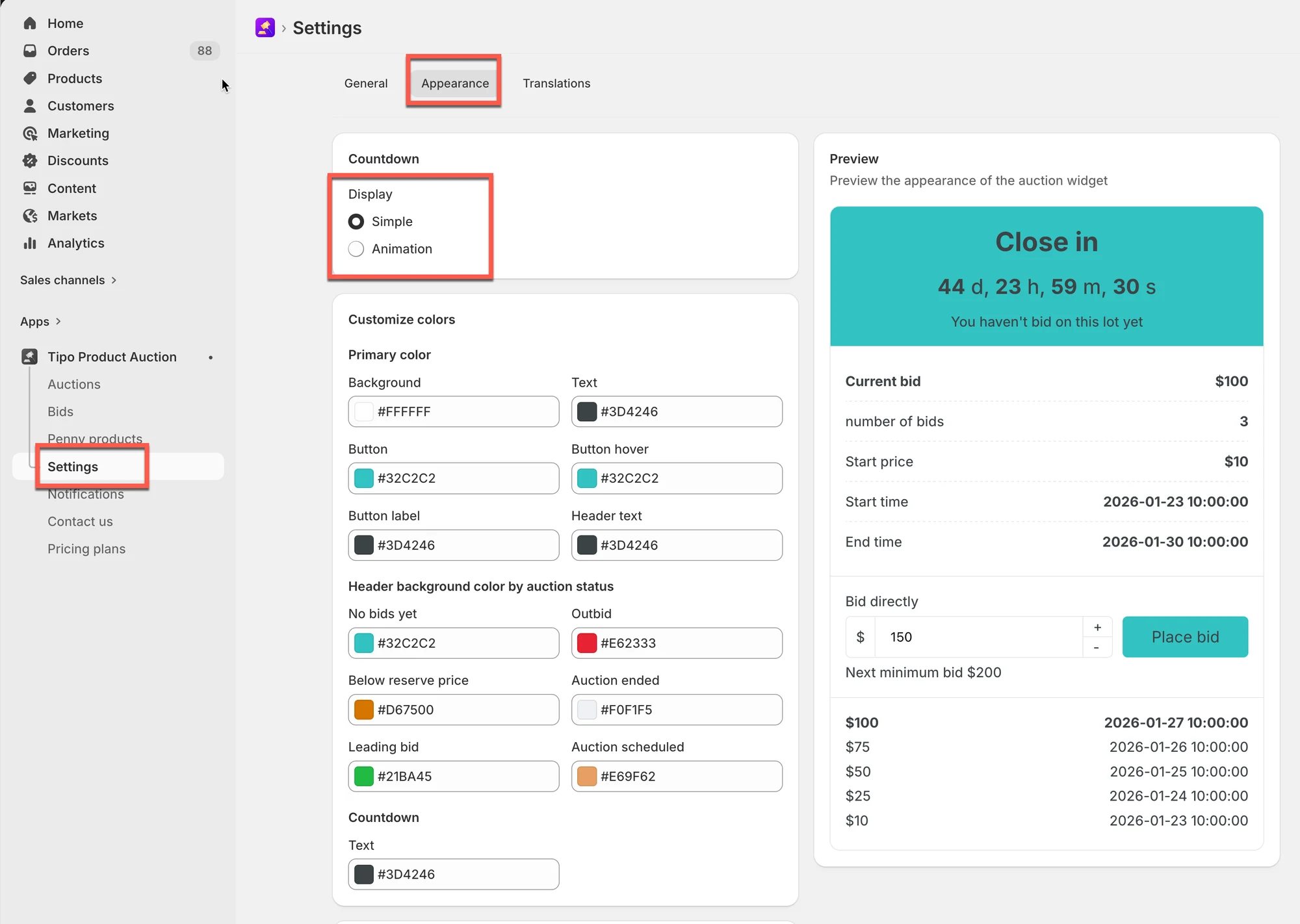
- Open Settings > Appearance.
- Under Countdown, select the style you want: Animation style or Simple style.
- Click Save.
Summary generated by AI. It can make mistakes, so check the full guide below.
The countdown timer shows how much time is left before an auction ends.
Changing the countdown style lets you control how the timer looks on your product pages.
This guide explains how to change the countdown style and what customers will see on the storefront.
🛠️ Step-by-step: Change countdown style
Section titled “🛠️ Step-by-step: Change countdown style”- Open the app > click Settings > Appearance
- In Countdown > select one of the style you want
- Click Save
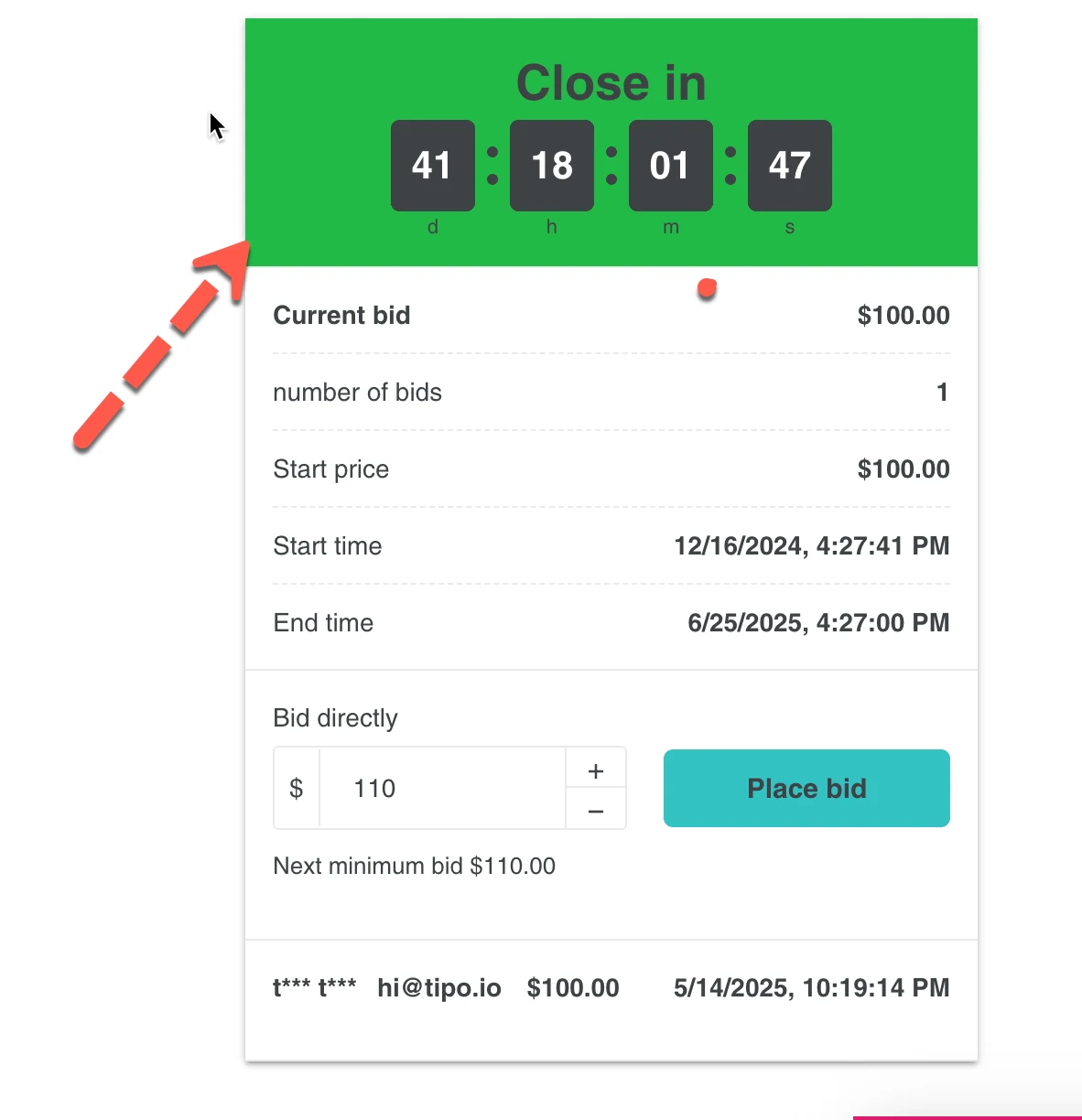
- Animation style
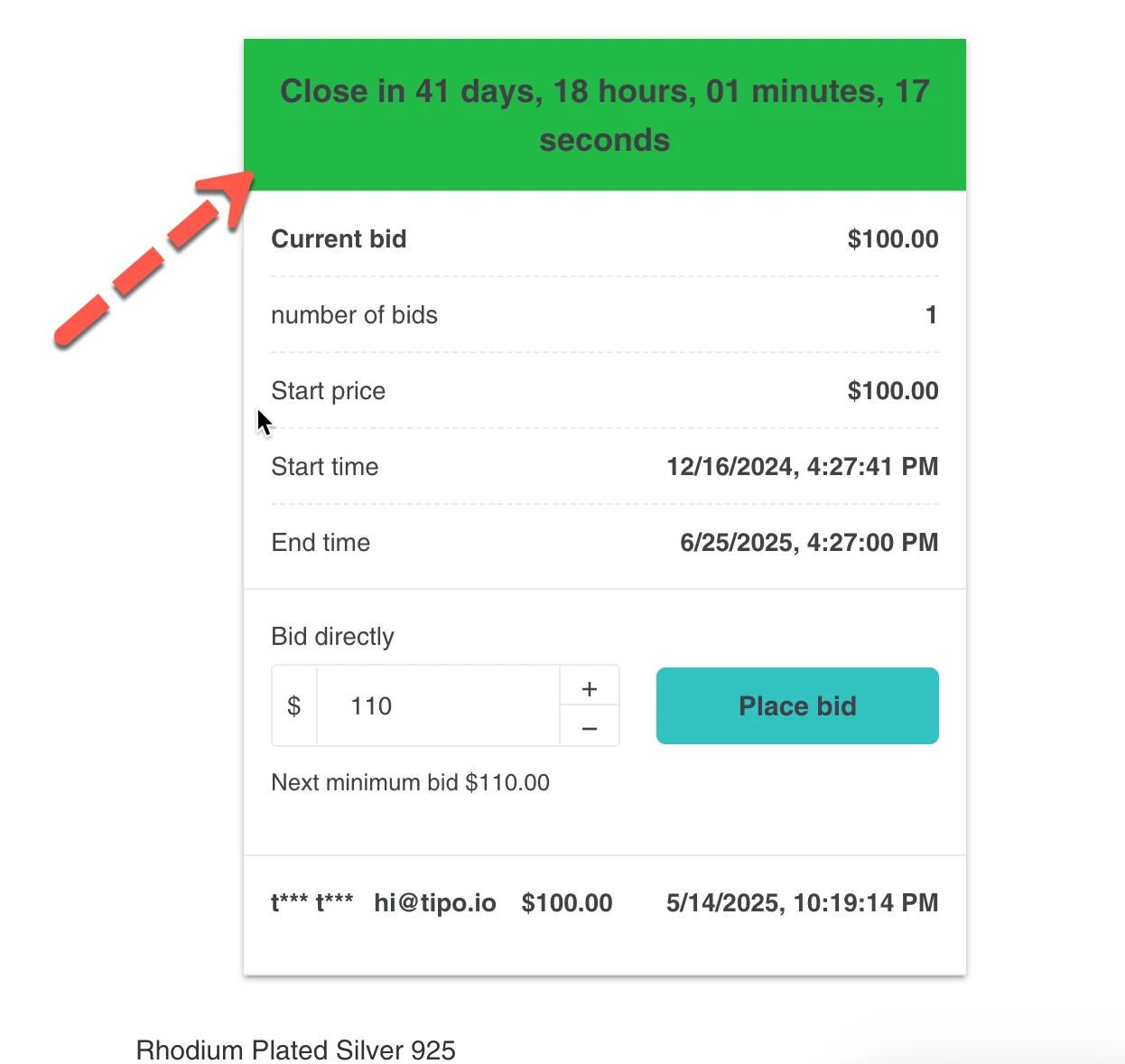
- Simple style
🙋 Still need support?
If you still need help, please feel free to contact us at hi@tipo.io. We’ll be happy to assist you further.