
Buy Now price
AI Overview
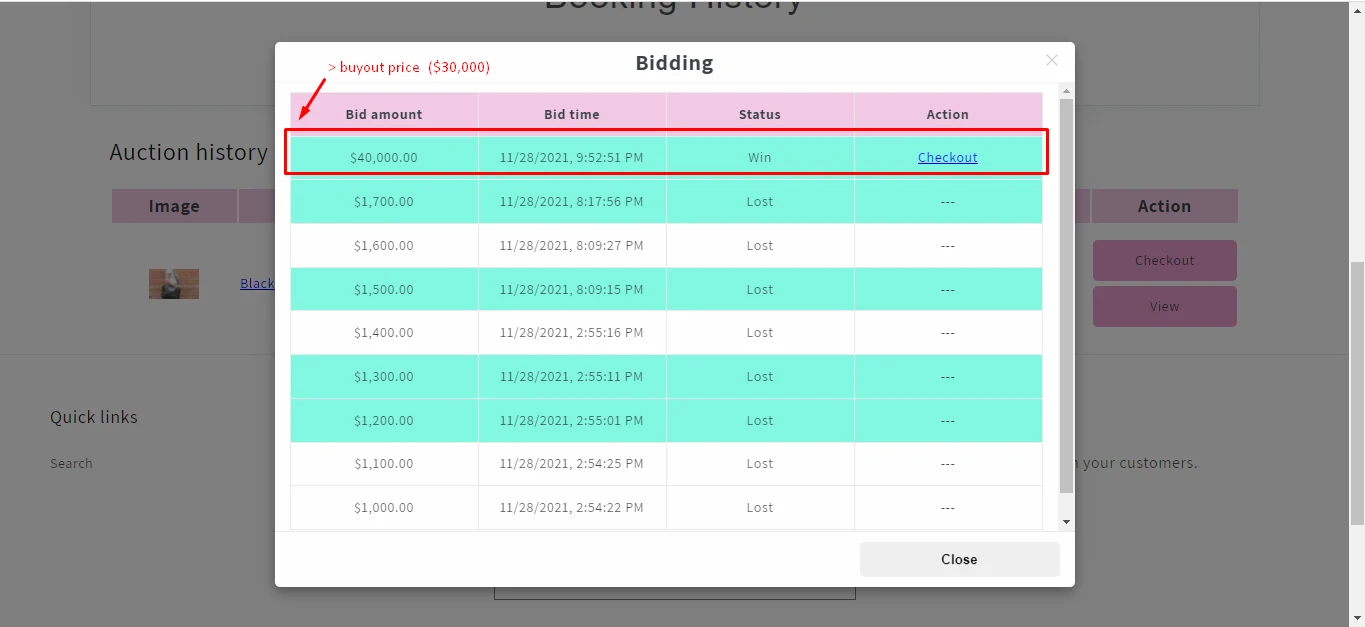
The Buy Now price in Tipo Product Auction lets a customer win an auction instantly by paying a fixed price instead of waiting for it to end. You turn it on in the auction's Additional options. When a customer chooses it and completes checkout, the auction ends immediately and other bidders can no longer bid.
View moreView less
- In the auction, find Additional options and turn on Buy now price.
- Enter the price amount.
- Optionally tick Allow bidders to buy immediately without bidding, then click save.
- Customers see both Current bid and Buy now price and can keep bidding or pay to win.
- Once someone buys, the auction ends and the product sells at the Buy now price.
Summary generated by AI. It can make mistakes, so check the full guide below.
ℹ️ What is Buy Now price?
Section titled “ℹ️ What is Buy Now price?”The Buy Now price lets a customer instantly win an auction by paying a fixed price, without waiting for the auction to end.
It’s useful when you want to offer bidders a fast purchase option while still running an auction.
When a customer chooses the Buy Now price:
- The auction ends immediately
- That customer becomes the winner
- Other bidders can no longer place bids
🛠️ Set up Buy now price
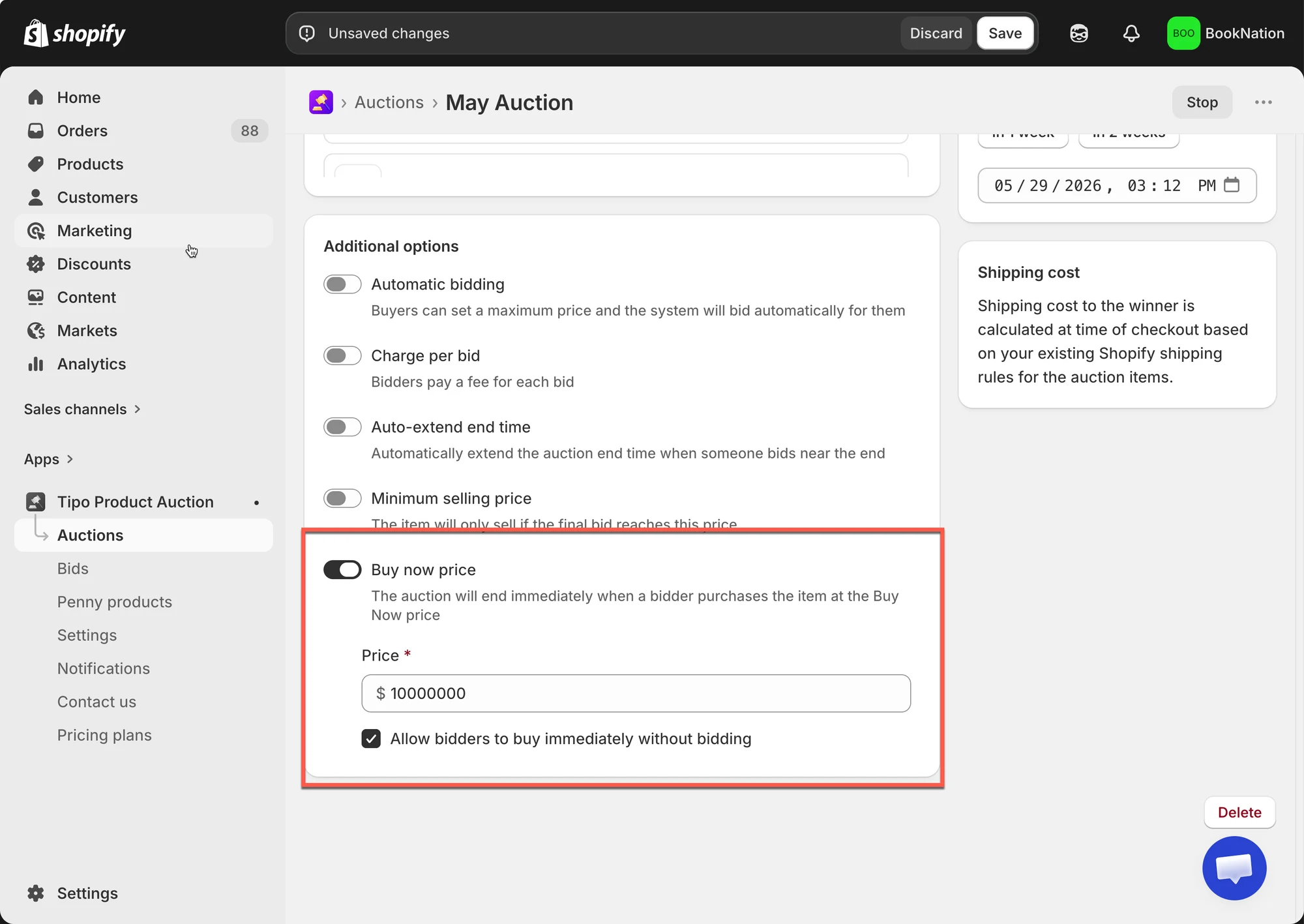
Section titled “🛠️ Set up Buy now price”In the Auction you are creating/ editing > find Additional options
- Turn on the Buy now price option
- Enter the price amount
- Tick on the checkbox Allow bidders to buy immediately without bidding (optional)
- Click save after making changes
What Customers See on the Storefront
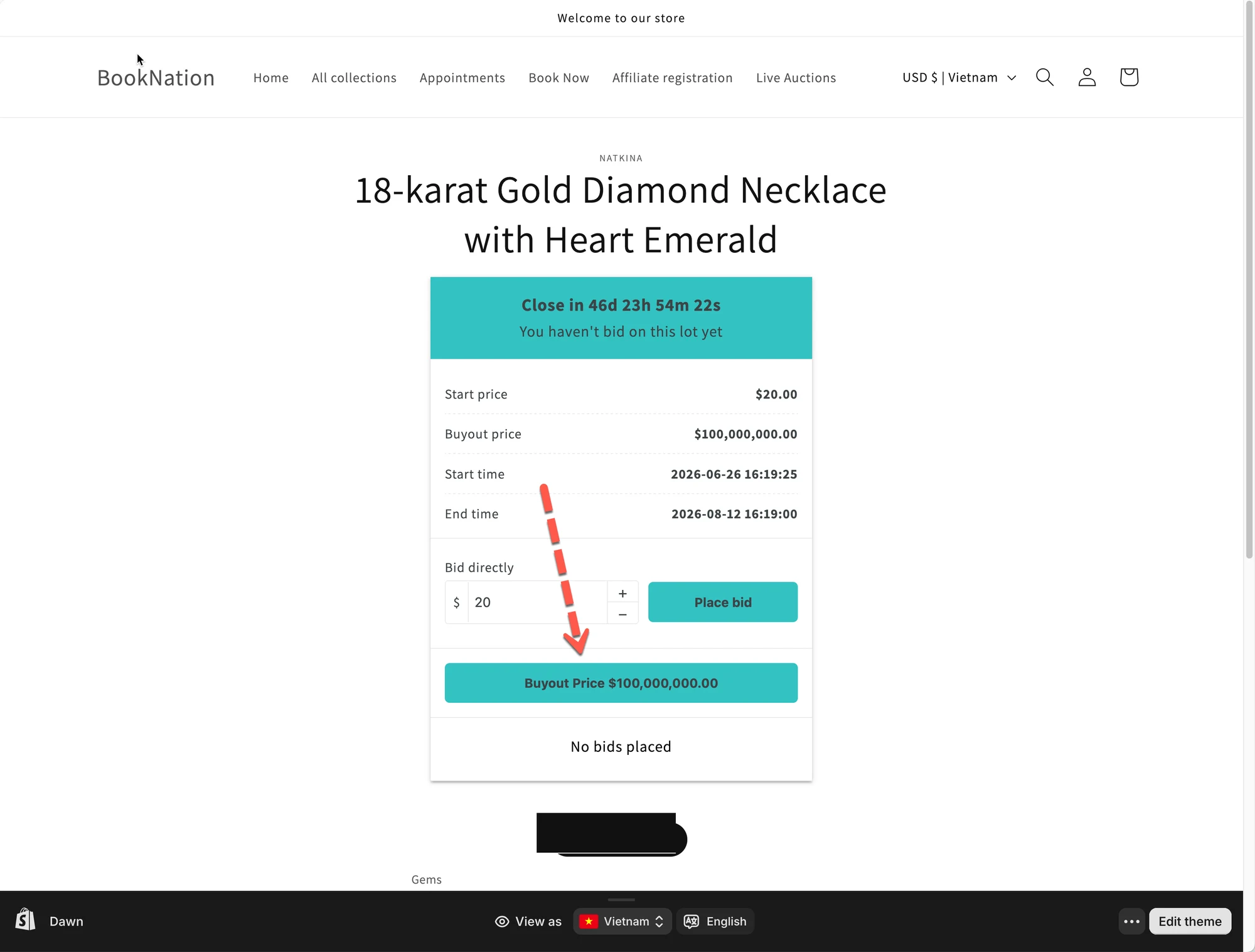
Section titled “What Customers See on the Storefront”When a Buy now price is enabled:
- Customers see both:
- Current bid
- Buy now price
- Customers can choose to:
- Keep bidding, or
- Pay the Buy now price to win immediately
✅ How it works
Section titled “✅ How it works”- You set a Buy now price when creating the auction
- The auction starts and customers place bids
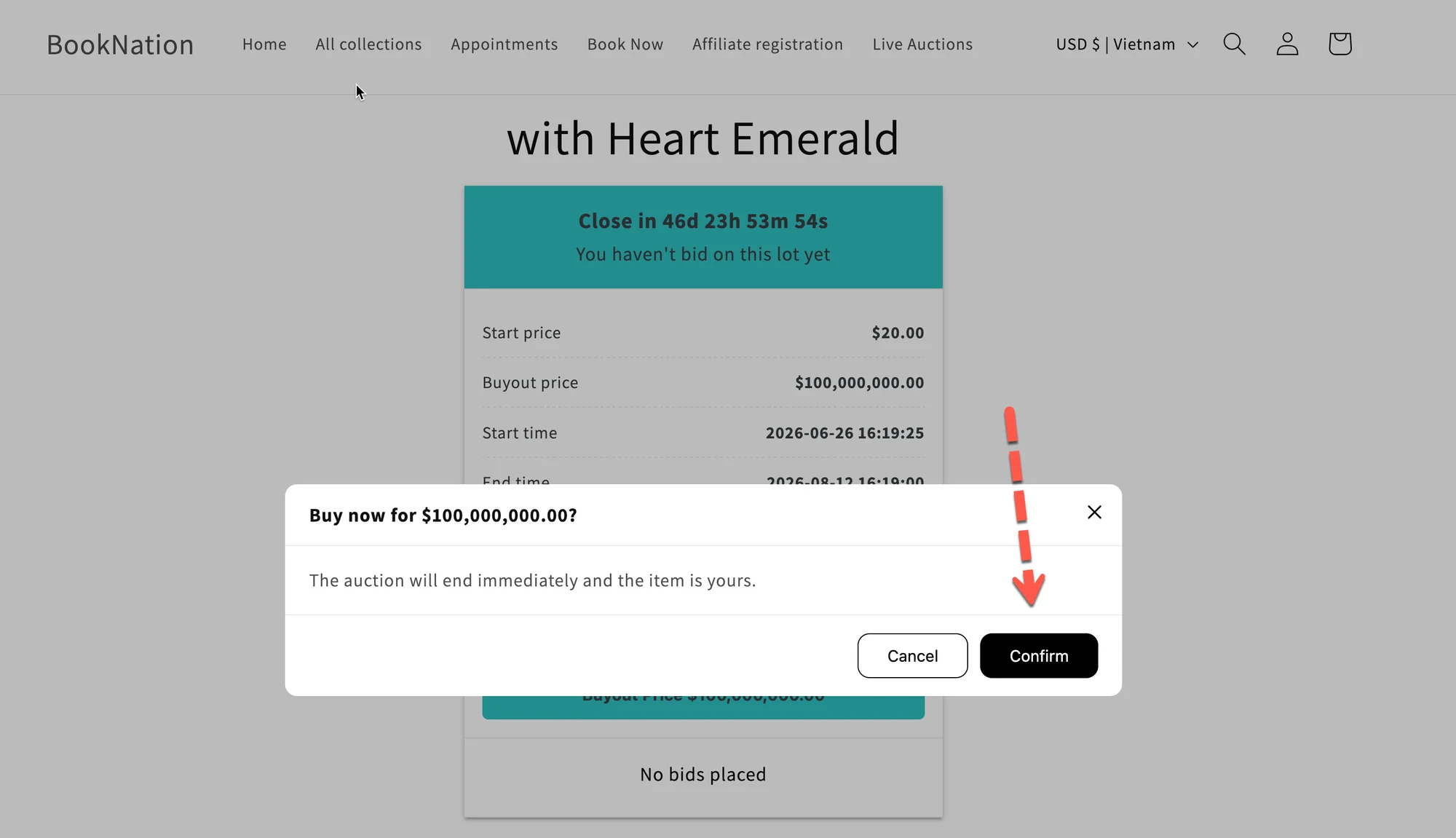
- A customer clicks Buy now (or equivalent button)
- If someone clicks it and completes the checkout:
- The auction will end immediately.
- The product will be sold to that customer at the Buy now price.
- Other bidders will no longer be able to place bids.
Example:
Auction settings
- Starting price: $100
- Bid increment: $10
- Buy now price: $300
Bidding flow
- Current bid reaches $180
- A customer clicks Buy now $300
Result
- Auction ends immediately
- Customer wins the auction for $300
- No further bids are allowed
🙋 Still need support?
If you still need help, please feel free to contact us at hi@tipo.io. We’ll be happy to assist you further.