
Automatic bidding
AI Overview
Automatic bidding (proxy bidding) in Tipo Product Auction lets a bidder set a maximum amount while the system bids for them to keep them in the lead. Bids rise only when someone else bids, and the bidder never pays more than their maximum. You enable it per auction in Additional options.
View moreView less
- Open Auctions, create or open an auction, and turn on Automatic bidding in Additional options.
- Click Save.
- The customer enters a maximum bid and the system places the minimum required bid.
- When others bid, the system raises the bid by the Minimum bid increase until the maximum is reached or the auction ends.
- An auto-bid winner pays the lowest price needed to stay ahead.
Summary generated by AI. It can make mistakes, so check the full guide below.
ℹ️ What Is Automatic Bidding?
Section titled “ℹ️ What Is Automatic Bidding?”Automatic bidding, also known as Proxy bidding lets a bidder set a maximum bid amount.
The system then automatically places bids for them to keep them in the lead, without needing to bid manually each time.
This makes bidding easier and more competitive.
- The bidder sets a maximum amount they are willing to pay
- The system bids on their behalf
- Bids increase only when someone else places a bid
- The bidder never pays more than their maximum bid
🛠️ Set up Automatic bidding
Section titled “🛠️ Set up Automatic bidding”Steps to manage
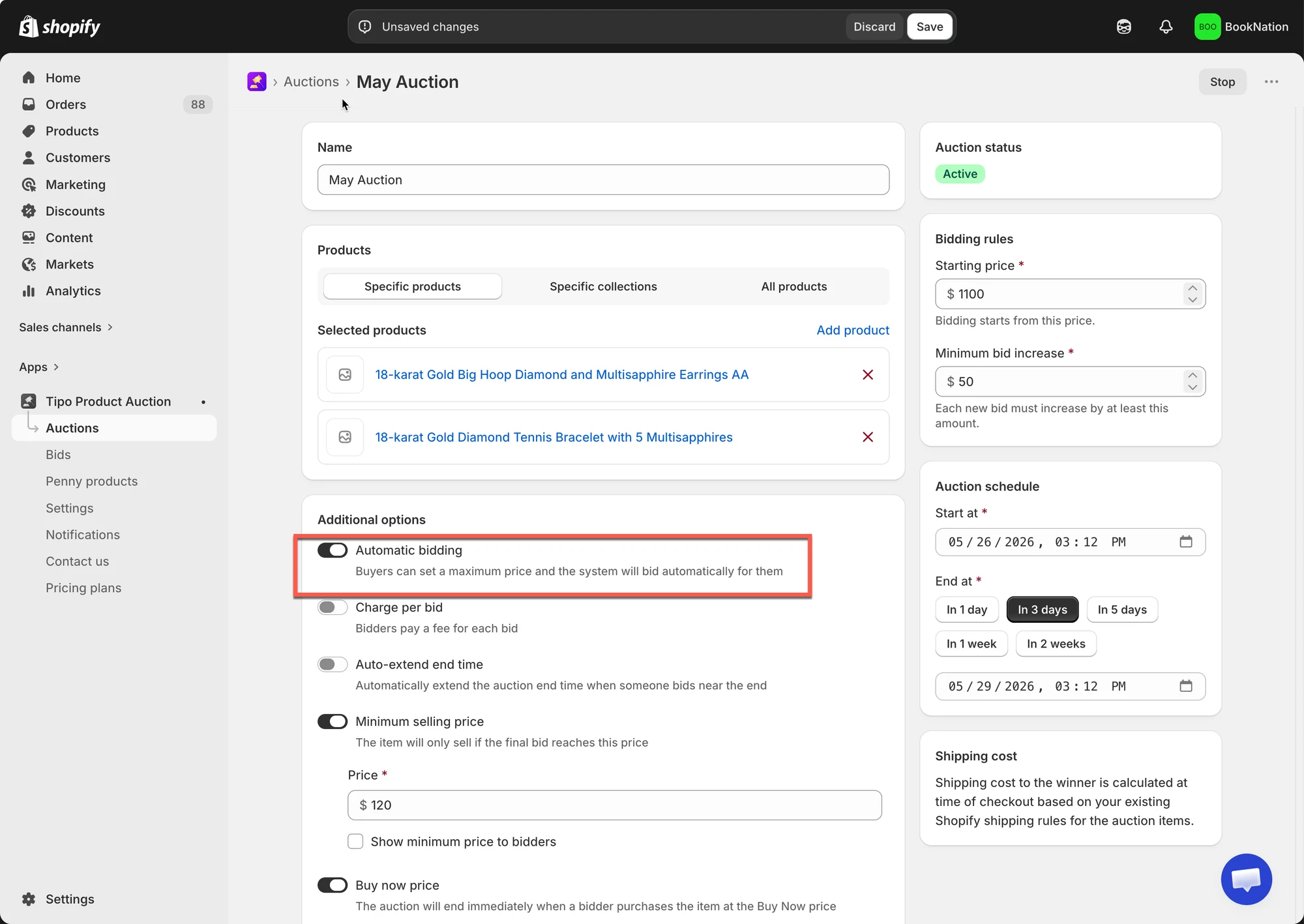
1. Open the app > click Auctions > create a new auction or open a current auction
2. In Additional options sessions, turn on Automatic bidding checkbox
3. Click Save
✅ How the Automatic bid works
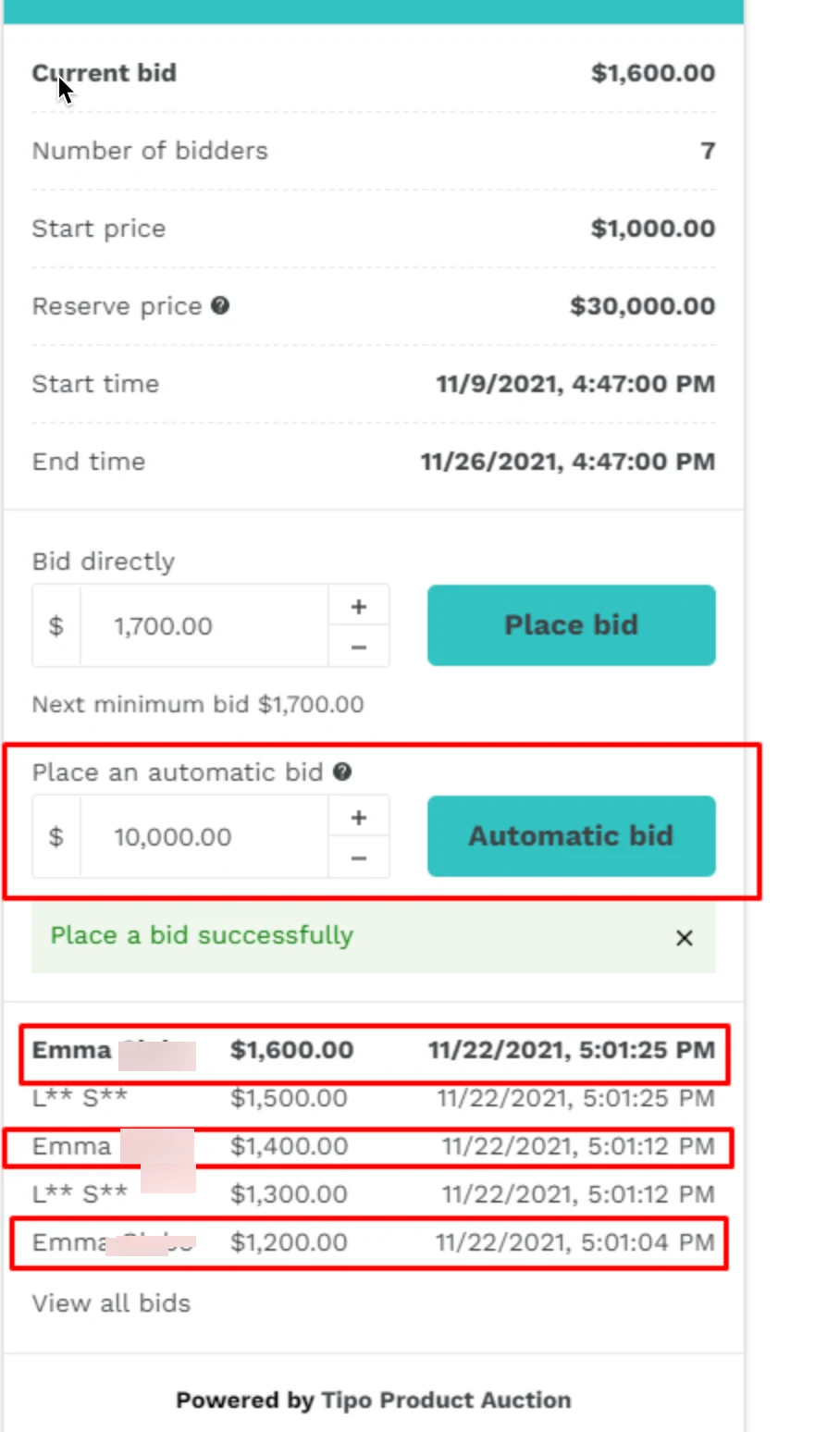
Section titled “✅ How the Automatic bid works ”- A customer enters a maximum bid amount
- The system places the minimum required bid
- When another bidder places a bid, the system automatically raises the bid (based on Minimum bid increase)
- This continues until:
- The maximum bid amount is reached, or
- The auction ends
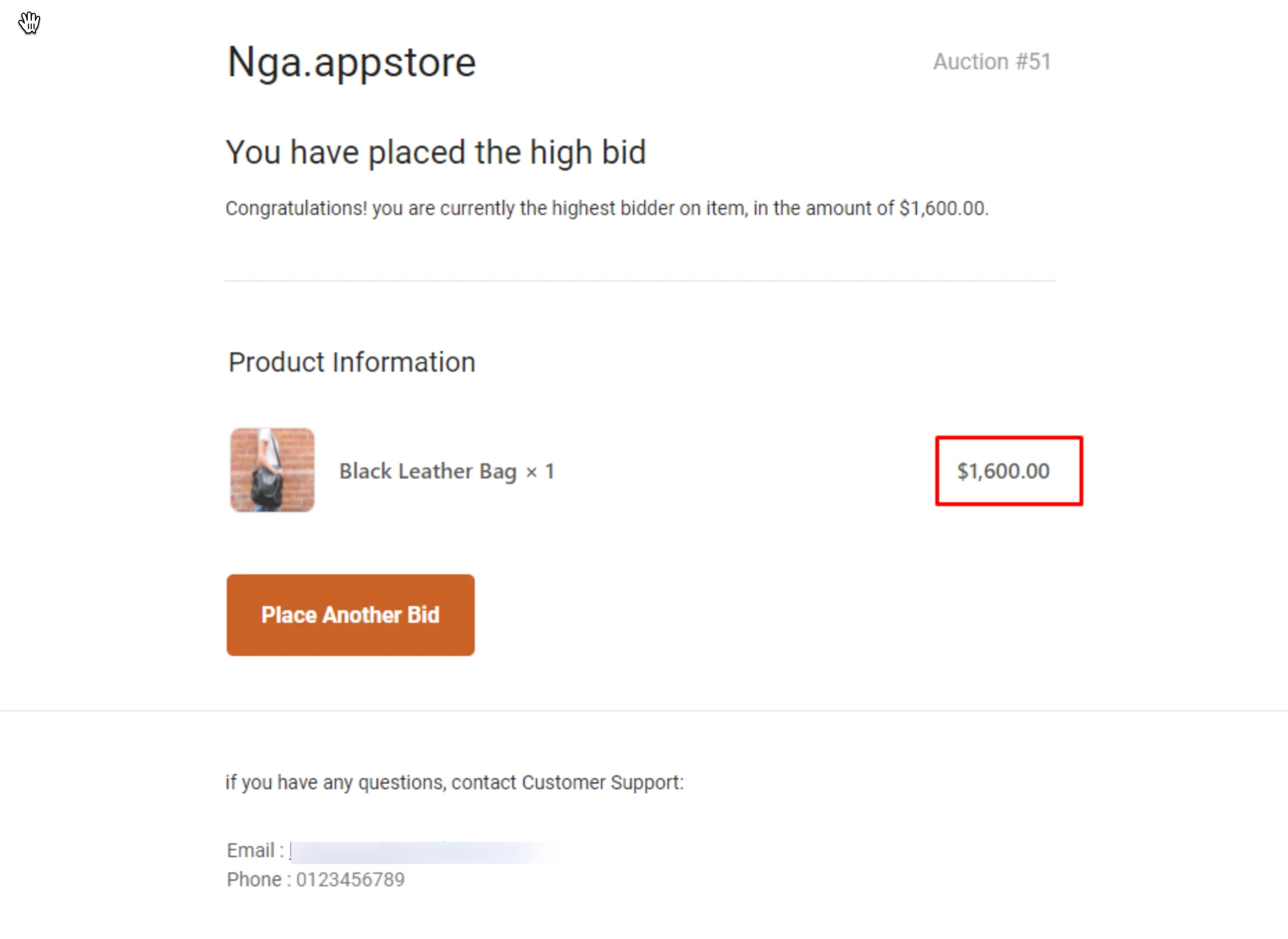
Here is an email sent to bidder who places automatic bid:
Example: Automatic Bidding in Action
Section titled “Example: Automatic Bidding in Action”Auction settings
- Current bid: $100
- Minimum bid increase: $10
Step 1: First auto-bidder
- Customer A sets a maximum bid of $200 (automatic bidding amount)
- System places a bid at $110
Step 2: Another bidder joins
- Customer B places a manual bid of $130
- System automatically bids $140 for Customer A
Step 3: Maximum reached
- Customer B bids $200
- Customer A’s maximum is reached
- Customer B becomes the highest bidder
What Happens at Auction End?
- If the highest bidder used automatic bidding: They win at the lowest possible price needed to stay ahead
- Winner checkout follows the normal winner flow.
📚 Related documents
Section titled “📚 Related documents”Prevent Auto Bid from Overriding Manual Bid at the Same Amount
🙋 Still need support?
If you still need help, please feel free to contact us at hi@tipo.io. We’ll be happy to assist you further.