
Order sync
AI 概覽
說明 Tipo 應用程式中的 Order Sync 如何將 Destination store 的訂單複製到您的 Source store,讓您在同一處查看訂單。只會包含已同步的商品,且訂單只在建立時同步一次。付款與折扣不會同步。
查看更多收合
- 各商店的商品 handle 應保持一致,且只有已同步的商品會出現在 Source 訂單中。
- 在 Source store 中開啟 Settings,開啟 Sync inventory and orders 並選擇 Order Sync and One-Way Inventory Sync。
- 選擇訂單資料的顯示方式,視需要開啟 Order Notification,然後點選 Save。
- 在 Destination store 中建立連線。
- 之後的狀態變更(例如出貨)不會同步,且 Source 訂單會帶有來源標籤,例如 `From: urbanwear-us`。
由 AI 產生的摘要,可能有錯誤,請參閱下方的完整指南。
Inventory Sync, Multi store TP 應用程式可讓您將訂單從 Destination Stores 無縫同步到 Source Store。
啟用 Order Sync 後:
- 顧客在 Destination store 下訂單
- Tipo 應用程式在 Source store 建立一筆相符的訂單
✅ 哪些資訊會同步到 Source 訂單
Section titled “✅ 哪些資訊會同步到 Source 訂單”在 Source store 建立的訂單包含:
- 訂單編號
- 顧客資訊
- 商品詳細資料(僅限已同步/已對應的商品)
- 顯示來源的訂單標籤(例如:
From: urbanwear-us)
📌 注意: 此標籤可協助您快速識別是哪間 Destination store 建立了該訂單。
⚠️ 重要注意事項
Section titled “⚠️ 重要注意事項”商品比對(必要)
為確保訂單同步正確:
- 商品在各商店之間應具有一致的 handle
- 訂單中只有已同步的商品會被同步
庫存行為
- 訂單會同步到 Source store
- 庫存通常為單向同步:Source → Destination
(因此 Destination 的銷售不一定會自動扣減 Source 的庫存,除非您的庫存設定支援。)
出貨與訂單更新(僅同步一次)
應用程式只會在訂單新建立時同步該訂單。
首次同步之後:
- 出貨狀態或訂單狀態更新等變更不會被同步
- 例如:如果您在 Destination 更新訂單狀態,Source 不會跟著更新
付款與折扣(不會同步)
- 付款/扣款仍保留在 Destination store
- 目前不會同步折扣資訊
Destination store:
訂單已建立
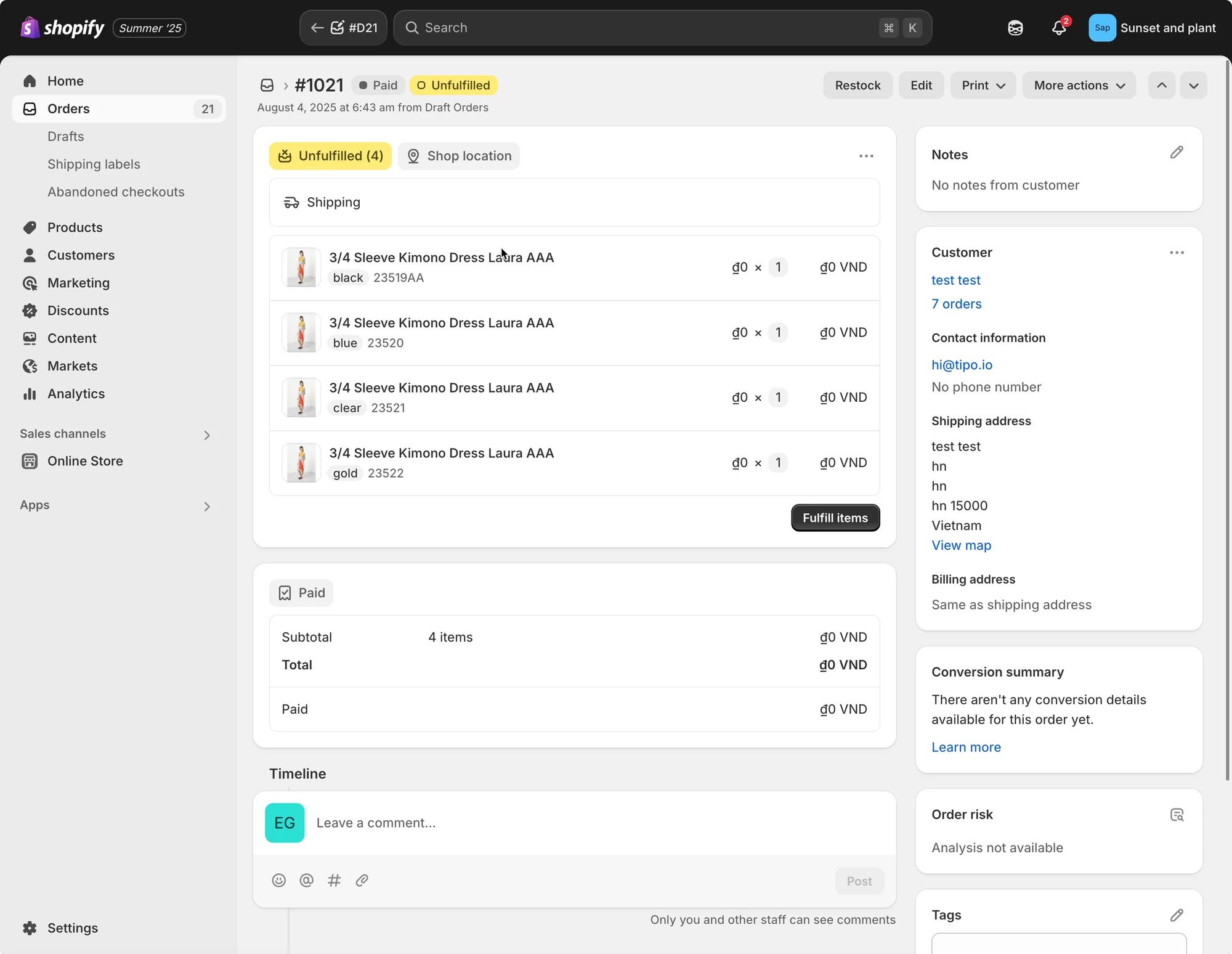
Source store
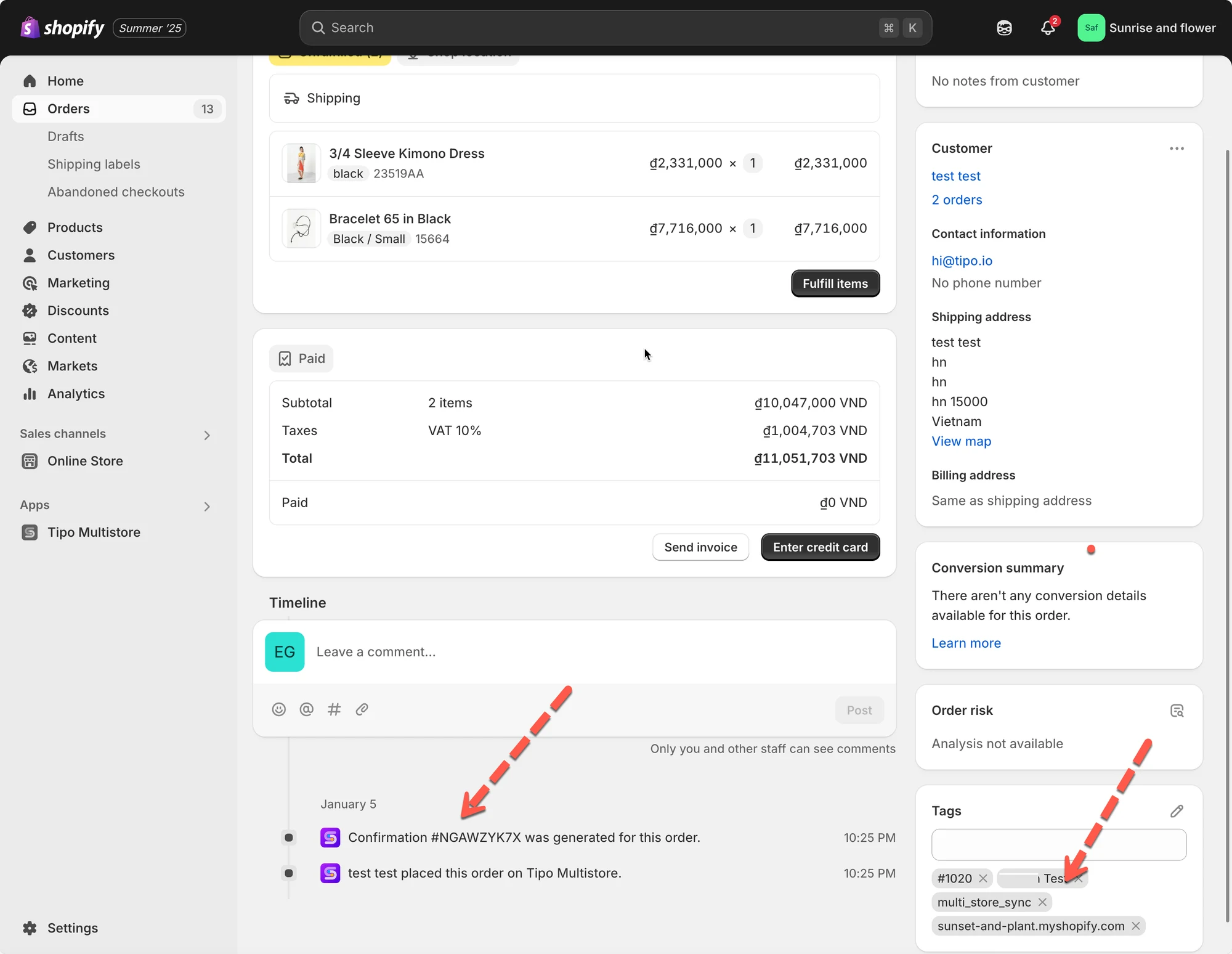
系統也會自動建立一筆具有相同資訊(顧客、商品)的新訂單。我們的應用程式會在同步的訂單上加入自訂標籤,內容包括:Destination store 的訂單 ID、應用程式名稱(multi_store_sync)、Destination store 網址(xxx.myshopify.com)
電子郵件通知會寄送給 Source store 的管理員。
🛠️ 在 Source store 設定 Order sync
Section titled “🛠️ 在 Source store 設定 Order sync”1. 在 Source 商店中,開啟應用程式 > 點選 Settings > 開啟 Sync inventory and orders
2. 選擇 Order Sync and One-Way Inventory Sync
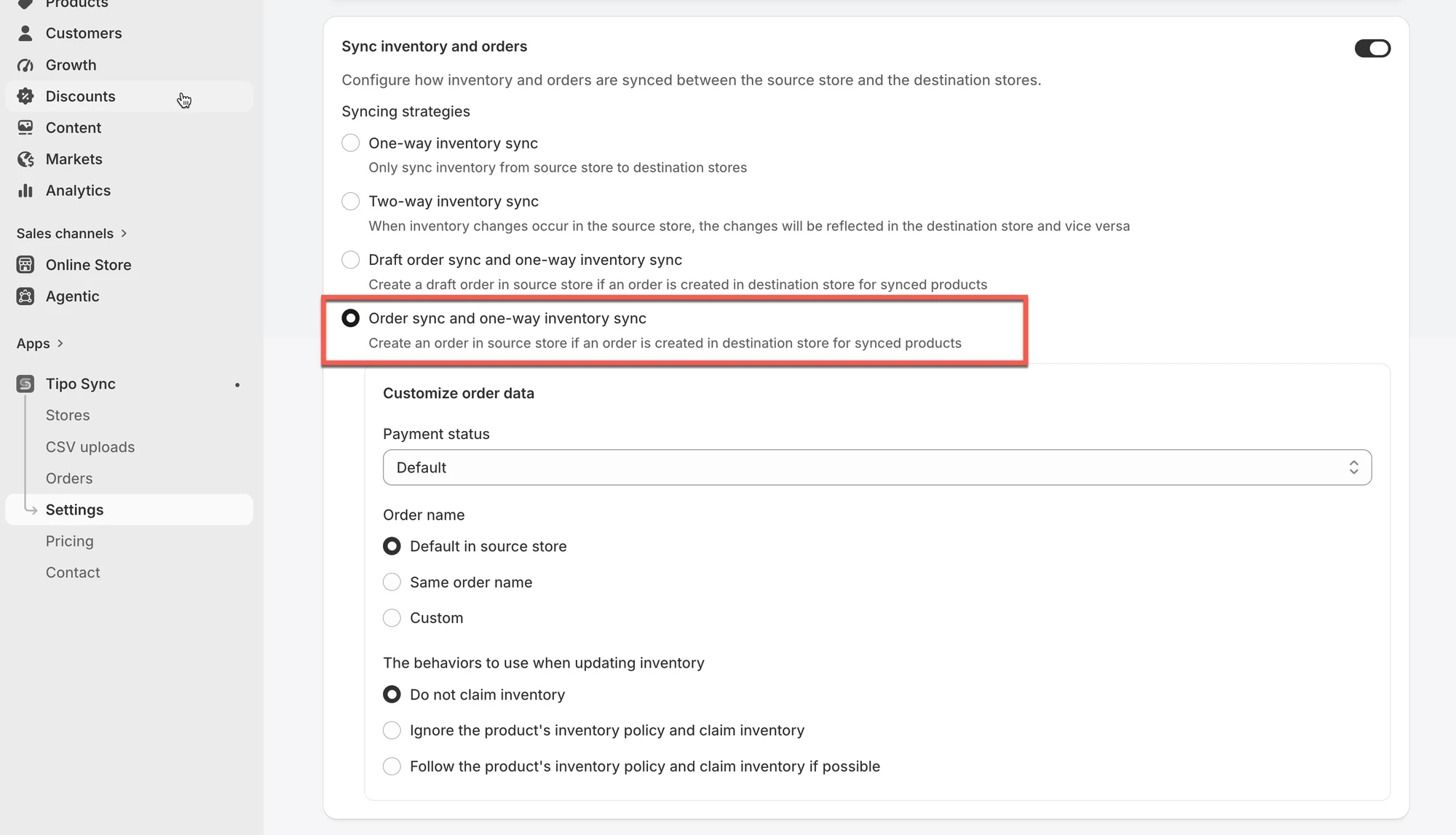
3. 控制訂單資料在 Source store 的顯示方式:選擇付款狀態、編輯訂單名稱、更新庫存時採用的行為
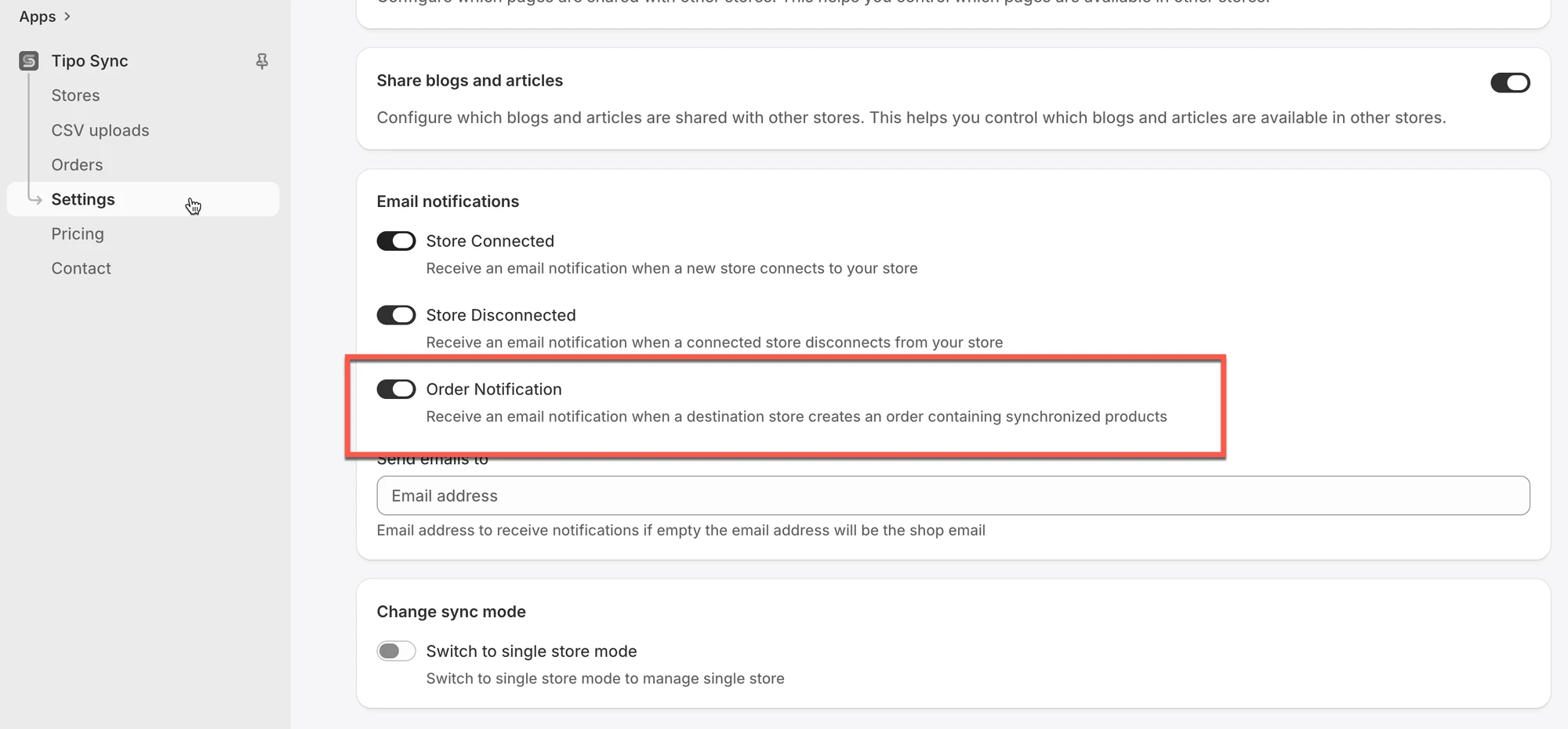
4. 捲動到 Email notifications 區段 > 開啟 Order Notification(選填)
5. 點選 Save
🛠️ 在 Destination store 建立連線
Section titled “🛠️ 在 Destination store 建立連線”指南請見此處
🧪 範例情境
Section titled “🧪 範例情境”商店:
- Source Store:
https://urbanwear-eu.myshopify.com - Destination Store:
https://urbanwear-us.myshopify.com
流程:
- 顧客在 Destination Store 下單購買「Slim Fit Denim Jacket」。
- Tipo 會自動在 Source Store 建立對應的訂單,並標記為「From: urbanwear-us」。
🙋 還需要協助嗎?
如果您仍需要協助,歡迎隨時寄信至 hi@tipo.io 與我們聯絡,我們很樂意為您提供進一步的協助。