
选择要同步的商品信息
AI 概览
了解如何选择 Tipo Sync 从 Source store 复制到 Destination store 的商品信息。您可以在 Destination store 的 Settings 中将每个字段设置为 Sync、Create only 或 Ignore。字段涵盖商品、变体和价格数据,让您控制哪些内容会被更新。
查看更多收起
- 字段分组:Product Fields、Variant Fields 和 Price Fields。
- 在 Destination store 中,打开 Settings > Product Fields to Synchronize,并为每个字段选择一个选项。
- Sync 会创建并更新;Create only 仅在创建时设置该值;Ignore 则从不同步该字段。
- 点击 Save 完成。
- Product Title 和 Variant Title 是新商品的必填项,因此它们无法选择 Ignore。
由 AI 生成的摘要,可能存在错误,请查看下方的完整指南。
Tipo 应用允许您选择要从 Source store 同步到 Destination store 的商品信息。
这样您就可以完全掌控跨商店更新的数据。
- Product Fields – 标题、描述、状态、SEO 字段、图片、标签、供应商、类别等。
- Variant Fields – 变体标题、条形码、重量、税务设置、库存追踪等。
- Price Fields – 价格、单价、单件成本。
🛠️ 设置方法
Section titled “🛠️ 设置方法”1. 在 Destination store 中打开应用 > 点击 Settings > Product Fields to Synchronize
3. 为每个商品字段选择一个选项。共有 3 个选项可选:
- Sync – 创建并更新
- Create only – 仅在创建新商品时设置该值
- Ignore – 从不同步此字段
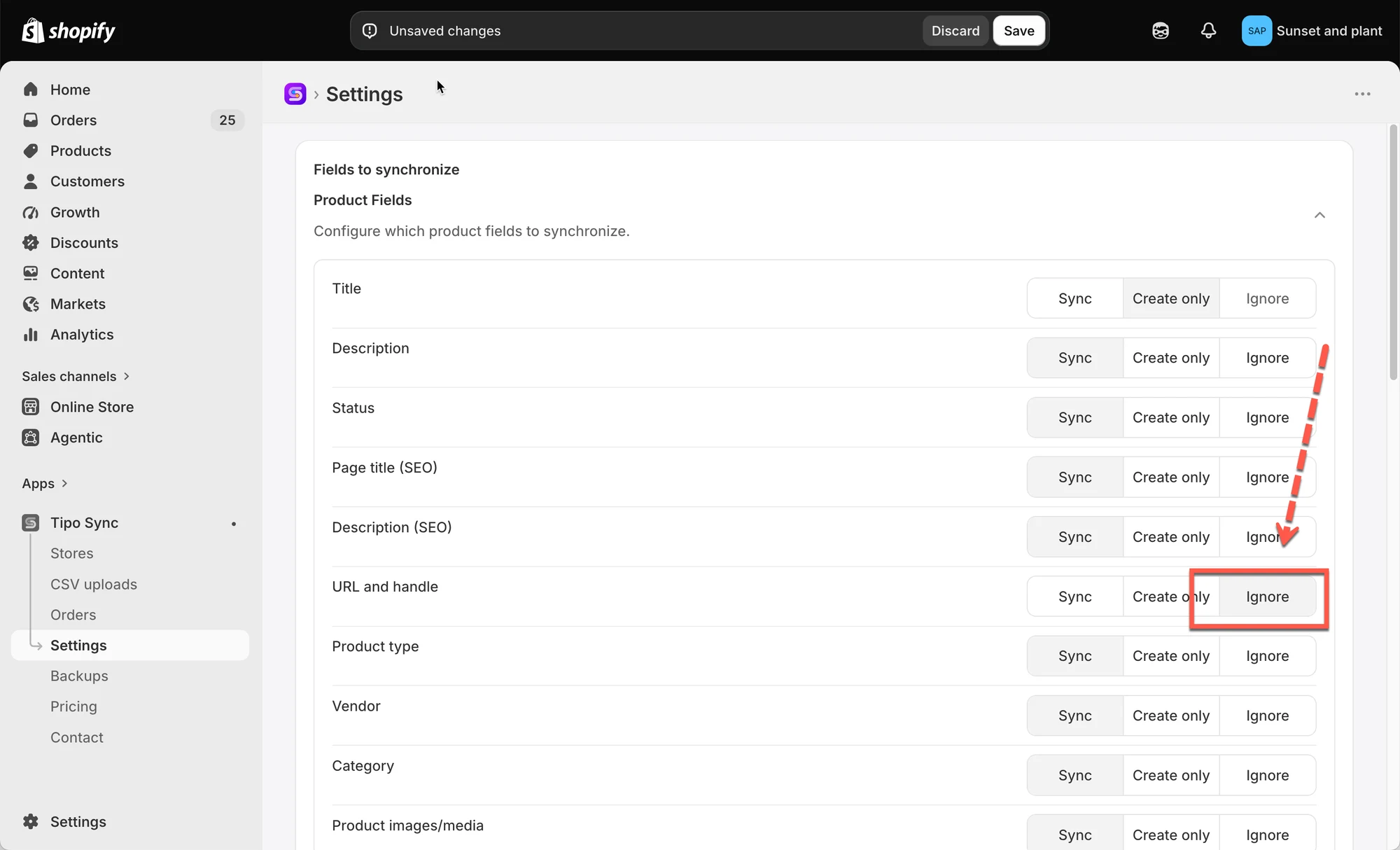
4. 点击 Save 完成
例如:
- 如果您想将商品标题从 Source store 同步到 Destination store,请选择 Sync 选项
- 如果您不想将商品价格从 Source store 同步到 Destination store,请选择 Ignore 选项
注意:从 Source store 同步新商品时,Product Title 和 Variant Title 为必填字段,不能选择 Ignore 选项。
🔄 Sync
Section titled “🔄 Sync”| 阶段 | Source Store | Destination Store |
|---|---|---|
| 初次同步 | Summer Linen Shirt | Summer Linen Shirt |
| 修改标题后 | Premium Summer Linen Shirt | Premium Summer Linen Shirt |
结果: 该字段保持同步。在 Source Store 中所做的更改会自动更新到 Destination Store。
📝 Create only
Section titled “📝 Create only”| 阶段 | Source Store | Destination Store |
|---|---|---|
| 初次同步 | Summer Linen Shirt | Summer Linen Shirt |
| 修改标题后 | Premium Summer Linen Shirt | Summer Linen Shirt |
结果: 该字段会在商品创建时被复制,但之后的更改不会再同步。
🚫 Ignore
Section titled “🚫 Ignore”| 阶段 | Source Store | Destination Store |
|---|---|---|
| 初次同步 | Summer Linen Shirt | Custom Store Title |
| 修改标题后 | Premium Summer Linen Shirt | Custom Store Title |
结果: 该字段从不同步。Source Store 中的更改不会影响 Destination Store。
🔗 商品匹配的工作方式
Section titled “🔗 商品匹配的工作方式”同步商品之前,Tipo Sync 会检查该商品是否已存在于 Destination store 中。
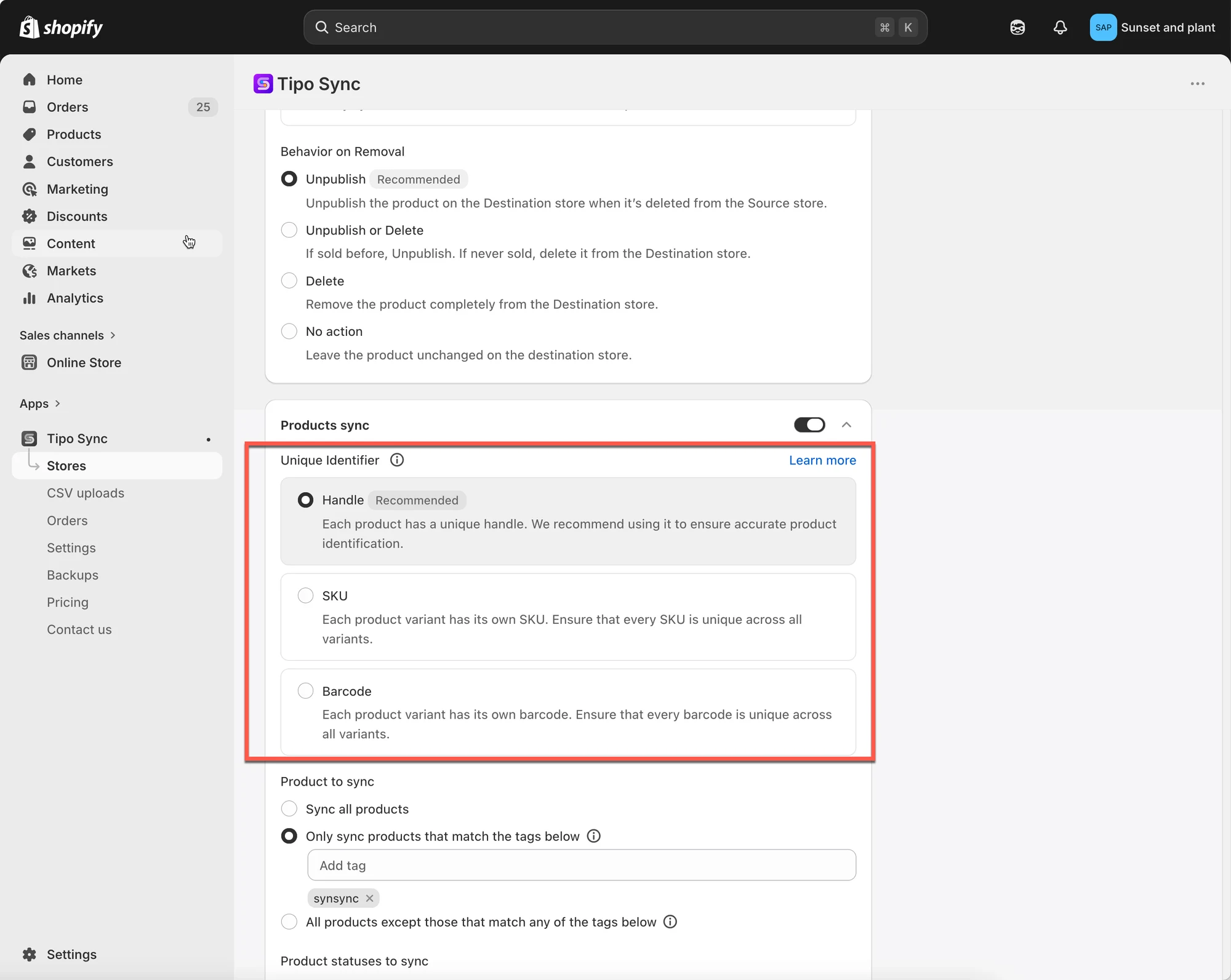
应用使用所选的 Matching Identifier 来比较商品:
- Handle(推荐)
- SKU
- Barcode
检查是否匹配之后,Tipo Sync 会按照所选的同步模式执行。
📊 快速对比
Section titled “📊 快速对比”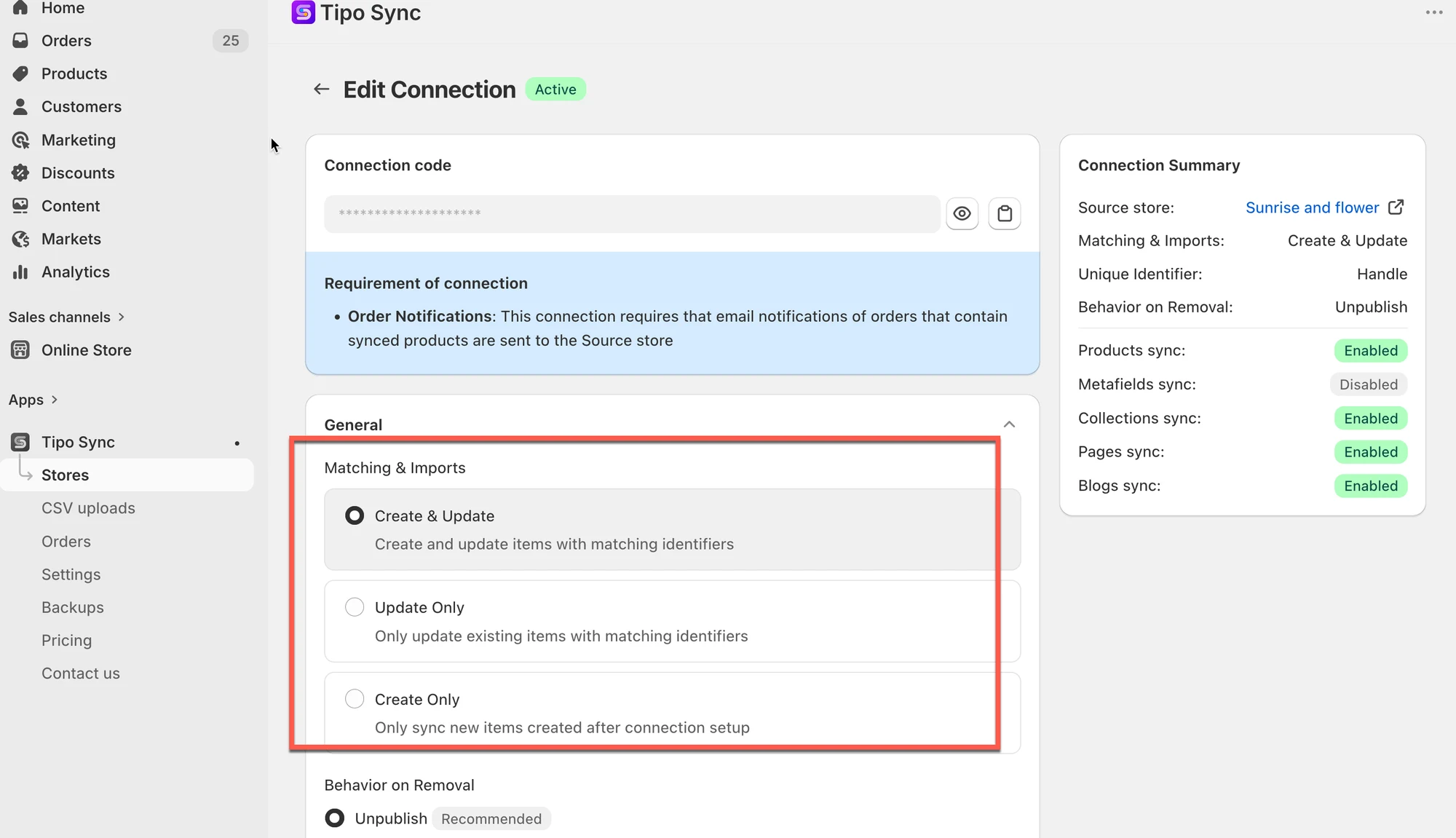
| 同步模式 | 找到匹配商品 | 未找到匹配商品 |
|---|---|---|
| 🔄 Create & Update | 更新商品 | 创建商品 |
| 🔁 Update Only | 更新商品 | 忽略商品 |
| ➕ Create Only | 忽略商品 | 创建商品 |
此表说明了三种模式之间的核心区别。
🙋 还需要支持吗?
如果您仍需要帮助,请随时通过 hi@tipo.io 联系我们。我们很乐意为您提供进一步协助。